Zennaxx

Category: App Development

  • HIPAA-Compliant App Development: Complete Guide to Cost, Requirements & Process

    HIPAA-Compliant App Development: Complete Guide to Cost, Requirements & Process

    What is HIPAA-Compliant App Development?

    HIPAA-compliant app development means developing mobile or web applications that comply with the security, privacy, and data protection regulations set by the Health Insurance Portability and Accountability Act (HIPAA). In short, if your app collects, stores, processes, or transmits any kind of patient health information referred to as Protected Health Information (PHI), then it must be built in a way to keep that information safe, private and handled correctly at every single step.

    This is not a checkbox exercise. HIPAA compliance covers everything from how data is encrypted to who is allowed access to it, to how long records are kept, to what happens if there is a breach. If you are building a telehealth software, a patient portal, a remote monitoring app or a clinic management tool, hipaa compliant app development has to be baked into the architecture from day 1 and not added as an after thought once the app is already built.Getting this right is a non-negotiable for healthcare businesses everywhere in Canada, including Toronto and Ontario and the US. It is the basis for everything else.

    Why HIPAA Compliance is More Important Now Than Ever

    Healthcare data is among the most valuable, and most confidential, information in the digital world. And the numbers explain why compliance isn’t optional any longer.Healthcare data breaches are now considered the most expensive of any industry, with the average breach costing millions of dollars per incident and taking months to fully identify and contain. The legal fallout is just as bad as the financial fallout.

    Violating HIPAA can cost you between a few hundred dollars per violation and over $2 million. If someone intentionally misuses patient data, they can face criminal penalties that include hefty fines and even jail time.

    But it is not just about fear of punishment. In the healthcare industry, HIPAA compliance has become a real trust signal. It’s not a compliant product so hospitals, insurance companies and enterprise healthcare buyers just won’t look at it. Patients are also much more aware of data privacy today, and they’re much less likely to use or trust an app that doesn’t take their information seriously.

    As digital health accelerates from telemedicine to AI-driven diagnostics to remote patient monitoring, the need for secure, compliant infrastructure is only growing. This is precisely the reason many healthcare organizations are reaching out to a trusted mobile app development company that understands the technology along with the regulatory landscape.

    HIPAA Mobile App Requirements: What Your App Needs

    The first step in any development project is to understand the core requirements of the HIPAA mobile app. HIPAA is made up of four core rules but the Security Rule and Privacy Rule are the most applicable to app developers.

    The Privacy Rule specifies when PHI may be used or shared, gives patients access to their own health data and the right to correct it, and requires that apps collect only the minimum amount of information necessary for their operation.

    The Security Rule requires certain protections that are divided into three groups:

    • Technical Safeguards- encryption, access controls, audit logs, and authentication, these are mostly owned by app developers
    • Administrative Safeguards- policies, training, and risk assessments managed by the healthcare organization
    • Physical Safeguards- controls over the physical devices and locations where PHI is accessed or stored

    Basic technical requirements for all HIPAA-compliant apps:

    • Encryption at rest using AES-256 for all stored PHI never saved in plaintext
    • Encryption in transit with TLS 1.2+ (TLS 1.3 is the new preferred standard)
    • Unique user identification with role-based access control (RBAC)
    • Multi-factor authentication (MFA) for any account accessing PHI
    • Audit controls and immutable logs that record every instance of PHI access
    • Integrity controls to prevent the unauthorized alteration or deletion of data

    Equally important is understanding the distinction between transient PHI access (data processed on a temporary basis and not stored) and persistent PHI access (data stored long term in the system).

    Each requires a different level of protection, and your app’s architecture should clearly separate the two from the very beginning.A technically perfect app can still lead to a violation if the organization employing it doesn’t adhere to proper administrative processes, making compliance a shared responsibility between the development team and the healthcare provider.

    Step-by-Step Process of HIPAA Compliant App Development

    Step by Step Process of HIPAA Compliant App Development

    Developing a healthcare app that meets compliance is a methodical, security-first process. Here’s how a seasoned development team does it:

    Step-1: Risk Assessment & Discovery

    The team conducts a gap analysis to understand exactly what PHI the app will handle, how it will flow through the system, and what risks exist at each touchpoint.

    Step-2: Security-First Architecture

    Instead of designing the app first and then bolting on security, the whole technical architecture, database structure, API design and cloud infrastructure is planned with compliance requirements in mind from the beginning.

    Step-3: Vendor Agreements (BAAs)

    Business Associate Agreement (BAA), Third-party vendors who interact with PHI include: cloud hosting providers, analytics tools, or customer support platforms. That means ensuring your cloud provider (AWS, Azure or Google Cloud) is configured within HIPAA-eligible boundaries, as default settings are often not compliant out of the box.

    Step-4: Secure Development

    Developers develop the application with encryption, access controls, and audit logging built in as architectural decisions, not as bolt-on features. Mobile-specific protections like certificate pinning, secure local storage (iOS Keychain or Android Keystore) and jailbreak / root detection are implemented to prevent data leaks on compromised devices.

    Step-5: Verification & Testing

    This phase includes rigorous QA, professional penetration testing and a compliance audit designed to identify encryption gaps, missing access controls or weak authentication before launch.

    Step-6: Pre-Launch Checklist & Continuous Compliance

    The team conducts breach notification processes, final security checks and documentation before going live. Compliance doesn’t end at launch. It must be monitored on an ongoing basis, risks must be assessed on a regular basis and HIPAA mobile app requirements must be updated as regulations change.In principle, this is how other regulated or security-sensitive apps are built. If you’re curious about how it compares across industries, take a look at our guides on mobile banking app development and stock trading app development that also need bank-grade security architecture.

    HIPAA App Development Cost: A Realistic Breakdown

    One of the most common questions healthcare businesses ask is: how much does HIPAA-compliant app development actually cost? The honest answer is that hipaa app development cost heavily depends on scope, but here’s a realistic framework based on current industry benchmarks:General Cost RangesThe simple overhead of compliance adds, on average, 15-25% to the normal development costs for additional encryption layers, audit-logging systems, access-control infrastructure, and compliance documentation.Other expenses to consider are:

    • HIPAA-compliant hosting- typically $200 to $2,000+ per month depending on data volume and log retention requirements
    • Third-party security audits- Independent HIPAA audits typically cost $5,000 to $50,000 depending on the depth.
    • Legal & BAA fees- drafting and reviewing Business Associate Agreements with a healthcare attorney usually ranges from $2,000 to $10,000
    • Continuous maintenance- Set aside 15-25% of your initial development cost each year for patches, updates and ongoing compliance monitoring

    To get a broader sense of how development pricing works across project types in the Canadian market, check out our guide on app development cost in Canada that breaks this down further.It’s worth repeating: retrofitting compliance into an app built without security from the ground up can cost three to five times more than building it right the first time. Investing in proper hipaa compliant app development from day one is not only safer but is also a lot more cost effective in the long run.

    Key Features of a HIPAA-Compliant App
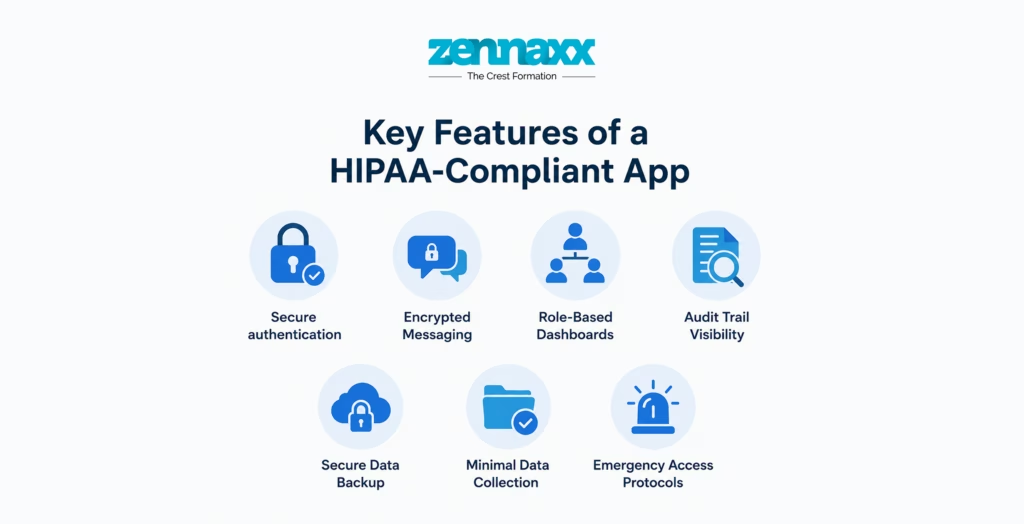
    Key Features of a HIPAA Complaint App

    Besides the technical safeguards that we have already discussed, here are the functional features that make a HIPAA compliant healthcare app truly useful and trustworthy:

    Secure authentication-Multi-factor authentication, biometric login options and strong password policies should be standard, not optional extras.

    Encrypted Messaging-In-app communication between patients and providers needs end-to-end encryption, not just standard SSL.

    Role-Based Dashboards-Only the information relevant to the role of doctors, nurses, administrative staff, and patients should be displayed.

    Audit Trail Visibility-A detailed, tamper-proof log of who accessed what data and when, which is critical for both compliance and internal accountability.

    Secure Data Backup- Backups should be automated and encrypted so that data is not lost and backups themselves must be encrypted as an unprotected backup is as risky as an unprotected live database.

    Minimal Data Collection- The best HIPAA compliant apps only collect the data they need to. That means that if something does go wrong, less data is collected to put at risk.

    Emergency Access Protocols- A secure way to gain authorized access during outages or emergencies, while still fully logging every attempt at emergency access.And if your healthcare app will be incorporating broader functionality, it’s worth checking out our full healthcare app development guide for a comprehensive view of what a modern, patient-centric platform should contain.

    Common Mistakes That Lead to HIPAA Violations

    Mistakes happen. Even the best-intentioned teams make mistakes that put their app and their business at risk. Most common ones are here:

    Compliance should not be an afterthought-Trying to bolt on security once development has been completed almost always leads to gaps, rework and much higher costs.

    No BAAs with vendors-Any vendor that has any contact with PHI, even momentary, needs a signed Business Associate Agreement . This step is one of the most common and most costly oversights.

    Storing PHI in device caches or in plain text-Mobile apps that cache data locally without encryption are a serious vulnerability, especially if the device is lost or stolen.

    Weak or missing audit logs- Without a clear, immutable record of who accessed what data and when, it is nearly impossible to properly investigate or respond to a potential breach.

    Default cloud configurations-Although cloud platforms like AWS and Azure have HIPAA-eligible services, they are configured by default in non-compliant ways that require explicit, correct configuration.

    Continuous maintenance-HIPAA compliance isn’t a one-and-done. Security threats change, regulations change and apps that aren’t continually patched become non-compliant over time.

    Benefits and Drawbacks of HIPAA Compliant App Development

    Advantages

    Builds Patient and Partner Trust-A HIPAA-compliant app lets patients, hospitals and insurance companies know you care about data privacy making partnerships and patient adoption much easier.

    Avoids Costly Penalties- Solid compliance from the beginning protects your business from crippling fines, legal fees and damage to your reputation.

    Long-Term Scalability-Apps built with a good security architecture tend to scale better as you add features, users and integrations down the road.

    Competitive Advantage-Compliance can be a true differentiator in a crowded digital health market especially when working with enterprise healthcare clients.

    Disadvantages

    Higher Upfront Investment-Development with compliance in mind will usually be more expensive than a standard app, due to the extra security layers, audits and documentation.

    Longer Development Timelines-Building in proper safeguards, testing and validation takes more time than a typical consumer app build.

    Ongoing Maintenance Burden-Compliance is not a one and done task. It requires ongoing monitoring, updates and periodic re-audits. There are ongoing costs associated with that.

    Complexity of Vendor Management- As more third-party tools and APIs get integrated, managing BAAs and vendor compliance becomes complex.

    How to Choose the Best Mobile App Development Company

    How to Choose the Best Mobile App Development Company

    Choosing the right development partner can make or break your HIPAA compliant app project. What to watch for:

    Proven healthcare experience-Ask for case studies or examples of past compliant builds, not just generic app development work

    Compliance first mindset-The team should discuss security architecture from the first conversation, not as an afterthought.

    Transparent process and pricing-Milestone-based delivery and clear documentation throughout the project reduce risk on both sides.

    Post-launch support-Compliance is not a one-time thing so your development partner should offer ongoing maintenance, monitoring and updates after you go live.

    Cross-industry security expertise-Teams with experience in other regulated industries, such as finance, often provide valuable security discipline to healthcare projects as well.A reliable mobile app development company with experience in the healthcare domain will guide you through each step, from the initial risk assessment to post-launch compliance monitoring. Zennaxx provides end-to-end mobile app development services for regulated industries. We help healthcare companies in Canada including Toronto and Ontario to develop secure, scalable and fully compliant apps.

    Final Thoughts

    Building a HIPAA-compliant app isn’t just about avoiding fines, it’s about building trust, protecting patients and creating a healthcare product that can scale safely for years to come. Healthcare organizations that buy into compliance-first architecture from the beginning are always more cost-effective, free of legal headaches, and more quickly trusted by patients and partners than those who try to retrofit security after the fact.

    Whether you’re a healthcare startup in Toronto, a growing clinic network across Ontario or an established provider anywhere in Canada, the right development partner makes all the difference.Zennaxx is a trusted mobile app development company with proven experience in building secure and compliant healthcare applications. We merge security expertise, regulatory knowledge, and considerate design to provide app development services that healthcare companies can truly rely on.

    FAQs

    Q1. How Much Does It Cost to Build a HIPAA-Compliant App?

    The cost will depend a lot on how complex it is. A basic MVP will typically cost $50,000 to $100,000, whereas a mid-range app for iOS, Android and web can cost $100,000 to $300,000. Enterprise-level platforms with advanced integrations can cost anywhere from $300,000 to millions of dollars. Then add the cost of compliance . You’re going to add 15-25 % to the base development costs for encryption, audit systems, security audits, and legal fees for Business Associate Agreements on top of the base development costs . Also, you can check out our detailed breakdown of the app development cost in Canada to get more insights.

    Q2. What Are the HIPAA Requirements for Healthcare Apps?

    HIPAA requirements for healthcare apps are derived from the Security Rule and Privacy Rule. This translates into AES-256 encryption for data at rest, TLS 1.2 or higher for data in transit, multi-factor authentication, role-based access control, automatic session timeouts, and detailed audit logs that track every instance of PHI access. “On the privacy side, apps should collect minimal patient data and should allow users to access and manage their health information. Administrative requirements such as staff training and signed BAAs with all vendors are just as important and need to be handled in parallel to the technical build.

    Q3. Can I Build a HIPAA Compliant App Without a Developer?

    Technically, no-code and low-code platforms are out there, but the risk of building a genuinely HIPAA compliant app without experienced developers is extraordinarily high. Compliance requires solid technical implementation, a sound encryption architecture, a secure authentication system, immutable audit logging, and properly configured cloud infrastructure that is far beyond what most no-code tools are able to reliably provide. Even small gaps in security architecture can cause serious breaches and penalties. For a healthcare product that handles real patient data, partnering with an experienced mobile app development company is the safer and more reliable path by far.

    Q4. How Long Does HIPAA-Compliant App Development Take?

    Timelines depend on the scope. A simple MVP with core compliance features can often be delivered in 4-6 months. A mid-range platform with EHR integrations, advanced security layers and multi-platform support typically takes anywhere from 6 to 10 months. Enterprise-grade builds with AI capabilities, multi-region compliance and deep system integrations can take 12+ months. Building compliance in from the start rather than retrofitting it later helps to keep timelines more predictable and avoid costly delays.

    Q5. Do All Healthcare Apps Need to Be HIPAA Compliant?

    Not all health apps need to be HIPAA compliant. An app needs to be HIPAA compliant if the app handles Protected Health Information (PHI) on behalf of a covered entity or business associate. General wellness apps, which don’t collect identifiable health data related to medical care, may not be covered by HIPAA. Any app used by a health care provider, insurer or their vendor to store, process or transmit patient health information must comply, though. If you are unsure, you probably want to speak with both a healthcare compliance attorney and an experienced development team before you launch.

  • Mobile Banking App Development: A Complete Guide for 2026

    Mobile Banking App Development: A Complete Guide for 2026

    The way people manage money has changed dramatically. Standing in a bank queue to transfer funds or check a balance feels almost outdated today. Consumers now expect instant, secure, and intuitive financial experiences right from their smartphones. Mobile banking app development has moved from a “nice to have” to a core business strategy for banks, credit unions, and fintech startups alike.

    According to Market Research Future, the global mobile banking market is on a steep growth trajectory, fueled by rising smartphone penetration, digital-first consumer expectations, and rapid advances in AI and cloud computing. If you’re considering building a banking app or upgrading an existing one, this guide walks you through everything: types of apps, must-have features, the development process, tech stack, security requirements, costs, and the trends shaping 2026.

    What Is a Mobile Banking App?

    A mobile banking app is a software application that allows users to perform financial transactions and manage their bank accounts through a smartphone or tablet. Beyond basic balance checks, modern banking apps support fund transfers, bill payments, loan applications, investment tracking, customer support, and much more all within a few taps.

    For businesses, a well-built banking app is not just a customer convenience tool. It is a revenue channel, a data asset, and a brand differentiator rolled into one. That is why more financial institutions are partnering with a dedicated Mobile App Development Company Canada to bring these products to life.

    Types of Mobile Banking Apps

    Before diving into development, it is important to know which type of app aligns with your business model:

    Basic Banking Apps- These handle the essentials account balance, transaction history, and simple fund transfers. They are typically offered by traditional banks as their first digital step.

    Full-Service Banking Apps- A step above, these include loan management, credit card controls, investment tracking, and customer support, the type of apps offered by major Canadian and North American banks today.

    Digital-Only Banking Apps (Neobanks)- Neobanks operate without physical branches. Built entirely for mobile-first experiences, they offer everything from instant account opening to advanced budgeting tools. This is one of the fastest-growing segments globally.

    Payment-Focused Banking Apps- These focus on peer-to-peer payments, bill splitting, and merchant transactions. They often integrate with existing bank accounts through open banking APIs.

    Business Banking Apps- Tailored for SMEs and enterprises, these include payroll, invoicing, multi-user account access, and treasury management features.

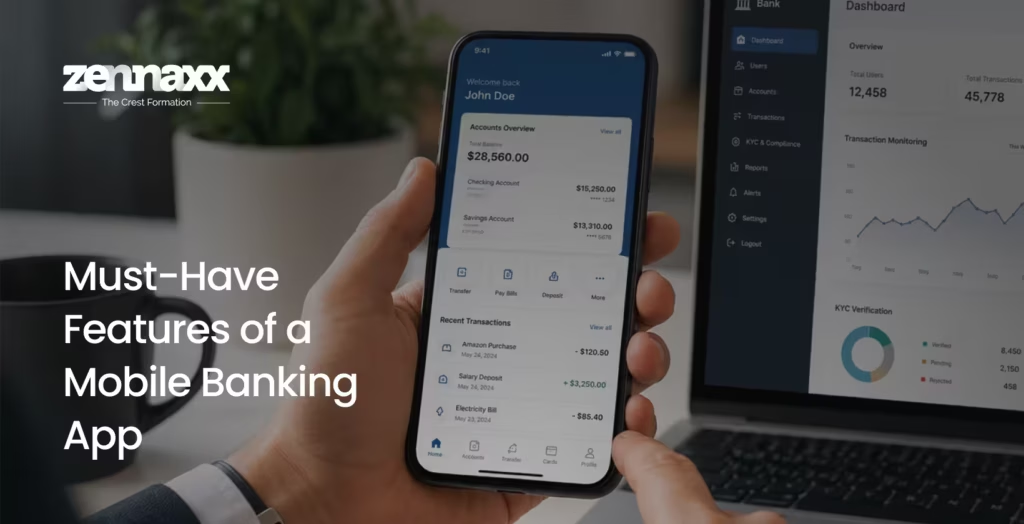
    Must-Have Features of a Mobile Banking App

    Must-Have Features of a Mobile Banking App Feature decisions will make or break your app. Here is what users expect and what admins need:
    User-Facing Features

    • Secure Login & Biometric Authentication – Fingerprint, Face ID, or PIN-based login for instant, frictionless, secure access.
    • Account Dashboard – Real-time view of balances, recent transactions, and account summaries at a glance.
    • Fund Transfers & Payments – Domestic and international transfers, scheduled payments, and bill pay built for speed and reliability.
    • Mobile Check Deposit – Camera-based cheque scanning and instant deposit confirmation.
    • Push Notifications & Alerts – Instant alerts for transactions, low balances, or suspicious activity to keep users informed.
    • Customer Support (Chat / Call) – In-app support with live agents or AI chatbot integration for 24/7 coverage.
    • Card Controls – Freeze or unfreeze cards, set spending limits, and manage virtual card numbers.
    • Financial Insights – Spending analytics, budget trackers, and savings goals to encourage healthy financial habits.

    Admin Panel Features

    • User Management – View, verify, and manage customer accounts with role-based access.
    • KYC & Compliance Dashboard – Monitor identity verifications and maintain regulatory filing records.
    • Transaction Monitoring – Flag, review, or block suspicious transactions in real time.
    • Reporting & Analytics – Business intelligence dashboards for product, compliance, and risk teams.

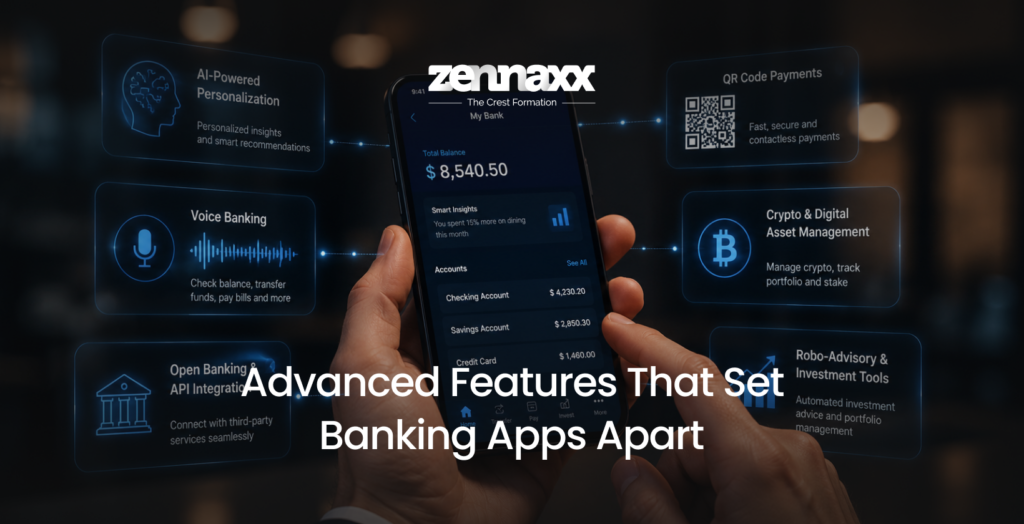
    Advanced Features That Set Banking Apps Apart

    Advanced Features That Set Banking Apps Apart Once core features are covered, advanced capabilities can position your app as a market leader. AI in fintech is already reshaping how banks interact with customers from hyper-personalized spending insights to real-time fraud prevention engines.

    • AI-Powered Personalization – Recommend financial products, predict spending patterns, and offer proactive savings tips based on individual user behavior. With AI in app development advancing rapidly, this capability is now accessible even for mid-sized financial institutions.
    • Voice Banking – Enable users to check balances, transfer funds, or pay bills using voice commands, powered by natural language processing (NLP).
    • Open Banking & API Integration – Connect with third-party financial services, insurance platforms, or investment tools to create a unified financial hub experience.
    • QR Code Payments – Fast, contactless payment experiences for retail and peer-to-peer transactions increasingly expected in urban markets.
    • Crypto & Digital Asset Management – Support for crypto wallets, staking, and portfolio tracking, especially popular with younger, tech-savvy users.
    • Robo-Advisory & Investment Tools – Automated, algorithm-driven investment recommendations for users who want passive wealth management without a human advisor.

    How to Develop a Mobile Banking App: Step-by-Step

    Market Research & Requirement Analysis (2–4 Weeks)

    Understand your target users, the competitive landscape, and the regulatory environment. Define business objectives and key success metrics before writing a single line of code. Skipping this step is the fastest way to build the wrong product.

    Define Your App Development Strategy (2–3 Weeks)

    Decide on the platform – iOS, Android, or both. Will you go native or cross-platform? Frameworks like flutter app development are increasingly popular for banking apps because they deliver near-native performance with a single codebase, cutting development time and cost significantly. For more on making this decision, read our detailed guide on native vs cross platform app development.

    UX/UI Design (3–5 Weeks)

    Banking apps must be intuitive and trust-inspiring. A cluttered or confusing UI can directly harm adoption and retention. Focus on clean, distraction-free interfaces with accessible design principles and conduct user testing early to validate flows before development begins.

    Backend Development & API Integration (8–14 Weeks)

    This is the engine of your app. Set up servers, databases, and APIs that connect your app to core banking systems, payment gateways (Stripe, Plaid, Interac), and any third-party services in your ecosystem.

    Frontend Development (8–12 Weeks)

    Build the screens and user flows based on finalized designs. Ensure smooth performance, responsive layouts across device sizes, and offline capabilities where relevant.

    Security Implementation (Ongoing, 4–6 Weeks Dedicated)

    Security is non-negotiable in banking. Implement encryption, multi-factor authentication, biometrics, fraud detection layers, and session management in parallel with the rest of development not as an afterthought.

    Quality Assurance & Testing (4–6 Weeks)

    Run functional, security, performance, and penetration testing. Simulate high-load scenarios and edge cases before any public-facing release. This phase often catches the issues that would otherwise become expensive emergencies in production.

    Deployment & Launch (1–2 Weeks)

    Submit to App Store and Google Play, configure production environments, and coordinate a phased rollout to catch any unforeseen issues with real users before a full public launch.

    Post-Launch Maintenance & Updates (Ongoing)

    Banking apps require continuous monitoring, bug fixes, compliance updates, and feature enhancements. Plan for this as an ongoing operational cost from day one not something to budget for later.

    Tech Stack for Mobile Banking App Development

    Flutter app development deserves special mention here. Its hot reload capabilities, rich widget library, and single codebase for both iOS and Android make it a strong choice for fintech teams that want quality and speed without doubling their development budget. It is fast becoming the go-to framework for banking apps built by forward-thinking companies.

    Security & Compliance in Mobile Banking Apps

    Security is not a feature in a banking app, it is the foundation every other feature sits on. Here is what a responsible, market-ready banking app must include:

    End-to-End Encryption – All data in transit and at rest must be encrypted using AES-256 or equivalent standards. No exceptions.

    Multi-Factor Authentication (MFA) with Biometrics – Combine passwords with one-time passcodes and biometric verification (fingerprint, Face ID) to minimize unauthorized access risk significantly.

    Real-Time Fraud Detection – Machine learning models that flag unusual transaction patterns and either alert users automatically or block suspicious activity outright before damage occurs.

    Certificate Pinning & Secure APIs – Prevent man-in-the-middle attacks by validating server certificates directly within the app itself, not relying solely on device-level trust.

    Regulatory Compliance – Depending on your market, your app must meet:

    • PIPEDA (Canada) – Personal Information Protection and Electronic Documents Act
    • PCI-DSS – Payment Card Industry Data Security Standard
    • OSFI Guidelines (Canada) – Office of the Superintendent of Financial Institutions
    • GDPR (if operating in Europe)

    Session Management – Auto-logout after inactivity, device binding, and remote session termination capabilities are expected as standard by both regulators and users.A trusted Mobile App Development Company Canada will have security compliance expertise integrated into their development process from the start not bolted on after the build is complete.

    How Much Does It Cost to Develop a Mobile Banking App?

    Development costs vary based on complexity, team location, and the features you need. Here is a general industry benchmark:

    Key cost drivers include:

    • Number of target platforms (iOS, Android, or both)
    • Native vs. cross-platform approach (Flutter can reduce overall costs by 30-40%)
    • Depth of security and compliance requirements
    • Number and complexity of third-party API integrations
    • UI/UX design complexity and number of custom interactions
    • Ongoing post-launch support model

    For a more granular breakdown of what goes into app development pricing, read our detailed guide on mobile app development cost.

    Challenges in Mobile Banking App Development (And How to Solve Them)

    Security Threats – Invest in penetration testing, threat modeling, and regular third-party security audits throughout the development lifecycle. Do not treat security as a final-phase checkbox.

    Regulatory Complexity – Work with a development partner who understands PIPEDA, PCI-DSS, and OSFI guidelines from the discovery phase. Retrofitting compliance after launch is costly and often unreliable.

    Legacy System Integration – Use middleware layers and well-documented APIs to bridge your modern mobile app with older core banking infrastructure. In most cases, a full rebuild is neither necessary nor practical.

    Scalability Under Peak Load – Design for cloud-native architecture with auto-scaling from day one. Load testing before launch is not optional, it is the difference between a smooth go-live and a headline-making outage.

    Cross-Platform Consistency – Frameworks like Flutter deliver consistent UI and logic across platforms. Pair them with rigorous device-specific QA testing to catch edge cases early.

    User Adoption & Retention – Invest in onboarding UX, personalized in-app nudges, and regular feature updates. Combining AI in mobile app development with behavioral analytics helps identify and remove friction points that silently kill retention metrics after launch.

    Latest Mobile Banking App Trends Shaping 2026

    AI & Machine Learning at the Core AI is no longer supplementary in banking apps; it powers fraud detection, credit decisioning, personalized product recommendations, and always-on customer support chatbots. AI in fintech is transforming not just internal bank operations, but what users actively expect from their day-to-day banking experience.

    Embedded Finance Non-financial brands are embedding banking capabilities accounts, lending, payments directly into their own apps and platforms. This means banking infrastructure needs to be API-first and built for third-party partnerships from the architecture level.

    Blockchain & DeFi Integration Tokenized assets, smart contracts, and decentralized finance tools are moving into mainstream banking apps, particularly for high-net-worth individuals and tech-forward user segments.

    Open Banking Expansion In Canada and globally, open banking frameworks are enabling third-party developers to build on top of consented banking data creating new revenue models, marketplace partnerships, and hyper-personalized financial products.

    Biometric Evolution Beyond fingerprint and Face ID, behavioral biometrics analyzing how a user types, swipes, and holds their device are being deployed as invisible, continuous authentication layers that flag anomalies without disrupting the user experience.

    Super App Convergence Banking apps are expanding well beyond finance embedding insurance, investment, shopping rewards, travel, and lifestyle services into unified platforms, modeled on the super app model that has dominated Asian markets for years.

    How to Choose a Mobile Banking App Development Partner

    How to Choose a Mobile Banking App Development Partner Choosing the right development partner is arguably more important than any technology decision you make. Here is what to evaluate:
    Fintech Domain Expertise – Has the team actually built financial applications before? Do they understand the regulatory landscape, security requirements, and nuances of banking UX? Ask for case studies.

    Security-First Development Approach – Is security designed into every phase of the software development lifecycle (SDLC), or treated as a final-mile concern? The answer to this question alone can tell you a great deal about the quality of what you will receive.

    Scalable Architecture Design – Will the app comfortably handle 10x your current user base without a rebuild in two years? Ask for architecture documentation and scalability planning before you commit.

    Post-Launch Support Capabilities – Banking apps require continuous maintenance, compliance updates, and feature releases. Ensure your partner offers SLA-backed support agreements with clear response times.

    Transparent Communication – Look for teams that give you genuine visibility into sprint progress, timelines, technical decisions, and blockers not just polished status updates.Whether you also need CRM software in Canada to manage your banking customers alongside your mobile app, or a complete end-to-end fintech product build, partnering with a team that understands the Canadian regulatory and market context is a meaningful competitive advantage.

    Build Your Mobile Banking App with Zennaxx

    If you are ready to bring your mobile banking vision to life, Zennaxx is here to help. As a leading App Development Company in Canada, we specialize in building secure, scalable, and compliance-ready financial applications for banks, credit unions, and fintech startups across North America.

    Our team brings deep expertise in Flutter app development, AI-powered feature integration, open banking API connections, and end-to-end security implementation — so you get a product that performs reliably from day one and grows with your business over time.Whether you are building a mobile banking app entirely from scratch or modernizing a legacy platform that has held your business back, we partner with you at every stage from strategy and UX design through launch, compliance audits, and beyond. Let’s build the future of banking together.

    FAQs

    Q1.How long does it take to develop a mobile banking app?A basic banking app typically takes 4–6 months. A full-service or neobank-grade application usually takes 9–18 months, depending on feature complexity, third-party integrations, and security requirements.

    Q2.What platform should I build on first – iOS or Android?In Canada, both platforms hold substantial user bases. A cross-platform framework like Flutter allows you to launch on both simultaneously from a single codebase, often the most cost-effective approach for startups and mid-market institutions alike.

    Q3.How do I ensure my banking app is compliant with Canadian regulations? Work with a development partner experienced in PIPEDA, OSFI guidelines, and PCI-DSS standards. Compliance must be scoped, designed, and tested from the discovery phase not addressed retroactively before launch.

    Q4.What is the biggest challenge in mobile banking app development?Security and regulatory compliance are consistently the top challenges. They require dedicated expertise, ongoing testing cycles, and a development team that treats them as foundational requirements not optional layers added at the end.

    Q5.Can I use Flutter for a banking app?Absolutely. Flutter is increasingly used for production-grade financial applications. Its performance, security plugin ecosystem, and ability to target both iOS and Android simultaneously make it a smart and economical choice for mobile banking app development projects.

  • Native vs Cross Platform: Which Is the Right Choice for Your App in 2026?

    Native vs Cross Platform: Which Is the Right Choice for Your App in 2026?

    Every business that decides to build a mobile app faces one fundamental question early on Native vs Cross Platform. It sounds technical, but the answer shapes your app’s performance, user experience, development timeline, and total investment. Get it right, and your app thrives. Get it wrong, and you’re rewriting code months down the line.

    This guide explains everything you need to know about native vs. cross-platform mobile development in simple, easy-to-understand language. It is helpful for both startups making their first product and businesses that want to grow their online presence.

    What is Native App Development?

    When you develop a native app, you make a different app for each platform, like iOS and Android, using the tools and programming language that come with that platform. Swift or Objective-C is what you need for iOS. It is Kotlin or Java for Android.

    When you pay for Native Mobile App Development Services, you are really making two separate apps that are made to work on their own platforms. You can use the camera, GPS, Bluetooth, and sensors on the device without any loss of speed or responsiveness.

    Key characteristics of native app development:

    • Made for iOS and Android separately
    • Uses languages that are native to the platform (Swift, Kotlin)
    • Best performance and access to hardware
    • Best-in-class user experience that follows platform rules
    • The cost of development goes up because the codebases are separate.

    Native app development is best for apps where performance is a must, like real-time games, video streaming, fintech apps, or health monitoring tools.

    What is Cross Platform App Development?

    With cross-platform app development, you can write one codebase that works on both iOS and Android. Frameworks like Flutter, React Native, and Xamarin make this possible by letting developers use most of the same code on different platforms.

    Cross Platform Mobile App Development lets businesses launch on more than one platform at the same time without having to do twice as much work. It is especially good for new businesses, MVPs, and companies that want to reach more people quickly and without spending too much money.

    Key characteristics of cross platform app development:

    • Single codebase for both iOS and Android
    • Built with frameworks like Flutter, React Native
    • Faster time to market
    • Development that doesn’t cost too much
    • Some native device features are hard to get to (but they’re getting better quickly)

    Cross platform app development is great for content-driven apps, e-commerce sites, productivity tools, and early-stage products where speed and cost-effectiveness are the most important things.

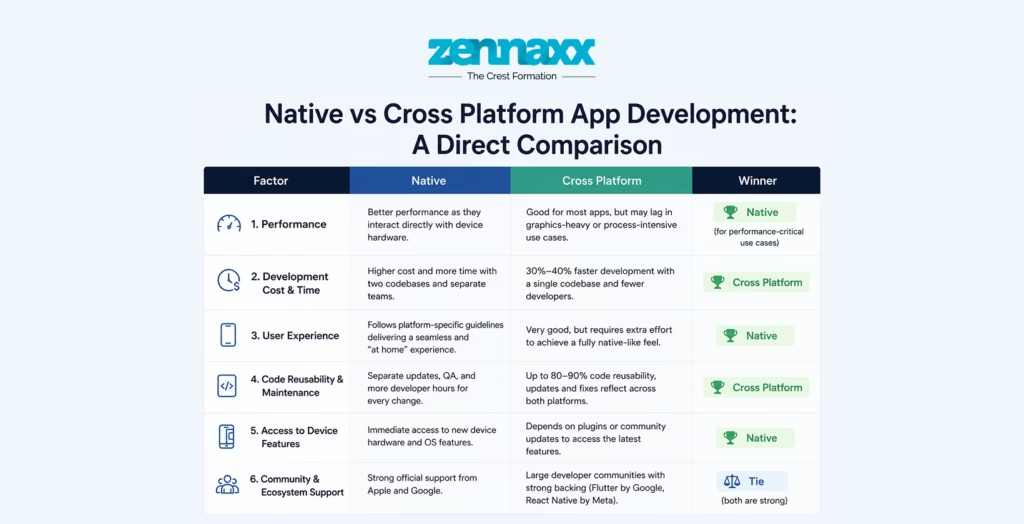
    Native vs Cross Platform App Development: A Direct Comparison

    Native vs Cross Platform App Development: A Direct Comparison

    When you look at native and cross platform app development side by side and compare them on the things that matter most to businesses, it becomes easier to understand the difference.

    Performance

    Native apps are clearly better in this case. Because they are made for a specific platform, they talk directly to the device’s hardware without requiring a translation layer. This makes things load faster, animations run more smoothly, and the whole experience feels better.Cross platform apps, while significantly improved in recent years (especially Flutter), still go through a bridge or intermediate layer. For most standard apps, the performance difference is barely noticeable. But for graphics-heavy apps or those requiring heavy background processing, native still leads.Winner: Native (for performance-critical use cases)

    Development Cost & Time

    This is where cross-platform apps really shine. Development time has been removed by 30% to 40% when there is only one codebase for both platforms. You also need fewer developers, and you can update both platforms at the same time.

    Native development essentially doubles the effort with two separate teams, two codebases, and two maintenance cycles. If you are also thinking about MVP development cost, cross platform is almost always the more practical starting point.

    Winner: Cross Platform

    User Experience

    Native apps follow platform-specific design guidelines with Material Design for Android, Human Interface Guidelines for iOS. This means users on each platform get an experience that feels truly “at home.” Gestures, animations, and UI components all behave exactly as users expect.

    Cross platform apps have improved dramatically, but achieving that fully polished, platform-authentic feel still requires extra effort from the development team.

    Winner: Native

    Code Reusability & Maintenance

    Cross platform apps allow developers to reuse up to 80–90% of the codebase. Bug fixes, feature updates, and UI changes made once are reflected across both platforms. This significantly lowers long-term maintenance overhead.

    Native apps require separate updates, separate QA cycles, and more developer hours for every change.

    Winner: Cross Platform

    Access to Device Features

    Native apps have unrestricted, immediate access to new device hardware and OS features as soon as they are released. Cross platform frameworks often need to wait for plugin support or community updates to access the latest features.

    Winner: Native

    Community & Ecosystem Support

    Both approaches have robust ecosystems. Native development benefits from official support from Apple and Google. Cross platform frameworks like Flutter (backed by Google) and React Native (backed by Meta) have enormous global developer communities.

    Winner: Tie (both are strong)

    Native vs Cross Platform Mobile App Development: When to Choose Which

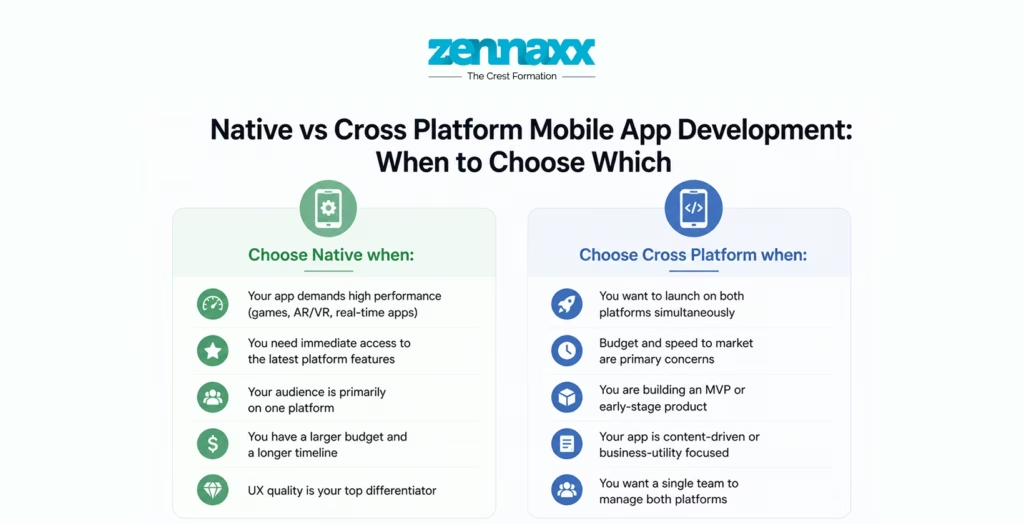
    Native vs Cross Platform Mobile App Development: When to Choose Which Choose Native when:

    • Your app demands high performance (games, AR/VR, real-time apps)
    • You need immediate access to the latest platform features
    • Your audience is primarily on one platform
    • You have a larger budget and a longer timeline
    • UX quality is your top differentiator

    Choose Cross Platform when:

    • You want to launch on both platforms simultaneously
    • Budget and speed to market are primary concerns
    • You are building an MVP or early-stage product
    • Your app is content-driven or business-utility focused
    • You want a single team to manage both platforms

    If you are still unsure, it helps to explore a deeper technical comparison. We recommend reading our guide on Flutter vs Native Development: Better ROI for Apps to understand the performance and cost trade-offs with one of today’s most popular cross platform frameworks.

    How a Mobile App Development Company Can Help You Decide

    How a Mobile App Development Company Can Help You Decide

    Choosing between native vs cross platform apps is rarely black and white. It depends on your app’s features, your target users, your release timeline, and your growth roadmap. This is where working with an experienced Mobile App Development Company Canada makes a significant difference.

    A seasoned development partner does not just code, they consult. They analyze your business model, competition, platform audience, and technical requirements to recommend the right approach from day one. This prevents expensive pivots mid-development and ensures your app is built on the right foundation.

    At Zennaxx, we help businesses of all sizes navigate the native vs cross platform mobile development decision with clarity. From strategy and architecture to development and post-launch support, our team brings deep expertise across both approaches.

    The Real Cost Behind the Decision

    One thing businesses often underestimate is the long-term cost, not just the initial build. Native apps may cost more upfront, but if your app gains massive traction and needs to scale, the investment pays off. Cross platform apps may be cheaper to build but could require re-architecture later if your performance needs outgrow the framework’s capabilities.

    This is why understanding the full native vs cross platform mobile app development picture including maintenance, scalability, and update cycles is so important before you commit.

    Conclusion

    The debate around native vs cross platform does not have a universal winner. The right choice is always the one that aligns with your specific goals, budget, timeline, and user expectations.

    If you need the highest performance, deep platform integration, and a premium user experience, go Native. If you want speed, cost efficiency, and a unified codebase for both platforms, Cross Platform is your answer.

    What matters most is making an informed decision backed by the right expertise. Whether you choose to go with dedicated Native Mobile App Development Services or a Cross Platform Mobile App Development approach, the key is to align your technical strategy with your business vision and build with a team that knows both paths well.

    Ready to start? Let the experts at Zennaxx help you make the right call.

    FAQs

    Q1. Native vs cross platform – which is better for a startup? For most startups, cross platform is the smarter starting point. It allows you to launch on both iOS and Android faster, at a lower cost, and with a single development team. Once your product is validated and scaling, you can always migrate to native for specific performance-critical features.

    Q2. Do native apps perform better than cross platform apps?In general, yes – native apps offer slightly better performance because they run directly on the platform without an intermediate layer. However, modern cross platform frameworks like Flutter have closed this gap considerably, and for the vast majority of app types, the performance difference is negligible to end users.

    Q3. Is Flutter native or cross platform?Flutter is a cross platform framework developed by Google. It compiles to native ARM code, which gives it performance closer to native than most other cross platform solutions. It is one of the most popular choices today for native vs cross platform mobile development decisions.

    Q4. Which is more expensive – native or cross platform app development? Native app development is typically more expensive because it requires building and maintaining two separate codebases, one for iOS and one for Android. Cross platform development can reduce costs by 30-40% since a single codebase serves both platforms.

    Q5. Can cross platform apps access all native device features?Most native device features like camera, GPS, push notifications, Bluetooth are accessible in cross platform frameworks through plugins and APIs. However, access to bleeding-edge hardware features may be delayed compared to native development, which gets immediate support from Apple and Google.

  • Flutter vs. Native Development: Performance & Better ROI for Apps?

    Flutter vs. Native Development: Performance & Better ROI for Apps?

    Selecting the best approach for mobile app development in today’s competitive digital ecosystem is vital for performance, scalability, user experience and a long-term return on investment. Flutter vs native development is a hot debate that has continuously impacted strategic decisions of startups, enterprises and growth companies. Being a leading Flutter App Development Company, we assist organizations to decide which option brings them higher value in terms of ROI along with quicker go-to-market strategy execution and the sustainable expansion of their business.

    Mobile apps are no longer just value-added products, they now form catalysts for each business. Whether you are investing in android app development, iOS App Development, or cross-platform frameworks the objective remains the same – to maximize performance at optimized cost efficiency.

    Understanding Flutter vs Native Development

    The flutter vs native development difference comes mainly alive inside the technical structure, improvement procedure and assets deployment.

    What is Flutter Development?

    what is flutter development Flutter is an open-source UI toolkit created by Google that allows you to develop applications for multiple platforms from a single codebase. The businesses opting for Flutter App Development Services Canada, get fast deployment cycles and uniform UI across platforms.
    Flutter- It uses Dart programming language and renders components using its own engine instead of a native component to their platform. This naturally maintains design consistency and animates smoothly between the devices.

    What is Native App Development?

    What is Native App Development Native development means writing two independent applications targeting Android and iOS that use platform-specific languages – Android uses Kotlin/Java whereas iOS uses Swift/Objective-C. When it comes to Android App Development and iOS app development, companies investing separately usually cater deep hardware integration along with platform optimized performance.
    Performance Comparison: Flutter vs Native

    Performance is still the key metric for application success.

    UI Rendering & Speed

    Flutter has a high-performance engine (Skia) to render the UI components directly on the screen. That reduces dependencies on OEM widgets, reducing inconsistency. For most business applications, the differences in performance are not significant.

    Native apps, for their part, interact directly with device APIs: That makes them a little more optimized for computational intensive actions like AR, gaming or rich animations.

    Flutter offers more than adequate performance with smooth user experience for eCommerce, healthcare apps, fintech solutions, logistics platforms and enterprise dashboards.

    App Startup Time

    Native apps have always had slightly faster cold start times because they compile to a platform native binary. But Flutter has come a long way, and most commercial use cases see the same user experience.

    Hardware Integration

    Native applications have direct access to hardware-level features which are such as Bluetooth, GPS, sensors and camera APIs. Flutter bridges these through plugins. And now that the ecosystem supports almost all required integrations, it is a tool you can rely on for mainstream business applications.

    Development Speed & Cost Efficiency

    Time-to-market determines competitive advantage.

    Single Codebase Advantage

    Flutter – We maintain a single codebase for Android and iOS platforms. This reduces:

    • Development hours
    • Testing efforts
    • Maintenance complexity
    • Resource dependency

    Flutter reduces development costs by 30–40% for businesses hiring a professional Flutter App Development Company instead of having separate native teams.

    Native Development Cost Structure

    Native apps require:

    • Two separate development teams
    • Dual QA processes
    • Platform-specific UI implementation
    • Separate maintenance cycles

    Native apps provide the greatest level of control, however they represent a substantial increase in not only budget optimisation but day to day operational costs too.

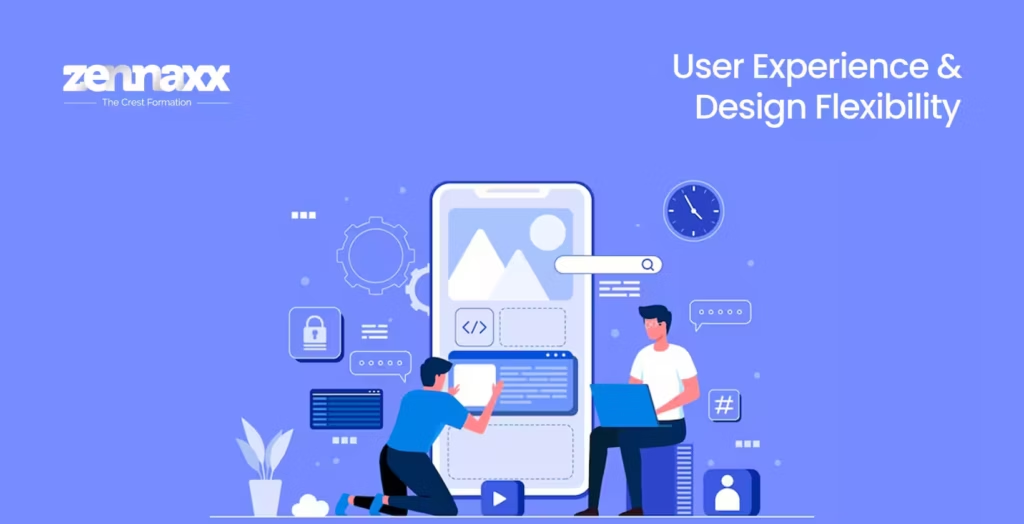
    User Experience & Design Flexibility

    User Experience & Design Flexibility

    App retention relies heavily on user interface.

    Flutter UI Capabilities

    Flutter offers a great deal of flexibility in the design aspect as it allows creating high-quality custom widgets that reuse native UI elements. For high-performance and visually consistent applications, companies hire flutter developers as it is great for businesses that are looking forward to developing a high-end visual interface.All in all, this framework provides pixel-perfect designs and smooth animations across platforms without sacrificing performance.

    Native UI Approach

    Native apps are built according to platform-specific design guidelines (Material Design for Android & Human Interface Guidelines for iOS). Although this secures platform authenticity, it doubles your UI design efforts.For the ones that aim for uniformity in branding on multiple platforms, Flutter presents a valuable streamlined benefit.

    Maintenance & Scalability

    Maintainability is a prerequisite for long-term ROI.

    Flutter Maintenance Benefits

    • Unified updates
    • Faster feature rollouts
    • Lower technical debt
    • Simplified version control

    It becomes straightforward for businesses structured Mobile app development strategies over Flutter to maintain scalability.

    Native Maintenance Challenges

    Native applications require:

    • Separate bug fixes
    • Dual platform updates
    • Higher regression testing cycles

    Maintenance costs accumulate substantially over a period of time.

    ROI Comparison: Where Do Businesses Gain More?

    ROI Comparison: Where Do Businesses Gain More? Return on investment is not only about development cost; it can also be measured by speed, scalability, performance and flexibility to future changes.
    Flutter ROI Factors

    • Faster deployment
    • Reduced development resources
    • Lower maintenance cost
    • Easier scalability
    • Unified team structure

    For startups and SMEs, Flutter almost always results in a better ROI since the budgets are optimised and products can be launched faster.

    Native ROI Factors

    When Native development may create a much higher ROI:

    • The app also needs a lot of computing steps
    • Advanced hardware interaction is mandatory
    • Platform-exclusive features drive business value

    Native investment may be justified with enterprises that have big budgets and performance-intensive applications.

    When to Choose Flutter

    We recommend Flutter when:

    • You want faster go-to-market strategy
    • Budget optimization is essential
    • You aren’t dealing with prototyping or design handover
    • Long-term operations and management costs need to be contained
    • You intend to quickly scale features

    When businesses are comparing frameworks it’s also helpful to consider internal factors like flutter vs react native before finalizing a technology stack.

    When to Choose Native Development

    Native development becomes ideal when:

    • Your app is graphics-intensive
    • Real-time performance is mission-critical
    • Deep system-level integration is required
    • It is a strategic focus area for the user experience platform

    Security Considerations

    When implemented properly, both are equally secure. With native apps you also have access to platform-level encryption APIs. Flutter can overpass the listening in through native layers for secure storage and an encrypted communication channel.Most web security is based on the backend architecture and development patterns, rather than what frameworks you are using.

    Business Decision Framework

    To decide if it is profitable, companies need to check:

    • Project complexity
    • Budget constraints
    • Timeline expectations
    • Long-term maintenance capability
    • Scalability requirements

    Flutter and Native Development is not a trend-based decision, but rather investment based decision.

    Conclusion

    Conclusion Ultimately, choosing between flutter vs native development boils down to finding the right balance between performance needs and budgetary constraints with scalability aspirations. This means that, for most modern business applications, Flutter offers a compelling combination of performance, visual consistency, faster development time and maximized ROI. Native development is still the best solution for performance-oriented, hardware-dependent applications when you need access to the maximum platform resources.
    For organizations looking to grow sustainably, launch rapidly and scale cost-effectively, Flutter-backed solutions led by seasoned dev teams are a growing preference.

  • iOS App Development Trends: AI, AR and ML Shaping Modern Apps

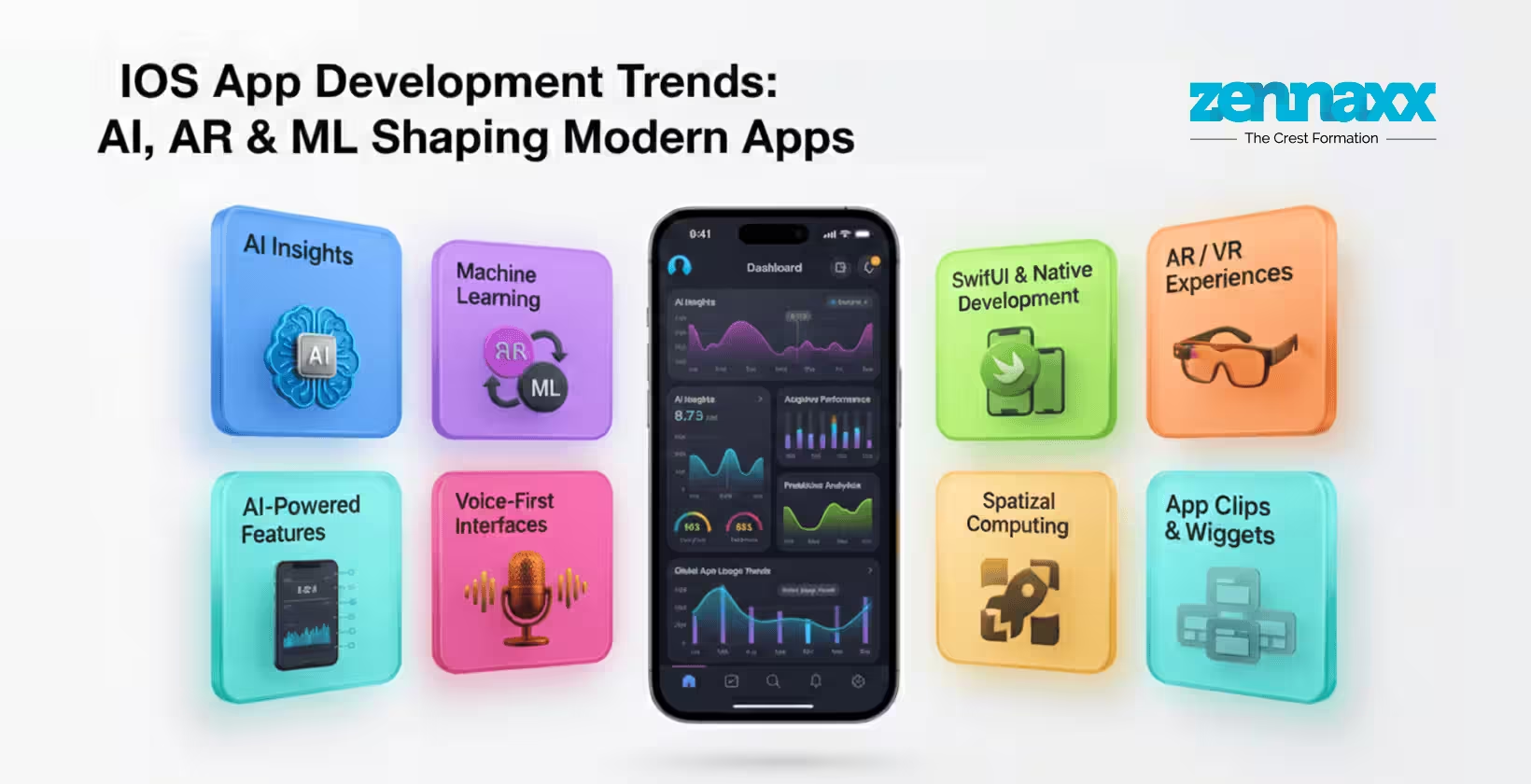
    iOS App Development Trends: AI, AR and ML Shaping Modern Apps

    In the fast-paced digital world of today, mobile apps are more than just instruments; they’re experiences. From hailing rides and handling money to gaining new skills and staying entertained, apps have reinvented the way people interact with technology on a daily basis. Apple’s universe is, arguably, the best performing and most user-friendly in any setting. And that’s also why iOS app development still draws businesses looking specifically at creating premium mobile products that are not only ready for the next day, but the next decade.

    But that’s not what iOS apps look like today. AI, AR & ML are redefining the way apps work and interact with users. These technologies are more than trends – they’re translating into expectations. Now, more than ever users want recommendations that are smart, experiences that they can dive deep into and interactions that feel extremely customized to them.

    So let’s unravel the ways AI, AR and ML are influencing new age iOS apps and why it is important to get associated with a fearless iOS App Development Company in Canada for your business strategies.

    Understanding the Modern iOS Ecosystem

    How Apple’s Ecosystem Drives Innovation

    Apple’s environment is creatively enabling, yet with rigid performance and security requirement now included. Developers can build apps that are fast, aesthetically rich and super snappy thanks to tools such as Xcode, Swift, SwiftUI and ARKit.

    But the real thing that makes iOS special is its consistency. The devices play well together – their iPhones, iPads, Apple Watches and Macs work in synergy to provide a seamless user experience. And this connected ecosystem paves the way for new inventive opportunities, particularly when partnered with newly developed tech such as AI and AR.

    The Role of Swift, SwiftUI, and Apple Frameworks

    Swift, Apple’s programming language, is built for speed and efficiency, in addition to safety and simplicity. Technology like SwiftUI allows developers to write less when it comes to building stunning interfaces, and integrated support for machine learning in the form of Core ML or augmented reality with ARKit.

    As a whole, these tools help developers innovate and create applications that feel intuitive and advanced.

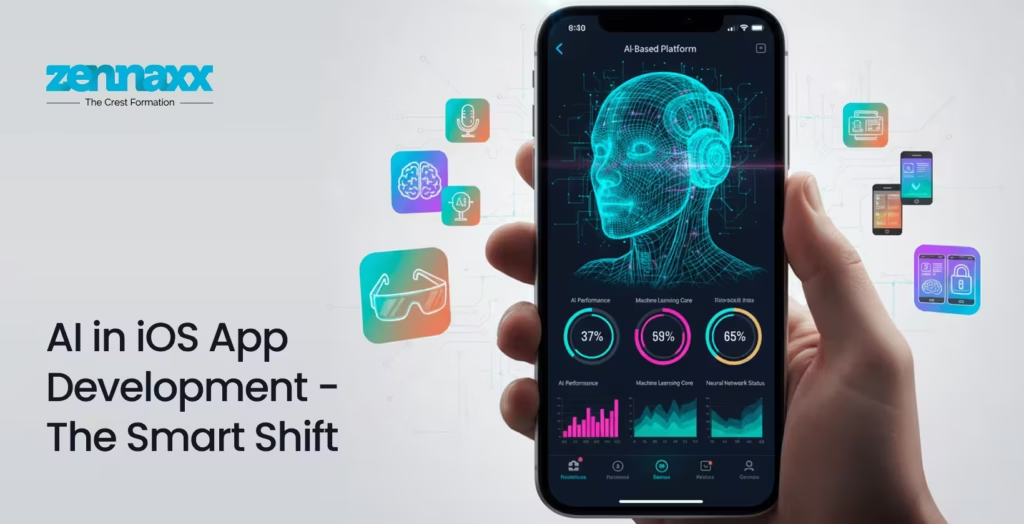
    AI in iOS App Development – The Smart Shift

    AI in iOS App Development - The Smart Shift

    How Artificial Intelligence Enhances User Experience

    AI is turning iOS apps from still tools to proactive AI assistants. AI enables apps to learn about user behaviour, anticipate preferences, and tailor interfaces accordingly. Or think of this as having a digital mind within your app that learns and grows over time.

    The AI features, including voice recognition and natural language processing as well as smart recommendation, are improving interactions and making them more humanlike. From Siri and chatbots to predictive search, AI is how apps feel more alive, responding to us as individuals rather than dishing out the same rote experience.

    Practical AI Applications in iOS Apps

    AI is already behind many of the most popular features we use every day. Workout apps employ A.I. to study exercise routines. Finance apps detect suspicious transactions. E-commerce apps suggest products based on browsing behaviour. Social media applications curate your content feeds with intelligent algorithms.

    By incorporating AI, companies can deliver journeys that are personalized to users and will help them continue to be engaged and stick around.

    Voice Commerce, Chatbots and Predictive Analytics

    Chatbots, based on AI, deliver instant customer assistance that lowers response time and raises satisfaction. Voice assistants and navigational ease have made it easy to find your next weather forecast, while predictive analytics helps apps anticipate user wants. Nowadays it’s navigation has been added by quite a few businesses working with a Mobile App Development Company Canada that targets wise options.

    Machine Learning for Data-Driven Apple Apps

    Apple: Core ML and ML Frameworks

    Apple Core ML allows developers to add machine learning models into their iOS apps. This enables apps to work with data on the device, speeding app operation and keeping user data private.

    From facial recognition and text analysis to image categorization and recommendation engines, machine learning allows apps to “learn” from data and get better over time.

    Advantages of Machine Learning App Development Solutions

    Unleash the true power of data by teaming with specialists providing Machine Learning App Development Services. With ML-powered apps, you can spot trends, automate workflows and provide deeply personalized experiences that drive higher engagement and conversion.

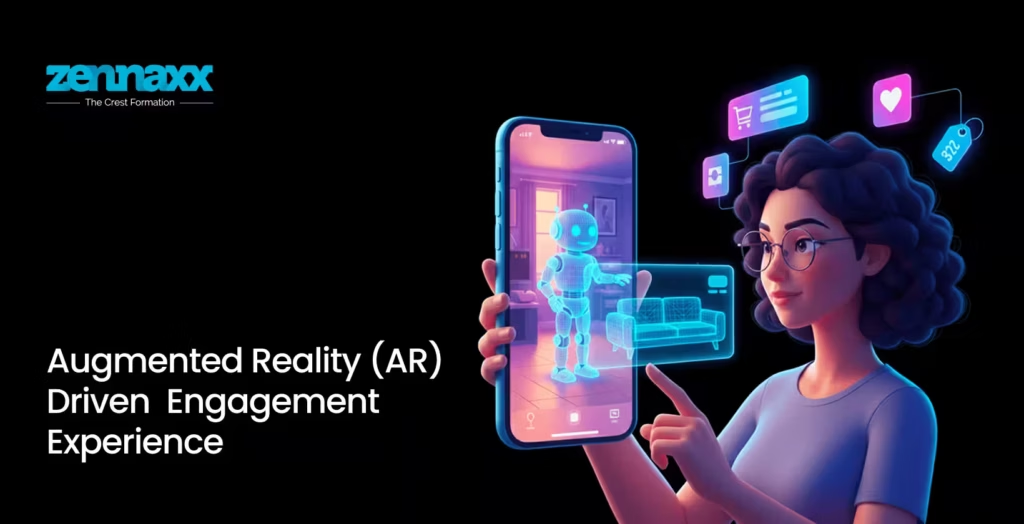
    Augmented Reality (AR) Driven Engagement Experience

    Augmented Reality (AR) Driven Engagement Experience

    How Augmented Reality Can Transform iOS Apps

    AR = Augmented Reality Taking digital to real life and bringing the “wow” effect. It’s easier than ever now to add AR capabilities to your apps in iOS, thanks to Apple’s ARKit.From trying products on virtually to just being very cool, gaming and education app experiences are all reimagined with AR. No longer tapping screens – stepping into experiences.

    Industries Benefiting from AR Apps

    Retail, real estate, healthcare, education and gaming are some of the industries that have adopted AR in a big way. Customers can preview furniture in their homes, students can dissect a 3D model and gamers and fans get a unique and up-close experience of the action.

    Role of AR App Development Services

    Professional AR App Development Services & Augmented Reality AR App Development helps companies design irresistible apps that engage users.

    Wearable Devices Integration – Next Big Leap

    Apple Watch and Wearable Ecosystem

    Users’ engagement with the app has been changed by wearable technology. Apple Watch apps provide quick updates, health insights and instantaneous notifications that are wonderful.

    Wearable Device App Development Trends

    Wearable app development focuses on health tracking, fitness monitoring, productivity tools and smart notifications. Businesses taking a wild leap Wearable Device App Development will enable seamless app experiences between devices to enhance customer Interactions.

    Emergence of Hyper-Personalized Mobile Experiences

    Role of AI and ML in Personalization

    People in the modern-hour feel that their apps should be intelligent about what they are interested on. AI and ML use user behavior to deliver personalized content, product recommendations, and custom interfaces. Personalisation to this extent promotes retention and nurtures long-term relationships.

    Now try it again, only this time the app feels like it knows you – your preferences, habits and goals. Now that’s smart personalization.

    Principles of Privacy, Security & Ethical AI in iOS Apps

    Principles of Privacy, Security & Ethical AI in iOS Apps

    Apple’s Privacy Guidelines and the Business of Apps

    Apple is famous for its private policies. iOS apps should maintain clear and transparent data practices so that users are in control of their information.

    Developers have shifted their attention to creating ‘ethical’ AI solutions that honour user permission, keep fragile data out the hands of the untrustworthy, and live up to legal standards globally. It’s called a layer because security isn’t a feature – it’s part of the foundation.

    Performance Optimization and Battery Efficiency

    How Modern Tools Enhance the Performance of Your App

    High quality apps are crucial for user satisfaction. Apple’s dev tools assist to make the memory consumption better as well as power usage and Cross-Device performance smoother.

    Efficient coding practices, AI-based optimization, and regular testing also enable apps to remain fast, stable and battery-efficient.

    Cross-Platform and Cloud-Based Development

    Hybrid & Cloud Options in iOS Applications

    Use cloud integration so iOS apps can store, process and sync data on any device. Framework Hybrid and API allows a business to develop scalable solutions that grow with their user base.

    Apps that support the cloud deliver flexibility, reliability and rapid updates – perfect for today’s digital businesses.

    Why Businesses are Spending More on iOS Apps

    iOS Fanboys have shown to be more engaged and willing to spend. Businesses regard it as a high-end platform used to provide you with great experiences, high levels of trust in the brand, and real value to them.

    Collaborating with an experienced iOS App Development Company in Canada allows businesses to develop scalable, secure, and feature-rich apps that are tailored as per their needs.

    Choosing the Best iOS App Development Partner

    Choosing the Best iOS App Development Partner

    Why Experience and Expertise Matter

    A trusted development partner will have the technical skills, strategic vision and understanding of (the) market. These projects can help ideas turn into useful and user-friendly applications.

    If you’re looking to create or enhance your app version, consider exploring this: guide on iOS Application Development for an in-depth explanation of how it works and best practices.

    Future Trends in iOS App Development

    The present and future of iOS app development is so exciting to see. Look for deeper AI integration, more immersive AR experiences, enhanced health monitoring via wearables and smarter automation. Apps will only become more intuitive, anticipatory and engaging as technology continues to evolve.

    Conclusion

    With iOS app development becoming more and more advanced, we can’t just write code for the fun of it anymore- We have to think about how we are building intelligent, immersive and personal experiences. Machine Learning, AI and AR is completely reinventing what users do with apps, effecting smarter, more compelling and profoundly intuitive applications.

    In pursuing these trends and finding the developments partner, companies can keep on top in a vastly competitive digital world. If you are building new apps or upgrading existing applications, now is the time to invest in innovation and deliver these game-changing experiences.

    FAQs

    Q1.How AI is boosting iOS app development?

    AI improves personalization, automation, predictive analytics and user engagement to make applications more intelligent and intuitive.

    Q2.Why is AR important in today’s IOS apps?

    AR leads to immersive experiences which drive engagement, particularly in sectors such as retail, education, gaming and health.

    Q3.How does machine learning relate to mobile apps?

    Machine learning can help apps learn from user data, provide better recommendations and automate decision-making.

    Q4.Is There a Trend Towards Wearable Apps?

    Yes, wearable apps are rising exponentially and thriving in the fields of fitness, healthcare, productivity and lifestyle management.

    Q5.How can I select the best iOS app development company?

    Seek out experience, technical expertise and knowledge of your industry, as well as a record for building better apps.

  • IoT Mobile App Development Services: Powering Next-Gen Apps in Canada

    IoT Mobile App Development Services: Powering Next-Gen Apps in Canada

    A fitness tracker that logs steps and a mobile app governing a home thermostat are everyday examples of IoT mobile apps. In smart homes to healthcare, industrial automation to fleet management, IoT mobile applications redefine the experience of communication between technology and us.

    Do you know there is intelligent orchestration behind this invisible user experience? It is an IoT ecosystem that consists of physical devices, processing logic, and mobile applications that provide the user interface for interactions.

    In this blog, we are going to explore IoT mobile app development services in Canada and the importance of choosing the right development partner.

    What Are IoT Mobile Applications?

    IoT mobile applications are user-centered interfaces connecting smart devices, cloud systems, and end-users. Using these apps, users can monitor, control, and interact with connected devices in real time.

    IoT devices send data over networks such as Wi-Fi or Bluetooth. The mobile apps then display this data on user interfaces after processing the received data. The end user can then adjust settings remotely, get notification alerts, or view real-time device insights on their smartphone.

    The IoT mobile app development services play a major role in making sense of the vast IoT data to give users seamless control of their connected ecosystem.

    Let’s look at the top use cases where IoT mobile apps are used in the world.

    IoT Mobile App Use Cases Across Industries in Canada

    IoT Mobile App Use Cases Across Industries in Canada Here are some of the examples where IoT apps are used in the real world:
    • Smart Homes: IoT connects home devices like lighting, security, appliances, and climate control. Users get convenience and safety when they can control their home with a few taps on their smartphone.
    • Remote Patient Monitoring: When patients wear wearable devices, they collect data like heart rate, blood pressure, and glucose levels. These provide continuous patient monitoring and send alerts to the doctors for critical conditions. The doctors can remotely monitor patient status and intervene quickly when needed.
    • Manufacturing: RIoT sensors monitor equipment performance, detect faults, and provide real-time production analytics. From the mobile apps, supervisors and managers can monitor device usage and schedule maintenance.
    • Transportation: Telematics systems, along with IoT, track vehicle location, driver behavior, fuel usage, and route optimization that are easily viewed using mobile applications for the fleet controller to monitor and take necessary actions.

    While IoT is used in the real world for the above-mentioned and many other use cases, the development of mobile apps involves connecting with several layers of technology.

    Core layers of an IoT mobile application architecture

    IoT architectures are built around the following key layers that define how devices connect, communicate, process data, and interact with users:

    • Device and sensor layer: Also called the physical or perception layer, at this layer, the IoT devices collect data from their environment using sensors or actuators.
    • Connectivity and protocol layer: This is the network layer that transmits data between devices and processing systems.
    • Data processing layer: IoT data is converted into meaningful analytics in this layer, where analysers, filters, and interpreters make sense of the IoT data to derive insights.
    • Mobile application layer: This layer is visible to the end user as it delivers user interfaces like mobile apps, dashboards, and services, and allows users to interact with the underlying IoT systems.

    Now that we know the core layers, let’s explore the entire IoT mobile app development process.

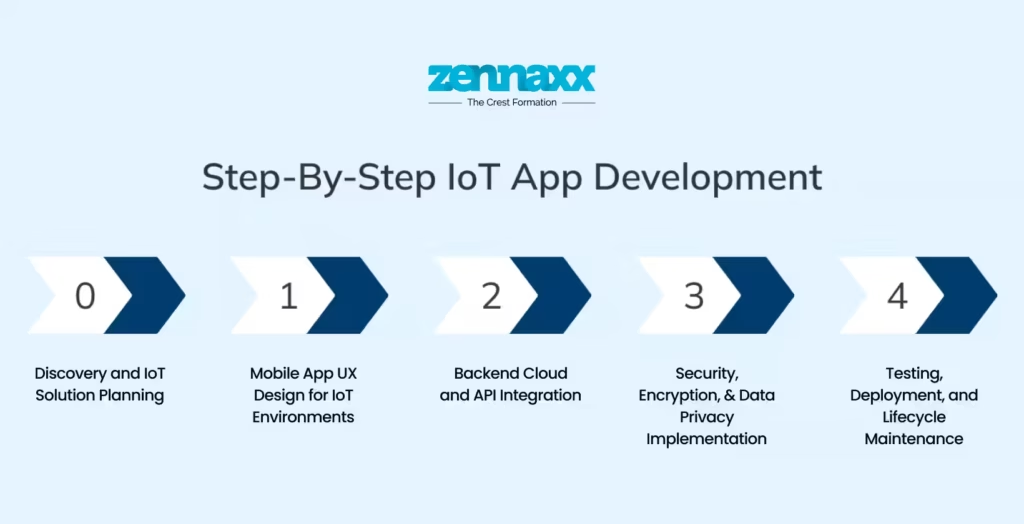
    How IoT Mobile App Development Works – End-to-End Process

    How IoT Mobile App Development Works – End-to-End Process Developing an IoT mobile app is different from creating a typical mobile application. It involves synchronizing hardware, connectivity, cloud services, and mobile interfaces into a unified workflow. A mobile app development company Canada follows the steps given below:

    Discovery and IoT Solution Planning

    Understanding the problem to solve is the first step. Teams define core business objectives, device requirements, data goals, and connectivity constraints. At this stage, the developers choose suitable hardware, network protocols, and cloud platforms that align with performance needs and device capabilities.

    Mobile App UX Design for IoT Environments

    Users interact only through the mobile apps, and the interface design is crucial. UX designers start with wireframes and prototypes that prioritize dashboards, alert systems, intuitive controls, and accessibility features. The mobile app must also enable offline modes and work when there is intermittent connectivity, which is common in the real world. Proper UX design is important to ensure a seamless user experience, even when the devices lag or lose connection.

    Backend Cloud and API Integration

    Once the design is finalized, developers build the backend system that connects devices and mobile interfaces. Cloud platforms like AWS IoT Core, Azure IoT Hub, and Google Cloud IoT are commonly used to manage devices and data. Using these services, developers can implement device messaging, telemetry ingestion, real-time processing, and secure data storage. Depending on application needs, custom APIs are required to enable IoT devices to communicate with mobile apps, allowing users to receive updates and send commands to the devices via the mobile app.

    Security, Encryption, and Data Privacy Implementation

    Ensuring the security of sensitive data that flows across IoT devices, networks, and cloud systems is vital to safely using the mobile apps to monitor and control the devices. Developers implement device authentication, encryption communication, secure data storage, and ensure compliance and privacy standards using the latest security protocols. Modern mobile application strategies implement data security in the early stages of development.

    Testing, Deployment, and Lifecycle Maintenance

    IoT mobile application testing goes beyond typical QA for mobile apps. It requires hardware and firmware checks, connectivity validation, cloud integration tests, and performance testing under varied network and device conditions. The entire ecosystem, including device cloud and mobile UI, must work harmoniously.

    Mobile application development for IoT doesn’t end at successful deployment. The apps require ongoing maintenance, periodic updates, and scalability adjustments as user needs shift. The latest technological advancements further increase the complexity of IoT mobile app development and scalability.

    Advanced Technologies Powering Next-Gen IoT Mobile Apps

    The next-generation IoT mobile applications bring faster, smarter, and more reliable experiences for the users. These applications achieve predictive analytics, anomaly detection, and automation of auctions by analyzing data patterns of various connected devices with the help of artificial intelligence and machine learning.

    The addition of edge computing and low-latency processing technologies further increases the computational power of sensors, reducing delay times in order to enable real-time responsiveness on mobile dashboards.The development of 5G networks further boosts speed, reliability, and support for massive data connectivity to ensure devices stay connected at all times for real-time IoT interactions.

    Also, the concept of a digital twin is gaining momentum, whereby virtual replicas of physical systems are created that get updated in real time. In this way, usage can be monitored by intuitive mobile interfaces for better control of devices.

    Development of IoT mobile apps is difficult, and applications built with the latest technologies assure better experiences for end-users. That’s why you must be cautious when you hire IoT developers.

    How to Choose the Right IoT Mobile App Development Partner

    The right mobile app development partner shapes the success, security, and longevity of your IoT mobile application. You need to look for the following values when you choose right mobile app development partner for IoT applications:

    • Practical experience of working with IoT devices, sensors, and embedded systems
    • Expertise in using AWS, Azure, or GCP IoT hub platform
    • Mobile development experience for both iOS and Android applications
    • Extensive knowledge in IoT-specific testing and hardware validation
    • Clear path to scaling and long-term maintenance.

    Before choosing a mobile app development partner, ask how the team handles data security, device authentication, source-code ownership, and post-launch support. You need someone who can ensure that the mobile app works well as the user needs scale.

    A reliable partner won’t just use generic templates for IoT projects. They know how to build custom modules and APIs that are applicable for real-world conditions from day one.

    How Zennaxx Can Help

    How Zennaxx Can Help Zennaxx, an IoT App development company, offers end-to-end IoT mobile app development services tailored to businesses in Canada. We specialize in data integration, cloud connectivity, data analytics, security implementation, edge computing, and ongoing maintenance to ensure the apps perform seamlessly across diverse IoT ecosystems.

    From selecting the IoT architecture to building scalable backends, the IoT mobile app experts at Zennaxx can work with your in-house teams or as dedicated experts on IoT mobile app projects. As the IoT deployment grows, we extend post-launch support and performance optimization to facilitate seamless performance.

    FAQs

    Q1.What do IoT mobile app development services do?

    Mobile app development services develop mobile applications that connect devices, collect sensor data, enable remote control, automate an action, and render real-time insight for the end user across a network of interconnected systems.

    Q2.How safe are IoT mobile applications?

    Good IoT mobile apps authenticate devices, encrypt communications, use secure APIs, and protect data and connected hardware with strict access controls.

    Q3.How long does it take to develop an IoT mobile app?

    The time it takes to develop an IoT mobile app depends on the complexity. If the solution is simple, the duration in most cases is 3 to 6 months ,but for complex software that would require integration with hardware or more would mean longer delays.

    Q4.What differentiates an IoT app from a smart device app?

    An IoT app would be associated with multiple devices, whereas the automation controls would be directed by a smart device app that is generally associated with only one device without analytical data.

    Q5.How scalable are the IoT mobile applications?

    The IoT mobile applications that are built on cloud platforms scale well. They support increasing volumes of data, users, and devices without major changes in architecture.

  • Flutter 3.38 Update: Guide on What’s New, Key Changes & Release Notes

    Flutter 3.38 Update: Guide on What’s New, Key Changes & Release Notes

    Flutter has become the go-to framework for building cross-platform apps from a single codebase. It’s fast, flexible, and continues to evolve to solve real developer needs.

    Flutter 3.38 just dropped with many new updates that really speed up your development cycle and keep your apps compatible. These are more than incremental tweaks.

    Developers call dot shorthand a “big long-term difference” for large codebases. Widget previews now mimic web dev feedback loops, so you can iterate without full rebuilds. Moreover, smoother Android transitions make apps feel polished right from the start.

    In this blog, we highlight the major Flutter updates that truly change the workflow of a Flutter app development company in Canada.

    New Flutter Updates You Must Know

    Developers everywhere are praising Flutter’s unmatched multi-platform speed with new updates. New updates can drastically reduce the time it takes for web app development services.

    Here’s everything you need to know about the upgrade.

    Dart 3.10 + Dot Shorthands

    Dart 3.10 Dot Shorthands The most distinctive feature of the latest upgrade is dot shorthand syntax. Instead of the verbose MainAxisAlignment.start, you can simply write .start. Same for EdgeInsets.all(12); it’s now just .all(12).
    This is not just about saving keystrokes. For complex layouts with nested widgets, the repetitive boilerplate makes code harder to scan, and typos slip through. Now, the compiler infers the type from context, so you get full type safety without verbosity.

    So, before the code would be:

    dart
    Container(
    alignment: MainAxisAlignment.center,
    padding: EdgeInsets.all(16),
    decoration: BoxDecoration(
    borderRadius: BorderRadius.circular(8)
    )
    )

    Now, with the Flutter 3.38 update, it will be:

    dart
    Container(
    alignment: .center,
    padding: .all(16),
    decoration: BoxDecoration(
    borderRadius: .circular(8)
    )
    )

    Shorthand makes code easily readable, and code reviews become much smoother.

    Material 3 as the Default

    New projects by FlutterApp development services in Canada adopt Material 3 automatically with “useMaterial3: true” as default. Out of the box, you get dynamic color schemes, updated components, refined elevation, and the full Material 3 design system.

    Typography moves to a more balanced scale, and colors use seed-based schemes to automatically generate consistent light and dark themes. You can pick one seed color, and Material 3 generates an entire palette that works harmoniously across your app.

    Buttons, navigation bars, cards, and dialogs look and feel different now. In addition, the elevation system also got an upgrade. Instead of hard shadows, Material 3 uses surface tint overlays: as surfaces rise in z-space, they get lighter. This subtle depth works better across light and dark themes.

    Framework & UI Enhancements

    Refinements in the rendering pipeline now make animations smoother, and the output of frames becomes more predictable. Web builds benefit from cleaner rendering paths with reduced layout shifts. Your code can maintain consistent animation performance across browsers.

    Live browser previews are now available with the widget previewer. Point it at a browser tab, edit your code, and watch the UI update in real-time without a full rebuild. This is huge for testing responsive layouts.

    API Improvements

    Some of the major upgrades for API are:

    • Badge.count(maxCount: …): It offers better number handling. You can cap the value and auto-display “99+” without writing extra logic.
    • InkWell.onLongPressUp: This new gesture capability fires a new callback when the user releases after a long press. This gives finer control over gesture flows.
    • Cupertino updates: Cupertino Sliding Segmented Control now supports Momentary for controls that shouldn’t hold state. Refreshed CupertinoSheet adds a stretch effect that mirrors native iOS behavior.

    Major Web Development Updates

    Major Web Development Updates Web development also got a serious upgrade.
    New web_dev_config.yaml

    A single web_dev_config.yaml now handles host, port, SSL certificates, headers, and proxy rules. The days of hunting through command-line flags or fighting with disparate setups across team machines are over.

    Multi-Browser Hot Reload

    Previously, you had to manually refresh each browser window and lose state with every refresh. Now, hot reloading works across multiple browsers. Have Chrome, Firefox, and Safari open, make a change, and see it update everywhere without losing state. When testing responsive layouts or browser-specific bugs, this cuts iteration time dramatically.

    IDE Integration

    The latest widget previewer has tighter IDE integration. Pop open a preview in VS code or Android Studio and see widgets render without spinning up the full app. Those seconds add up during sprints.

    Platform Support & Readiness

    With new updates, Flutter is set to remain as a platform of choice for both iOS and Android developers.

    iOS / macOS

    Full support for iOS 26 and Xcode 26 is now available with Flutter iOS app development software. Flutter supports the new mandatory UIScene life cycle for compliance with iOS 26. It replaces the older UIWindow-based life cycle. Apps that use platform channels in interaction with the window hierarchy or custom view controllers have their respective components updated. Most applications with standard flutter patterns don’t need significant changes.

    Android

    The new update prepares Android app development service for Android 15’s 16KB page size. The recommended configuration is minimum Java 17 and NDK r28. This update is important because a majority of Android devices run with 4KB pages today. Apps compiled to run on 4KB pages will not run on those configured with 16KB pages.

    Now, if your app uses native libraries or plugins with .so files, verify they are built with 16KB page alignment. Run flutter build apk –target-platform android-arm64 and test on a 16 KB page emulator before November.

    Key Breaking Changes

    There are 4 major breaking changes:

    • Wide-gamut Cupertino colours now use float-based accessors (r/g/b/a). So, Old getters and withOpacity() behave differently. Move to withValues().
    • OverlayPortal.targetsRootOverlay is deprecated. Use overlayLocation instead. This affects tooltips, menus, and custom floating UI.
    • Semantics focus flags are also deprecated. Focus-related properties like SemanticsProperties.focusable are gone. Update your custom focus management code accordingly.
    • Strongly supports both Swift and Objective-C

    Performance Improvements

    Flutter 3.38 improves frame output across Skia and Impeller and removes a leak linked to activity teardown. Cleaner pipelines and fixes in RenderWebImag reduce layout shifts for steady web builds. Now, the UI behavior can be more predictable across mobile and web targets.

    Overlay and Advanced UI Enhancements

    New OverlayPortal.overlayChildLayoutBuilder gives developers a stable way to place floating UI above the widget tree. It suits well for app-wide alerts, banners, or global controls without layout hacks for more dynamic and polished user experiences.

    Accessibility Updates

    Wider semantics support and fixes, and improved screen-reader behaviour, provide better accessibility previews across devices.

    Practical Impact on Real Projects

    Practical Impact on Real Projects Developers can expect the following improvements in their app and web development:

    • Faster Development: Dot Shorthand, quicker previews, and better tooling reduce boilerplate and speed up UI iterations.
    • Multi-platform readiness: Compatibility with Android 15 and iOS 26 keeps your app current with upcoming OS versions.
    • Stronger Web Builds: Rendering fixes and configuration updates improve the reliability of web builds.
    • Better End-User Experience: Improved animations and styling consistency reduce glitches and give a polished experience for the users.

    When to Upgrade Carefully

    Upgrading becomes important if

    • You depend on deprecated APIs
    • Your plugins might not support Dart 3.10 yet
    • You’re targeting multiple platforms
    • Your Android setup needs Java 17 and NDK r28 updates

    Some developers report that hot-reload is sluggish with animations. For some, iOS runs hang on devices and crash occasionally during debugging. Web and desktop targets seem to have more issues than mobile.When you make the choice to upgrade, do so carefully. Best practices are:

    • Create a branch specifically for the upgrade
    • Run flutter pub outdated to check for plugin compatibility
    • Update Android components: Gradle, Java, NDK
    • Fully test the app, including UI, accessibility, and cross-platform builds

    How Zennaxx Can Help

    How Zennaxx Can Help At Zennaxx, a well-known company for Flutter app development services in Canada, we develop Flutter applications that stay stable across platforms, evolving smoothly with your growing product. We prioritize long-term reliability, clear architecture, and support so that you can upgrade to a newer version without disruption. Hire Flutter developers Zennaxx to:

    • Upgrade with confidence: Our engineers take care of every Flutter 3.38 change to keep your app compatible with iOS 26, Android 15, and Dart 3.10, while protecting the core features.
    • Reduce platform inconsistencies: We test extensively across Android, iOS, web, and desktop apps to keep your UI and interactions consistent on every device.
    • Boost app performance: We ensure that your app runs smoother, uses memory more effectively, and runs without rendering issues.
    • Build a Strong foundation: We set up architecture that reduces rework in the future, so your team can ship new features faster.

    FAQs

    Q1.Should I use Flutter 3.38 for new projects?

    Yes, updated defaults, Material 3, and better platform support with 3.38 mean less cleanup later.

    Q2.Will upgrading to Flutter 3.38 change my app size?

    Most likely, there won’t be a lot of change. The changes are related to plugin updates. You can compare by running flutter build apk –analyze-size.

    Q3.Do I need to change the code in every project?

    Not necessarily. Many apps upgrade smoothly. However, if you rely on deprecated APIs or custom semantics, you need to make the changes. The IDE’s deprecation warnings will tell you what to change.

    Q4.Will my UI look different with Material 3?

    It’s more likely that UI looks different because Material 3 polishes shapes, spacing, color, and elevation. Review all your most important screens, particularly those with custom styling.

    Q5.Should I upgrade if I target web and mobile?

    For web and mobile targets, upgrading makes more sense. But test thoroughly across platforms to avoid surprises.

  • Best Platforms for Building Apps by the Top Mobile App Development Company in Canada

    Best Platforms for Building Apps by the Top Mobile App Development Company in Canada

    A thoughtfully designed mobile app solves real business problems and helps them grow. Also, stats show that Canadian businesses are investing more in mobile apps as they can boost customer retention by 70%. This shows the importance of a mobile app for any business.

    However, to create apps that run smoothly, developers must choose a mobile app development framework based on performance needs, target platforms, budget, and skills. This might be a challenging task for business owners and developers.

    For that, we have covered the top mobile app development platforms to help the top mobile development company Canada choose the best one for building an application.

    What is Mobile App Development?

    Mobile application development is the process of developing software applications that are specifically meant to run on mobile devices like smartphones or tablets. The app design utilizes specific features of the framework to leverage mobile capabilities, such as touch screens, GPS, cameras, memory, and hardware, to deliver an enhanced app experience.

    A top mobile app development company Canada begins mobile app development with requirement gathering and designs the user interface. Then, they write code for the application, test it, deploy it, and do continuous maintenance.

    Furthermore, Mobile app development is different from software development because it has to be customized for mobile-specific constraints like hardware limitations, network reliability, and screen size. Moreover, the app features are also peculiar to the mobile hardware and user behaviour.

    Best IOS app development Platforms

    Best IOS app development Platforms iOS developers rely on stable tools that help them create smooth and secure applications. These frameworks have a deeper integration with Apple iOS features and hardware design and offer a clean workflow. Let’s take a look at the top iOS app development platforms:
    Swift

    Swift stands out because coding using Swift is simple, secure, and fast. This is usually chosen by developers to get control, speed, and support for the long term on the Apple platform.Key features are:

    • Easy syntax that reduces coding errors
    • Very fast native performance on both iPhones and iPads
    • Strict safety while writing code
    • Can work with an old Objective-C code if needed
    • Supported by frequent updates from Apple

    XCode

    XCode is the main workspace for building iOS applications. It stands out because it offers every tool needed in one place: from design to testing. Developers prefer this platform to build smooth processes with full access to Apple frameworks.Key features include:

    • Built-in simulators for different iOS devices
    • Bug-fixing tools for quick debugging
    • Interface building for easy UI setup
    • Strongly supports both Swift and Objective-C
    • Works well for quick code testing

    Best Android app development platforms

    Best Android app development platforms Speedy, dependable, and easy-to-update tools are the basic needs of an Android developer. Here are a few platforms that are recognised for their performance within the Android ecosystem.

    Kotlin

    Kotlin has been Google’s preferred language for Android. It’s expressive, safe, and easy to maintain. It is one of the most popular choices among developers who look for a modern language that minimizes coding errors.Some of the key features of Kotlin include:

    • Concise syntax with minimum boilerplate
    • Strong null-safety to eliminate most crashes
    • Official support from Google for Android application development
    • Works smoothly with all existing Java code
    • Best compromise for a team migrating from Java

    Android Studio

    Android Studio is an all-in-one solution for developing Android applications. Coding, user interface designing, testing, and performance evaluation are all combined under one roof. Hence, it serves as a stable platform for its developers.Main features are:

    • An emulating tool for fast testing
    • A layout editor for easy UI design
    • Code suggestions for quicker and more accurate programming
    • Tools to observe performance and memory usage
    • Compatibility with both Kotlin and Java

    Best Cross-Platform Frameworks

    Many developers use cross-platform frameworks to design mobile apps with a single codebase that works for both iOS and Android platforms. It enables rapid development and easy bug fixes while keeping the quality intact. The top cross-platform frameworks are given below:

    Flutter

    Flutter is developed by Google. Its rendering engine is highly preferred as it makes apps look the same on different devices. Smooth animations, fast builds, and maximum control over UI are some of the reasons why developers prefer Flutter app development services in Canada.Important features are:

    • Single codebase for both iOS and Android
    • Hot reload for fast UI changes
    • Better performance
    • Wide collection of ready-made UI elements
    • Written in Dart, but easy for most teams to learn

    React Native

    React Native was built by Meta. It uses JavaScript to interface with native components, which helps keep apps feeling somewhat close to native. So, React Native mobile app development services teams choose it when they wish to leverage their web skills while building mobile apps.Some of the key features are:

    • Compatible with Android and iOS with a single codebase
    • Utilises JS, which is popular among web developers
    • Accesses native modules for better performance
    • Great community support and libraries
    • Can be easily integrated with an existing native code

    Best Low-code Mobile app development platforms

    Development teams with little programming knowledge can also create apps with low-code tools. These platforms are best suited for light business apps, prototypes, or rapid launches where speed and time to market matter more than custom logic.

    FlutterFlow

    FlutterFlow is built on top of Flutter. It allows teams to design screens, add logic, and publish apps with almost no coding. It also leaves room for custom code when needed.Main features are:

    • Screen building through drag and drop
    • Connects with APIs and databases
    • Clean Flutter code can be exported
    • Smooth testing is available as a built-in

    AppSheet

    AppSheet from Google helps developers build apps directly from spreadsheets and data sources. It stands out because non-technical teams can set up workflows and mobile interfaces without writing code.Key features are:

    • Build apps from Google Sheets and data sources
    • Simple workflow automation tools
    • Mobile-friendly UI templates
    • Quick deployment across devices

    Now that we’ve given the top mobile application platforms, the next section explains how a developer chooses the right framework for app development.

    How to Choose the Right Mobile Development Platform?

    How to Choose the Right Mobile Development Platform Before you pick a mobile development platform, consider the points below:

    • State the business aim plus the user need: Write down why the app must exist and who will use it. List the problems it must solve, but also the exact experience the user should have. When those points are clear, you can match a technology to them.
    • Examine platform features and growth limits: List the technical demands. Does the app need raw speed, or must it run on many kinds of devices? Native iOS and Android frameworks give finer control, but a cross-platform framework shortens the development time as well as cuts the cost. Whatever you pick must let the app expand later.
    • Measure team skill: If the staff are already development experts, native kits suffice. When a product must ship sooner or share a single codebase across multiple systems, cross-platform or low-code tools are a better fit.
    • Plan for upkeep and long-term support: Shipping the build is only the first step. You have to update the app, track new OS releases, patch defects, also add functions in the future. Pick a platform that gives a clear path for every future update.

    Picking the right partner to choose right mobile app development services for your business is crucial for a successful app launch.

    Who Needs Custom Mobile App Development Services?

    Custom mobile application development suits organizations that operate with unique workflows, want greater control, and aim for a better user experience. When out-of-the-box solutions don’t suit the use case for app development, custom mobile development becomes important, particularly for industries like health care, logistics, or field operations.

    Custom apps meet branding requirements, contain features not available with competitors, and support a deeper level of user engagement. This translates to a higher value when your audience expects seamless, trustworthy, and personalised interactions.

    Many businesses need custom apps that also integrate with existing CRM, ERP, or IoT systems to be more efficient while scaling their operations with no disruption. In that case, experienced development agencies can add more value than stand-alone developers.

    How Zennaxx can Help?

    How Zennaxx can Help Zennaxx is a mobile application development specialist engaged in mobile, web, and custom application solutions. Our team of experts has strong technical depth in Android, iOS, and cross-platform tools. Besides, we collaborate with businesses to deliver mobile apps to meet business goals.

    • Strategic Platform Choice: Experts choose the ideal technology framework and tech stack for your application, relative to goals, budgets, and future plans.
    • Full-cycle product build: The whole process goes smoothly while teams plan, create, build, test, and launch the product.
    • Deep platform knowledge: The developers know how to create fast, safe, reliable, and scalable apps with various types of native and cross-platform frameworks.
    • Transparent pricing and timelines: We provide clear costs and actual dates of delivery to ensure product launches on time. Ready to Launch Your Business App? Reach out to experts at Zennaxx for customized solutions.

    Ready to launch your business app? Connect with Zennaxx experts for custom solutions.

  • How to Choose the Right Mobile App Development Partner for Your Business

    How to Choose the Right Mobile App Development Partner for Your Business

    Mobile app development is no longer just digital add-ons. For many startups, they’re the main product or the primary way to reach customers. From food delivery to healthcare to finance, mobile is where user attention lives.

    Furthermore, numbers don’t lie. The global mobile application market is set to hit $330.61 billion in 2025 and is set to grow at 14.33% till 2034. As users demand mobile-first experiences, this explosive growth is expected.

    mobile-application-market-size

    Considering this demand, founders need to launch a mobile application, and that is when they start looking for a development partner.

    Many startups run into problems here. We’ve seen founders choose development partners who looked impressive in the beginning. However, as the project proceeds, deadlines are not met, costs begin ramping up, and the end product deviates from expectations. There have been cases where launch is postponed for months, resulting in lost momentum and immense frustration.

    We have written this guide to keep you away from all these blunders. Let’s take a look at the major tips that will help you select a Mobile App Development Services in Canada, you can actually rely on.

    Tips to Find the Right Mobile App Development Partner for Your Startup

    Identifying the right partner for app development is not just about surfing sites and reading reviews. It requires understanding the requirement and what is more important for your product.

    Being clear about what you want avoids expensive surprises in the future.

    Define What You Need Before You Look

    Before reaching out to any app development company, get your basics in place. This avoids confusion, saves time, and helps you find the right technical match.

    First, write down:

    • The clear problem your app will address
    • Who your users will be and what devices they will operate
    • What are the minimum essential features for this initial release

    Then choose:

    • Platform: Android, iOS, or both
    • Type: Native or cross-platform (e.g., Flutter, React Native App Development)
    • Timeline and approximate budget range

    NOTE: If you don’t have any technical expertise, to choose a platform or application type, you can seek help from a consulting agency.

    Think about the backend too:

    • Will you be using Firebase, Node.js, Django, or something else?
    • Any third-party APIs or payment systems you intend to include?
    • Do you require an admin dashboard or analytics setup?

    Put it all together into one page brief, and it’s useful in asking better questions about how a vendor understands your needs.

    Start with a Strong Shortlist

    You will likely find potential app development partners through referrals, LinkedIn, Twitter, tech conferences, and even Reddit. But before talking to them, do not forget to do some homework to understand their credibility.

    Start with a Strong Shortlist

    Hence, this is what you look for before shortlisting any team:

    • Read delivery reviews and not outcome reviews: A pretty end product is worth nothing when the team spent 6 months longer than planned. Look for reviews based on communication, transparency, and how they met with roadblocks.
    • Search them on reputable sites: Even if you found them somewhere else, browse their reviews on Clutch or Upwork. Check for stable ratings, authentic feedback, and recent works.
    • Do not shortlist based on design only: A beautiful-looking app that’s unstable or crashes frequently will prove more costly in the long run.

    So, create a shortlist of 3 to 5 potential partners capable of fulfilling technical as well as business requirements. Look beyond how the app is pleasing to the eyes. A mobile app that’s easy to use with a simple interface is much better than an unreliable app that looks pretty.

    Review Their Process and Technical Skills

    You may be impressed with the portfolio of a development partner. Having a great portfolio is just the beginning. You need a team with proven technical depth and a clear methodology to build something that stands the test of time.

    Ask them about their practice in an average development process. A good team would guide you through feature planning, sprint management, and testing procedures.

    Watch out for:

    • How do they react to app crashes or performance bugs?
    • What project management and communication system are they using?
    • How often do they share either progress or demos?
    • Are they using Git, CI/CD, and good version control practices?

    Do not hesitate to ask how they will do testing of apps. A bare minimum QA checklist won’t cut it. Probe into device test coverage, performance evaluations, and security-related testing.

    More importantly, ask if they have worked on applications that have scaled or handled live traffic. This matters a lot more than simply having built a couple of screens. The right team builds with structure, not with hacks. You need an app that seamlessly handles multiple user requests.

    Discuss Costs Upfront

    Cost is one of the main concerns for most start-ups that are strapped for funding. But, instead of just asking, “How much will it all cost?”, ask some in-depth questions to uncover the true cost of mobile app development.

    What you want to ask:

    • What is their pricing model: fixed, hourly, or monthly?
    • What is included in the estimate, such as design, back-end, and testing?
    • How do they handle the scope change or additional features?

    Be clear with your budget range. A transparent team will tell you what can be done within your budget, rather than pushing instant upgrades.

    Also, do ask if there is any discovery or planning phase. This is usually a small paid phase that helps outline the project and avoid surprises further down the road.

    Walk away from teams that offer vague ballpark figures without establishing your requirements. It is always a good sign when a detailed estimate includes timelines and deliverables.

    Review Their Communication and Cooperation

    A technically strong team isn’t enough if communication is weak. Most delays and misunderstandings begin with vague updates or missed follow-through.

    Before selecting a partner, pose these questions:

    • Who will be your primary contact person?
    • How frequently will you receive updates, e.g., daily or weekly?
    • What tools do they use for tracking projects (e.g., Trello, Jira, Notion)?

    Also, pay attention to their responsiveness during the initial conversations. Teams that are late to respond or vague in answering questions during the pitch will follow the same patterns once work begins. Choose clarity over attractive promises.

    Ask About Post-Launch Support

    When the app is live, that’s when the real action begins. Crashes, OS updates, and feature requests demand attention. There should be a team to support you post-launch.Key things to ask:

    • Do they have a support/maintenance plan?
    • How will they address critical bugs or crashes?
    • Will they assist with performance monitoring, analytics, and app store updates?

    A real partner will not disappear after the build is handed over. Know for sure how they are going to support you for the first 3 to 6 months after launch; this is just as important as what happens during the development phase.

    Final Scope, Price Review, and Agreements

    If it looks good, from portfolio to communication, process, and pricing, do not go into the development yet. This is the time to take a deep breath and go through the details one last time.

    Things to check before signing:

    • Final scope of work: What does it cover? Does it include some edge cases or third-party integrations?
    • Deliverables and timeline: What are the success measures? Are there any milestone demos?
    • Pricing structure: Will it be flexible or fixed? What happens if a scope change is needed halfway through the project?
    • Intellectual property and ownership: Who owns the code, designs, and content? Has it been specifically indicated in the contract?
    • Support conditions: Do bug fixes or updates after launch count? If not, what is the hourly rate?

    Get everything in writing and signed, rather than just talking over the call. Many problems startups encounter down the line stem from unclear contracts or overlooked terms.

    Mistakes to Avoid While Looking for the Perfect Mobile App Development Partner

    Here are some common mistakes to avoid when you find a mobile app development partner:

    Mistakes to Avoid While Looking for the Perfect Mobile App Development Partner

    Selecting Based on Price

    Based on our experience, those startups that select the lowest price quote tend to end up paying more in the future. Low-cost teams will probably cut corners on testing, push delivery timelines, or deliver broken builds. You don’t want the most expensive team, but you want one that’s transparent on cost and value.

    Failing to Check Past Work or Reviews

    A good-looking mobile app doesn’t equate to an excellent mobile experience. Always review Clutch, Upwork, or Google reviews and look at what previous clients have to say. Look for positive feedback regarding timelines, communication, and problem-solving, more than the app design.

    Avoiding Scope and Feature Clarification

    Startups tend to dive into development without having a clear feature list. This leads to scope creep, budget wars, and unfinished apps. A good partner will assist you in determining what’s required before they write any code.

    Poor Communication Checks

    We’ve seen projects stall simply because the founder and the dev team weren’t aligned. Ask how updates will be shared, who you’ll speak with, and how quickly they respond to changes or blockers. Don’t ignore early signs of poor collaboration.

    No Agreement on Post-Launch Support

    Some companies bail out immediately after delivery. Always ask what happens post-launch: will they repair bugs, maintain OS updates, or service app store problems? Otherwise, you might have to hire a second team simply to keep the app alive.

    Hurrying into a Full Contract Before Testing the Fit

    You don’t need to sign a six-month contract immediately. Begin with a paid pilot or a sprint. It’s safer to experiment with how the team functions without fully committing. When you and the dev team align, you can go ahead and solidify that contract with ongoing support.

    Closing Thoughts

    Securing the correct app development partner requires preparation. We’ve given you practical details on how to prepare, what to inspect, and what to steer clear of.

    You now have a proper pathway, from creating your app brief to shortlisting, assessing, and testing the Mobile App Development Software team before committing.

    Got more questions about your app concept or need a second look at a quotation you have been given? Zennaxx develops mobile applications for startups across industries. We have globally distributed staff who adapt to your timezone. Whether you’re just launching or preparing to scale, we can assist in creating user-centric mobile apps.

    Let’s turn your idea into an app that delivers results.

  • Kotlin Programming Language: Definition, Features, Uses, Pros and Cons, and Frameworks

    Kotlin Programming Language: Definition, Features, Uses, Pros and Cons, and Frameworks

    kotlin programming language The Kotlin programming language is a cross-platform, statically typed language developed by JetBrains to run on the Java Virtual Machine (JVM). Kotlin allows developers to build applications that execute reliably across any environment that supports the JVM, which includes mobile devices and desktop systems. The key features of the Kotlin programming language include full Java interoperability, null safety to avoid runtime exceptions, and concise syntax that reduces boilerplate code. Kotlin provides smart type inference to reduce manual type declarations and includes modern features such as data classes, extension functions, and functional programming tools.Kotlin is used in Android app development but also supports web development, backend services, and multiplatform projects through tools such as Kotlin/JS and Kotlin/Native. Developers use Kotlin’s flexible toolset to build responsive mobile apps, scalable server-side systems, and cross-platform solutions. The advantages of Kotlin include faster development, safer code through built-in null handling, and easier maintenance due to its readability and expressiveness. Kotlin increases compile times in large projects and has a steeper learning curve for beginners coming from non-Java backgrounds.Popular frameworks that support Kotlin include Spring Boot for enterprise applications, Ktor for asynchronous web services, and Kotest for comprehensive testing. Kotlin-specific libraries such as Anko, Android KTX, Koin, Mockk, and Glide help streamline Android development and enhance testing and UI performance.
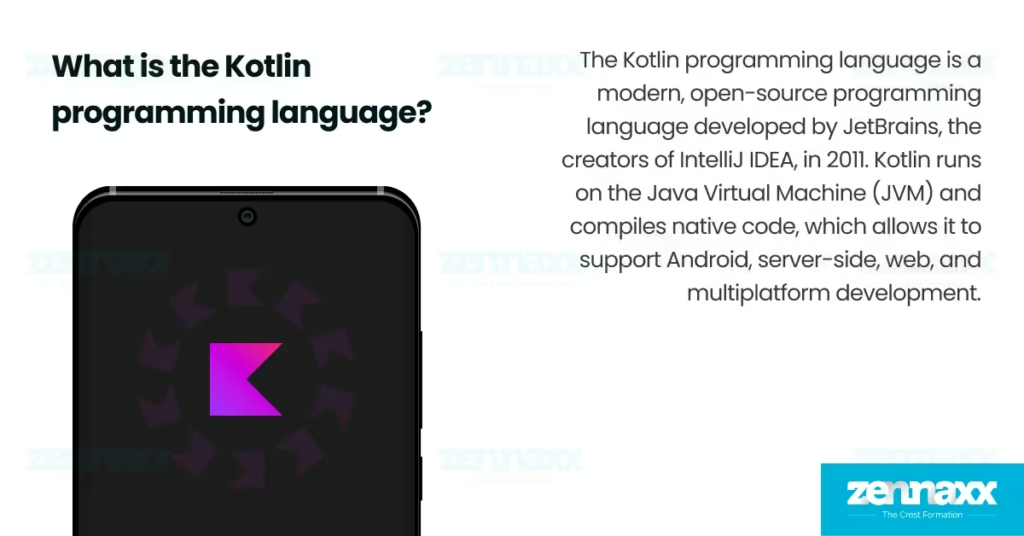
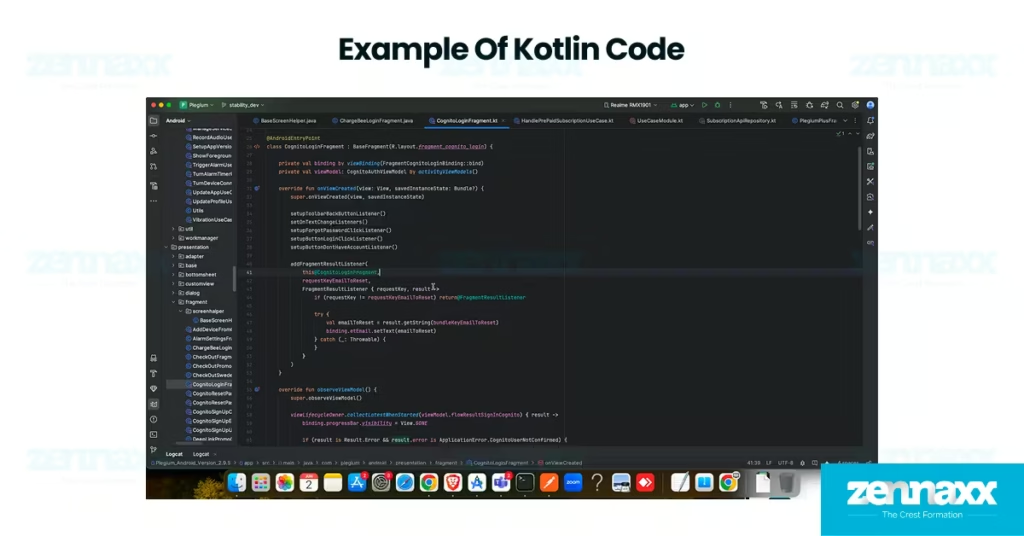
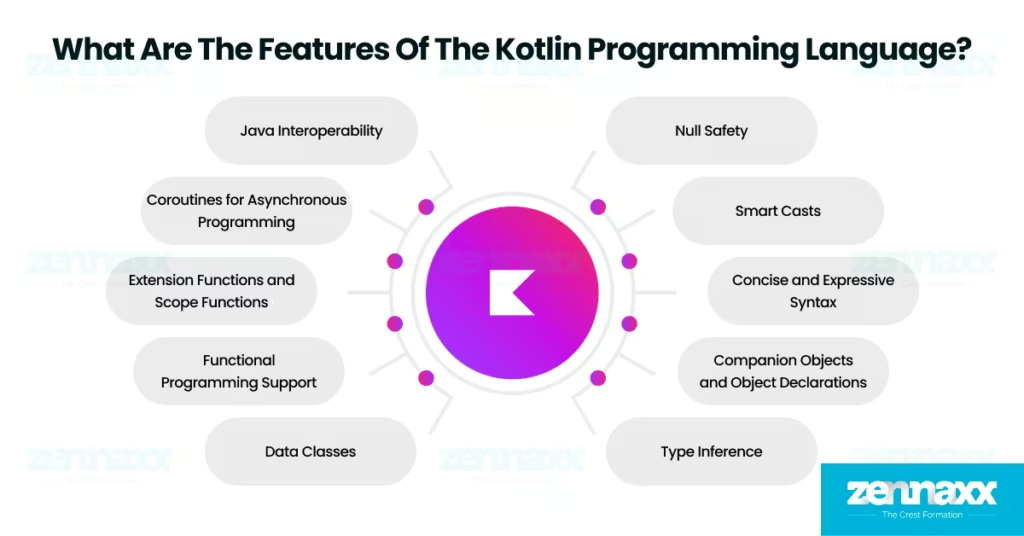
    What is the Kotlin programming language?

    what is kotlin language

    The Kotlin programming language is a modern, open-source programming language developed by JetBrains, the creators of IntelliJ IDEA, in 2011. Kotlin runs on the Java Virtual Machine (JVM) and compiles native code, which allows it to support Android, server-side, web, and multiplatform development. Kotlin is object-oriented and offers higher-order functions, lambdas, and extension functions for writing clean, expressive code. Kotlin was officially released in 2016 and has been used for over 13 years as of 2025. Google announced Kotlin as one of the official programming languages for Android development in 2017, which rapidly accelerated its adoption.

    The latest stable version of Kotlin is 2.1.21, which was released on May 13, 2025. 2.1.21 version includes compiler performance enhancements, better multiplatform project support, and improved tooling in JetBrains IDEs. A wide range of companies and industries around the world use Kotlin. Major companies such as Netflix, Uber, Amazon, Pinterest, Robinhood, Coursera, Trello, and Slack use Kotlin across mobile apps, backend services, and web platforms. According to a JetBrains developer survey, 56% use Kotlin for mobile app development, 47% for backend, and over a third have migrated from other languages such as Java.

    What is the file extension for Kotlin source files?

    The file extension for Kotlin source files is .kt, which is required for compiling standard Kotlin programs through the Kotlin compiler. The .kt extension ensures the compiler correctly identifies and processes Kotlin code during application development. Kotlin supports scripting through .kts files, which are used for lightweight automation tasks and interactive scripts without a full project setup.

    Is Kotlin a scripting language?

    No, Kotlin is not a scripting language; it is a statically typed programming language used to build mobile, web, and backend applications. Kotlin includes optional scripting support through .kts files, which are useful for automation and lightweight tasks, but scripting is not the language’s core focus. Kotlin is not a framework but a programming language that works with frameworks such as Spring Boot and Ktor to build structured applications.

    What is an example of Kotlin code?

    An example of Kotlin programming language code is written below.

    kotlin code

    Is Kotlin easy to learn?

    Yes, Kotlin is easy to learn due to its clean syntax, minimal boilerplate, and similarity to Java, which helps developers transition quickly. Interactive tools such as Kotlin Koans and a built-in Java-to-Kotlin converter help new learners practice Kotlin syntax and explore real code examples in a guided environment.

    What are the Features of the Kotlin programming language?

    kotlin features

    The features of the Kotlin programming language include core capabilities that enhance code safety, reduce boilerplate, and support modern development practices.

    zennaxx-wordpress.foodbooks.in/mobile-app-development-languages/

    • Java Interoperability: Kotlin offers full interoperability with Java, which allows Kotlin and Java code to work together within the same project without compatibility issues. Java interoperability supports Kotlin adoption in Android and enterprise environments and enables developers to reuse existing Java libraries and migrate code without rewriting large codebases.
    • Null Safety: Kotlin uses a strict type system to distinguish between nullable and non-nullable types, which helps developers catch potential null-related issues at compile time. Null safety protects Kotlin applications from null pointer exceptions, which are a common source of crashes in legacy Java codebases.
    • Concise and Expressive Syntax: Kotlin reduces boilerplate by offering features such as default parameters, smart constructors, and simplified property access. Concise syntax supports Kotlin by making code easier to read and maintain, which allows developers to focus on core logic instead of writing repetitive patterns.
    • Coroutines for Asynchronous Programming: Coroutines in Kotlin enable developers to write non-blocking asynchronous code in a simple, sequential format. Coroutines support Kotlin by simplifying background tasks such as network requests and database operations, which improves app performance and responsiveness.
    • Type Inference: Kotlin automatically detects variable types at compile time and eliminates the need for explicit type declarations. Type inference supports Kotlin by reducing repetitive code and improving readability while preserving strict type safety across the codebase.
    • Smart Casts: Kotlin performs automatic type casting after a successful type check, allowing direct access to properties or methods without manual conversion. Smart casts support Kotlin by improving conditional logic, reducing casting errors, and simplifying code that works with mixed or dynamic data types.
    • Functional Programming Support: Kotlin supports functional programming through features such as higher-order functions, immutability, and lambda expressions. Functional programming enhances Kotlin by allowing developers to write testable logic, especially in use cases such as transforming collections or composing operations in a single expression.
    • Data Classes: Data classes in Kotlin generate common utility methods such as equals(), hashCode(), and toString() based on the class properties. Data classes support Kotlin by simplifying the creation of model objects, which improves efficiency when working with API responses, UI states, and local data representations.
    • Extension Functions and Scope Functions: Extension functions allow developers to add new behavior to existing classes without changing their source code. Scope functions such as let, apply, and run support Kotlin by improving object configuration and making code more expressive, especially in chained or context-based operations.
    • Companion Objects and Object Declarations: Companion objects allow developers to define static-like members inside a class, while object declarations are used to create single instances known as singletons. Companion objects and object declarations support Kotlin by providing centralized access to shared resources such as service handlers or constants without requiring class instantiation.

    What are the uses of the Kotlin programming language?

    kotlin language uses

    The uses of the Kotlin programming language cover full-stack applications, server-side systems, data science, and cross-platform mobile solutions.

    Listed below are the 5 uses of the Kotlin programming language.

    Android Mobile App Development

    Kotlin is used to build modern Android applications with tools such as code completion, debugging, and project templates designed for Kotlin development. Kotlin is primarily used for Android app development and is officially approved by Google as the preferred language over Java. Features such as null safety, extension functions, and coroutine support allow developers to write secure, readable, and responsive mobile applications. Kotlin plays a central role in Android development worldwide, with over 70% of the mobile market running on Android devices.

    Web Application Development

    Kotlin is used to develop  web applications on both the frontend and backend using tools such as Kotlin/JS and frameworks such as Spring Boot and Ktor. Kotlin is not primarily used for web development, but continues to gain popularity as a flexible alternative to Java in full-stack environments. Strong static typing and Java interoperability help Kotlin reduce development errors, improve backend maintainability, and support clean integration. Kotlin allows developers to share code between client and server, reduce duplication, and gradually migrate legacy Java projects into a cleaner Kotlin-based architecture.

    Server-Side Applications

    Kotlin is used to develop server-side applications through frameworks such as Spring Boot, Ktor, and Micronaut that support modular and scalable architecture. Kotlin is not primarily used for backend development, but its use is growing steadily in enterprise systems as a cleaner alternative to Java. Coroutine-based concurrency and Java interoperability allow Kotlin to perform non-blocking I/O operations and plug directly into existing Java server frameworks. Major companies such as Google and Amazon use Kotlin on the server to modernize their backend services and improve developer productivity.

    Data Science

    Kotlin is used in data science for building data pipelines and creating machine learning workflows with the help of libraries such as KotlinDL and existing Java-based tools. Kotlin is not primarily used for data science but is gaining adoption in projects that benefit from strong typing and modern syntax. Kotlin supports data-heavy tasks through null safety, functional programming constructs, and integration with Jupyter and Zeppelin to enable reliable data pipeline development. Kotlin supports reusability and integration with existing Java libraries, which makes it easier to adopt in enterprise environments where Java is already established.

    Cross-Platform Development

    Kotlin is used for cross-platform mobile development using Kotlin Multiplatform Mobile (KMM). KMM allows teams to share business logic across Android and iOS from a unified Kotlin codebase. Kotlin is not primarily used for cross-platform apps, but adoption is rising in companies seeking native performance with shared code efficiency. Kotlin/Native and multiplatform support allow developers to compile code for Apple devices and reuse logic across multiple platforms without relying on web views or JavaScript bridges. Kotlin Multiplatform Mobile minimizes code duplication and accelerates delivery timelines for mobile apps targeting both Android and iOS platforms.

    Is Kotlin used to develop iOS applications?

    Yes, Kotlin is used to develop iOS applications by sharing business logic through Kotlin Multiplatform Mobile (KMM). KMM allows developers to write core functionality once in Kotlin and compile it for both Android and iOS, while still using Swift or Objective-C to build native iOS user interfaces. Kotlin/Native compiles Kotlin code into native binaries for Apple platforms to enable full integration with iOS system APIs.

    What are the pros and cons of using Kotlin?

    kotlin pros cons

    The Kotlin programming language offers powerful advantages for modern software development, but also presents a few limitations depending on the use case.

    Listed below are the 5 advantages of using Kotlin programming language.

    Java Interoperability: Kotlin offers full Java interoperability, which allows Kotlin code to directly interact with Java libraries, tools, and frameworks without modification. Java interoperability in Kotlin enables teams to continue using proven Java ecosystems while writing new features in a modern language.

    Null Safety: Kotlin provides built-in null safety by distinguishing between nullable and non-nullable types at compile time. Null safety in Kotlin eliminates the risk of null pointer exceptions, which are a leading cause of crashes in Java applications.

    Concise and Readable Syntax: Kotlin reduces boilerplate code through features like type inference, smart casts, and data classes. Kotlin simplified syntax allows developers to write clean, expressive code faster, which improves productivity and long-term maintainability.

    Strong Tooling and Android Support: Kotlin is officially supported by Android Studio and includes optimized tools such as Android KTX and the Kotlin plugin. Developers benefit from advanced IDE features such as intelligent code completion, lint checks, and instant project configuration.

    Advanced Language Features: Kotlin supports advanced language constructs such as extension functions, smart casts, sealed classes, and type-safe builders. Kotlin’s language features improve code expressiveness, reduce structural complexity, and allow developers to implement flexible, maintainable solutions.

    Listed below are the 3 disadvantages of using Kotlin programming language.

    Slower Compilation Time (in Some Cases): Kotlin’s full build times are often slower than Java, especially in large projects or when incremental compilation is not triggered. Slower Kotlin compilation can delay feedback cycles during development and affect overall productivity in teams managing complex codebases.

    Limited Learning Resources Compared to Java: Kotlin has fewer long-standing learning resources, third-party libraries, and comprehensive documentation than Java. Kotlin’s smaller ecosystem makes it difficult for developers to find Kotlin-specific tutorials or implementation patterns when solving complex problems.

    Larger Runtime for Simple Projects: Kotlin adds extra runtime dependencies such as the Kotlin standard library, which slightly increases the final size of compiled applications. Kotlin’s runtime requirements make it less ideal for use cases where performance and storage constraints take priority over advanced language features.

    What are some common Kotlin libraries and frameworks?

    The Kotlin programming language includes adopted libraries and frameworks that support modern application development across Android, web, and cross-platform environments.

    Listed below are of the most widely used Kotlin frameworks and libraries.

    • Ktor: Ktor is an asynchronous web framework built with Kotlin to develop server-side applications, REST APIs, and microservices. Ktor supports coroutines and offers full control over HTTP pipelines, which makes it ideal for building scalable and responsive backend systems.
    • Kotlin Multiplatform Mobile (KMM): Kotlin Multiplatform Mobile enables cross-platform mobile development by allowing developers to share business logic between Android and iOS. KMM reduces code duplication and increases development efficiency without compromising native performance.
    • Spring Boot (with Kotlin support): Spring Boot is a Java framework that fully supports Kotlin for building enterprise-grade web applications and microservices. Kotlin’s concise syntax and Spring’s ecosystem improve developer productivity and integration speed.
    • Koin: Koin is a dependency injection framework created specifically for Kotlin. Koin simplifies service management by eliminating boilerplate and supports Android and server-side applications through its lightweight, DSL-based setup.
    • Kotest: Kotest is a Kotlin-native testing framework that supports property-based, behavior-driven, and data-driven testing. Kotest improves test readability and provides expressive, maintainable testing styles aligned with Kotlin’s syntax.

    Popular Kotlin Libraries

    • Kotlinx.coroutines: Kotlinx.coroutines is Kotlin’s official library for asynchronous programming using coroutines. Kotlinx.coroutines simplifies concurrency and background task handling in Android, web, and backend development.
    • Kotlinx.serialization: Kotlinx.serialization is a multiplatform library that allows Kotlin objects to be serialized into JSON, ProtoBuf, or other formats. Kotlinx.serialization supports type safety and is commonly used in API integration and data interchange.
    • Android KTX: Android KTX is a Kotlin extension collection that makes Android APIs more concise and idiomatic. Android KTX library improves the Android development experience by reducing verbosity in view binding, fragment management, and SharedPreferences tasks.
    • MockK: MockK is a modern Kotlin-native mocking library used in unit and integration testing. MockK supports coroutine mocking, static method mocking, and flexible test verification, which makes it a popular choice in Kotlin testing environments.
    • Kotlinx.datetime: Kotlinx.datetime provides a consistent and multiplatform date-time API for Kotlin. TKotlinx.datetime library supports Android, iOS, JavaScript, and JVM targets, which helps developers manage date-time logic across projects with type safety and immutability.

    FAQs

    Q1.What language is Kotlin similar to?

    Kotlin is similar to the Java programming language in structure, syntax, and platform compatibility. Kotlin builds on Java’s object-oriented foundation while improving developer experience through concise syntax, null safety, and modern language features. Kotlin runs on the Java Virtual Machine (JVM) and uses the same bytecode format, which allows seamless integration with existing Java libraries and frameworks.

    Q2.What are the differences between Kotlin and Java?

    The differences between Kotlin and Java include syntax, null handling, and programming features, while both share JVM compatibility and full interoperability. Kotlin uses more concise syntax than Java, which reduces boilerplate and improves code readability. Kotlin enforces null safety at the language level to prevent runtime null pointer exceptions, whereas Java relies on manual checks and annotations.
    Kotlin is the better choice for teams building new applications because it improves safety, reduces code volume, and increases long-term development efficiency. Java remains valuable for legacy enterprise systems, but Kotlin provides clearer, more maintainable code and faster development cycles for modern software needs.

  • 9 Best Mobile App Development Languages in 2025

    9 Best Mobile App Development Languages in 2025

    The best mobile app development languages are Kotlin, Swift, Java, Dart, JavaScript, Objective-C, C#, C++, and Python. Mobile app development languages power native Android, native iOS, and cross-platform ecosystems, which enables developers to build fast and interactive mobile applications. A mobile app development programming language is a specialized language used to develop mobile applications that run on smartphones, tablets, and other mobile devices. Mobile app development language defines how mobile apps interact with device hardware, render user interfaces, and handle data across platforms.

    Java was the first adopted programming language for mobile apps, which power early Android development and laying the foundation for today’s mobile SDKs. Kotlin and Swift are now the most preferred languages for native mobile development and are officially supported by Google and Apple for Android and iOS, respectively. Dart has rapidly emerged as a dominant cross-platform language, with Flutter now used in over 46% of hybrid mobile apps worldwide, according to Statista developer surveys. Python, while not native, has carved out a role in mobile for backend integration and fast prototyping using tools such as Kivy and BeeWare.

    Listed below are the overall 9 best mobile app development languages to consider in 2025.

    9 Best Mobile App Development Languages

    • Kotlin: Kotlin is the official Android development language backed by Google, which offers null safety, concise syntax, and full Java interoperability.
    • Swift: Swift is Apple’s preferred language for iOS, iPadOS, and watchOS development, which delivers unmatched performance, safety, and tight integration with the Apple ecosystem.
    • Java: Java continues to dominate enterprise-grade Android applications due to its rock-solid virtual machine, vast ecosystem, and compatibility with legacy code in large-scale deployments.
    • Dart: Java powers Flutter-based apps with a single codebase across Android, iOS, web, and desktop to offer native-like performance and a fast-growing developer community focused on UI innovation.
    • JavaScript: JavaScript enables high-performance cross-platform mobile apps through frameworks such as React Native and Capacitor.
    • Objective-C: Objective-C strongly supports legacy iOS applications and integrates smoothly with Swift, which makes it essential for maintaining older Apple codebases still active in production.
    • C#: C# powers mobile applications through the Xamarin and .NET MAUI frameworks to allow developers to share business logic across iOS, Android, and Windows using Microsoft’s modern toolchain.
    • C++: C++ is used in mobile game engines and performance-critical modules to enable powerful, low-level control for rendering, sensor handling, and audio processing across both Android and iOS.
    • Python: Python supports rapid backend development and mobile prototyping with frameworks such as Kivy and BeeWare, often serving startups and internal tools that need quick deployment and flexible logic.

    Kotlin

    Kotlin is a modern, statically typed mobile app development programming language developed by JetBrains, designed to run on the Java Virtual Machine (JVM). Kotlin is fully interoperable with Java and emphasizes clear syntax, null safety, and expressive code structure, which makes it highly readable and reliable for mobile app development. Kotlin is officially supported by Google as the preferred language for Android development and allows developers to write less boilerplate code while building highly efficient native Android applications. Kotlin smoothly integrates with Android Studio and supports major mobile SDKs, libraries, and architecture components.

    Kotlin is used by over 60% of professional Android developers as of 2025, according to the latest Stack Overflow Developer Survey. GitHub reports show over 6 million Kotlin repositories, and the language ranks consistently in the top 20 most-used languages worldwide. The Kotlin developer community has grown rapidly, with over 500,000 active developers contributing to libraries, sharing open-source projects, and engaging in events such as KotlinConf.

    Kotlin’s future in mobile app development is secure because it is the default language for Android and backed directly by Google across all new tools, libraries, and UI frameworks. The dual-platform capability ensures Kotlin will not only dominate Android but gain traction in cross-platform enterprise apps where consistency and performance are critical.

    Swift

    Swift is a powerful, statically typed mobile app development programming language created by Apple in 2014 to replace Objective-C for building mobile applications. Swift offers modern features such as type inference, memory safety, and fast compilation, which improve both developer productivity and app performance. Swift is the official language for native iOS, iPadOS, macOS, watchOS, and tvOS development, and it integrates tightly with Apple’s frameworks such as SwiftUI and Combine.

    Swift is used by over 63% of iOS developers globally as of 2025, according to the Stack Overflow Developer Survey. GitHub hosts over 5.4 million Swift repositories, and the language consistently ranks among the top 10 most-loved languages in annual developer polls. The Swift community includes more than 450,000 active contributors, with regular updates from Apple and active participation in open-source projects such as Swift.org.

    Swift’s future in mobile app development is strong because Apple uses it as the main language for building all new iOS, iPadOS, and watchOS apps. Apple’s tools such as Xcode, SwiftUI, and Combine are fully designed around Swift that makes it the only language supported for modern feature development.

    Java

    Java is a mature, object-oriented programming language developed by Sun Microsystems and used in both enterprise systems and Android app development. Java served as the official Android language for over a decade and continues to power a large portion of legacy and enterprise-grade mobile applications. Java integrates directly with Android SDKs and libraries to allow developers to build, test, and maintain robust apps.

    Over 45% of Android developers still rely on Java in 2025, especially in large organizations and long-term codebases. Java has over 9 million repositories on GitHub and ranks among the top 5 most-used programming languages globally, based on the TIOBE Index. The Java developer community includes more than 8 million professionals, backed by ongoing contributions from Oracle and global open-source contributors.

    Java continues to play a key role in mobile app development because of its compatibility with Android frameworks, its scalability in enterprise apps, and its deep ecosystem of tooling and support.

    Dart

    Dart is a modern, client-optimized programming language developed by Google to build high-performance user interfaces across mobile, web, and desktop platforms. Dart is the core language for Flutter, Google’s UI framework that enables developers to create natively compiled applications using a single codebase. Dart supports hot reload, reactive UI structures, and consistent rendering behavior across Android, iOS, and other platforms.

    46% of cross-platform mobile apps use Dart in 2025, according to Statista developer surveys. GitHub lists more than 1.2 million Dart repositories, and Flutter ranks among the top five mobile development frameworks globally. Dart has a growing developer base of over 350,000 active contributors, supported by Google’s continuous investment in Flutter and Dart tooling.

    Dart’s role in mobile development is expanding rapidly as teams adopt Flutter to reduce build time, streamline UI design, and deliver near-native performance across platforms.

    JavaScript

    JavaScript is a dynamic, high-level programming language built for web development and adopted in mobile app development through frameworks such as React Native, Ionic, and Capacitor. JavaScript allows developers to build Android and iOS applications using a shared codebase with real-time UI updates and native module access.

    JavaScript is the most-used programming language worldwide, with over 25 million repositories on GitHub and leading adoption among cross-platform tools according to Stack Overflow. 70% of mobile developers depend on JavaScript-based frameworks in 2025 to accelerate delivery and unify web and mobile workflows. The global JavaScript ecosystem is supported by millions of developers, and active contributions from companies such as Meta, Vercel, and Expo.

    JavaScript remains essential for teams that prioritize rapid iteration, shared frontend logic, and scalable mobile deployment across platforms.

    Objective-C

    Objective-C is a reflective, object-oriented programming language that served as the standard for iOS and macOS development before Apple introduced Swift in 2014. Objective-C is supported by Apple and is used in existing iOS applications and Apple frameworks. The language integrates directly with all Apple SDKs and enables mixed-language development in projects that combine Objective-C and Swift.

    20% of active iOS apps use Objective-C in 2025, particularly in large-scale applications built before Swift adoption. GitHub lists more than 900,000 Objective-C repositories, and the language remains in use across healthcare, finance, and enterprise mobile apps that require long-term stability.

    Objective-C will continue to play a role in maintaining older iOS apps and integrating with Swift projects. Objective-C stability and compatibility ensure it remains relevant in Apple’s mobile ecosystem for years to come.

    C#

    C# is a statically typed, object-oriented language developed by Microsoft and used in mobile development through Xamarin and .NET MAUI. C# enables developers to build native Android and iOS apps using shared C# code by utilizing the .NET platform and development tools such as Visual Studio for efficient cross-platform deployment. C# simplifies UI building and business logic reuse while maintaining platform-native performance.

    C# is used by over 20% of cross-platform mobile developers, especially in enterprise and Windows-aligned teams. There are more than 7 million C# repositories on GitHub, and it remains a top 10 language in most global developer surveys. The C# community includes millions of developers, supported by Microsoft’s continuous updates and long-term .NET strategy.

    C# will continue to serve as a strong option for cross-platform mobile development, especially in teams already invested in Microsoft’s ecosystem. C# offers a streamlined, unified way to build apps across Android, iOS, and Windows with long-term platform support.

    C++

    C++ is a powerful, low-level programming language known for its speed, memory control, and use in system-level development. C++ is used to build performance-intensive components such as game engines, AR modules, and audio processing. Android NDK and iOS support allow seamless integration of C++ with Kotlin, Java, Swift, and Objective-C.

    C++ is one of the top 5 programming languages worldwide with over 10 million GitHub repositories and decades of system-level dominance. C++ is used in mobile gaming and apps requiring high-performance computation, graphics rendering, or sensor-level interaction. The C++ community includes millions of developers, active through open-source game engines such as Unreal and libraries such as OpenCV.

    C++ continues to be a core language in mobile development for tasks that require real-time processing, low latency, or direct interaction with hardware and multimedia systems.

    Python

    Python is a high-level, dynamically typed language known for its simplicity, flexibility, and vast ecosystem. Python plays a strong role in mobile backend services, automation, and rapid prototyping through tools such as Kivy, BeeWare, and RESTful APIs. Python is used to build the logic that mobile apps depend on for data, AI, or server communication.

    Python is the most taught language in universities and the third most-used language worldwide, with over 30 million GitHub repositories. Python has a developer community of over 10 million active users, with strong growth in mobile-adjacent areas such as AI and cloud infrastructure. Python supports mobile app development through tools such as Kivy and Toga, which allow developers to build experimental UI prototypes and lightweight apps using a Python-based codebase.

    The future of Python in mobile development focuses on fast prototyping, API-first architecture, and hybrid applications that rely on backend-driven logic. Mobile development teams use Python to build AI-integrated features, scalable cloud-connected services, and backend systems with high development speed and flexibility.

    What is a Mobile App Development Language?

    A mobile application development language is a platform-specific programming language used to build responsive, touch-optimized applications for smartphones, tablets, and mobile operating systems. Developers use mobile app programming languages to define the app’s structure, and interactions with native hardware such as GPS, cameras, and connectivity features. Mobile app development language offers unique capabilities that enable optimized performance, and native integration on platforms such as Android and iOS.

    Mobile app development languages help developers create app interfaces, control navigation, and handle real-time user input. Swift is used to build iOS applications with smooth integration into Apple’s ecosystem, while Kotlin serves as the primary language for Android development. Languages such as JavaScript and Dart allow cross-platform mobile development from a shared codebase using frameworks such as React Native and Flutter.

    Programming languages used in mobile app development manage backend connections, render UI elements, and process device-level events. Mobile developers choose languages based on factors such as platform compatibility, performance needs, and available development tools. Selecting the right language improves development speed, simplifies debugging, and ensures long-term app stability across operating system versions.

    What Are the Best Mobile App Development Languages?

    Listed below are the 5 best mobile app development languages in 2025.

    • Kotlin – Best for Android Development: Kotlin is ranked #1 for Android app development due to its modern syntax, strong type safety, and full compatibility with Java. 95% of top Android apps use Kotlin in production, and Google officially supports it with advanced tools such as Android Studio and Jetpack Compose.
    • Swift – Best for iOS Development: Swift is ranked #1 for iOS app development because it is the official language for Apple platforms and offers fast, safe, and efficient performance. 80% of new iOS apps submitted to the App Store are built using Swift and it provides seamless integration with tools such as Xcode and SwiftUI.
    • Dart – Best for Cross-Platform Development: Dart is ranked #1 for cross-platform mobile app development because it powers Flutter and Google’s UI toolkit. Dart supports fast UI iteration with hot reload and is used in over 46% of cross-platform mobile apps as of 2025, which makes it the leading choice for teams targeting Android, iOS, web, and desktop together.
    • JavaScript – Best for Web-to-Mobile Development: JavaScript is ranked #1 for hybrid and web-to-mobile app development due to its ability to build mobile apps using a shared web-based codebase. 70% of cross-platform developers use JavaScript with frameworks such as React Native and Ionic and provides strong integration between web and mobile platforms.
    • C# – Best for Enterprise Cross-Platform Solutions: C# is ranked #1 for enterprise cross-platform mobile development due to its deep integration with Microsoft technologies. 1 billion devices run Xamarin-based apps, and enterprise teams prefer C# for its strong Visual Studio tooling and long-term Microsoft support.

    FAQs

    Q1.What Programming Languages Are Used to Develop iOS Applications?

    The programming languages used to develop iOS applications are Swift, Objective-C, and C++. Swift is the primary language for iOS application development and offers speed, safety, and seamless integration with Apple’s frameworks such as SwiftUI and UIKit. Objective-C and C++ remain in use for maintaining older codebases and performance-critical modules.

    Q2.What Programming Languages Are Used to Develop Android Applications?

    The programming languages used to develop Android applications are Kotlin, Java, C++, and Dart through Flutter. Kotlin is the preferred language for Android application development due to its concise syntax, null safety, and full support in Android Studio. Java is used for maintaining older apps, while C++ is used for performance-intensive modules, and Dart powers cross-platform development with native Android support via Flutter.

    Q3.What Programming Languages Are Used to Develop Web Applications?

    The programming languages used to develop web applications are JavaScript, TypeScript, HTML, CSS, Python, PHP, Java, and Ruby. JavaScript is the core of web application development to enable dynamic interfaces and browser-side logic. Python, PHP, and Java are used to build server-side features such as authentication, databases, and backend workflows. TypeScript improves large-scale frontend codebases by introducing static typing and reducing runtime errors.

    Q4.What Programming Languages Are Used to Develop Cross-Platform Applications?

    The programming languages used to develop cross-platform applications are Dart, JavaScript, TypeScript, C#, and Kotlin. Dart is used for cross platform mobile application development and offers native performance from a single codebase. JavaScript and TypeScript power frameworks such as React Native and Ionic, while C# and Kotlin support cross-platform logic through .NET MAUI.

  • Swift Programming Language: Definition, Features, Uses, and Differences from Other Languages

    Swift Programming Language: Definition, Features, Uses, and Differences from Other Languages

    Swift is a modern programming language developed by Apple to build reliable, high-performance applications across all Apple platforms. Swift was introduced in 2014 as a safer and more efficient alternative to Objective-C. The key features of Swift include strong typing, optional types, memory safety, native machine code compilation for high performance on Apple devices, and a clean syntax that supports readable and maintainable code. Swift integrates directly with Apple’s Xcode, SwiftUI, and UIKit for smooth development across Apple platforms.

    Swift is used in iOS apps, macOS applications, watchOS apps for Apple Watch, and TVOS apps for Apple TV. Developers use Swift to build backend services through the frameworks Vapor and Alamofire, and some developers use it for cross-platform experiments and rapid prototyping. The difference of Swift from other mobile app development languages is based on its native performance, strong safety features, and growing cross-platform support. Swift uses the LLVM compiler infrastructure to convert code into LLVM-IR, which enables both standalone binary compilation and Just-In-Time (JIT) execution. Other mobile app development languages use abstraction layers that reduce speed and limit system-level access.

    Swift shares core design principles with Kotlin, Rust, and Go by focusing on safety, performance, and developer-friendly syntax. Apple’s continuous platform expansion and regular language updates have strengthened Swift’s position as a reliable choice for building secure and future-ready applications in the Apple ecosystem. Strong community support further reinforces Swift’s long-term relevance in modern software development.

    What is the Swift Programming Language?

    What is the Swift Programming Language Swift is a general-purpose, compiled programming language developed by Apple Inc. to support modern software development across macOS, iOS, watchOS, and tvOS. The Swift language was originally started in 2010 by Chris Lattner and his team, and later introduced publicly by Apple in June 2014 during the Worldwide Developers Conference (WWDC). Swift was designed to replace Objective-C with a safer, faster, and more expressive solution for Apple’s development platforms.
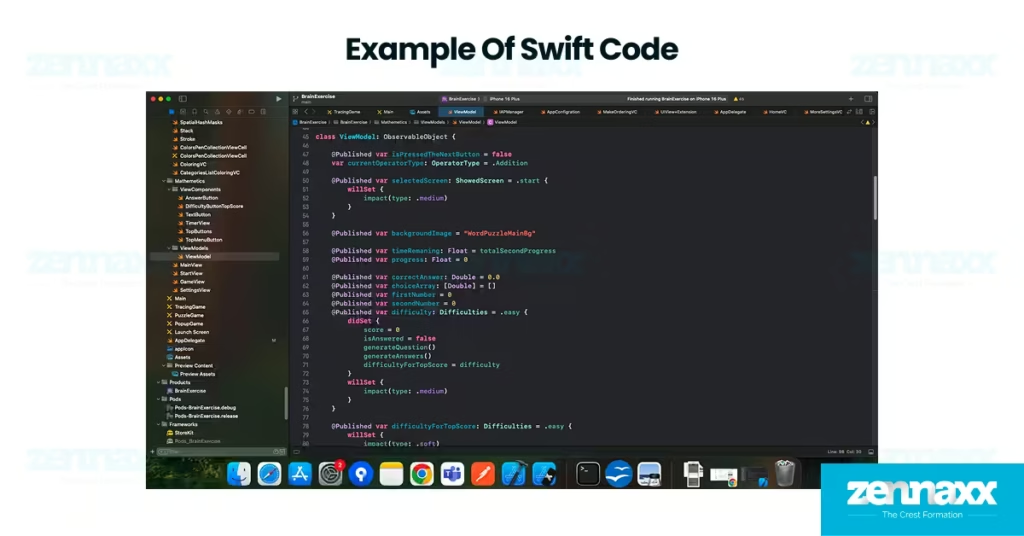
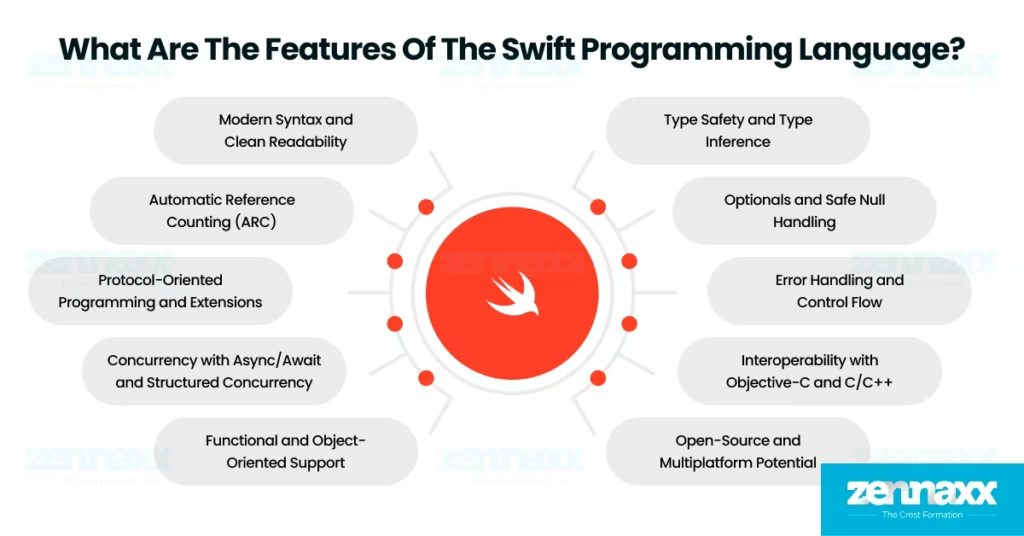
    Swift is 11 years old and continues to evolve as the core language in Apple’s software ecosystem as of 2025. The latest version of the Swift language is Swift 6.1, which was launched in April 2025, introduces key enhancements for concurrent programming. Developers can now mark entire types or extensions as non-isolated to simplify concurrency handling. Swift 6.1 improves generics support and integrates with modern source editors through the Language Server Protocol. Swift 6.1 is bundled with the latest Xcode release, which makes it readily available for both new and existing Apple projects.

    Swift is used by millions of developers globally, which includes independent app creators, enterprise software teams, academic institutions, and open-source contributors. Swift powers thousands of high-performance applications built specifically for the Apple ecosystem and continues to expand into server-side and cross-platform development through modern frameworks such as Vapor.

    Is Swift a programming language or a framework?

    No, Swift is not a framework; it is a programming language because Swift defines the language rules and syntax, and frameworks work alongside Swift to build user interfaces, manage data, or handle system interactions. Developers use Swift to write the application logic, while frameworks such as SwiftUI and Foundation provide reusable components and tools to simplify development tasks. The role of Swift is to provide the foundation, and the role of frameworks is to extend functionality through structured APIs.

    What is the file extension for Swift source files?

    The file extension for Swift source files is .swift, and this file contains code written in the Swift programming language. Swift source files open directly in Apple’s Xcode or any text editor across macOS, Linux, and Windows platforms. The .swift extension represents Swift’s modern, safe, and high-performance approach to software development.

    What is an example of Swift code?

    An example code of swift programming language code is written below.

    swift code

    Is the Swift programming language easy to learn?

    Yes, the Swift programming language is easy to learn because Swift uses clean and concise syntax, reducing code complexity by up to 40% compared to Objective-C, according to Apple’s official benchmarks. Swift includes modern features such as automatic memory management, built-in error handling, and compile-time safety checks, which help prevent common development mistakes. This combination of simplified syntax, safety-first design, and hands-on tools makes Swift a beginner-friendly choice for learning software development.

    What are the features of the Swift programming language?

    swift language features The features of the Swift programming language support safe, high-performance, and modern software development across Apple and non-Apple platforms.
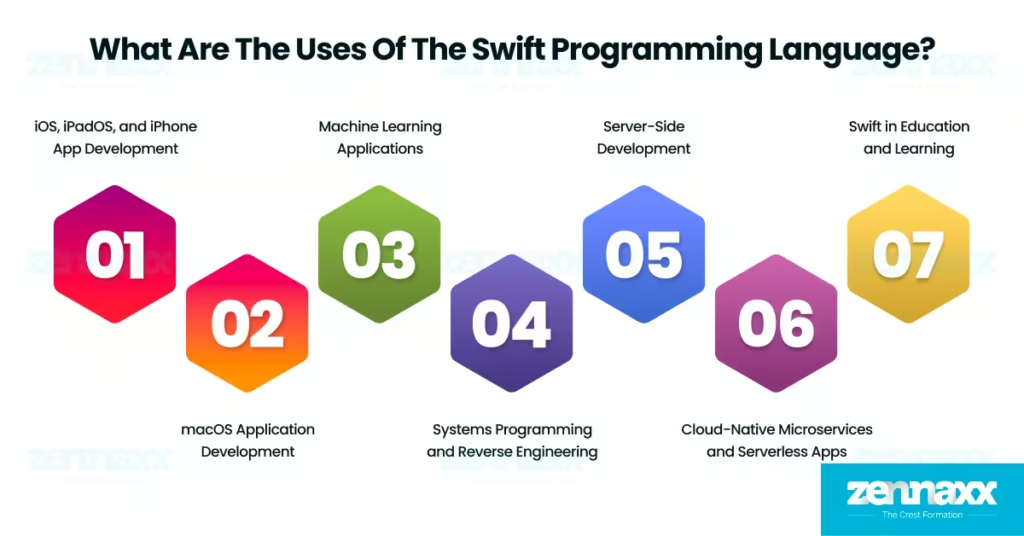
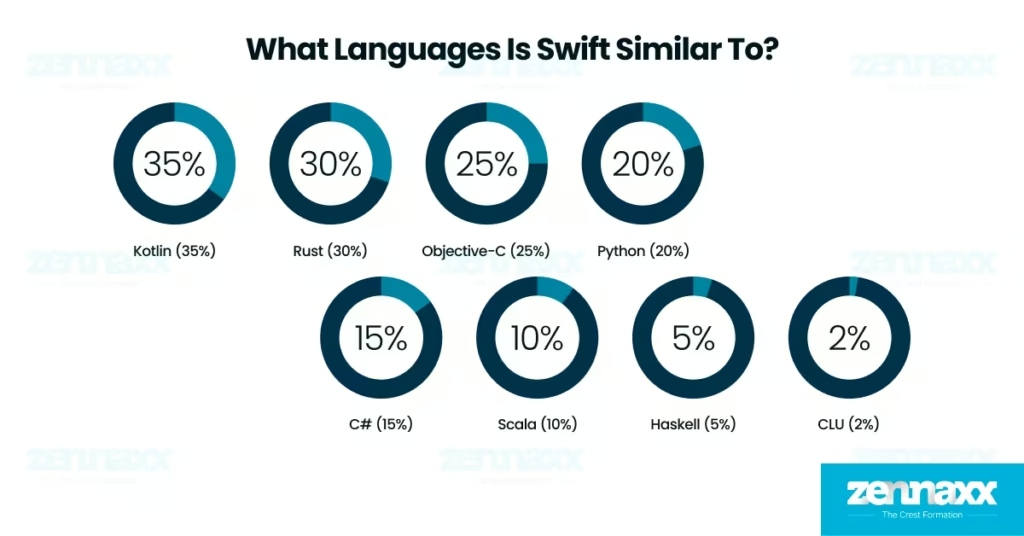
    Listed below are the 10 features of the Swift programming language.

    • Modern Syntax and Clean Readability: Modern syntax and clean readability help developers write concise, easy-to-understand code. Swift eliminates outdated conventions, which improves long-term maintainability and developer productivity.
    • Type Safety and Type Inference: Type safety and type inference reduce runtime errors by detecting mismatched data types during compilation. Swift automatically infers variable types, which allows developers to write cleaner code without compromising precision.
    • Optionals and Safe Null Handling: Optionals and safe null handling prevent crashes caused by missing values, such as when accessing a user profile image or email address that was never set. Swift requires developers to unwrap optionals explicitly, which ensures that the code only runs when valid data is present and avoids unexpected runtime failures.
    • Automatic Reference Counting (ARC): Automatic Reference Counting manages memory lifecycle without manual cleanup. ARC improves app performance by eliminating memory leaks and optimizing resource usage.
    • Error Handling and Control Flow: Error handling and control flow provide structured ways to catch, throw, and recover from exceptions. Swift uses a clear syntax for error propagation, helping developers build robust and fail-safe applications.
    • Protocol-Oriented Programming and Extensions: Protocol-oriented programming and extensions allow developers to define reusable behaviors without relying on class inheritance. Swift promotes flexible and modular architecture through protocol conformance and custom extensions.
    • Functional and Object-Oriented Support: Functional and object-oriented support allows Swift to blend paradigms for optimal code structure. Swift supports classes, structures, closures, and pure functions to accommodate various design patterns.
    • Interoperability with Objective-C and C/C++: Interoperability with Objective-C and C/C++ enables Swift to integrate directly with legacy codebases and low-level system libraries. Developers use Objective-C APIs such as NSUserDefaults to manage user preferences or link C libraries to perform operations such as file encryption and image processing. Swift’s ability to work alongside existing technologies supports modern application development and step-by-step migration from older platforms.
    • Concurrency with Async/Await and Structured Concurrency: Concurrency with async/await and structured concurrency allows developers to write non-blocking code for multitasking environments. Swift’s model improves responsiveness in apps and simplifies thread management.
    • Open-Source and Multiplatform Potential: Companion objects allow developers to define static-like members inside a class, while object declarations are used to create single instances known as singletons. Companion objects and object declarations support Kotlin by providing centralized access to shared resources such as service handlers or constants without requiring class instantiation.

    What are the uses of the Swift programming language?

    uses of the Swift programming language

    Below are the major domains where Swift is actively used.

     iOS, iPadOS, and iPhone App Development

    Swift is used to develop applications for iOS, iPadOS, and iPhone platforms that include high-performance apps such as Safari, Airbnb, LinkedIn, and Lyft. Developers write interface and logic layers using Swift with Apple’s core frameworks such as UIKit and SwiftUI. Swift is used for iOS application development in the Apple ecosystem to replace Objective-C in most modern projects. Apple officially recommends Swift as the standard for new mobile applications, and its use is seen in apps such as Uber, Airbnb, and LinkedIn.

    The features of Swift that support mobile development include compile-time safety, type inference, and memory management through Automatic Reference Counting (ARC). Mobile developers rely on Swift to create responsive, secure, and efficient apps that interact with system services, such as push notifications, camera APIs, and Core Location.

    macOS Application Development

    Swift is used for building desktop applications on macOS that includes productivity tools, creative software, and system utilities. Developers use Swift with Apple’s AppKit and SwiftUI frameworks to design responsive user interfaces and manage macOS-specific behaviors such as windowing, menus, and file access. Apple recommends Swift as the standard language for desktop apps due to its safety-first design, fast execution, and seamless compatibility with Apple’s development toolchain.The features of Swift that support macOS development include compile-time safety to catch type-related issues early, protocol extensions to smooth shared behaviors across app modules, and direct access to Cocoa libraries. Swift allows developers to build stable, high-performance desktop applications with native macOS behaviors, consistent UI design, and full platform compliance.

    Machine Learning Applications

    Swift is used to integrate machine learning models into iOS and macOS applications using Apple’s Core ML framework. Developers use Swift to load and run models trained in Python to enable real-time predictions directly on Apple devices without relying on external servers. Swift is not primarily used for training machine learning models, but it plays an important role in deploying them for on-device inference. Apple has optimized the integration process with Swift, which allows developers to embed models into apps for features such as image classification, face recognition, and natural language predictions.

    The features of Swift that support machine learning integration include type safety for predictable model outputs, native performance for fast inference, and compatibility with Apple’s Neural Engine. Swift allows developers to deliver intelligent features such as object detection in camera apps, predictive text in keyboards, and personalized recommendations with maximum efficiency and user privacy.

    Systems Programming and Reverse Engineering

    Developers write Swift code to interface directly with system frameworks, manipulate file systems, and observe runtime behavior with minimal overhead. Swift is widely adopted for building high-level macOS tools that interact with system components, file structures, and diagnostic APIs. Swift’s modern syntax and safe memory handling make it a strong candidate for internal tooling and macOS automation tasks.

    The features of Swift that support systems-level tasks include explicit memory management control, direct access to system-level C APIs, and strong compile-time. Swift allows developers to mix Swift and C code within the same project, which simplifies integration with system headers and low-level libraries. Swift is frequently used by macOS performance testers, reverse engineers, and internal platform teams to build utilities.

    Server-Side Development

    Swift is used for developing backend applications and APIs, which includes RESTful services, real-time event systems, and authentication platforms. Developers use Swift on Linux-based infrastructure to build server-side components that interact with databases, clients, and external APIs. Swift is gaining steady adoption in server-side environments due to its speed, safety, and cross-platform compatibility. Frameworks such as Vapor, Hummingbird, and SwiftNIO enable developers to write scalable Swift applications for the web, microservices, and real-time systems.

    The features of Swift that support server-side development include a high-performance concurrency model, non-blocking I/O through SwiftNIO, and strong type safety for handling data structures and API responses. Teams use Swift in production to build backend services such as booking engines, chat platforms, and analytics processors while sharing logic across iOS and server systems.

    Swift in Education and Learning

    Swift is used to teach programming fundamentals in schools, universities, and coding boot camps. Instructors use Swift to introduce students to variables, conditionals, loops, and basic app logic through hands-on exercises and visual coding tools. Apple promotes Swift as the ideal starting point for learning code through official materials, classroom guides, and certification paths.

    The features of Swift that support education include a clean and readable syntax, built-in safety mechanisms, and instant code feedback in tools such as Swift Playgrounds. Students explore core programming concepts in an environment that highlights errors, provides explanations, and reinforces structured thinking. Educators teach animation, logic, and app behavior through Swift Playgrounds with real-time, hands-on coding, which makes Swift highly accessible for beginners.

    Cloud-Native Microservices and Serverless Apps

    Swift powers event-driven systems in cloud-native environments and enables developers to build microservices, background workers, and serverless APIs. Cloud platforms such as IBM Cloud, AWS Lambda, and Google Cloud Run provide runtime support for Swift-based deployments. Developers adopt Swift in hybrid stacks where iOS and backend logic share models or services.

    Swift’s features that support cloud-native development include fast startup time, native code compilation, and safe concurrency through structured async/await syntax. Swift handles real-time notifications, webhook responses, form processing, and data parsing with consistent speed and reliability. Swift enables teams to write stateless microservices that scale with incoming traffic, integrate with cloud-native event queues, and maintain clean, readable architecture without compromising performance.

    Can you use Swift on Windows?

    Yes, you use Swift on Windows to write, compile, and run applications with official toolchains and supported editors such as Visual Studio Code. Developers build native desktop applications using Swift for Windows, Swift-WinRT, and the WinSDK module, which provide full access to Windows APIs and Windows Runtime. Swift on Windows is production-ready and supports both user-facing applications and system-level utilities.

    Can you use Swift on Linux?

    Yes, you use Swift on Linux to write, compile, and run applications by installing the official Swift toolchain from swift.org and working with editors such as Visual Studio Code or any Linux-compatible IDE. Swift on Linux is fully supported for tasks such as server-side development, which makes it a strong choice for backend applications and cloud deployments. The Swift open-source community maintains Linux compatibility by improving package support and ensuring you can build, test, and deploy Swift projects reliably across distributions.

    How the Swift programming language is different from other mobile app development languages

    The Swift programming language differs from other mobile app development languages in handling performance, syntax, memory, and platform-specific development.

    Below are 6 key comparisons that clearly explain the differences between Swift and other programming languages.

    • Swift vs Objective-C: The Swift programming language differs from Objective-C because Swift provides modern syntax, type safety, and automatic memory management. Developers avoid manual memory handling in Swift due to Automatic Reference Counting (ARC), while Objective-C requires more developer oversight. Swift compiles faster, integrates with SwiftUI, and is more readable. Objective-C still works for legacy code, but Swift is safer and better suited for long-term development.
    • Swift vs Python: The Swift programming language is different from Python in terms of purpose and execution. Swift is built for performance on Apple platforms, compiling to machine code, while Python is interpreted and used more often in web, scripting, and data science contexts. Python has a simpler learning curve and broader platform support, but Swift offers stronger typing, native concurrency, and better runtime efficiency for mobile apps.
    • Swift vs Flutter: The Swift programming language differs from Flutter in platform scope and development approach. Swift is a native programming language optimized for Apple hardware, while Flutter is a UI toolkit that uses Dart to build cross-platform apps. Swift gives full access to Apple APIs, system-level features, and performance tuning, which makes it ideal for building apps deeply integrated with iOS or macOS. Flutter offers broad device reach but relies on an abstraction layer that sacrifices some speed and platform-native behavior.
    • Swift vs. C++: The Swift programming language differs from C++ in memory safety, syntax simplicity, and platform specialization. Swift automates memory management and reduces undefined behavior, while C++ demands manual control and has a steeper learning curve. Swift focuses on app development, especially for Apple devices, whereas C++ is used broadly for systems programming, gaming engines, and performance-critical software.
    • Swift vs Go: The Swift programming language is different from Go in concurrency model, language design, and platform focus. Swift offers structured concurrency with async/await, strong type checking, and native integration for Apple ecosystems. Go emphasizes simplicity and fast network performance, which makes it more suitable for backend services and infrastructure tools. Swift is a compiled language designed for application development with rich UI and system-level features, while Go is a compiled language optimized for building distributed systems and backend services.
    • Swift vs Java: The Swift programming language is different from Java in syntax, safety, and mobile platform alignment. Swift is modern, concise, and built specifically for iOS and macOS, while Java is commonly used for Android and enterprise backends. Swift’s memory management, error handling, and native integration make it faster and less verbose than Java. Java dominates Android development, but Swift is the standard for Apple platforms and gives greater control over app performance and system behavior.

    What languages is Swift similar to?

    similar languages swift

    The Swift programming language is similar to Kotlin (35%), Rust (30%), Objective-C (25%), Python (20%), C# (15%), Scala (10%), Haskell (5%), and CLU (2%).

    Listed below are the 8 languages similar to Swift.

    Kotlin (35%)

    The Kotlin programming language is similar to Swift in syntax simplicity, type inference, and safety-focused language design. Kotlin was introduced in 2011 as a modern replacement for Java in Android development, just as Swift replaced Objective-C in iOS development. Kotlin and Swift offer null safety, concise syntax, and support for structured concurrency using async/await. Swift and Kotlin both serve as default languages for mobile app development within their ecosystems.

    Rust (30%)

    The Rust programming language is similar to Swift in memory safety, concurrency, and compile-time guarantees. Rust was introduced in 2015 and is known for enforcing strict ownership and borrowing rules to eliminate memory errors. Swift and Rust both languages avoid runtime crashes by emphasizing type safety, thread safety, and compile-time validation.

    Objective-C (25%)

    The Objective-C programming language is similar to Swift in syntax structure, runtime behavior, and messaging concepts. Objective-C was introduced in 1984 and remains relevant in legacy Apple applications. Swift and Objective-C are similar in their shared use of the Apple runtime, support for dynamic dispatch, and the ability to coexist in the same codebase through seamless interoperability.

    Python (20%)

    The Python programming language is similar to Swift in simplicity, readability, and interactive development style. Python was introduced in 1991 and is known for its clean syntax and scripting capabilities. Swift adopts a clarity-first design approach and provides an interactive coding environment through Swift Playgrounds, similar to Python’s REPL.

    C# (15%)

    The C# programming language is similar to Swift in modern syntax, language architecture, and support for asynchronous programming. C# was released in 2000 and shares a C-style syntax base with Swift. Swift and C# both languages support protocols (interfaces), extensions, value/reference types, and structured concurrency through async/await. Swift and C# are designed for developer productivity with features that reduce boilerplate and improve code maintainability.

    Scala (10%)

    The Scala programming language is similar to Swift in its support for functional and protocol-oriented programming. Scala was introduced in 2004 and runs on the Java Virtual Machine, while Swift is optimized for Apple platforms. Scala and Swift both languages support higher-order functions, strong type systems, and optionals.

    Haskell (5%)

    The Haskell programming language is similar to Swift in its emphasis on functional programming and immutability. Haskell was created in 1990 and shaped Swift’s adoption of functional tools such as map, filter, reduce, and optional chaining. Haskell enforces pure functional paradigms, while Swift integrates those principles into practical application development using a mix of functional and imperative constructs.

    CLU (2%)

    The CLU programming language is similar to Swift in its strong type system, modular structure, and emphasis on data abstraction. CLU was developed in 1974 and introduced early concepts of generics, exception handling, and consistent type rules. Swift builds on those foundations through protocols, structured error handling, and strict compile-time type safety. Several features that originated in CLU form core parts of Swift’s design for writing modular and maintainable code.

    What is the future of the Swift programming language?

    The future of the Swift programming language shows rising developer adoption, increasing demand for Apple applications, and growing usage on Linux and Windows platforms. Swift had approximately 1.2 million active users in 2018. The user base exceeds 2.7 million developers as of 2025, which reflects more than 120% growth in adoption over the past 5 years. Apple actively maintains the language with regular updates, and the open-source community contributes to tooling, documentation, and cross-platform compatibility. The Swift programming language is not dying, and it is gaining traction and remains the core of modern Apple software development.