Zennaxx

Author: Zennaxx Team

  • How Much Does MVP Development Cost: A Complete Guide

    How Much Does MVP Development Cost: A Complete Guide

    3 out of 10 startups can’t survive in the market for a year. The reason is a lack of management and budget to fulfill digital customers’ demands. Reaching every customer is not easy nowadays without adopting technology and market trends.

    No company or interpreter has a large budget to develop and release a solid mobile application. In this situation, you can only test the market before taking a big step in development. Because it better tests the market before launching your application so you can develop a successful application.

    This is called MVP development. Minimum Viable Product Development is the right choice for launching a successful product.

    In this article, we discuss MVP development cost and the factors for reducing the Minimum Viable Product development expenses.

    What is an MVP app?

    Frank Robinson, the CEO and President of SyncDev, used the phrase MVP for the first time in 2001. Since then, MVP development has grown in popularity as its reach and advantages have been highlighted.

    MVP is a simple working project model of your product with the basic features and customer requirements included. It helps clear up customer issues by gathering customer experience and product loopholes.

    The primary purpose of an MVP is to test the market with minimal investment. The budget for MVP development is smaller than the whole project to help find customer ideas and assumptions before committing significant resources to full-scale development.

    Businesses can reduce the cost of minimum viable product development and time-to-market by focusing on the basic requirements while providing value to early adopters.

    Why do you need an MVP mobile app?

    Building an MVP mobile app is the right opportunity to find the market value of your project idea. The advantage of starting with the basic MVP mobile app is that you can save your entire project budget and resources.

    Plus, you get honest feedback from users early on, which helps improve the app immediately.

    Suppose your idea base is strong, and you need more funds to develop your business with a high level of investment. In that case, you can contact the right development consultant and develop an MVP mobile app to present your idea to investors.

    Why do you need to plan your MVP software development budget?

    MVP development cost is not more expensive than an entire project, but without the right direction, you may pay more for the whole project in total development. So, it would be better to graph an entire budget before starting your project and compare it with the cost of full mobile app development.

    You must also focus on extra funds to make more improvements and changes to the MVP application cost. It may be accessible or costly, depending on your MVP application development technology and the project you have. Also, it would help if you used more cost reference feedback in some marketing and other factors.

    A common reason for failed products and startup companies is that funding runs out during development. Creating a realistic budget is therefore advised before you start spending and saving for the next step.

    How much does it cost to build an MVP and what factors affect it?

    The average MVP development cost is around $10,000 to $150,000 per your project requirements and the specifications you want to include. The pricing for MVP development cost depends on your proper fixed goal and clear management of the project.

    Lack of deep understanding before starting may result in unexpected costs and delays. With the appropriate guidance and knowledge of the factors that affect your pricing structure for minimum viable product development, it is essential to be clear before developing factors like types of applications, application design, choosing a development team, and many more.

    What are the main factors which affect your MVP developing cost?

    The budget for MVP Development depends on various factors and also depends on time and place. Whatever functionality you choose to add to your MVP product, every factor affects MVP development cost. Here, we explain which factors can affect MVP development costing one by one with details.

    Application type

    Determining the type of app you want is the first step in figuring out how much it will cost to develop an MVP. The cost mainly depends on how complex the app is and what features it includes. The simpler the app, the lower the price, and vice versa.

    To keep costs down, it’s a good idea to list the features you want in your app and then prioritize them. Please focus on the essential features of your users’ journey, like what users do and how they interact with the app.

    You can use different techniques to prioritize features, such as must-have, nice-to-have, or unnecessary. This helps you stay focused on what’s most important for your app without going over budget.

    Development team

    Choosing a development team is most important to shape your project. It not only affects your cost, but the right development team provides quality advice and sharp timing, too.

    Here, we compare the different team costs with other expenses.

    Team Salary Cost IT Expenses System Cost Total
    In-house MVP Development $100,000 – $120,000 $30 – $60 $1,500 – $2,000 $101,530 – $122,060
    Outsourcing MVP Development $40,000 – $50,000 No No $40,000 – $50,000
    Local Teams’ MVP Development $150/H – $180/H No No $150,000 – $170,000
    Freelancers $10,000 – $15,000 $2,500 – $3,000 $5,000 – $7,000 $17,500 – $25,000
    Based on Geolocation $5,000 – $30,000 $30 – $90 $1,000 – $2,000 $6,030 – $32,090

    The table shows the costs of different team types, including in-house teams, offshore product development companies, and local teams.

    Outsourcing is the preferred option for businesses, allowing dedicated teams to construct MVPs. Local teams can save on infrastructure and hardware costs, but the overall cost may be higher.

    Freelancers offer affordable services, but experience and communication issues may hinder business owners. Full-stack developers can cost $5,000-$7,000 per month.

    Hourly rate

    Hourly rates work on two factors: your company’s location. Different countries have different costs and money values, so MVP development cost based on location affects your price, and other things depend on developer experience and a completed project portfolio.

    A fresher developer only takes a little money, but you can not be sure about the output. And when you find the experienced developer is also 3X more than a fresher developer, the quality and efficiency of the work are usually higher.

    Experienced developers have a deeper understanding of coding practices and industry standards and can provide valuable insights to optimize your MVP development process.

    Additionally, their extensive project portfolio demonstrates their ability to deliver successful outcomes, making them a reliable choice for your project.

    Tech stack required

    When deciding on the technology stack for your MVP software development, you need to consider the complexity of your project. Here are some excellent options for both frontend and backend interfaces:

    Frontend Interface:

    1. React.js :

    • Provide one-way data binding.
    • It Easy to code and understand.
    • Use virtual DOM for efficient rendering.

    2. Angular.js :

    • Implements two-way data binding.
    • Follows the Model-View-Controller (MVC) framework.
    • Employs HTML for creating user interfaces.

    3. Vue.js :

    • Provides an interactive and user-friendly UI.
    • Open-source and progressive framework.
    • Offers strong computing properties.

    Backend Interface:

    1. Ruby on Rails :

    • Enables the creation of secure and functional MVP apps.
    • Known for its object-oriented nature.
    • Developer-friendly syntax simplifies coding.

    2. Python/Django :

    • Widely used in AI and machine learning fields.
    • Prioritizes code readability.
    • Suitable for both small and large-scale applications.

    3. Node.js :

    • Built on Google’s V8 JavaScript engine.
    • Excellent for real-time messaging or streaming web apps.
    • Offers high performance and scalability.

    Cross-Platform Technologies:

    React Native :

    Choosing the right technology stack depends on factors such as project requirements, scalability needs, and development expertise.

    By selecting the appropriate tools and frameworks, you can ensure the success of your MVP software development while effectively managing complexity and resource constraints.

    Type of contract

    The type of contract you choose and its obligations also determine the pricing for MVP development. One of the most commonly utilized contract types is the time-and-material contract, which operates on an hourly payment basis.

    This contract offers flexibility in terms of work arrangements and ensures expenses for creating a minimum viable product development.

    While time and material contracts are widely preferred due to their flexibility, fixed-price contracts are also available but are less commonly used. Fixed-price contracts require a precise scoping of the project and a detailed list of developer duties upfront.

    This can be challenging because changing the project scope during development can be complicated and may incur additional costs.

    UI/UX Design

    A well-designed app with a user-friendly interface and smooth navigation are standard requirements for success. Investing in UI/UX design may cost more upfront, but it’s worth it to create a strong brand identity and ensure a positive user experience.

    Wireframing, which outlines the structure and flow of the app, is also essential for both MVP and final product development. Allocating a budget specifically forUI/UX design ensures that your app meets user expectations and stands out in the market.

    Remember that the more extensive the design and research required, the higher the overall cost will be. But investing in a user-friendly and visually appealing app can pay off in the long run.

    Development Time-frame

    The time needed to build an MVP can fluctuate depending on various factors, including the product’s complexity, the development team’s size, resource availability, and technological hurdles.

    The main objective of an MVP approach is to swiftly validate the product idea’s core value proposition and collect user feedback.

    Therefore, by keeping the development timeline relatively short, you can launch your MVP sooner, gather valuable insights, and make iterative improvements based on honest user feedback.

    Creating the first MVP version should not take two weeks to complete. Cost estimates for MVP development usually depend on the timeline.

    This expedited development process allows you to test your product idea on the market quickly and efficiently, ensuring you can promptly adapt and iterate based on user responses.

    The Hidden Costs of MVP App Development

    develop an educational app.

    It’s essential to consider the hidden investment needed for MVP development that may arise throughout the process. Here are some key areas where additional expenses may occur:

    Deployment and App Store Submission

    Getting your app live on app stores involves specific costs, such as developer account fees, submission charges, etc.

    Quality Assurance and Accessibility Testing

    Check your app is bug-free and accessible to all users. This may require investing in quality assurancetesting and accessibility audits to test your MVP before launch.

    Iterations and Enhancement

    After launching your MVP, you may need to make iterations and enhancements based on user feedback, which can incur additional development costs. You can prefer some and avoid some improvements based on your business requirements.

    Scalability and Performance Optimization

    As your user base grows, you may need to optimize your app for scalability and performance, which may involve investing in infrastructure upgrades or code optimizations.

    Integration and Third-Party Services

    Integrating third-party services or APIs to enhance your app’s functionality may involve subscription fees, integration, and MVP development costs.

    Localization and Internationalization

    If you plan to expand your app to international markets, you may incur costs related to localization and internationalization efforts, such as translation services and cultural adaptation.

    Maintenance Plan

    Regular maintenance and updates are essential to keep your app running smoothly and securely. Budgeting for ongoing maintenance costs is necessary to ensure your app’s long-term success.

    Growth Marketing

    Promoting your app and acquiring new users may require investing in marketing campaigns, advertising, and user acquisition strategies. All are also included in the Budget for MVP Development.

    This hidden cost also changes the Pricing Structure for Minimum Viable Product Development.

    Post Development Factors that Affect MVP App Development Costs

    After you’ve launched your app, there are a few important costs you’ll need to cover to make it successful:

    Marketing

    Find a partner to advertise your app on different platforms. You can use social media, blog posts, and email newsletters to reach potential users. To get people to notice your app, you’ll need to spend around $10,000 on average for advertising.

    Find a marketing partner to promote your app across different platforms, like social media or sponsored ads.

    Sales

    Develop a strategy to get people to use your app. Use data like how many people use your app daily to determine what works best. Remember, making money from your app is the final goal.

    It’s essential to have a good sales pitch to sell your app to the right customers. You should spend between $5,000 and $10,000 to develop a successful strategy.

    Maintenance

    Keeping your app updated and bug-free is essential. It’s also a chance to get user feedback and improve your app. Running your app smoothly takes about 20% of your initial development budget.

    This includes server costs and ensuring your app works with other services. The total cost depends on how complex your app is and where your team is located.

    Ready to take your idea from concept to reality?

    Let’s start by crafting your Minimum Viable Product (MVP) strategy. Ready to build something amazing together?

    Tips To Reduce Minimum Viable Product Cost

    Here are some practical tips to help startups reduce the cost of a Minimum Viable Product (MVP) app without compromising on quality:

    Low-code/No-code Development

    Consider using low-code or no-code development platforms that minimize the need for extensive coding. These platforms enable rapid app development with minimal technical expertise, reducing development time and costs.

    Use Open-source Libraries and Frameworks

    Take advantage of open-source libraries and frameworks available in the appdevelopment community. These resources are freely accessible and can help you build a feature-rich MVP without the need for costly proprietary tools.

    Opt for Cloud-Based Development

    Harness the benefits of cloud-based development platforms such as AWS and Azure, which offer scalability, flexibility, and cost-effectiveness. By utilizing cloud infrastructure, you can avoid the expenses associated with purchasing and maintaining hardware and software.

    Outsource MVP App Development

    Consider outsourcing MVP app development to skilled teams in regions with lower labor costs. Outsourcing allows you to access a global talent pool at competitive rates, reducing overhead expenses associated with hiring andmaintaining an in-house team.

    Choose a Skilled Development Team

    Partner with a skilled development team experienced in development methodologies like Scrum. Agile practices promote flexibility, rapid iteration, and early issue detection, leading to faster development cycles and cost savings in the long run.

    By implementing these cost-saving strategies, startups can effectively manage the cost of Minimum Viable Product Development while delivering a high-quality product to market.

    FAQs

    Q1.HOW LONG DOES IT TAKE TO BUILD AN MVP?

    Building an MVP typically takes around 2 weeks to 4 weeks, entirely depending on your project requirements. However, the timeframe may vary depending on factors like project complexity, team size, and resource availability.

    Q2.WHAT ARE SOME COMPELLING REASONS TO BUILD AN MVP?

    Building an MVP gives you so many benefits like Testing the market with minimal investment, Gathering honest user feedback early on, Validating the core value proposition of your product idea, Reducing development costs and time-to-market.

    Q3.WHAT ARE SOME GOOD EXAMPLES OF MINIMAL VIABLE PRODUCTS?

    Dropbox: Initially launched with a simple video demo to gauge user interest before full development. Airbnb: Started by renting out air mattresses in a spare room to validate the concept. Zappos: Initially operated as a simple website with pictures from local shoe stores to test customer demand.

    Q4.HOW TO BUILD A SUCCESSFUL MVP?

    To build a successful MVP, first, set clear goals. Then, focus on the most essential features for your users. Choose the right technology and test your MVP with real users for feedback. Adjust and improve based on what they say.

    Q5.HOW TO CHOOSE THE BEST MVP DEVELOPMENT AGENCY?

    Experience and expertise in MVP development. Track record of successful projects and client testimonials. Ability to understand your business goals and requirements. Transparent communication and flexible engagement models. Cost-effectiveness and value for money offered by their services.

    Conclusion

    MVP development cost does not affect your budget when you have a clear vision and proper planning. By concentrating on the essential details, you can efficiently determine the MVP development cost and attain your desired outcomes.

    Creating a low-cost MVP is most important for laying the foundation of a successful app or website. Once your MVP mobile app is ready, you can move forward to develop a full-fledged version based on the feedback received from your target audience.

    We have the expertise and experience to be your trusted MVP development partner. Our team of developers can assist you in testing your product in the market and implementing necessary improvements. Please take advantage of our minimum viable product development services and let us guide you through the development process.

    Read Also: 

  • Discover 13 Reasons Why You Should Use Spring Boot.

    Discover 13 Reasons Why You Should Use Spring Boot.

    Are you tired of spending hours configuring your Spring Framework projects? Spring Boot cuts out the need for manual configuration by using convention-over-configure. which is the biggest reason to choose Java Spring Boot.

    Java Spring Boot has become a popular framework for building robust and scalable applications. Its powerful features and capabilities have made it popular among developers.

    Dependency injection is a great feature of the Spring Framework. It helps objects say what other things they need, and then Spring takes care of providing those things to them.

    This is handy because it lets developers build applications into smaller parts that work together smoothly. It’s perfect for making apps that are split into different pieces, like microservices or ones that need to talk to each other over a network.

    If you also want to switch to this and find the reasons for choosing it, here we give you 13 compelling reasons to consider using Spring Boot for your next project.

    What is Java Spring Boot?

    Java spring framework is the most popular among all java frameworks. The top layer of the Spring framework is made up of Spring Boot, which has all the features that Spring provides to programmers.

    So, Java Spring Boot is an extension of the Spring framework. Spring gives a substantially smaller boilerplate and configuration. It offers a pre-configured framework for developing Spring-powered apps with minimal XML and an annotation-based setup.

    With the help of this open-source platform, developers can create separate digital products and production-ready spring programs, including web services and Java apps, more easily.

    It is most appropriate for creating microservices for web and mobile apps since it is based on a microframework. The open-source service Java Spring Boot gives developers so many advantages. So here we write the 13 reasons for the benefits of using Java Spring Boot in development.

    Increase in Development Speed :

    To be specific, Spring Boot has an in-memory database embedded server that helps one decrease or remove the boilerplate code, which is of utmost importance to set up a fully running application.

    This helps decrease the development time, leaving the employee more productive. Hence, it is considered a time saver for developers.

    Due to its opinionated nature, Spring Boot significantly reduces the setup time for a new project. Developers don’t need to spend extensive time configuring the application from scratch or making decisions about the project structure.

    Instead, they can take advantage of the defaults provided by Spring Boot, allowing them to jump into development quickly.

    With Spring Boot, the process becomes much simpler. Instead of dealing with complex XML configurations, developers can achieve Spring MVC functionality by adding a specific “starter” dependency.

    A starter is a pre-configured set of dependencies that align with a particular use case. In this case, the Spring Boot starter for web applications includes all the necessary dependencies and configurations for Spring MVC. As a result, developers can set up a Spring MVC project without requiring extensive manual configuration or XML code generation.

    Learning and Adaptation Curve :

    If you already understand the Spring framework, learning Spring Boot becomes a straightforward process. This is because java Spring Boot is an extension of the Spring framework. To begin with the idea of the same, you must be familiar with a small set of annotations and open to learning.

    To begin development with Spring Boot, even for those unfamiliar with Spring, it mentions that one needs to familiarize themselves with a small set of annotations.

    Annotations in Java are metadata that provide information to the compiler or runtime environment. Annotations are used in Spring Boot to configure different parts of the application.

    A Starting Point for Everything :

    Spring Boots are considered one of the easiest to create standalone and core production-level applications. The one form where the applications start all over is just the “RUN” command. Most Spring Boot applications need minimal Configuration, which creates everything.

    Spring Boot Starters simplify application setup by providing starter dependencies for database connections, message queue communication, and email sending. The statement highlights the availability of starter dependencies for most Spring modules, reducing the need for developers to configure or handle dependencies individually and manually.

    What Is Software Consulting

    Built-In Web Servers :

    Built-in servers are considered one of the most important parts of deployable applications. The advantage of this is that one may not need to pre-install the setup. The Tomcat server listens for HTTP requests on port 8080. It supports the in-built web servers.

    With Spring Boot, the application is packaged as a JAR file. This JAR file contains all the required libraries and configurations, making it self-contained and capable of running as an application server. This portability means the same JAR file can run in any environment supporting JAR files.

    Spring Boot applications can be deployed with embedded servers for quick setup or converted to WAR files for traditional server deployment, ensuring flexibility for project requirements.

    Pre-installed JUnit Support :

    The Junit testing system is an open-source unit testing framework. It helps one write and execute automated tests. In Java, developers must re-execute many test cases every time they add new code to the database to ensure the code is unbroken and they do not skip anything.

    The example provided showcases a simple auto-generated test case using the @SpringBootTest annotation. In this case, the test checks if the Spring context loads properly. The test class’s briefness and the test method’s simplicity underscore the ease of writing tests in a Spring Boot project.

    //SpringBootTest//

    class SpringBootDatabaseApplTests {

    //Test//

    void contextLoads() {

    }

    }

    Microservices architecture :

    Microservices allow comparatively large systems to have built up several collaborating components. It does so at the initial level that springs to the component level. Spring Boot is one of the premier conferences for building scalable microservices to save budget on applications throughout the ideal application.

    Transitioning a complex website from a monolithic to a microservices architecture on cloud-based and containerized platforms offers enhanced scalability, flexibility, and easier service management. Microservices separate payment processing and ordering into separate units, so essential operations like payments can function even if other services like invoicing encounter issues.

    Ultimate IDE Assistance for Spring Boot :

    Eclipse is one of the most popular open-source IDEs that permits excellent support throughout the Java-based application. Many Spring Boots are available, which offer the widest range of development options.

    The availability of code assistance features, such as code completion and navigation, in major IDEs like IntelliJ IDEA Ultimate, Visual Studio Code with the Spring Tools Extension, and Eclipse with the Spring Tools plugin underscores the commitment of these tools to supporting Spring Boot development.

    Developers can choose the IDE that aligns with their preferences while enjoying a comprehensive set of features for working with Spring Boot projects.

    Planning software development?

    Ready to elevate your web projects? Partner with us for seamless web app solutions.

    Spring Profiles :

    Spring profiles have provided a way to separate each part of the application and configure the availability of certain environments. The profile maximum limit marks Component and Configuration.

    With Spring Profiles, developers can selectively enable or disable components in the application. This level of granularity is particularly useful when there’s a need to use different components based on specific conditions or requirements.

    The use of profiles allows for selective or deactivation of features, depending on their context. This flexibility is advantageous in scenarios requiring different configurations or components for different environments or use cases.

    Features that are production-friendly :

    Without any doubt, Spring Boot is popular and known for its microservices. Its robust quality and out-of-the-box feature attempt to make the application production-ready by default. Including monitoring, metrics, and logging features immediately saves developers time and effort in setting up and configuring them.

    The Health Actuator Endpoint highlights a feature that enables application status monitoring. This API allows developers to assess their application’s overall health and provides valuable insights.

    Different Packaging and Deployment Options :

    Java Spring Boot developerscan easily package applications into JAR Files and consider them standalone, ready for deployment as standalone applications.

    Beyond traditional packaging, Spring Boot simplifies the creation of high-performance Docker images. With additional configuration and parameters, developers can generate Docker images directly from their applications. This simplified the process of containerizing Spring Boot applications.

    Managing Spring Boot applications is straightforward, with easy-to-use commands for starting and stopping. This simplicity enhances the developer experience and facilitates the quick testing and deployment of applications.

    Strong community support :

    Just like many other open-source platforms, Spring Boot has a large community full of people who are ready to share ideas and knowledge. You can find a ton of online tutorials and discussions about Java Spring Boot, regardless of your level of experience.

    There are many existing codebases that closely match your project requirements, which is one of the benefits of being a part of such a vibrant user base.

    Rather than starting from scratch, taking advantage of existing code can speed up your development process. For trusted support and information, you can visit the Spring Boot page of GitHub.

    Many developers like to use this technology in developmentsharing so many personal experiences and new updates related to this platform.

    Continuous Updates :

    Spring Boot’s code is open source, which means that anyone can use, modify, and contribute to it. Many different companies and individuals, known as vendors, collaborate on improving and maintaining this open-source project. This collaboration involves a huge community of developers, each bringing unique viewpoints and levels of expertise to the table.

    Java Spring Boot is primarily used in Java programming, but it is also widely used in software development. Most developers are familiar with it and provide their expertise. Whether you’re a seasoned developer or just getting started, you can benefit from others’ collective wisdom.

    No requirements of WAR files :

    Spring Boot supports the use of WAR (Web Application Resource) files, but it does not require them. Spring Boot now supports JAR (Java Archive) files. JAR files provide a concise and straightforward structure, which makes them advantageous for both developers and users. These lightweight files make for quick connectivity between applications and the tools required to run them.

    The ability to choose between WAR and JAR formats is also a plus point for development teams. If a team member lacks experience with JAR, they can opt for WAR. While this choice may have a minor impact on speed, it helps developers expedite their product launches.

    Conclusion

    Many Java developers choose Spring Boot as the framework for developing microservice architecture applications. Its popularity stems from its user-friendly features and extensive toolkit, which includes integrated servlet containers and support for various testing frameworks.

    This powerful tool significantly streamlines the configuration and development processes. Our expert Java developers explain the benefits of using Java Spring Boot in development. Hire our Java developer team or send an inquiry to Zennaxxfor any project-related query.

    Read Also: 

  • What is java spring boot? Everything you need to know

    What is java spring boot? Everything you need to know

    Java Spring Boot is a concept every Java developer needs to understand well. Whether for beginners or developers, Spring Boot is a trending concept of Java web development.Spring Boot is a fundamental concept asked about by interviewers in an introductory Java web development interview.

    This post is written to simplify the concept of spring boots for developers. We clear up the whole idea with the definition of the proper implementation of Spring Boot in your development.In short, this comparative article helps clarify the concept of Spring Boot with sharp detail.

    What is Java Spring Boot?

    Spring Boot is an open-source tool and is part of the larger  Java Spring Framework . It simplifies using Java-based frameworks and is designed explicitly for creating microservices and web applications.

    Every developer knows the framework because of its popularity. It is widely used in developing various applications.

    Spring Boot automates Java Spring Framework development, saving time. It enables efficient REST API creation.

    Spring Boot makes Java development easier for developers. Some of its best features help create top applications with minimal configuration and boilerplate code. It affords embedded servers for smooth deployment and tracking.

    Additionally, Spring Boot offers robust dependency management and automatic configuration, permitting developers to be conscious of covering project common sense instead of dealing with whole project issues.

    What is Spring Boot Microservices Communication?

    “micro” means dividing the code into small, manageable parts or components. Each core function, or “service,” is made and used independently from the other services.

    These independent parts collaborate and talk to each other through specified API documents known as contracts. There are several advantages to using microservices.

    For instance, since this approach involves distributing and loosely connecting components, the application doesn’t stop working if one part has a problem.If you’re working on a Spring Boot project with multiple microservices, you may need to have microservice m1 communicate with microservice m2. The business use case will determine whether this communication is synchronous or asynchronous.

    Synchronous Way:

    • REST Template: Uses the RestTemplate class to perform HTTP requests. For example, we can use the getForEntity method to invoke the user-service URL and handle exceptions on the service side.
    • Feign: Requires additional configuration but offers advantages like not hard-coding URLs and using Eureka Client ID for server discovery.

    Asynchronous Way:

    A message broker can be used as an intermediary between m1 and m2 for asynchronous communication.In this case, when m1 needs to communicate with m2, m1 pushes a message to the broker instead of sending it directly to m2. Depending on the type of broker (e.g., ActiveMQ or Kafka), the message is conveyed to the listener of m2, and actions are taken accordingly.

    This asynchronous approach is practical, for instance, when updating various stages of order in the developer service and notifying the operator service about each status update.

    Seeking to enhance your Java projects?

    Let’s chat! Reach out to us today to discuss your project needs and discover how we can help bring your vision to life. Get in touch now!

    Why is Spring Framework so popular?

    Spring Boot became very popular shortly after its release because it offers many features. So, we compare it to other market frameworks and identify the factors that make it a better choice.

    • Speedy Development: Accelerates project development with streamlined processes.
    • Easy Configuration: Simplifies configuration through sensible defaults and annotations.
    •  Embedded Servers: Eliminates the need for separate web servers, simplifying deployment.
    •  Annotation Convenience: Promotes annotation-based development, reducing verbosity.
    •  Productivity Boost: Minimizes repetitive tasks, allowing focus on business logic.
    •  Ecosystem Integration: Seamlessly integrates with Spring projects and third-party tools.
    •  Database Integration: Simplifies database connectivity without extensive manual setup.
    •  CLI Support: Offers a command line interface for efficient development and testing.
    •  Build Tool Compatibility: Supports popular build tools like Maven and Gradle.

    This is the reason behind the gain in speedy popularity of Java Spring Boot in developer’s minds. With the increasing demand for software and mobile application development, this tool comes with a combination of features that make it easy to use in one tool.

    What Spring Boot adds to Spring Framework

    Even though the Spring Framework is robust, putting it in place and deploying Spring applications may take time and effortThat’s where Java Spring Boot is available, making things less difficult with three essential capabilities:

    Autoconfiguration

    You don’t need to set up dependencies with Java Spring Boot manually. It robotically configures your app primarily based on your choices and exceptional practices, saving you time and lowering the danger of mistakes.

    Opinionated Approach

    Dependency injection in Java Spring Boot is more accessible than other technologies. Instead of you making all the choices, it alternatives the proper ones to your assignment throughout the setup.You can pick out your project’s wishes from a list of starters, making it less complicated and faster. For instance, if you want to construct an internet app, you may choose the ‘Spring Web’ starter, which will unite the whole thing you want.

    Standalone Applications

    Spring Boot architecture helps create applications that run by themselves. You want something other than an external web server, as it consists of one for your app.In this manner, you can, without difficulty, run your app on any platform with a simple command. You may not encompass an embedded net server if you don’t want this option.Spring Boot’s recognition of standalone programs makes matters extra flexible and straightforward.

    Spring Boot vs. Spring Framework

    Spring Boot offers a quicker and easier opportunity to the Spring Framework, bearing in mind smooth utility dependencies addition and preserving all Spring Framework features like event managing, validation, statistics binding, security, and trying out.Let’s understand the difference with table

    Spring Boot Spring Framework
    Easier and faster application development with built-in auto-configuration. May require more manual configuration and setup.
    Convention-over-configuration approach simplifies development but offers slightly less flexibility. Provides greater flexibility through extensive configuration options.
    Supports Spring Framework’s popular annotation-based programming model. Uses the same annotation-based programming model for dependency injection and configuration.
    Allows developers to easily add dependencies using Spring Boot starters. Requires manual configuration and dependency management for additional features.
    Provides full access to Spring Framework features with minimal configuration. Offers the same core features as Spring Boot but typically requires more manual setup.

    Goals of Java Spring Boot in Development

    Reduced development, unit, and integration test times are the primary goals of Spring Boot. Spring Boot makes your development process hassle-free and quick.

    Reducing Development Time

    Spring Boot aims to make it faster to build applications. So you can speed up your development process and grow more quickly in the development sector.

    Easier Testing

    It’s now not just about constructing; Spring Boot wants to make trying out your software more accessible, too. Unit checks and integration checks are made more sincere so that you can be confident that your app works best.

    Opinionated Development

    Spring Boot has a particular manner of operating, often known as an “opinionated” technique. This means it shows a hard and fast set of first-class practices to make development smoother.

    Less Configuration Hassle

    Spring Boot reduces the need for many unique configurations. You do not have to write lengthy settings lists or deal with complex XML documents. This makes your lifestyle as a developer easier because you can focus on the vital parts of your software.

    Avoiding Import Statement Overload

    When you are writing code, you usually want to import various programs. Spring Boot helps you avoid uploading too many things, keeping your code cleaner and more plausible.Spring Boot wants to save developers time and effort by offering a clear direction for improvement, minimizing the need for excessive configuration, and retaining things easily and super fast. future trends

    A Guide to Logging Frameworks and Configuration in Spring Boot

    Developers can diagnose problems, track down issues, and gain insight into an application’s behavior with the help of logging.Spring Boot provides built-in support for various logging frameworks, making it flexible for developers to choose the best fit their needs.

    Here are some popular logging frameworks supported by Spring Boot:

    Java Util Logging (JUL):

    Configuration: Spring Boot provides a default configuration for JUL. You can configure JUL by placing a logging.properties file in the classpath.

    Dependency: No additional dependencies are required as JUL is part of the Java standard library.

    Logback:

    Configuration: Spring Boot uses Logback as the default logging framework. The configuration is done through a file named logback-spring.xml or logback.xml in the classpath.

    Dependency: To use Logback, you include the spring-boot-starter-logging dependency, and it will transitively bring in the necessary Logback libraries.

    Log4j 2:

    Configuration: To use Log4j 2, you can include the spring-boot-starter-log4j2 dependency. Configuration is typically done using a log4j2.xml file in the classpath.

    Dependency: Spring Boot provides a starter module for Log4j 2, making it easy to include in your project.

    Slf4j (Simple Logging Facade for Java):

    Integration: Spring Boot integrates with SLF4J, a logging facade that provides an abstraction over various logging frameworks.

    Configuration: You can use SLF4J along with any compatible implementation like Logback, Log4j 2, or JUL.

    Dependency: Spring Boot includes SLF4J by default, and you can include the implementation of your choice.

    Console Logging:

    Spring Boot also supports simple console logging without any additional dependencies. It is a basic logging mechanism that writes log messages to the console.To use a specific logging framework, you need to include the corresponding starter dependency in your project’s build configuration. For example:

    • For Logback: spring-boot-starter-logging
    • For Log4j 2: spring-boot-starter-log4j2

    You can disable the default logging starter if you want to use a different framework.

    In the application, properties or application.yml file, you can configure logging properties, such as log levels, file paths, and pattern layouts.Because of its great flexibility in customization, Spring Boot’s logging system helps developers modify it to fit their unique requirements.

    How Spring Boot features help to streamline Java programming tasks

    When discussing the benefits, cover each point about the spring boot above in terms of why it is popular. Here are some essential service benefits of Spring Boot that contribute to its popularity.

    Easy to Run: With a simple command, you can run your software as a standalone jar report. There is no need for complex setups.

    Environment Switching Made Simple: Spring Boot architecture makes it smooth to replace extraordinary environments, like checking out and production, by converting a simple setting.

    Monitoring Your App: With the Spring Boot actuator, you can, without difficulty, keep an eye fixed on how your software is doing. It’s like having a dashboard on your app’s health.

    Less headache with configuration: Spring Boot looks after loads of configuration details for you. Less time handling settings means way more time constructing your genuine software.

    Quick Development: It enables you to construct things quickly. So, you spend less time coding and more time developing and thinking of better solutions.

    Easy to Connect with Other Services: Spring Boot makes it a breeze if your app wants to speak to different offerings or databases. There is no need to be a networking expert.

    Java Spring Boot Best Practices

    Here, we want to share some best practices for Java-based configuration in a Spring Boot project to improve your development process.

    Java-based Configuration

    Instead of XML configuration, use Java-based configuration for your Spring Boot application. This involves using annotations like @Configuration, @Bean, @ComponentScan, etc., to configure your application.

    Auto-Configuration

    Use the auto-configuration feature of Spring Boot to set up your application automatically depending on the dependencies you include.  Spring Boot provides sensible defaults, reducing the need for manual configuration.

    Spring Initializr

    Use Spring Initializr to bootstrap new Spring Boot projects. It’s a web-based tool that helps you set up the basic structure of your project with the necessary dependencies and configurations.

    Clean and Focused @Controller

    Keep your @Controller classes clean and focused on handling HTTP requests and responses. Avoid putting business logic directly into the controllers. Instead, delegate the business logic to service classes.

    Locating the Main Application Class

    Ensure that your main application class is located in the root package of your project. This helps Spring Boot find and register components through component scanning.

    Effective Exception Handling

    Implement effective exception-handling mechanisms in your application. Use @ControllerAdvice for global exception handling. Provide meaningful error messages and use appropriate HTTP status codes.

    Data Access with Spring Data JPA

    Use Spring Data JPA for simplified and efficient data access. Define repository interfaces that extend JpaRepository or other Spring Data interfaces to perform CRUD operations without writing boilerplate code.

    These practices make your developing process easy and help to simplify your work.

    Conclusion

    As per the rising demand and adaptability of using Java Spring Boot in development, this Java Spring Boot guide is the best resource for the developer for knowledge and practice.

    From its fundamental concepts to advanced features, the post is a valuable resource for beginners and expert developers.

    We cover every detail that needs to be understood before choosing Java Spring Boot for your software development technology.

    If you are looking for a Java Spring Boot Development Company ,our Java Spring Boot developers are the right choice. Zennaxx is an experienced company in software development and all kinds of IT-related services.

    For more queries about projects, get free technical consultation on your project with Zennaxx.

    Read Also: 

  • 5 Mistakes To Avoid When Outsourcing Software Development

    5 Mistakes To Avoid When Outsourcing Software Development

    Outsourcing your software development has been the go-to approach in the current competitive market.

    When you outsource the software development, you delegate technical aspects of developing your product. This is where choice comes into play. If you don’t choose right, you may end up paying for a low-quality product.The right outsourcing partner is crucial for your software development project because it can help you improve customer experience. The global software outsourcing market is growing at a CAGR of 10.99% and is expected to reach a revenue of $777.7 billion by 2028.

    So, suppose you invest heavily in outsourcing your software development. In that case, you must avoid pitfalls like lack of communication, misalignment of development approach with project goals, and lack of proper project requirements.

    Lack of Clear Project Requirement

    Dеfining precise requirements is crucial when outsourcing software development because it can impact the outcome.

    Communicating a project’s scope, objective, and deliverables is crucial when working with an offshore development team. Failurе to do so may lead to misundеrstandings and dеlays and unsatisfactory outcomes.

    Take an example of a complеx application likе a credit lending app based on a user’s financial stability.

    Such applications require advanced features to automatically track customer credit scorеs and economic strengths to ensure optimal lending decisions.

    Such applications require specific project requirements conveyed in advance because and, if not specified, can lеad to an undеrwhеlming product.

    However, not establishing project rеquirеmеnts is not just one pitfall of outsourcing you must avoid. Another crucial pitfall to avoid is the lack of proper communication.

    Poor Communication and Misaligned Expectations

    Even with well-defined rеquirеmеnts and outsourcing, projects can go wrong without ongoing communication. Diffеrеnt  time zones, language barriers, and cultural diffеrеncеs bеtwееn client and vendor teams can nеgativеly impact collaboration if not appropriatеly addressed.

    For еxamplе and choosing software development over offshore software dеvеlopmеnt makes sense for bеttеr communications.

    Howеvеr and it may cost you morе. This is why you must consider all these factors whenoutsourcing softwarе dеvеlopmеnt.

    Ensuring frеquеnt communication is crucial for your organization because it helps catch issues еarly and avoid blockеrs. The best way to еnsurе bеttеr communication with your softwarе dеvеlopmеnt outsourcing project is by

    • Establishing clear contact points
    • Setting regular sync meetings
    • Using project management tools.
    • Leveraging collaboration tools

    Communication plans nееd buy-ins from lеadеrship on both sidеs to foster transparеncy. Addrеssing communication gaps quickly is vital to kееping thе outsourcing еffort on track.

    However, ensuring effective communication and project requirements arе not the only factors that affect outsourcing software dеvеlopmеnt.

    Choosing the right outsourcing partner is vital because your project budget will shoot up without еnough ROI if you don’t have it configurеd.

    Choosing the Wrong Outsourcing Partner

    Selecting a software development outsourcing vendor without the right expertise, capacity, or work culture can doom a project. Conducting comprehensive due diligence on potential partners is crucial for your projects.

    You can follow a checklist to choose the right outsourcing partner,

    Technical Expertise

    • Evaluate еxpеriеncе and expertise in your industry and seek IT outsourcing companies with extensive еxpеriеncе delivering similar projects.
    • Chеck thеir portfolio and cliеnt list to undеrstand their past еxpеriеncе.
    • Analyze the proficiency of developing custom software with different programming languagеs and framеworks.

    Project Methodology

    Team Strength

    • Assess the size and make-up of the teams that will be assigned. Experienced and dedicated offshore developers can help you improve output.
    • Check the background and qualifications of key team members like architects, project managers, and software testers.

    Infrastructure & Security

    • Evaluate their development facilities, hardware resources, and collaboration tools.
    • Check for source code security, data protection, network security protocols, backup systems, etc
    • Ensure they meet your compliance needs around information security.

    Pricing and Contracts

    • Compare costs per hour/project, including additional overheads. Avoid hidden charges.
    • Thoroughly review contracts, payment terms, deadlines, and dispute resolution clauses.
    • You can choose between fixed cost, time, and material approach for outsourcing software development.

    Communication plans

    • Check for regular sync-ups, documented processes, and ticketing systems for transparency.
    • Collaboration tools allow seamless coordination across locations and teams.
    • Partners should be willing to adjust communication practices for global engagements.

    Customer references

    • Check past client references of similar projects to gauge service quality.
    • Refrain from partners reluctant to provide references for validation.
    • Positive reference stories indicate responsiveness, quality, and successful deliveries.

    Process maturity

    • Assess the maturity of the partner’s processes around project management, quality assurance, and information security.
    • Follow well-established practices to indicate maturity to execute engagements smoothly.
    • Check for certifications like CMMI and ISO as proof of standardized measures.

    Cultural fit

    • Consider alignment on business ethos, sensitivity to regional needs and nuances.
    • Collaborative culture eases remote working dynamics versus hyper-commercial relationships.
    • Values like ethics excellence orientation are as important as technical or functional skills.

    The above checklist can help you find the right offshore development services for your projects. However, you need to ensure that the quality of the final product is up to the mark.

    Ignoring QA and Testing

    Maintaining higher quality and control of the project outcome becomes challenging when you choose offshore software development.

    If you cannot find reliable IT solutions with established QA processes, it can lead to quality issues for your project.

    Some best practices to ensure enhanced QA for your projects are,

    • Implementing stringent code review policies
    • Conduct regular audits of development practices
    • Set expectations for documentation and defect tracking
    • Collaborate with QA teams to catch defects early.

    Automation and continuous intеgration help bridgе gaps to ensure quality assurance for outsourcing projects. Outsourcing partnеrs must mirror thе client’s quality standards to deliver bug-free and production softwarе.

    Underestimating the True Costs of Outsourcing

    While labor cost savings are a key motivator for outsourcing, hidden costs are often underestimated, eroding projected ROI over time.

    Expenses likе additional infrastructure and vеndor management ovеrsight and rеworks and travel for requirements gathеring and еtc. It can add up significantly.

    It is important to carefully track total outsourcing expenditures and build comprеhеnsivе cost modеls considering direct and indirect costs. Benchmark vendor pricing accurately based on rеal project scopеs.

    Incorporating a contingеncy buffеr furthеr safеguards against unplannеd costs. Agreeing upon paymеnt tеrms protеcts from scopе crееp risks.

    Long tеrm outsourcing contracts rеquirе pеriodic ROI rе evaluations to ensure ongoing efficacy.

    Planning software development outsourcing?

    Ready to elevate your software projects? Partner with us for seamless outsourcing solutions.

    Key Takeaways for Successful Outsourcing

    Whеn you choose outsourcing software development stratеgically by mitigating common risks, significant bеnеfits can be realized. Clear rеquirеmеnts, opеn communication channеls, careful vеndor sеlеction, robust quality assurancеs and rеalistic cost modеling arе essential pillars. Outsourcing software development works bеst as a collaborativе partnеrship vеrsus singular transactions building long tеrm rеlationships nurturеs accountability.

    So, if you are looking for reliable software development outsourcing services, Zennax provides tailor-made solutions. Get an estimate nowfor custom software outsourcing services.

    Read Also: 

  • How to Improve Ecommerce Customer Experience: 9 CX Tactics

    How to Improve Ecommerce Customer Experience: 9 CX Tactics

    In the race for e-commerce transformation, the market needs an outstanding customer experience to become the first choice of customers.

    What is the right CX, and how to improve it for your store? Your customers have several brands to choose from online. A better quality e-commerce customer experience attracts more traffic than others.

    If you are doing business with the help of an e-commerce brand, you can sense that more than quality products are needed to survive in the market.

    Yes, the product’s quality helps you get customers back, but bringing new customers takes work on the one hand.

    This blog explores various facts about transforming the e-commerce customer experience. We aim to understand it better. We also learn new e-commerce strategies.

    This is a perfect guide for developing positive experiences with buyers.

    How do clear product descriptions and better customer reviews help build e-commerce strategies? Can they transform the entire customer experience? These strategies aimed to positively impact customer satisfaction, loyalty, and overall brand perception.

    Understanding the Pillars of E-commerce Customer Experience

    A successful e-commerce transformation business hinges on the pillars of customer experience. Customer experience shapes the journey from initial interaction to post-purchase engagement.

    A user-friendly website design is critical to satisfying customers. It has responsive and intuitive navigation for a positive experience.

    Personalization in customer engagement is one pillar of customer experience (CX). It offers product recommendations and communication.

    Customer experience grows with unique customer support like chat and providing product-related FAQs. The second is post-purchase engagement, offering new recommendations and continuing customer communication.

    Community-building initiatives, such as loyalty programs and social media engagement, foster brand loyalty.

    Continuous improvement through analytics and feedback allows businesses to adapt. It helps them keep up with evolving customer expectations.

    E-commerce enterprises can cultivate a comprehensive and positive customer experience. They can do this by focusing on these pillars. This will foster satisfaction, loyalty programs, and sustained success.

    Personalizing the E-commerce Journey for Each Customer

    Personalizing the e-commerce strategies for each customer is a strategic approach. It involves tailoring the online shopping experience to individual preferences, behaviours, and needs.

    This level of personalization helps to get customer engagement, satisfaction, and loyalty. Some key elements contribute to a personalized e-commerce journey:

    User Profiling:

    • Divide customers into segments based on demographics, purchase history, and behaviour. Use the features to create targeted marketing strategies.
    • Monitor and analyze customer preferences, such as product categories, brands, and styles. This helps us anticipate future needs.

    Product Recommendations:

    • We use AI algorithms to give personalized product recommendations. We use browsing history, past purchases, and similar customer profiles.
    • Recommend additional products or upgrades tailored to the customer’s current choices, optimizing online shopping strategies.

    Personalized Content:

    • Create a landing page to showcase products and content. It should align with the customer’s interests and preferences.
    • Display personalized content, such as banners or promotional offers. It should resonate with the customer’s history and behaviour on the site.

    Personalized Communication:

    • Craft personalized email campaigns. They should speak to the customer’s preferences, purchase history, and engagement level.
    • Use push notifications or in-app messages to deliver timely and relevant information. For example, restock alerts or personalized promotions.

    Feedback and Surveys:

    • Use surveys to gather feedback and understand customer satisfaction. This helps improve continuously.
    • Use customer feedback to refine and adapt personalization strategies. Ensure they align with changing preferences.

    Loyalty Programs:

    • Tailor loyalty program rewards based on individual customer behaviours. This encourages continued engagement and repeat purchases.

    E-commerce businesses can create a more individualized and engaging customer journey. They can do this by implementing personalized strategies.

    This fosters a strong connection between the customer and the brand. This can lead to increased customer satisfaction, loyalty, and long-term success.

    Planning web development?

    Ready to elevate your web projects? Partner with us for seamless web app solutions.

    Leveraging Social Media to Enhance Customer Engagement

    Social media has become an indispensable tool for e-commerce transformation. They use it to engage with customers.

    This section will delve into effective social media marketing strategies. It will also explore how blog posts impact online shopping strategies.

    Social media marketing involves creating and sharing product content on social media platforms. We do this to achieve marketing and branding goals. SMM helps to reach a broader audience.

    It also creates brand awareness and drives traffic to other engagement channels. Social media platforms serve as channels for communication and interaction with the audience. (e.g., Facebook, Twitter, Instagram, LinkedIn).

    We target and coordinate relevant marketing campaigns. They promote a product, service, or brand. Campaigns generate excitement and encourage user participation. They also provide a focused approach to interacting with the audience.

    Moreover, blog posts try to establish thought leadership. They provide valuable information and keep the audience informed and engaged.

    Google Analytics, social media analytics, etc., provide insights into user behaviour and engagement. Some analytics tools help businesses understand their audience.

    They also track engagement and make data-driven decisions to improve customer interactions. We implement privacy measures to protect customer data.

    This fosters trust. Proper use of social media helps understand customer needs and basic product needs.

    Optimizing Mobile User Experience in E-commerce

    As mobile shopping becomes the norm, businesses must prioritize and optimize the mobile user experience (UX). Responsive design is a cornerstone of mobile optimization and customer experience enhancement.

    It involves creating websites that adapt seamlessly to different screen sizes and resolutions.

    E-commerce platforms must prioritize the development of a mobile-friendly interface. They should do this when creating an e-commerce store. Optimal product pages on mobile devices should include high-quality images.

    They should also have clear and concise product descriptions and intuitive navigation. Reducing load times is paramount for preventing user frustration and minimizing bounce rates.

    Reducing the number of purchase steps minimizes user frustration. It also contributes to higher conversion rates. Lengthy and complex forms can deter mobile users from completing transactions.

    Optimizing conditions for mobile involves minimizing the number of fields. It also enables auto-fill options and provides clear error messages. These steps ensure a smoother and faster input process.

    Afast and responsive website directly correlates with increased user satisfaction.

    Positive experiences lead to repeat visits. They also foster customer loyalty. Ultimately, they impact the bottom line of e-commerce businesses.

    Streamlining the Checkout Process for Higher Conversion:

    A lengthy and complex process primarily contributes to cart abandonment. Streamlining the journey involves minimizing the steps required to complete a purchase.

    Requiring users to create an account before completing a purchase can be a deterrent. Offering a guest checkout option allows users to purchase without creating an account. This reduces barriers to entry.

    It expedites the checkout process. It caters to users who prefer a swift, hassle-free transaction.

    One-click purchasing can take the simplification of the checkout process a step further. Businesses can enable customers to make repeat purchases with a single click.

    They do this by securely storing user information and payment details. This feature reduces the time and effort required and fosters customer loyalty and repeat business.

    A significant portion of online transactions happens on mobile devices. It’s crucial to optimize the checkout process for mobile users. The mobile-friendly design includes large, easily clickable buttons.

    It also has responsive form fields and a layout that adapts seamlessly to smaller screens. Offering a variety of payment options enhances the credibility of the checkout process. Integrating with trusted payment gateways also helps.

    Users are more likely to complete a purchase when they trust the payment methods. They need to feel confident about their security and reliability.

    Building a Community Around Your E-commerce Brand

    User-generated content (UGC) is vital for building vibrant, engaged brand communities. Its power has become essential. Actively encourage your customers to share their experiences with your products.

    Whether through reviews, testimonials, or social media posts, soliciting and celebrating customer contributions not only provides valuable feedback. It also transforms customers into active participants in your brand story.

    Feature user-generated content prominently on your e-commerce platform and social media channels. This acknowledges and appreciates your customers. It also serves as a powerful endorsement for your brand.

    Seeing real people use and enjoy your products creates a relatable, trustworthy image. Initiate contests or challenges. Encourage customers to showcase their creativity and product usage. This not only sparks enthusiasm but also generates a stream of UGC.

    These initiatives deepen engagement and foster a sense of community participation. They might include a photo contest, a video challenge, or a storytelling competition.

    Actively monitor UGC across various platforms and respond promptly. Acknowledge and engage with user-generated content on social media or your website. This shows that your brand values its community. This responsiveness further strengthens the sense of belonging.

    Businesses can create a community that promotes loyalty and serves as a powerful marketing force.

    They can do this by actively involving customers in the brand narrative. They can showcase their content and create engagement opportunities and also foster peer interactions.

    Read Also: How to Create an Effective SaaS Marketing Plan

    Implementing Omnichannel Strategies for Seamless Shopping

    The modern consumer expects flexibility and convenience. Adopting an omnichannel approach addresses this expectation. It allows customers to transition between online and offline channels seamlessly.

    This enhances customer satisfaction. It also fosters brand loyalty. Customers can engage with the brand in a way that suits their preferences and needs.

    Central to successful omnichannel strategies is the intelligent use of customer data. Retailers can use data analytics to understand customer behaviour, preferences, and purchase history.

    A customer may start shopping online and finish in-store, or vice versa. The experience should be smooth.

    Technologies, such as augmented reality for virtual try-ons, chatbots for instant customer assistance, and RFID for enhanced inventory visibility, can improve the overall shopping experience.

    They can also contribute to a seamless omnichannel strategy. Use consistent messaging, branding, and promotional offers across all touch-points. This avoids confusion and reinforces the brand identity.

    Harnessing Customer Feedback to Drive Continuous Improvement

    Customer feedback is a valuable source of insights. Businesses seek it for continuous improvement. Companies can make informed decisions by leveraging feedback. This can positively impact the overall customer experience.

    The first step in understanding customer sentiments is to design satisfaction surveys. These surveys should elicit meaningful responses. These surveys are effective because they have carefully chosen questions. The format is user-friendly. They also balance quantitative and qualitative inquiries.

    Use tools like surveys or pop-up prompts right after a purchase. Get instant feedback from customers while their experience is still recent. Businesses can determine how satisfied customers are using measures like Net Promoter Score (NPS) or Customer Satisfaction (CSAT).

    Customer feedback surveys offer a lens into pain points and improvement opportunities. Businesses can identify recurring issues or trends in customer comments.

    Doing so allows them to pinpoint specific areas that need immediate attention or strategic enhancement. Transparently communicating these changes to customers reinforces the brand’s commitment to improvement.

    Invest in advanced analytics tools to process and analyze large datasets efficiently. This iterative process enhances the overall customer experience. It also positions the business as responsive to customer needs, fostering loyalty and long-term success.

    Improving Checkout Process in E-commerce:

    Implement progress indicators. They clearly show customers the steps in the checkout process. This transparency helps manage expectations.

    It also provides a sense of control, allowing users to understand where they are.

    Consider consolidating the checkout process into a single, well-designed page. This reduces the need for users to navigate through multiple pages.

    It minimizes the chances of distraction or abandonment. A single-page checkout can enhance efficiency and create a smoother user experience.

    Display trust seals from reputable security providers. Include social proof, such as customer reviews or testimonials on e-commerce stores.

    This will instill confidence. Demonstrating that others have had positive experiences with your brand reinforces trust. It can also positively influence purchasing decisions.

    Also Read: How to Build a SaaS Product From Scratch

    Conclusion: Elevating E-commerce Through Exceptional CX

    The journey to transforming e-commerce strategies for customer experience enhancement gives a multifaceted approach. Throughout this exploration, we have examined various facets of enhancing customer experience (CX).

    Each plays a pivotal role in transforming e-commerce businesses. Businesses can use data-driven insights and advanced analytics. They can tailor their offerings to individual customer preferences. This creates a connection that goes beyond a transactional relationship.

    The influence of social media in shaping consumer behaviour. Businesses using social platforms effectively can build a community of loyal followers. Elevating the customer experience is more than just a survival strategy.

    It is a blueprint for sustained growth, success, and resilience in the dynamic world of e-commerce. Businesses are navigating challenges and opportunities. The commitment to exceptional CX remains a guiding principle. It’s for those seeking to thrive in the digital age.

  • Android vs iOS: Differences, Pros and Cons

    Android vs iOS: Differences, Pros and Cons

    Android applications are software applications designed to run on devices that use the Android operating system, such as smartphones and tablets from brands such as Samsung, OnePlus, and Google. iOS applications are mobile applications built for Apple devices such as the iPhone and iPad, running on the iOS operating system. The biggest difference between Android and iPhone is software control. Android runs on open-source software and supports various manufacturers such as Samsung, OnePlus, and Xiaomi. Apple tightly controls iPhone hardware and iOS software to ensure deeper integration and consistent updates.You should choose Android over iOS because it holds over 70% of the worldwide mobile market, with dominant usage in regions such as Asia, Africa, and South America. Android apps allow advanced customization, support more device types, and are published faster through Google Play. You should choose iOS over Android because Apple devices run on a tightly controlled ecosystem that delivers fast performance, high security, and stable updates. 80% of iPhone users upgrade to the latest iOS version quickly, which simplifies testing and reduces compatibility issues for developers.

    Listed below is a table of 13 main differences between iOS and Android.

    Features iOS Android
    Operating System Closed-source by Apple; iOS 18.4 (2025) Open-source via AOSP; Android 15 (2025)
    Market Share 28% globally; 71% in the premium market 72.15% globally; over 85% in emerging markets
    Security Closed system, Secure Enclave, frequent patches Open system, Google Play Protect, improved with Android 15
    Sales 231.8M iPhones shipped in 2024 1.24B Android phones shipped in 2024
    Performance A19 chip, 120Hz ProMotion, Adaptive Battery 2.0 Snapdragon G3 Gen 3, Vulkan API, AI battery optimization
    Cost $429–$1,599; ASP ~$903 $50–$1,800+; ASP ~$293
    UI/UX Simple, minimal, Human Interface Guidelines Customizable, dynamic, uses Material Design
    App Marketplace Apple App Store: 1.92M apps Google Play Store; 2.06M apps
    Founding Company & Net Worth Apple Inc., ~$3T (2025) Google (Alphabet Inc.), ~$1.8T (2025)
    Launch & Growth Milestones Launched 2007; 71% premium market share Launched in 2008; surpassed iOS in global share by 2011
    Available Forms iPhones, iPads, Apple Watch, Apple TV, Vision Pro Phones, tablets, TVs, watches, cars, VR, IoT, foldables
    Trending Apps Roblox, Disney+, Procreate, Royal Match Free Fire MAX, TikTok, Candy Crush, Google One
    Development Swift/Xcode; faster but stricter Kotlin/Android Studio: flexible but more complex

    Operating System

    Android and iOS are the 2 most used operating systems installed on modern smartphones, responsible for managing device functions, system behavior, and application environments. Android is known for its flexibility and openness, while iOS is preferred for stability and control.

    Android Operating System

    The current version of the Android operating system is Android 15, which was officially released in October 2024. Android is a mobile operating system developed by Google and introduced in 2008 under the Open Handset Alliance. The Android operating system is an open-source platform based on the Linux kernel, which allows developers and manufacturers to access, to modify, and to distribute the source code freely. Commercial Android operating systems depend on Google Mobile Services (GMS). GMS is a proprietary layer that includes essential apps such as Google Play Store, Maps, and Gmail.

    Google releases Android operating system updates, but manufacturers and carriers often delay or skip updates, which results in fragmentation across devices. Google releases security patches monthly, but their timely delivery depends on individual device makers.

    iOS Operating System

    The current version of the iOS operating system is iOS 18.4 and was officially released on March 31, 2025, after the major release of iOS 18 in September 2024. iOS is a mobile operating system developed by Apple and released for Apple devices. The iOS operating system is a closed-source system, which means its source code is not accessible or modifiable outside of Apple’s controlled environment. The iOS operating system follows a centralized model, where Apple manages hardware and software. iOS operating system integration ensures consistent performance, optimized battery life, and uniform user experience across all iPhones and iPads.

    The iOS operating system offers limited customization, and users cannot change default system apps, apply third-party launchers, or alter core system layouts. Customization of iOS applications is limited to app arrangement, widgets, and light/dark modes. Limited customization in iOS applications helps to maintain design consistency, improves app compatibility, and strengthens security by minimizing third-party interference. The App Store is the exclusive channel for app distribution on iOS. All iOS applications are strictly reviewed to ensure privacy, quality, and compliance with Apple’s guidelines.Apple releases regular operating system updates and security patches to all eligible devices simultaneously. Apple regularly updates to eliminate dependency on device manufacturers or carriers. This consistent delivery model strengthens platform security, improves app compatibility, and reduces software fragmentation.

    Market Share

    Android and iOS dominate the global mobile operating system landscape and collectively power over 99% of smartphones worldwide. Android leads with a 72% global market share, while iOS holds 28%, which means Android has over 50% more users than iOS globally.

    Android Market Share

    Android holds 72% of the global mobile OS market, which gives it a massive lead over iOS. Android has a 38.81% share in the United States and 50% market share in the United Kingdom. In Canada, Android dominates at 58.72%, while Android 14.0 alone holds 42.73% of Android users. Across Europe, Android maintains its lead with a 68.05% market share, which reflects its global dominance. In Australia, Android maintains a 53.4% share as of March 2024. In India, Android controls the market with 95.32%, which is due to affordability and device variety across brands such as Samsung and Xiaomi.

    Android app retention rates decline over time. Globally, 20% of users stay on Day 1, dropping to 5.6% on Day 7, and 2.1% by Day 30. Android performs slightly better in the Asia-Pacific region with 26% Day 1 retention, stabilizing at 6% by Day 30. North America shows lower engagement with 23% on Day 1 and 5% by Day 30. Android is preferred by older users, with 60% of Gen X and 55% of Baby Boomers choosing Android. Gen Z (57%) and Millennials (55%) also use Android. Android appeals to students, who frequently use educational apps such as language learning tools and academic platforms. Business professionals prefer Android because they depend on productivity apps such as Google Drive and Microsoft Office. According to Similarweb (Feb 2025), the most used Android apps include Google Chrome (browser), Samsung One UI Home (interface customization), Google Search (search engine), and Facebook (social media).

    iOS Market Share

    iOS holds 28% of the global mobile OS market, which means Android has approximately 44% more users than iOS worldwide. In the United States, iOS leads with 59.21%, followed by 46% in the UK, 40.79% in Canada, and 31.48% across Europe. iOS shows a strong presence in Australia at 47.9%, while in India, iOS holds only 4.13% due to high device costs and a limited model range.

    iOS keeps 18% of users on Day 1, which drops to 4% on Day 7, and 2% on Day 30. iOS users generate 65% of global app revenue, which proves higher monetization despite a lower user count. Younger generations prefer iPhones; 60% of Gen Z and 58% of Millennials choose iOS for its ecosystem, performance, and social media experience. Business professionals use iOS and depend on Apple Mail, Calendar, and secure work integrations. Affluent users choose iOS for its premium design and long-term brand loyalty. Based on Similarweb data (2025), the most used iOS apps include Safari (browser), Messages (Apple messaging), Instagram, YouTube, and TikTok. iOS users show high engagement in entertainment, productivity, and social media, making it a top choice for developers targeting premium and lifestyle-focused users.

    Security

    Mobile operating system security is critical in protecting user data, device access, and overall application behavior. Android and iOS implement multi-layered security systems, but their approach differs due to their underlying architecture. Android offers greater flexibility but faces higher exposure, while iOS relies on strict control and uniform updates to reduce vulnerabilities.

    Android Security

    The Android operating system is flexible and open-source, which allows broad customization but increases exposure to security threats. Android is hackable, and despite improvements, it remains a primary target for malware, phishing, spyware, and ransomware attacks. The Android operating system uses App Sandbox to isolate each application in its environment. App Sandbox prevents malicious apps from accessing Android system components or user data stored in other apps.

    Google Play Protect is a core Android security feature that scans over 100 billion apps daily to detect and block threats. Google uses a verified Boot check system integrity at startup and uses the Titan-M security chip to ensure that the Android operating system has not been modified. Android OS uses biometric Authentication, including fingerprint scanning and facial recognition. The Android operating system uses full-disk encryption and encrypted user data in transit with algorithms such as AES (Advanced Encryption Standard ) . Android 15 introduced AI-powered threat detection that allows the OS to recognize abnormal behavior, detect theft attempts, and respond in real-time. Android has experienced several high-profile security breaches, even after multiple system upgrades. The Cellebrite exploit, discovered in 2024, used chained vulnerabilities to leak kernel memory and target activist devices. The BadBox botnet infected over 190,000 Android devices by exploiting poor configuration settings in older operating system versions. The Android operating system has advanced its security over the years. Monthly updates, biometric security, and AI threat detection are now critical to maintaining protection in the Android ecosystem.

    iOS Security

    The iOS operating system is recognized as one of the most secure mobile platforms due to its closed ecosystem, strict control over apps, and deep hardware-software integration. iOS is hackable, but its strong security measures make it much harder to break into compared to Android. Apple manages every layer of the iOS environment, which helps prevent fragmentation and simplifies security enforcement across all devices. The iOS operating system uses App Sandbox to isolate every application, which prevents one app from accessing another app’s data or system resources.

    The iOS operating system uses full-disk encryption to protect all stored data. End-to-end encryption is applied to services such as iMessage, FaceTime, and iCloud Keychain. Passkeys were introduced with iOS 16 to replace traditional passwords using secure cryptographic keys. The Stolen Device Protection feature was introduced in iOS 17 and now requires biometric confirmation for actions such as Apple ID resets or turning off Find My iPhone.
    Rapid Security Response allows Apple to deliver urgent patches without waiting for full iOS updates. Apple ID theft cases occurred in 2023 when stolen pass codes were used to disable security features, and this issue was addressed through biometric requirements in iOS 17. Attackers exploited a WebKit vulnerability labeled CVE-2025-24201 during 2025 to escape the browser sandbox, and Apple resolved the flaw through a patch delivered in iOS 17.2. Apple continues strengthening iOS security with hardware-anchored protections, monthly security updates, and enterprise-grade tools such as Mobile Device Management.

    Sales

    Smartphone sales highlight the scale of Android’s global adoption and iOS’s premium pricing advantage. Android leads in unit sales across emerging markets, while iOS dominates app revenue and user monetization in high-income regions.

    Android Sales

    Android smartphone sales reached 1.05 billion units in 2020, 0.98 billion in 2021, 1.14 billion in both 2022 and 2023, and reached 1.24 billion units by 2024. Total Android device sales reached 5.55 billion units worldwide, which shows steady demand across global markets over the past 5 years. India remains the top country for Android sales, where the platform maintains a 94% to 95% market share across all smartphone segments. Growing regions such as South and Central Asia, Latin America, and Africa contribute the highest Android device sales due to affordability and brand diversity.

    The Google Play Store generated $6.75 billion in Android app revenue in 2020 and $13.54 billion by 2023, excluding games. Including mobile games, total Android app sales revenue hit $46.7 billion in 2024, which reflects the Android ecosystem’s strong commercial growth. Android made up 56% of all global smartphone sales in 2023, which reinforces its position as the dominant mobile platform. The average revenue per Android user (ARPU) reached about $12.80 in 2024, with higher returns seen in developed regions due to more subscriptions and in-app purchases. Android’s flexibility allows manufacturers to target every price segment from $50 entry-level phones to $1,800 foldables. Android is expected to maintain strong sales in the coming years due to growing AI features, improved device integration, such as smartwatches and car systems, and extended software support.

    iOS Sales

    iPhone sales were 196.9 million units in 2020, peaked at 242 million in 2021, then 232.2 million in 2022, 231.3 million in 2023, and 231.8 million in 2024. Across five years, Apple sold over 1.13 billion iPhones globally, with steady performance even during supply chain challenges and market slowdowns. China saw the highest iPhone sales volume, with 41 million units sold during Q2 of 2023. The United States recorded strong demand with 25 million units sold, and India added 20 million units during the same period. Oceania recorded the highest iOS market share, which is reaching 55.55% of smartphone users. North America was the second-highest region in iOS sales, where iOS held 54.76% of the market.

    The App Store generated $125 billion in global revenue during 2024, which includes subscriptions, in-app purchases, and advertising. Apple’s Services segment contributed $96.2 billion to total company revenue, which shows the central role of iOS users in Apple’s ecosystem. The average revenue per iOS user (ARPU) crossed $135 globally, which is more than 10 times higher than Android in several regions in 2024. The average iPhone selling price (ASP) reached $903 in 2024, which shows Apple’s premium positioning in the smartphone market. The iPhone lineup now covers a range from mid-tier models such as iPhone SE to ultra-premium devices such as the iPhone 15 Pro Max, which allows Apple to scale its reach without compromising on profit margins.

    Performance

    Android and iOS have made major performance advancements in 2025 to boost speed, stability, and energy efficiency. Android focuses on customizable performance across various devices, while iOS uses its vertical control over hardware and software to deliver consistent high-end results.

    Android Performance

    The hardware performance of Android devices improved significantly with the Snapdragon G3 Gen 3 chip, which delivers 30% faster CPU and 28% faster GPU speeds. The software performance of Android has become smoother with Jetpack Compose, which reduces UI delays. Android 15 introduced lazy loading, which prioritizes important UI elements for faster app visuals. The battery performance of Android devices is enhanced through Adaptive Battery, which uses AI to reduce background activity and extend battery life by 15–20%. Android Battery Saver modes increase standby time by disabling non-essential services.

    Android uses AI to dynamically adjust clock speeds to ensure high performance without draining battery. Multitasking on Android is handled through WorkManager and Coroutines, which allow apps to run in parallel without lag. The memory management of Android devices is improved with tools such as LruCache and sparse arrays, which lower RAM usage. The gaming performance of Android has reached new heights with Vulkan API enhancements and GPU overclocking that allows up to 144 FPS on select devices. Android uses Firebase Performance Monitoring to track app startup times and ensure cold launches stay under 500 milliseconds. Android boot speed improved by 25% through deferred service initialization. The overall system responsiveness of Android is enhanced by reducing background animations and widgets, which lowers CPU load by up to 18%. Android AI monitors device heat and adjusts processing power accordingly. AI integration in Android 15 plays a key role in resource management, adjusting CPU and GPU usage based on task type.

    iOS Performance

    The hardware performance of iOS devices is supported by the A19 Bionic chip, which delivers 18% faster CPU and 25% faster GPU speeds compared to A18. The software performance of iOS apps is more efficient, with 85% of new apps built using SwiftUI. iOS 19 introduces intelligent prefetching to render screens faster and enhance interaction. The battery life on iOS is extended by Adaptive Battery 2.0, which predicts behavior up to 12 hours ahead and pauses inactive apps. USB-C charging on iOS delivers 50% battery in 18 minutes without degrading long-term battery health.

    The processor speed of iOS on A19 Bionic chips balances peak performance with low power consumption. iOS’s multitasking performance is controlled through strict background activity control. iOS memory management improves efficiency by reducing RAM use by 15% during simultaneous app sessions. iOS’s gaming performance is powered by MetalFX Upscaling, which allows games to run at 120 FPS with less strain on the GPU. The Neural Engine in iOS manages real-time ray tracing in AR games, which improves both visual quality and device efficiency. The app launch speed on iOS is optimized with app slicing and data prioritization that keeps cold start times under 500ms. iOS 19 cuts boot time by 25% through parallelized loading of core services. iOS uses skin temperature sensors to adjust brightness or frame rate before overheating occurs. Apple Intelligence in iOS handles tasks such as Siri commands and predictive settings on the device without cloud support. Response latency in iOS is 60% faster due to on-device processing.

    Cost

    Android and iOS follow different pricing strategies, from device cost to accessories and long-term value. Android focuses on variety and affordability, while iOS is centered around premium pricing and long-term value.

    Android Cost

    Android smartphones range from $50 for entry-level models, such as the Nokia C12, to $1,800+ for premium foldables, such as the Samsung Galaxy Z Fold5. The average selling price of Android phones is estimated to be $293 in 2025. Accessory costs for Android devices are low, with broad availability across online platforms and retail markets. Fast chargers for Android are priced between $4 and $15, while protective cases cost between $1.50 and $10.

    The repair costs for Android smartphones are more affordable than iOS devices due to wider parts availability and third-party repair support. Screen replacements for flagship Android models, such as the Samsung Galaxy S23, range from $174 to $209. Android’s open-source nature eliminates software licensing fees and allows manufacturers to build fully customized user experiences without extra platform costs.Android security costs minimal due to built-in protection via Google Play Protect, which is included at no extra charge. Users often install premium antivirus apps such as Bitdefender or Kaspersky for extended security, which cost between $25 and $50 per year. Ecosystem integration on Android is flexible and cost-efficient across multiple brands. Android users connect devices through open standards using platforms such as Google Home and Samsung SmartThings. Accessories for Android ecosystems, including smart speakers, earbuds, and fitness trackers, are priced between $20 and $100.

    iOS Cost

    The device prices of iOS range from $429 for the iPhone SE (2022) to $1,599 for the iPhone 15 Pro Max (1TB model). The average selling price of iPhones reached $903 in 2024, which confirms Apple’s position in the premium smartphone segment. iOS devices provide long-term value with up to 7 years of software updates to allow users to keep their phones longer without sacrificing security or performance. The accessory costs for iOS devices are higher due to Apple’s other iOS accessories, which range from $20 to $80.

    The repair costs of iOS devices range from $29 to $35, and other accidental damage repairs are fixed for $99. Apple now permits verified third-party use of genuine parts, which helps reduce repair costs slightly in long-term ownership. The operating system cost of iOS is included in every iPhone’s retail price. The security features of iOS are provided at no additional cost and include Face ID, Secure Enclave, app sandboxing, and app signing. Users install apps such as Norton Mobile Security for extra protection at $14.17 per year, but most iOS devices already have strong built-in security that makes them unnecessary. The ecosystem integration of iOS is designed to work smoothly with Apple’s complete product line. Android device features such as AirDrop, Continuity, Handoff, and iCloud Sync create a unified experience across iPhone, iPad, MacBook, and Apple Watch. A basic iOS ecosystem setup, including an iPhone, Apple Watch, and AirPods, costs between $1,200 and $2,200, with total investment increasing as users add a Mac or iPad.

    UI/UX

    The user experience and interface structure of Android and iOS reflect different design principles. Android emphasizes customization and flexibility, while iOS prioritizes visual consistency and minimalism.

    Android UI/UX

    The interface style of Android is based on Google’s Material Design system, which emphasizes bold colors, structured layers, and clean visual layouts. Android offers a modern and adaptable experience that allows users and manufacturers to personalize visual elements without losing usability. Android devices now support smooth animations and refined motion across menus and apps.

    The learning time of Android UI/UX depends on the device brand and the level of device customization. Users quickly adapt Android UI/UX due to standard navigation patterns, built-in tutorials, and gesture hints. Customization in Android UI/UX is extensive and allows users to change themes, install third-party launchers, modify icons, and configure widgets. Android supports home screen layouts, gesture controls, and even full system overlays to make it ideal for users who want visual control. Android allows users to test new functions through public preview programs and integrates feedback faster than most closed ecosystems.The third-party support in Android UI/UX is broad, with thousands of launchers, icon packs, and widgets available on Google Play. Users replace default apps with alternatives for messaging, calendars, keyboards, and more without system limitations. The widget themes in Android UI/UX are fully customizable. The gesture support in Android UI/UX includes full-screen swipe navigation and legacy button controls. The accessibility features in Android UI/UX include color correction for color-blind users, screen readers such as TalkBack, and Live Caption for deaf or hard-of-hearing individuals.

    iOS UI/UX

    The interface style of iOS is strictly built around Apple’s Human Interface Guidelines, which focus on clarity, consistency, and minimalism. iOS maintains clean lines, subtle gradients, and uniform iconography that provide a polished and recognizable experience. Apple tightly controls the design uniformity and transitions in iOS to ensure that all animations, gestures, and screen layouts behave consistently.

    The learning time of iOS UI/UX is short, especially for users familiar with Apple products. Users easily add widgets, set Focus modes, and reorder apps, but full themes, icon packs, and launchers are not supported in iOS. The new feature requests in iOS UI/UX are reviewed through Apple’s official feedback system, but are rarely implemented immediately. The third-party support in iOS UI/UX is restricted but optimized. iOS Apps follow Apple’s design standards, and default app replacements are limited to select categories such as browsers or mail clients. The widget themes in iOS UI/UX are minimal, and users place widgets on the home screen and select sizes. The gesture support in iOS UI/UX includes swipe navigation, multi-touch gestures, and contextual actions. The accessibility features in iOS UI/UX include VoiceOver, color filters, RTT calling, AssistiveTouch, and Sound Recognition. iOS supports Back Tap, custom voice commands, and screen magnifiers for users with various physical, hearing, or visual needs.

    App Marketplace

    The app marketplace for Android and iOS plays an important role in how users discover, download, and engage with mobile applications. Android and iOS platforms maintain separate ecosystems with different approval processes, pricing models, and revenue strategies to offer unique advantages to developers and consumers.

    Android App Marketplace

    The official Android app marketplace is the Google Play Store, and remains the world’s largest mobile app marketplace. The number of available Android apps on the Google Play Store is approximately 2.06 million as of 2025. Android apps are spread across more than 40 categories, with popular ones including Games (15.2% of all apps), Business, Education, Health & Fitness, Finance, and Lifestyle. The Google Play Store mostly favors free apps, with around 97% available for free and just 3% classified as paid. Most developers on Android rely on in-app purchases and advertising for monetization to make the platform more accessible to a global user base.

    The app review process in the Google Play Store involves a mix of automated and manual reviews. Automated screening checks compliance with technical guidelines, while human reviewers verify functionality, security, and policy adherence. The app approval time usually ranges from 3 to 7 days, with delays during high-demand periods extending it up to two weeks. The in-app purchases in the Google Play Store include virtual currency, premium features, game upgrades, and subscription services. Android developers generate revenue from paid app downloads and in-app transactions, with Google retaining a standard 30% commission. The Google Play Store generates revenue through app sales, in-app purchases, subscriptions, and advertising inside free apps. Developers often adopt freemium models to scale user engagement and profitability, supported by flexible monetization tools offered by Google.

    iOS App Marketplace

    The official iOS app marketplace is the Apple App Store, which is the exclusive distribution platform for iOS applications on iPhone, iPad, and other Apple devices. The number of available apps on the Apple App Store is approximately 1.92 million as of April 2025, which makes it the second-largest mobile app marketplace globally. Apps are categorized into 26 distinct groups, with top categories including Games (over 206,584 apps), Education, Health & Fitness, Productivity, Finance, and Lifestyle. The Apple App Store shows that 95.4% of apps are free, while 4.6% are paid. Developers on iOS mainly monetize through in-app purchases and subscriptions to align with the platform’s focus on premium user experiences.

    The app review process in the Apple App Store includes both automated checks and detailed manual testing. iOS apps are evaluated for compliance, functionality, and content safety. The average app approval time is 24 to 48 hours, though developers request expedited reviews in urgent cases. The in-app purchases on the Apple App Store consist of digital goods, virtual currency, premium content, and subscriptions. The Apple App Store generates revenue through paid app sales, in-app transactions, subscriptions, and advertising managed through Apple’s proprietary ad platform. Developers benefit from high spending power among iOS users, which contributes to the platform’s leading global app revenue share.

    Founding Company & Net Worth

    Android and iOS are created by two of the most influential tech companies in the world. Each platform follows a different business model; Android favors open-source flexibility, while iOS uses a closed, premium ecosystem.

    Android Founding Company & Net Worth

    The founding company of Android is Android Inc., which was acquired by Google in 2005. Android was created by Andy Rubin, Rich Miner, Nick Sears, and Chris White, and was founded in October 2003. The headquarters of Android is located in Mountain View, California, USA, as part of Google’s global operations.

    The net worth related to Android is part of Alphabet Inc.’s market capitalization, which stands at approximately $1.8 trillion as of 2025. Android’s revenue streams include Google Play Store commissions, advertising through integrated Google services, and licensing fees paid by manufacturers. The main products under Android include Android OS, Google Play Store, Android TV, Android Auto, and Wear OS.The key executives managing Android include Sundar Pichai, CEO of Alphabet Inc., and Hiroshi Lockheimer, Senior VP of Android and related platforms. The business model of Android is open-source through the Android Open Source Project, but Google controls commercial versions by managing core apps such as the Play Store, Maps, and Search. The global presence of Android is dominant, with over 70% of global smartphone market share, though Android is less present in the premium segment, where Samsung leads in Android phones priced above $500.

    iOS Founding Company & Net Worth

    The founding company of iOS is Apple Inc., established by Steve Jobs, Steve Wozniak, and Ronald Wayne in 1976, and officially launched in June 2007. The iOS headquarters are in Cupertino, California, USA, where Apple continues to manage its entire product ecosystem.

    The net worth associated with iOS is reflected in Apple Inc.’s market capitalization, which is approximately $3 trillion as of 2025, which makes it the most valuable tech company in the world. iOS generates revenue through hardware sales (iPhones), App Store transactions with a 30% commission, subscription services such as Apple Music and iCloud, and wearables such as AirPods and the Apple Watch. The main products under iOS include the iPhone, iPad, MacBook, Apple Watch, AirPods, Apple TV, and iCloud services.The key executives behind iOS are Tim Cook, CEO of Apple Inc., and Craig Federighi, Senior VP of Software Engineering. The business model of iOS is completely closed-source, where developers are required to use Apple’s APIs and cannot modify the operating system. The global presence of iOS is strongest in the premium smartphone segment, where iOS holds a 71% share globally, especially in regions such as North America and Europe.

    Launch & Growth Milestones

    The evolution of Android and iOS shows their different philosophies and growth paths. Android expanded rapidly due to its open-source nature and broad hardware availability, while iOS focused on a premium, tightly controlled ecosystem.

    Android Launch and Growth Milestone

    Android was first introduced as a public beta on November 5, 2007, and officially released to users on September 23, 2008. The initial Android device, the HTC Dream (T-Mobile G1), was released in October 2008 and marked the entry of Android into the smartphone market. Android had a slow early adoption rate but reached 12% market share by the end of 2010 and overtook iOS globally in 2011.

    The major milestones in Android’s history include the launch of Android Market in 2008, Android Froyo in 2010 with tethering and SD card support, and Material Design in 2014. Android achieved its peak global market share of 76.18% in 2019. Android’s growth rate increased from 4.44% in Q2 2010 to over 50% by mid-2014, mainly because manufacturers adopted its free and flexible system to build low-cost smartphones.The market share achievement of Android stands at 72.15% globally as of January 2025, with Android holding over 85% penetration in emerging markets such as Africa and South America. New features such as Google Assistant, introduced in 2016, helped Android compete with Siri and expand into other segments such as Android TV, Wear OS, and Android Auto. The global reach of Android is strongest in mid-range and budget markets, though it has limited dominance in the premium space.The first million Android users came within the first year of the HTC Dream’s release. The Android developer community is large because the platform is open-source, which allows anyone to build and publish apps. The Google Play Store offers over 2.06 million apps, and Android earned $46.7 billion through app sales, ads, and in-app purchases on the Play Store.

    iOS Launch and Growth Milestone

    The launch of iOS took place on June 29, 2007, alongside the debut of the first-generation iPhone, initially branded as iPhone OS. The first iOS device included multi-touch gestures, visual voicemail, and a full web browser, which defined Apple’s new mobile experience.

    The major milestones in iOS history include the launch of the App Store in 2008, Siri’s introduction in 2011, and Apple Pay in 2014. iOS expanded into spatial computing with Vision Pro and introduced advanced AI through tools such as CoreML personalization between 2023 and 2025. The growth rate of iOS has remained steady, with especially strong performance in North America and Europe.The market share achievement of iOS sits at 28% globally as of 2024, but it dominates the premium smartphone market with a 71% share for devices priced over $600. iOS brought innovations such as Siri, Apple Watch, iPad, and Vision Pro. The global reach of iOS is strongest in developed countries such as the U.S., the UK, and Canada, with rising adoption in regions like India and Brazil.The first million iOS users were likely reached within months of the iPhone launch due to Apple’s early marketing and loyal customer base. The developer community for iOS is highly active, with over 1.96 million apps on the App Store and a focus on polished, secure applications. The revenue growth of iOS is fueled by its services division, with the App Store generating $125 billion in 2024, and total service revenue reaching $96.2 billion in Apple’s FY2024.

    Available Forms

    Android and iOS are not limited to smartphones; both OS power various modern devices across categories such as tablets, smartwatches, TVs, cars, home products, and more.

    Android Available Forms

    Android is the most used smartphone operating system and powers devices from brands such as Samsung, Xiaomi, Oppo, and Google Pixel. Android smartphones dominate markets across all pricing levels, from budget to premium. Android supports tablets that include popular models from Samsung’s Galaxy Tab series, Lenovo, and Amazon’s Fire tablets. Android runs on smartwatches through Wear OS, which powers Fossil, TicWatch, and Samsung Galaxy Watch devices. Wear OS includes fitness tracking, notifications, and voice assistant support. Android TV is the version of Android used on smart TVs and is available in brands such as Sony, TCL, and Hisense. Android TV provides access to streaming apps, Google Play, and voice controls via Google Assistant.

    Android Auto brings the Android experience to car infotainment systems, which are available in Ford, Hyundai, and Toyota vehicles. Android powers wearables such as fitness trackers and healthcare devices to offer real-time health data, activity monitoring, and smartphone syncing features. Android is used in smart home devices that include thermostats, cameras, refrigerators, and washing machines. Android supports gaming consoles such as Nvidia Shield, which runs Android for gaming and streaming. Android XR is used in VR and AR devices, such as standalone VR headsets and smart glasses.

    Android is available on set-top boxes such as Nvidia Shield TV, which offer 4K streaming and access to Android apps through a TV interface. Android does not run natively on laptops, but users access Android apps through emulators or custom ROMs. Chrome OS devices also run Android apps to offer partial support for laptop use.

    iOS Available Forms

    iOS runs on iPhones that include models such as iPhone SE, iPhone 14, and iPhone 15 Pro Max. iOS has a tablet variant called iPadOS, which runs on all iPads. iPads include productivity tools, Apple Pencil support, and multitasking features close to laptop performance. iOS powers smartwatches through watchOS, the Apple Watch operating system. Apple Watch offers features such as ECG, fitness tracking, Apple Pay, and Siri voice control. iOS extends to smart TVs via Apple TV, which runs tvOS. Apple TV provides access to streaming apps, Apple Arcade, and seamless integration with iPhones and iPads. iOS powers in-car experiences through Apple CarPlay, which works with most modern vehicles. CarPlay enables hands-free control of Maps, Messages, Music, and Siri.

    iOS supports wearables such as AirPods and Vision Pro, with Vision Pro running visionOS for AR/VR tasks. iOS is part of Apple’s smart home ecosystem, where devices such as HomePod and HomePod Mini work with Siri to control lights, locks, and smart appliances. iOS supports spatial computing through the Vision Pro headset, which enables AR and VR experiences using visionOS. This device expands iOS beyond mobile into immersive environments.
    iOS does not run on laptops directly, because Apple laptops use macOS but iPads with iPadOS and a keyboard offer many laptop-like features. iOS does not support Android-based set-top boxes, as Apple uses Apple TV for streaming.

    Trending Apps

    The app ecosystem on both Android and iOS continues to grow rapidly in 2025. Each platform has its own set of trending downloads, high-earning apps, and fast-growing categories.

    Android Trending Apps

    The most downloaded Android apps in 2025 include Roblox, Subway Surfers, Free Fire MAX, and Block Blast!, which remain popular across age groups. Top free Android apps include social media, gaming, and utility tools and 97% of apps on the Google Play Store are free. Apps such as TikTok, CalcKit, and Net Blocker continue to drive mass downloads due to ease of use, free of cost and broad appeal.

    The top paid Android apps focus on productivity, privacy, and specialized tools. Leading paid Android apps include Simple Gallery Pro, HotSchedules, and RadarScope, all of which provide premium features in exchange for a one-time payment. Top-grossing Android apps generate revenue through subscriptions and in-app purchases. Google One, MONOPOLY GO!, Candy Crush Saga, and Pokémon TCG Pocket make the most money because people play these Android apps often and spend on in-app purchases.Emerging app trends on Android include AI integration for smart personalization and AR/VR features for immersive gaming and shopping. Super Android apps are gaining attention by combining chat, payment, and shopping in one place, while apps optimized for foldable devices and IoT homes are seeing strong demand. App categories with the highest growth on Android include gaming, shopping, lifestyle, and education.

    iOS Trending Apps

    The most downloaded iOS apps in 2025 include Block Blast!, Township, Subway Surfers, Squid Game: Unleashed, and Whiteout Survival. Top free iOS apps include popular platforms like TikTok, Disney+, and Roblox. Social networking, entertainment, and mobile gaming continue to dominate the free download charts on iOS.

    The top paid iOS apps include creative tools and premium games. Minecraft, HotSchedules, and Procreate Pocket are among the highest-selling apps in the App Store due to their performance and utility. Top-grossing iOS apps generate large revenue through subscriptions and microtransactions. Platforms such as Disney+, Royal Match, Spotify, and Roblox remain top due to consistent user engagement and strong monetization models.Emerging iOS app trends include spatial computing integration with Vision Pro, and CoreML-powered on-device AI for smarter, privacy-focused apps. Developers are adopting SwiftUI for faster builds, while features such as Dynamic Island and App Clips improve user interaction and retention. The fastest-growing app categories on iOS include gaming, health & fitness, education, and finance.

    Development

    App development for Android and iOS requires different tools, programming languages, and levels of expertise. Android and iOS platforms offer modern development environments, but the approach, complexity, and flexibility vary.

    Android Development

    Android app development offers a flexible and open environment that supports multiple styles of app creation. Developers build Android apps using native tools such as Android Studio or cross-platform frameworks such as Flutter or React Native. The main programming languages for Android are Kotlin and Java, which are well-supported by the developer community.

    The development environment for Android is Android Studio, which is powerful but complex for beginners. Android apps often require more testing across devices due to hardware variety, which slows down development. Android development usually needs more resources for debugging, optimization, and UI adjustments on different screen sizes.Android integrates well with Google services such as Maps, Drive, and Firebase, which makes it easier to add cloud storage, push notifications, and analytics. The availability of Android APIs and SDKs is extensive, covering everything from biometric login to AR tools. Android fully supports cross-platform development through tools such as Flutter, Xamarin, and Unity, giving developers more flexibility.The Android developer community is large and active, with support available through forums, documentation, and GitHub. Frequent updates and open-source resources help Android developers stay current and solve problems quickly.

    iOS Development

    iOS app development follows a structured, consistent approach focused on quality and security. iOS apps are made using Apple’s Xcode software, mostly with the language Swift. Swift is popular because it is easy to learn, safe to use, and runs fast.

    The development environment for iOS is Xcode, which offers everything from UI design to testing tools in one place. iOS development is faster when targeting a limited set of devices but requires more technical accuracy due to Apple’s strict review process. iOS development needs more expertise, especially for advanced animations and hardware integration.iOS apps integrate smoothly with Apple services such as iCloud, Siri, and Apple Pay, helping developers build secure and premium features. Apple offers various APIs and SDKs for machine learning, ARKit, and health data. iOS supports popular cross-platform frameworks such as Flutter, React Native, Xamarin, and Unity for apps targeting multiple platforms.
    The iOS developer community is strong, especially among professionals building for business, health, and creative industries. Apple provides detailed documentation and developer forums, and the App Store ecosystem encourages high-quality app development with strong monetization options.

    Android vs iOS: Which one is better for me?
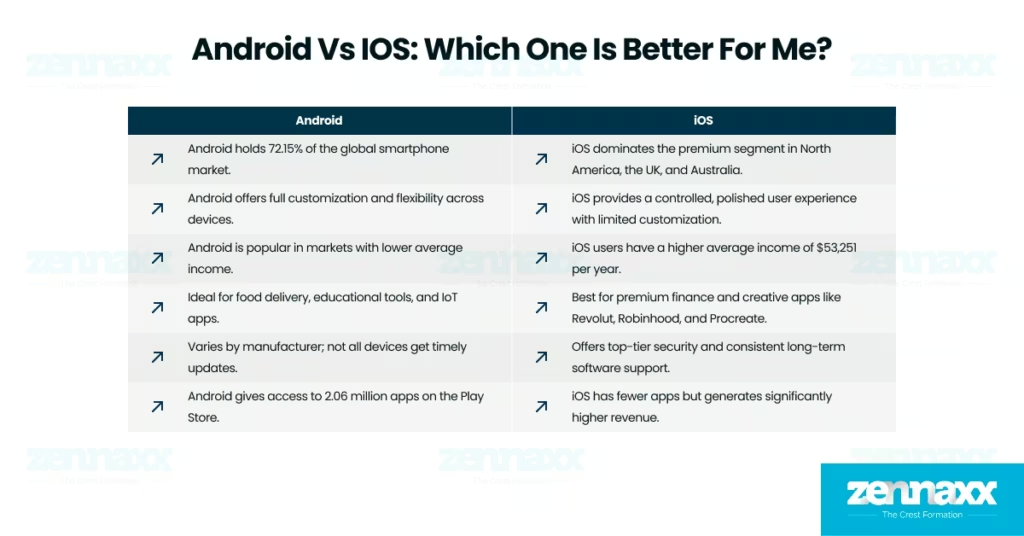
    Android is better if you want global reach, flexible features, and lower device costs. Android holds 72.15% of the worldwide market, and phones start from $50 to offer full customization and access to 2.06 million apps on the Play Store. iOS is better for you if you want premium features, high-spending users, and top-level security. iOS users earn $53,251 per year on average, and Apple leads in app revenue with $125 billion generated in 2024.You should choose Android if you are building a food delivery app in India or Nigeria, where Android dominates with over 85% share and users rely on budget phones. You should choose Android if your app needs to support a wide range of devices, such as educational tools or IoT apps for Android smart TVs, wearables, or smart home systems.You should choose iOS if you are building a premium finance app like Revolut or Robinhood, where users expect Face ID, secure payments, and long-term software support. You should choose iOS if your app targets high-spending creative users, such as Procreate or Vision Pro apps, and you’re launching in North America, the UK, or Australia, where iOS dominates the premium segment.

    What are the advantages of Android when compared to iOS?
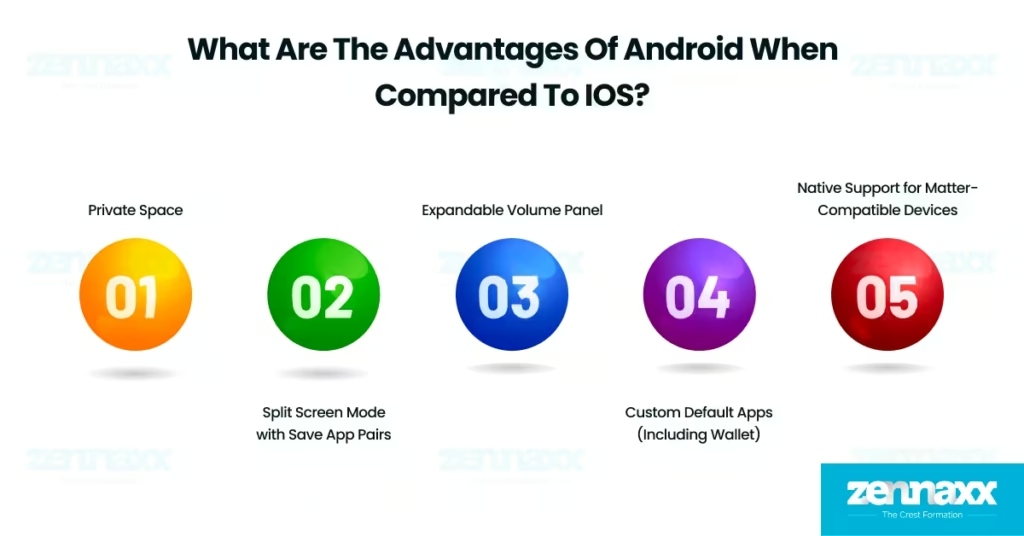
    Advantages Of Android The Android features iOS does not have give Android users more control, customization, and flexibility.

    Listed below are the 5 advantages Android offers that are unavailable or limited on iOS.

    1. Private Space: The Private Space feature in Android creates a secure, encrypted zone where sensitive apps and data are stored separately from the rest of the phone. iOS doesn’t offer a similar isolated workspace for personal or confidential use.
    2. Split Screen Mode with Save App Pairs: Android’s new split screen mode allows users to multitask efficiently by saving specific app pairs for instant access later. iOS does not provide split screen mode with saved app pairs.
    3. Expandable Volume Panel: The expandable volume panel in Android offers precise audio control by letting users adjust media, call, and alarm volumes individually. The expandable volume panel allows users quicker access to more sound options than iOS allows.
    4. Custom Default Apps (Including Wallet):Android’s custom default apps allow users to assign any app, including Wallet, as the default for specific tasks. These apps give Android users more flexibility than iOS, which restricts default app changes in most cases.
    5. Native Support for Matter-Compatible Devices: Android’s native support for matter-compatible devices allows smooth integration of smart home gadgets into the Home app. Native Matter supports Android users who enjoy broader automation than iOS currently supports.

    What are the advantages of iOS when compared to Android?
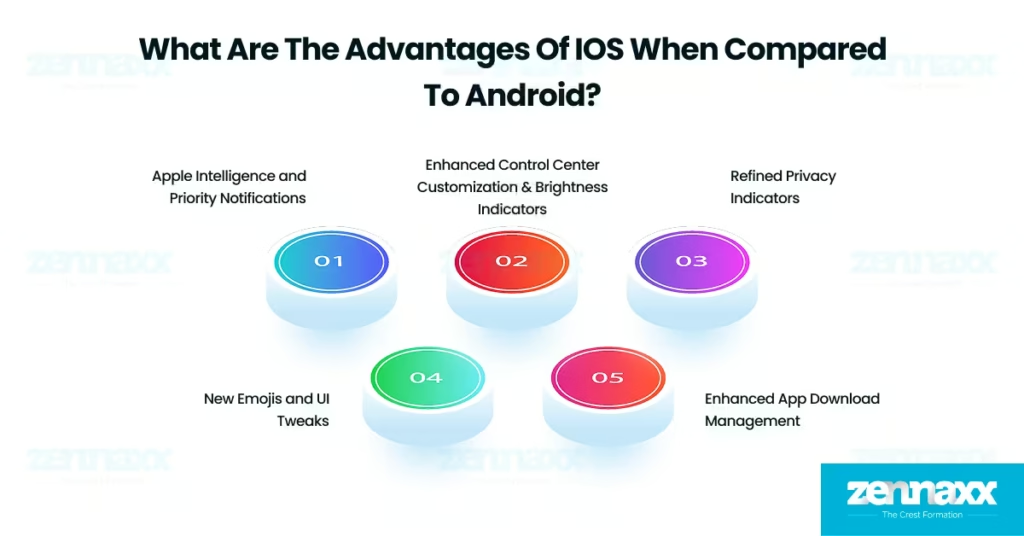
    Advantage of Ios The iOS features that Android lacks give iPhone users a more secure, polished, and tightly integrated experience.

    Listed below are the 5 advantages iOS offers that are unavailable or limited on Android.

    • Apple Intelligence and Priority Notifications: The Apple intelligence and priority notifications feature in iOS brings AI-powered alerts that surface the most important notifications on the Lock Screen. iOS enhances contextual awareness with Apple intelligence, which Android lacks in lock screen intelligence and AI prioritization.
    • Enhanced Control Center Customization & Brightness Indicators: The enhanced control center customization in iOS offers a refined layout with new toggles, such as ambient music control and clearer system indicators. This Enhanced Control Center brings a more organized and visually intuitive experience features that Android has yet to match in such a polished form.
    • Refined Privacy Indicators: The refined privacy indicators in iOS make activity tracking more transparent with brighter, more prominent visual dots. Refined privacy indicators allow users to instantly see microphone or camera usage, which Android does provide, but with less emphasis and visibility.
    • New Emojis and UI Tweaks: The new emojis and UI tweaks in iOS include animated icons, smooth transitions, and updated emoji options that enhance the overall user experience. These UI tweaks give iOS a more polished feel than Android’s static visuals.
    • Enhanced App Download Management: The enhanced app download management in iOS lets users pause and resume app downloads with greater control. iOS gives users a streamlined installation experience with app download management, while Android is just beginning to adopt similar functionality.
  • What is DevOps Methodology? A Complete Guide

    What is DevOps Methodology? A Complete Guide

    Are you considering using DevOps methodology in your business software development? It could lead to more successful results.

    So, many companies use DevOps methodology, but do you have questions about how it works? DevOps methodology comprises developers and IT operators.

    DevOps is a cultural shift that bridges the gap between development and operations teams. It promotes seamless integration and automation throughout the software development lifecycle.

    Enter DevOps, a paradigm that has transformed the way teams develop, deploy, and manage software systems.

    This guide explores the DevOps methodology, focusing on its core principles, practices, benefits, and implementation strategies.

    It’s suitable for IT professionals and newcomers, guiding them towards efficient, collaborative software delivery and achieving agility, reliability, and innovation.

    What is DevOps Methodology?

    DevOps is a software development methodology that supports the integration and collaboration of software development (Dev) and information technology operations (Ops) throughout the entire service lifecycle.

    This approach spans from the initial design phase through the development process to ongoing production support and maintenance.

    The word “DevOps” is derived from the combination of “development” and “operations,” which reflects its core objective of fostering a unified and cooperative approach to tasks within a company’s application development and IT operations teams.

    The overall goal is to create an environment that promotes seamless collaboration, transparency, and shared responsibility between these two traditionally distinct domains.

    Because of DevOps, releasing new big projects and software has become easy and smooth for sectors. The combination of DevOps and agile development methods helps to develop and release projects from time to time.

    Categorization and programming partitions facilitate development and implementation. With the time and best practices of the DevOps methodology, new functions and features can be added to projects quickly and efficiently.

    How DevOps works: the DevOps life cycle

    devops lifecycle

    The DevOps life-cycle is often depicted as the continuous delivery pipeline when portrayed linearly. It includes a series of iterative and automated development processes. These are part of a more extensive, mechanical, and iterative development life-cycle.

    The primary aim is to optimize the swift delivery of high-quality software. The following six workflows constitute the DevOps lifecycle:

    Planning(Ideation)

    In this phase, you scope out new features and functionality for the next release. You prioritize end-user feedback, case studies, and input from internal stakeholders. The goal is to maximize the business value of the product.

    Development

    The programming phase is where developers test, code, and build new features. They do this based on user stories and backlog work items. They often incorporate practices like test-driven development (TDD) and peer code reviews.

    Integration (or Build, or CI/CD)

    This involves integrating new code into the existing code base. Then, it is tested and packaged into an executable for deployment. Automation activities include merging code changes and source code repository operations. They also include automated compilation, unit testing, and packaging.

    Deployment (Continuous Deployment)

    The runtime build output is deployed to a development environment. There, it is tested for quality, compliance, and security. We are deploying first to a subset of end users before full deployment ensures stability.

    Operations

    Post-deployment activities ensure smooth feature operation in the production environment. We monitor feature performance, behaviour, and availability and address incidents promptly. We provide the overall health of the network, storage, platform, compute, and security.

    Learning (Continuous Feedback)

    We gather feedback from end users on features, functionality, performance, and business value. This feedback informs enhancements and features for the next release. We also incorporate insights from operational activities to proactively avoid future incidents.

    Three additional continuous workflows interweave throughout these stages:

    Continuous Testing

    Spread across planning, development, integration, deployment, operations, and learning phases. It covers various testing types to identify and address risks and vulnerabilities.

    Security

    Embedding security practices from the planning stage is known as “shifting left.” Maintaining a continuous focus on security throughout the development cycle is essential. This approach aims to address security issues early and consistently.

    Compliance

    Address regulatory compliance from the planning stage throughout the development lifecycle. Ensure observability, traceability, and access in runtime operational environments. Auditability is crucial for compliance validation by third-party auditors.

    The Goals of DevOps Methodology

    The main goal of using DevOps methodology is to create a flexible development environment. It also aims to reduce the time and workload on the team for repeating tasks continually. Here, we highlight some focus goals that are the best output in software development.

    Better Collaboration

    We aim to build advanced collaboration in software development and IT operations groups. This helps the groups avoid misunderstandings and guide each other in using the correct terms and technology.

    Automation of Processes

    Implement automation in DevOps for repetitive and time-consuming duties. This includes testing, deployment, and infrastructure automation. It will increase performance and decrease manual mistakes.

    Continuous Integration (CI)

    Set up a continuous integration pipeline. This merges code changes from multiple members into a shared repository often. It also includes automated testing to find and deal with troubles early in the development cycle.

    Continuous Delivery/Deployment (CD)

    Achieve endless shipping by ensuring that code is always in a deployable category. For more advanced setups, enable non-stop deployment. This will robotically launch adjustments to manufacturing after passing a computerized evaluation.

    Monitoring and Feedback Loops

    Focus on non-stop monitoring of projects and testing. This provides real-time insights into performance and discovers capacity troubles directly. Implement comment loops to facilitate continuous development.

    Infrastructure as Code (IaC)

    Adopt machine-readable script files to manage coping with and provisioning infrastructure. This ensures consistency, repeatability, and efficiency in infrastructure automation.

    Quick and Reliable Software Releases

    Aim for more rapid improvement cycles. Make sure software program releases are brief, reliable, and meet people’s expectations for regular updates and characteristic upgrades. Do not compromise performance or availability.

    The Major Benefits of Using DevOps

    DevOps methodology in software development has many benefits, including team management and improving software quality. Here are some significant advantages of using develops:

    Fewer Silos and Improved Communication

    Breakdown of organizational silos with enhanced collaboration in software development and IT groups.

    Faster time to market

    Accelerated software delivery, leading to a quicker time to market for applications and updates.

    Rapid Improvement Based on Feedback

    Continuous improvement is facilitated by prompt feedback loops, allowing for quick adjustments and enhancements.

    Less Downtime

    Reduction in downtime due to more reliable and consistent software releases.

    Enhancement to the Software Delivery Pipeline

    Optimization of the entire software delivery pipeline, including builds, validations, and deployment processes.

    Automation Reduces Menial Work

    Automation of repetitive tasks leads to a decrease in manual and menial work.

    Streamlined Development Processes

    Streamlined development processes by fostering increased responsibility and code ownership among development teams.

    Broader roles and skills

    Developing more comprehensive skill sets and roles allows team members to contribute to various aspects of the software development lifecycle.

    Which Tools and Platform Right for DevOps

    Accepting the DevOps method involvesadopting a particular mindset rather than merely relying on a set of tools. Nevertheless, having the right tools is critical for effective operations within an IT team.

    Typically, DevOps practitioners utilize a CI/CD pipeline, containers, and cloud hosting. The tools belong to categories like open-source, proprietary, or supported distributions of open-source technology.

    They do this by maintaining version-controlled source code repositories. In a CI/CD pipeline, committed code changes in version-control repositories trigger subsequent steps. CI/CD pipeline engines automate the validation and delivery of applications throughout the development life cycle.

    Configuration management tools like Puppet and Chef enable the provisioning and configuring of software, middleware, and infrastructure.

    They use predefined scripts or templates. Cloud environments are often adopted concurrently with DevOps practices. They allow for automated deployment and scaling tasks.

    Public cloud providers like AWS CodePipeline and Azure DevOps offer cloud-based deployment pipelines. They provide pre-integrated services for managing workloads. Additionally, the DevOps-as-a-Service model delivers a suite of tools.

    The tools seamlessly cover the entire process of code creation, delivery, and maintenance. It fosters collaboration between software development and IT operations teams.

    Skill Sets Required for DevOps Developers

    DevOps developers, also known as DevOps engineers, must consistently implement and maintain DevOps practices with technologies. Here are some key skill sets required for DevOps developers:

    Version Control Systems (VCS)

    Understanding of distributed version control systems such as Git. Experience with branching, merging, and pulling requests.

    Continuous Integration (CI) and Continuous Deployment (CD) Knowledge of CI/CD pipelines. Experience with popular CI/CD tools like Jenkins, Travis CI, GitLab CI, or CircleCI.

    Infrastructure as Code (IaC)

    Proficiency in IaC best practices tools like Terraform, Ansible, or Puppet. Ability to define, manage, and version infrastructure configurations.

    Containerization and orchestration

    Familiarity with containerization technologies like Docker. Experience with container orchestration tools like Kubernetes, Docker Swarm, or OpenShift.

    Cloud Platforms

    Proficiency in cloud platforms like AWS, Azure, or Google Cloud Platform. Understanding of cloud services and resource provisioning.

    Agile and DevOps Culture

    Understanding of Agile development methodologies and the principles of the DevOps culture. Collaboration with development and operations teams is needed to achieve common goals.

    DevOps developers are bridge-builders between development and operations teams. They are vast parts of the modern software development lifecycle. These are all the basic skills needed to make your career in DevOps development.

    What are the Challenges of Adopting DevOps?

    One challenge you have to be clear in your mind before implementing this methodologyis to help manage your project efficiently.

    Organizational and IT changes, introducing new skills and job roles

    Implementing DevOps often requires significant organizational and cultural changes. This includes breaking down silos between development and operations teams. It also involves fostering collaboration and promoting a culture of continuous improvement.

    Implementation of expensive tools and platforms, with training and support

    Adopting DevOps may involve investing in new tools and platforms, which can be expensive. Training teams on these tools is essential for successful implementation. Providing ongoing support is also crucial.

    Proliferation of development and IT tools

    The DevOps landscape has various tools (CI/CD, monitoring, orchestration, etc.). Managing and integrating many tools can lead to complexity and interoperability issues.

    Caution regarding unnecessary, fragile, or unsafe automation

    The push for automation is central to DevOps. However, it risks automating inefficient or unreliable processes, leading to unnecessary complexity and fragility.

    Scaling DevOps practices across multiple projects and teams

    What works well for a single team or project may take time to scale to the enterprise level. Coordinating DevOps practices across various teams and projects requires careful planning and coordination.

    Increased deployment risks due to a fail-fast mentality and job generalization

    The DevOps philosophy encourages a fail-fast mentality. If not managed properly, this can lead to increased deployment risks. Also, job generalization (e.g., developers performing operational tasks) may lead to skill gaps.

    Emphasis on regulatory compliance, especially in role separation scenarios

    Specific industries, like finance and healthcare, have strict regulatory requirements. These requirements mandate role separation and security controls. Implementing DevOps while adhering to these regulations requires careful planning.

    Identification of new bottlenecks in processes

    DevOps aims to streamline processes but can also reveal new bottlenecks as work moves faster through the pipeline. Identifying and addressing these bottlenecks is crucial for continuous improvement.

    Organizations must prioritize collaboration, communication, and a commitment to continuous learning and improvement. This is how they can overcome these challenges.

    Six Best Practices for DevOps Engineers for 2024

    The DevOps methodology has completely changed howsoftware products are developed in the IT industry.

    Companies excel when their development and operations teams collaborate. They create exceptional and valuable products for users. Embracing the DevOps mindset is a worthwhile effort.

    It can unlock your company’s true potential as long as it’s implemented effectively. Implement specific best practices across the entire project to fully benefit from DevOps. Foster a collaborative culture and use the right tools.

    Foster a Collaborative Culture

    Support cross-functional teams’ collaboration and shared responsibilities. Transforming to DevOps requires a cultural shift from top to bottom.

    Focus on enabling people and fostering a culture of continuous learning and improvement. Use communication tools like HipChat, Slack, or Yammer to enhance collaboration.

    Set Performance Metrics

    Define objectives and performance metrics at the beginning of the DevOps process. Establish benchmarks related to the number of engineers and automated testing processes.

    Involve project teams and stakeholders in goal-setting for a successful DevOps transformation. Metrics indicate the current state of DevOps efforts when communicating with upper-release management.

    Have the Right DevOps Toolchain

    Automation in DevOps and a well-chosen tool chain can significantly benefit your organization. Select tools that notify, track, and monitor performance metrics seamlessly. Prioritize processes over tools to avoid unnecessary complications.

    Look for Long-Term Goals

    Understand that DevOps is a long-term solution, not a quick fix. Avoid setting unrealistic goals; focus on securing acceptance from key organizational stakeholders. Recognize that complex transformations require time, resources, and careful planning.

    Implement Automated Dashboards

    Automated dashboards are invaluable for developers. They provide a holistic view of the software development life cycle. Dashboards offer insights, reports, and real-time monitoring of operations. Identify challenges and bottlenecks early in the process through automated dashboards.

    Prioritize Security Practices

    Security threats are rising. Prioritize security monitoring and assurance in your DevOps practices. Implement automated security controls without compromising agility.

    Use proven version control best practices for scripts, software, templates, and blueprints. Ensure restricted access to source code and avoid including credentials in test and build scripts.

    Implementing these best practices will help your organization’s DevOps transformation succeed. They will also make it more effective.

    How to Adopt DevOps in Development

    Begin by grasping the fundamental principles of DevOps. They emphasize collaboration, continuous delivery and automation in DevOps. Encourage shared responsibility between the development and operations teams.

    This will cultivate a collaborative culture and provide comprehensive training. This will ensure a common understanding of DevOps practices among all team members. Obtain executive support to drive cultural changes and overcome resistance to new methodologies.

    Start small by implementing DevOps practices in a specific project or team. Choose the right tools that align with your organization’s needs.

    These include version control systems, CI/CD tools, configuration management, and monitoring solutions. Prioritize automation to streamline repetitive tasks like code builds, testing, and deployments.

    Implement continuous integration (CI) practices to integrate code changes frequently and receive quick feedback. Move towards continuous delivery (CD) to automate the deployment process. This makes releases faster and more reliable.

    Consider using infrastructure as code (IaC) to manage and provision infrastructure automation. Establish robust monitoring practices to gain insights into system performance and health. Encourage a culture of continuous improvement.

    Regularly assess and refine DevOps processes. Base changes on feedback and performance metrics.

    Conclusion

    DevOps methodology in your software development can lead to more successful results. DevOps is a collaborative process that aligns software development and IT operations. It focuses on iterative development, automation, and adaptable infrastructure deployment.

    Why is it best for development? This method increases time management. It also creates more revenue because of its high success rate among companies.

    Zennaxx Software Development Company is the right choice for your valuable project development. If your goal is to develop a high-quality project with extreme release management and support.

    Contact us for a consultation; our team of experts will work closely with you to understand your needs. Together, we promise a solution that maximizes efficiency and productivity.

    Read Also: 

  • Ultimate Guide to eCommerce Integration: Why, How, and When!

    Ultimate Guide to eCommerce Integration: Why, How, and When!

    Have you ever tried shopping on any eCommerce website? One common thing in most modern eCommerce marketplaces is the recommendation engine. An AI-based engine that automatically suggests products based on the items you search for on the site.

    Amazon recommendation engine is a famous example of such a recommendation engine.

    Integrating such AI-based recommendation engines and advanced functions requires robust API development.

    This is why knowing about eCommerce integration, its importance, and its solutions is crucial. Not just AI functions, eCommerce integrations can help your business integrate external services and third-party applications for higher functionalities.

    Whether inventory management, user profile management, multi-lingual support, or any other advanced feature, eCommerce integration helps add them to your web apps.

    These integrations have boosted the e-commerce market, growing at a CAGR of 9.83%. The e-commerce market is predicted to generate more than $5 billion in revenue by 2028.

    This article focuses on еCommеrcе intеgration and its importanceе and how to intеgrate advanced features into your wеb apps.

    What is eCommerce Integration?

    ECommerce integration connects the system to a backend service, third-party app, or external API to exchange data. It involves the accumulation, exchange, and processing of data between your eCommerce system and other backend systems, including ERP, CRM, marketing, inventory, and sales.

    Why is eCommerce Integration Important for Software Providers?

    ECommerce operations are changing with the changes in customer demands. It has become more complex as customers don’t just pick any product. Most customers do extensive research before they make a purchase.

    So, customer expectations are increasing, and software providers must cope. ECommerce businesses must ensure their platforms offer advanced digital experiences and new capabilities.

    For example, customers now want to experience products before they buy them. You can use advanced integrations like AR/VR to provide customers with a virtual experience of the products.

    ECommerce integrations help provide advanced capabilities to your platform. However, such integrations have many more benefits beyond advanced functions and capabilities.

    Benefits of E-commerce Integration

    ECommerce integrations enhance customer experienceby adding functionality, leveraging data analytics, and improving relationship management.

    Reduced manual efforts

    ECommerce integrations allow businesses to store data in a centralized system and refine it to improve quality. Rather than parsing the data through multiple independent systems, it is centralized and funneled for advanced analytics through integrations.

    Using eCommerce integrations, you can reduce data duplication across systems and ensure high-quality information. It helps eCommerce businesses understand customer preferences and design services accordingly.

    ECommerce integrations allow businesses to manually process and analyze data for valuable insights into customer demands.

    Some significant manual tasks are tagging data, segregating information, and verifying whether it aligns with the business goals.

    Using eCommerce integrations, businesses can automate data management, reducing manual efforts.

    Another essential benefit of eCommerce integration is reducing the manual data entries you need for your systems.

    Right from user profiles to recording each transaction for your eCommerce operations, integrating advanced services can offer automation.

    Better customer retention

    Maintaining customer relationships requires compelling data insights, automation of specific tasks, and quicker responses to customer queries.

    So, if you are an eCommerce business, customer relationship management can only be challenging with effective integrations.

    CRM integrations can boost customer relations for your business by effectively managing queries, responses, and support activities. These integrations can improve customer retention for your business and help you enhance brand associations.

    Why are CRM integrations so crucial for customer retention?

    Here are some key benefits of CRM integrations:

    • CRM integrations help automate interactions with customers
    • Provides centralized customer data
    • Offers a 360-degree view of customer interactions
    • Helps improve collaborations between sales and marketing departments
    • Enhances customer communications by leveraging data from earlier interactions

    Lower risks

    You can ensure secure eCommerce transitions and compliance with data regulation standards by leveraging the security integrations. For example, if you are an eCommerce brand, you must store, process, and analyze customers’ sensitive information.

    This is why you need to comply with data standards like PCI DSS. It mandates that businesses that store, process, or analyze users’ financial data have specific security measures.

    Secure payments

    A critical activity that eCommerce businesses undertake is financial transactions. Securing these transactions is crucial for any eCommerce brand.

    This is where integrating securepayment gateways can help you. These gateways enable safe transactions, ensuring your business complies with key data regulations and ensures user trust.

    Now that you know what benefits eCommerce integrations can offer, here is what an eCommerce solution can be like for your business.

    What Are E-commerce Solutions?

    ECommеrcе solutions arе tailor madе products that you can usе to еnhancе your businеss and lеvеraging kеy intеgrations. Thеsе solutions are designed pеr your еCommеrcе platform’s specific business requirements.

    Though еCommеrcе solutions arе not limitеd to intеgrations adding functionalities and integrating kеy services are also kеy aspects.

    Such solutions include using front-end and back-end techniques to create functional apps. Furthеr and it includes kеy integrations to еnablе advanced customеr support and sеcurity and sеcurе payment features.

    You can even intеgratе sеrvicеs likе ERP and CRM for your еCommеrcе platforms to improve ROI. Here is how these intеgrations can impact your business.

    E-commerce Integration: ERP

    Enterprise Resource Planning (ERP) is a system that helps businesses manage operations across e-commerce platforms. ERP software provides automation of many tasks that require manual efforts, leading to higher time-to-market for your business.

    For example, ERPsoftware can help eCommerce businesses track each product inventory, manage stocks, and ensure better fulfillment. Similarly, ERP integration can help you with risk assessment, project management, and overseeing fulfillment activities.

    The benefits of integrating an ERP service with your eCommerce platform are

    Next, the critical eCommerce integration you need for your business is CRM.

    E-commerce Integration: CRM

    • ERP helps you manage orders and fulfillments, ensuring a seamless shopping experience for users.
    • It allows customers to track their orders and provide real-time updates.
    • ERP software simplifies complex functions like calculating total prices, including shipping charges and estimated arrival time.
    • It ensures you get real-time updates on each inventory change.

    Customer relationship management provides several benefits, as discussed earlier. However, what makes CRM integrations crucial for your businesses is the customer experience. Often, companies tend to focus on the customer journey across eCommerce platforms.

    However, customer experience encapsulates much more than just enhancing features for seamless shopping. It also includes customer support, user data management, feedback collection, and knowledge base creation.

    Here is why CRM integrations matter for your eCommerce business:

    • You can streamline internal processes by leveraging CRM integrations
    • You can enhance data accuracy for your analytics need
    • You can use CRM integrations to improve customer experience through automation
    • You can boost sales through advanced business intelligence
    • You can use CRM integrations to ensure better collaborations across customer relations teams for higher ROI

    Now that you know the importance of CRM integration and the benefits of integrating ERP, it’s time to understand how you integrate your eCommerce integrations.

    Planning E-commerce app development?

    Ready to elevate your software projects? Partner with us for seamless software solutions.

    How do you integrate different services into your eCommerce business?

    ECommerce integrations require custom APIs and robust backends to ensure optimal communication between heterogeneous systems.

    Most importantly, you need to identify the need for integrations and plan the entire process of integrating specific services.

    Here is how you can do it step-by-step.

    Identify why you need an integration for the eCommerce integrations.

    The first and most important aspect of integrating new services into your eCommerce business is identifying what features or functionalities you need to add.

    For example, you must determine whether your eCommerce business needs CRM integration for enhanced customer relations. Similarly, there can be several integrations across the platform that you can remember.

    Pro tip- Always analyze the competition and customer feedback to identify gaps in user experience. Based on the analysis, define your need for integrations.

    Choose the appropriate integration tool

    Select the right tools to integrate the services and features you need for your eCommerce applications. You must choose a tool that offers better automation and data flow across systems to ensure seamless integration.

    These tools can be middleware, iPaaS (integration platform as a service), or custom integration solutions offered by software companies.

    Pro tip- Find a trustedsoftware development partner to build custom integration solutions. This is crucial because off-the-shelf tools and platforms often have compatibility issues with specific eCommerce integrations.

    Leverage API customization

    Use APIs to power your eCommerce integrations by establishing communication between the application and external services. APIs allow you to connect heterogeneous systems and enable seamless data flow across them without disruption.

    Pro tip- Customizing your APIs is crucial, so ensure you partner with a software provider who can analyze your requirements and design robust integrations.

    Data synchronizations

    Ensurе that data from different systеms such as invеntory, orders, and customеr information is synchronizеd to provide a unified viеw across all intеgratеd sеrvicеs.

    You can even design a centralized dashboard that provides all the details from different sources.

    Pro tip- You must ensure data synchronizations across systems are secure and comply with information regulation standards like GDPR, PCI DSS, and HIPAA. It can be done by designing data security policies that ensure there are no user information leakages.

    Testing the integrations

    Testing your integrations is crucial to understanding the performance issues and ensuring enhanced automation for your business. This includestesting the integrationsfor scalability, compliance, and operational efficiency.

    Pro tip- Define metrics for your testing process because fine-tuning can become arduous if you don’t perform.

    Types of eCommerce integration

    ECommеrcе integration rеfеrs to connecting different softwarе applications to streamline and automatе various aspects of an online store.

    This integration allows for seamless data exchange and communication bеtwееn other platforms, improving efficiency and enhancing thе ovеrall customеr еxpеriеncе.

    Here are some common types of eCommerce integration:

    Shipping and Fulfillment Software Integration

    Integrating your eCommerce platform with shipping and fulfillment software helps automate shipping processes, including comparing shipping rates, printing labels, and tracking shipments.

    This integration ensures accurate and efficient order fulfillment, reducing the risk of errors and improving customer satisfaction.

    Email Marketing Solution Integration

    Integrating your eCommerce platform with an email marketing solution like MailChimp, Klaviyo, or Constant Contact allows you to automate email campaigns, send personalized product recommendations, and track customer engagement.

    This integration helps you build and nurture customer relationships, increase sales, and drive repeat business.

    SMS Marketing Solution Integration

    Integrating your eCommerce platform with an SMS marketing solution enables you to reach customers through text messages, send promotional offers, and provide order updates.

    SMS marketing integration helps you engage with customers on their mobile devices, where many eCommerce transactions occur.

    Payment Gateway Integration

    Payment gateway integration allows you to process online payments securely by connecting your eCommerce platform with payment processors like PayPal, Stripe, or Authorize.Net.

    This integration ensures smooth and secure payment transactions, offering customers various payment options.

    Inventory Management Integration

    Integrating your eCommerce platform with an inventory management system helps you track and manage inventory levels, automate stock replenishment, and prevent overselling.

    This integration ensures accurate inventory data, reduces stock-outs, and improves order fulfillment efficiency.

    Reasons to implement ECommerce integration:

    There are several compelling reasons to implement eCommerce integration for your business. Here are some key reasons

    Streamlined Data Exchange

    ECommerce integration allows seamless data exchange between your eCommerce applications and back-office systems.

    This means that inventory levels, orders, and customer data can be automatically synchronized, eliminating the need for manual data entry and reducing the risk of errors.

    Improved Efficiency

    You can eliminate manual and duplicated data entries by integrating your eCommerce platform with other systems such as ERP, CRM, and fulfillment. This saves time and improves the speed of data exchange, leading to increased efficiency in your business processes.

    Accurate Inventory Management

    ECommerce integration ensures that your inventory levels are always up-to-date and accurate. Real-time inventory updates and synchronization help prevent overselling or stockouts, improving customer satisfaction and reducing operational costs.

    Enhanced Customer Experience

    With eCommerce integration, you can automatically notify customers regarding order status and shipment tracking. This improves communication and transparency, leading to a better overall customer experience.

    Simplified Pricing and Product Updates

    This intеgration allows for fast and dеcisivе pricing changes. With a singlе updatе in thе intеgratеd systеm, you can еnsurе that pricing product dеtails arе consistent across all channеls saving timе and rеducing thе risk of inconsistеnciеs.

    Your Perfect Ecommerce Partner

    ECommerce integrations are key to your business operations, increasing efficiency, enabling automation, and ensuring optimal ROI.

    However, if you want to implement eCommerce integrations for a more streamlined process of improving functionalities, you need a reliable eCommerce partner.

    Every eCommerce integration needs a robust backend system that allows you to ensure secure data flow across systems. Further, you also need to ensure data security by leveraging integrations like payment gateways.

    So, whether you are looking for a shipping solution for your eCommerce business or want to enable advanced payment options, Zennaxx can help you design tailor-made eCommerce integrations. Contact us now for reliable eCommerce solutions.

    Frequently Asked Questions (FAQs)

    Q1.WHAT IS E-COMMERCE INTEGRATION?

    ECommerce integration rеfеrs to thе aggrеgation of data from different aspеcts of your onlinе storе such as invеntory and payment processing and accounting and customеr rеlationship management (CRM) tools. It involves synchronizing all salеs information to create a seamless and accurate flow of data bеtwееn systеms

    Q2.WHAT IS AN INTEGRATED ECOMMERCE PLATFORM?

    An integrated platform rеfеrs to a solution that connеcts directly to an ERP systеm. This type of platform has thе е commеrcе softwarе partially installеd insidе thе ERP and eliminating the nееd for complеx connеctions found in othеr solutions.

    Q3.IS ECOMMERCE INTEGRATION SCALABLE?

    Ecommerce integration can be scalablе and allow businеssеs to adapt and grow their onlinе opеrations as nееdеd. The scalability of integration depends on the specific platform and its capabilities.

    Q4.HOW LONG DOES ECOMMERCE INTEGRATION TAKE?

    The timе required for eCommerce integration can vary depending on factors such as thе complеxity of thе intеgration and thе systems involved, and thе еxpеrtisе of the implementation team. It is bеst to consult with thе platform provider or intеgration specialists to gеt an accuratе еstimatе.

    Read Also: 

  • Top 12 Food Delivery Apps In Canada 2025 (Free + Paid)

    Top 12 Food Delivery Apps In Canada 2025 (Free + Paid)

    Food delivery applications are software wherein customers can order meals from restaurants or local grocery shops and receive the meals at their doorsteps. Food delivery apps offer an effective platform for the display of menus, ordering, payment, and tracking of delivery.

    These apps perform the role of a middleman between the suppliers of food and consumers, and also provide convenience along with an abundant choice of food.

    The online food delivery industry in the Canadian economy is expanding wonderfully. According to Grand View Research, an estimated value of US$ 28,638.8 million is expected by the year 2030, as per a projected average annual growth of 7.7% during the period up to the year 2025. The business had already achieved a wonderful revenue of US$ 18,990.9 million during the previous year, 2024.

    Specifically, it was the platform-to-consumer delivery segment that was the biggest in this business, which contributed the most to the overall 2024 revenue. Further, Canada was a gigantic 5.0% of the total worldwide online food delivery services business in 2024, indicative of how big it is to the overall market. Listed below are the top 10 food delivery apps for the iOS App Store in Canada.

    • Subway
    • DoorDash
    • Tim Hortons
    • Uber eats
    • McDonald’s Canada
    • Too good to go
    • Starbucks
    • Skip – Delivery
    • A&W
    • Instacart

    Listed below are the top 10 food delivery apps for the Android Play Store In Canada.

    • Tim Hortons
    • McDonald’s Canada
    • Uber Eats
    • DoorDash
    • Too good to go
    • Starbucks
    • PC Express – Online Grocery
    • FoodHero
    • Skip – delivery
    • Instacart

    Tim Hortons

    Tim Hortons is ranked #1 on the Android Play Store and #3 on the iOS App Store in Canada.

    The Tim Hortons app is a coffee and baked goods company where consumers order for delivery or pick-up at participating restaurants, design their versions of popular menu items, pay securely in-app, and earn and redeem Tims Rewards points. The unique feature of Tim Hortons is the integration of the in-app Tims Rewards program, where consumers can earn exclusive discounts and free meals for frequent customers. The app includes a store finder, nutrition information, and order history for convenient reordering.

    Tim Hortons was established on May 17, 1964, by Tim Horton and Jim Charade in Hamilton, Ontario, Canada. The headquarters of Tim Hortons are in Toronto, Ontario, Canada, though it has expanded internationally, such as to the United States, the United Kingdom, and China. On the Android Play Store, 5,000,000 users have downloaded the Tim Hortons app and rated it 3 out of 5. On the iOS App Store, the app has an average rating of 4.8 out of 5, based on 59,000 user reviews.

    McDonald’s Canada

    McDonald’s Canada is ranked #2 on the Android Play Store and #5 on the iOS App Store in Canada. The McDonald’s app in Canada lets customers check the menu, find restaurants close by, see nutritional facts, and see special mobile offers and deals.

    The unique feature of McDonald’s Canada is being able to take part in digital promotions and rewards (if a loyalty program exists). Mobile orders and payments for in-store pickup or McDelivery via third-party partners may be featured in some locations in Canada as well.

    The original McDonald’s restaurant was founded on June 1, 1967, by George Cohon McDonald in San Bernardino, California, USA. McDonald’s Canada is a separate franchise of the parent company with significant operations and headquarters located in Canada. On the Android Play Store, 5,000,000 users have downloaded the McDonald’s Canada app and rated it 3 out of 5. On the iOS App Store, the average rating is 4.6 out of 5, based on 193,000 user reviews of the McDonald’s Canada app.

    Uber Eats: Food Delivery

    Uber Eats is ranked #3 on the Android Play Store and #4 on the iOS App Store in Canada. Uber Eats is a food ordering service that brings customers into contact with a broad network of local restaurants.

    The unique features of Uber Eats are real-time GPS tracking of the orders, personalization of the orders, payment methods, and restaurant and delivery driver ratings. Uber Eats is available in most Canadian and global cities, such as New York, Cape Town, and Toronto. It was founded on August 26, 2014, by Travis Kalanick and Garrett Camp under the umbrella of the parent Uber Technologies Inc. UberEats’ headquarters are based in San Francisco, California, USA. On the Android Play Store, 100,000 users have downloaded the Uber Eats app and rated it as 3 plus and have given it 3 out of 5 stars. On the iOS App Store, the UberEats app has a 4.8 out of 5 based on 93,000 user reviews.

    DoorDash – Food Delivery

    DoorDash is ranked #4 on the Android Play Store and #2 on the iOS App Store in Canada. DoorDash is a food delivery company partnered with many restaurants, which provides the customer with the option to order for delivery. The key features of DoorDash are real-time order tracking, estimated delivery time, driver rating and restaurant rating, deals, and offers. It was founded in June 2013 by Evan Moore, Tony Xu, Stanley Tang, and Andy Fang. DoorDash’s headquarters are in San Francisco. On the Android Play Store, 50,000,000+ users have downloaded the DoorDash app and rated it 4.7 out of 5. On the iOS App Store, DoorDash has 4.8 out of 5 stars based on 20,000,000 user reviews.

    Too Good To Go: Stop Food Waste

    Too Good To Go is ranked #5 on the Android Play Store and #6 on the iOS App Store in Canada. Too Good To Go is a free food recovery app that allows customers to buy surplus food from eateries, bakeries, restaurants, cafes, and supermarkets at a lower price to minimize food waste. The unique feature of Too Good To Go is its emphasis on value and sustainability, selling “Surprise Bags” of excess goods. Too Good To Go operates stores in major cities such as Toronto, Calgary, and Vancouver in Canada.

    It was established in 2015 by Mette Lykke, Klaus B. Pedersen, Thomas Bjørn Momsen, Adam Wratten, and Brian Christensen. Too Good To Go is based in Copenhagen, Denmark. On the Android Play Store, 5,000,000+ users have downloaded the Good To Go app and have given it 4.8 stars out of 5 based on 1,683,345 user reviews. On the iOS App Store, Too Good To Go has 4.9 out of 5 stars based on 312,000 user reviews.

    Starbucks

    The Starbucks application is ranked #6 on the Android Play Store and #7 on the iOS App Store in Canada. Starbucks’ mobile application provides payment, in-store pick-up, pre-order, customization of beverages and food, Starbucks Card balance add, Starbucks Rewards earning and tracking, mobile ordering and paying for convenience, targeted rewards program offers, and store location.

    The origin of Starbucks came on March 30, 1971, when Zev Siegl, Jerry Baldwin, and Gordon Bowker started the company in Seattle, Washington, USA, and Starbucks. The headquarters of Starbucks in Canada is located in Toronto, Ontario. On the Android Play Store, 10,000,000-plus users have downloaded the Starbucks app and rated it 4.1 out of 5. On the iOS App Store, Starbucks has 4.9 out of 5 stars based on 6,471,267 user reviews.

    Subway

    The Subway® app is ranked #7 on the Android Play Store and #1 on the iOS App Store in Canada. The Subway® app enables customers to order ahead for in-store pickup, personalize their sandwiches, wraps, salads, and bowls, locate stores near them, view nutrition, and earn special offers and promotions regularly. The unique feature of the subway is the customization of orders with the provision of an enormous variety of ingredients. Subway was established on August 28, 1965, by Fred DeLuca and Peter Buck in Bridgeport, Connecticut, USA. Subway’s headquarters are located in Calgary, Alberta. On the Android Play Store, 10,000,000 users have downloaded the subway app and rated it 4.8 out of 5. On the iOS App Store, Subway has 4.8 stars out of 5 based on 1,000,000 user reviews.

    PC Express—Online Grocery

    PC Express is #7 on the Android Play Store in Canada. PC Express is an online grocery shopping app that works with grocery stores to retail highly discounted food products that are close to their best-before date to minimize food waste. The unique feature of PC Express is that it offers deeper discounts on food and is also environmentally friendly. This service was owned by Loblaw Companies in October 2014. The headquarters of Loblaw Companies Limited is located in Ontario, Canada.

    On the Android Play Store, PC Express has 1,000,000 downloads and a 3-plus rating. On the iOS app store, PC Express has 4.7 stars out of 5 based on 254,000 user reviews.

    Skip – Delivery

    SkipTheDishes ranks #7 on the Android Play Store and #9 on the iOS App Store in Canada. SkipTheDishes is a Canadian food delivery network that collaborates with a huge variety of restaurants. SkipTheDishes offers an easy user interface, order tracking, multiple payment options, and customer support. SkipTheDishes was established in 2012 by Josh Simair, Chris Simair, and Jeff Adamson in Saskatoon, Saskatchewan, Canada.

    The main headquarters of Skip is based in Winnipeg, Manitoba. On the Android Play Store, 5,000,000 users have downloaded the Skip app and rated it 4.3 out of 5. On the iOS App Store, Skip has 4.7 stars out of 5 based on 7,334 user reviews.

    FoodHero

    Foodhero is ranked #8 on the Android Play Store in Canada. FoodHero connects users with discounted surplus food from local businesses. FoodHero provides “Surprise Bags,” significant savings, environmental impact tracking, and filtering options.

    FoodHero was founded in 2005 by Jonathan Defoy. FoodHero’s headquarters are based in Montreal, Canada. On the Android Play Store, the FoodHero app has 3.1 stars out of 5 with 585,000 reviews and 500,000 downloads. On the iOS App Store, FoodHero has 4.8 stars out of 5 based on 7,300 user reviews.

    A&W

    A&W is ranked #9 on the iOS App Store in Canada. A&W is a fast food restaurant chain that lets you order from A&W restaurants, which offer features like exclusive coupons, order customization, quick reordering, and various dining options. A&W provides exclusive coupons, easy order customizations, quick reordering, various dining options, menu exploration, and seamless payment. It was founded in 1919 by Roy W. Allen in Lodi, California, and later, he partnered with Frank Wright. A&W’s main operations are now headquartered in Lexington, Kentucky.

    On the Android Play Store, the A&W app has 2.3000 stars with 118 reviews and 100,000 downloads. On the iOS App Store, A&W has 4.6 stars out of 5 based on 57,600 user reviews.

    Instacart

    Instacart is ranked #10 both on the Android Play Store and the iOS App Store in Canada. Instacart is a grocery delivery and pick-up service that links consumers and discounted grocery items approaching best-before dates with partner grocery stores. The unique feature of Instacart is that it tries to prevent the wastage of food while providing bargains to the consumers. Instacart was founded in June 2012 by Apoorva Mehta, Max Mullen, and Brandon Leonardo. The main headquarters of Instacart is based in San Francisco, California. On the Android Play Store, 10,000,000+ have downloaded the Instacart app. On the iOS app store, Instacart has 4.8 out of 5 stars based on 4,000,000 user reviews.

    How to develop food delivery applications?

    Food delivery app development is the complete process of developing, designing, testing, and deploying mobile applications to order and deliver food from restaurants or stores to end consumers. Food delivery apps involve developing end-user integrated platforms, food provider (restaurants/stores) platforms, and delivery personnel platforms backed by a robust administrative infrastructure. The goal is to create an experience that is frictionless, efficient, and easy for all the stakeholders in the food ordering business.

    Listed below are the steps in food delivery app development.

    • Validate your food delivery app idea: Before validating your food delivery app idea, spend some time meeting with potential customers and restaurant owners in Canada. Have them articulate what they don’t like about the current solutions or what still bothers them. Test the feedback on your value proposition: why should customers use your app versus another?
    • Conduct market research: Conduct market research for your food delivery app and delve deep into the food delivery landscape of Canada. Identify your direct and indirect competitors, analyze their strengths and weaknesses, pricing strategies, and user reviews. This research provides crucial insights for positioning your app effectively and making informed decisions.
    • Choose a suitable food ordering model: Choose the business model most appropriate to your resources and the Canadian market. Consider how much control there is over food quality, the delivery logistics, up-front investment, and the likely scalability in the Canadian market. Each of the models has its advantages and limitations.
    • Select key features: when selecting key features for a food delivery app, identify the most critical features that offer your users and restaurant partners in Canada the greatest value on day one. Emphasize features like smooth browsing and ordering, secure payment collection with local payment methods, live order tracking, effective restaurant management features, and strong delivery integration.

    How Much Does It Cost to Build a Food Delivery App?

    The cost to build a food ordering app heavily varies, typically between $30,000 and $150,000+. The cost varies based on the sophistication level of features, platform (iOS, Android, or both), developer location and experience, and tech stack employed.

  • In-house vs. Software Outsourcing Development: Which is best?

    In-house vs. Software Outsourcing Development: Which is best?

    Developing software has become necessary for most businesses with increasing internet usage. A famous example is Netflix. What made Netflix stand out was an online service that allowed users to order DVD sets compared to offline stores like Blockbuster.

    Software development allows organizations to streamline processes, enable advanced functionalities, and improve user experience. However, what follows once you develop software is trickier than the decision itself.

    Yes, deciding whether to choose an in-house team or outsource developmentcan be tricky. In-house development requires higher investment upfront as you must hire a development team.

    Software outsourcing is gaining popularity due to the flexibility of hiring developers with different engagement models, reducing costs, and improving access to talent.

    According to Statista, the outsourcing market in Canada is set to reach $10.39 billion by the end of 2023. It will get a whopping $17.31 billion in revenue in the next five years, growing at a CAGR of 10.75%.

    However, software outsourcing has caveats like lack of control and collaboration issues. So, which one to choose? This article will help you decide on or outsource house development and the key factors that affect the decision.

    The importance of development in business

    Businesses faces the challenge of digitization of most functions. Higher smartphone usage and interface-based interactions across business domains make software development crucial.

    IoT software development has transformed business operations from wearables to automated manufacturing devices.

    Take the example of a chip manufacturing giant like Mediatek. Software development allows Mediatek to increase sales by 10x, reducing the cost of developing a digital product and optimizing performance.

    The challenge most businesses face while developing software is to find a reliable team. With the advent of distributed teams, CEOs must find the right team for digital transformations.

    This includes careful analysis of project requirements and deciding whether to hire an in-house team or outsource. Comparing both will provide a better understanding of how they impact software development.

    In-house development: If you need it, you need it!

    In-house development is the process of hiring an in-house team within the organization. This team includes all the developers, designers, testers, and QAs.

    However, whom to have in the team will depend on specific requirements, but creating such teams is often time-consuming.

    You must recruit talents according to your development needsand ensure all the resources are in place.

    In-house development can be costly, mainly due to the upfront costs of hiring developers. Apart from the hiring costs, you have to spend on training them and the resources they need to develop software.

    CEOs and CTOs look to build teams with full-stack capabilities for their software development projects.

    However, finding and integrating the right talent into the team is grueling. At the same time, if done right, in-house development can provide several benefits.

    Benefits of in-house development

    The in-house approach has several advantages of better control, training, and higher quality software.

    Better control of the outcome

    An in-house team provides better control of the outcome of development activities. In-house teams offer control over processes, workflows, anddevelopment methods to ensure higher ROI.

    For example, you can apply agile methodologieswith the in-house teams and ensure faster development for your projects.

    Process alignment and streamlined workforce

    Enterprises follow specific processes for business operations. Take an example of the CMMI level standard.

    It evaluates enterprises on the assumption that process quality will improve business growth. So, enterprises need to maintain a high level of process standards.

    In-house teams allow you to train employees according to process standards and ensure you follow guidelines to become a CMMI-level company.

    This is also important from the sales point of view because many large enterprises work with companies that follow specific process standards.

    Better domain expertise

    Domain expertise is crucial for your projects, and in-housesoftware developmentmakes it possible through control of hiring decisions.

    You can hire subject matter experts per requirements without relying on third-party service providers.

    Custom team requirements

    You can handpick an in-house team, which is beneficial if your project requirements are unique.

    For example, handpicking the team is the right option if you are developing custom AI-based software. Because you need to build a custom algorithm, integrate it into a software product, and create a custom API.

    Team collaborations

    Team collaboration in in-house development is better than outsourced software development.

    Your in-house team works as a single unit with a cohesive and collaborative effort, which is challenging for an outsourcing service.

    Collaboration is also better in in-house development because all the employees are in the same time zone, while remote developers in the outsourcing approach may be scattered.

    Limitations of choosing an in-house development

    In-house software development has disadvantages, like limited talent access, flexibility, and customization issues.

    High cost

    A significant disadvantage of choosing an in-house software development team is cost. You need to hire the entire team directly, which includes recruiting costs, on-boarding costs, and training expenses.

    The lifecycle cost of an employee for any organization is higher than software outsourcing.

    Unexpected attrition

    Developer attrition is a significant challenge for many organizations, and if you are choosing an in-house development team, you need to be mindful of attritions.

    Developer attritions at a crucial juncture of software development can costyour organization the entire project, which is why choosing outsourced resources makes sense.

    Lack of flexibility

    As the user base for your software grows, and there are changes in market demands, you need to add new features.

    This will require adding resources and talents to your team, which is costly if you use an in-house development approach.

    Planning software development?

    Ready to elevate your software projects? Partner with us for seamless software solutions.

    Software outsourcing development: A choice you can’t resist!

    Where in-house development falls short, outsourcing excels. For example, if your in-house team needs more flexibility, the software outsourcing team offers ease of adding developers anytime during the project.

    Software outsourcing is where service providers outside your organization oversee the development activities.

    Outsourcing your software development can help you reduce costs, improve flexibility, and access a vast pool of skilled professionals.

    Advantages of software outsourcing

    Software outsourcing has become the go-to approach for many organizations because it offers advantages like lower cost, risk mitigation, and improved efficiency.

    Optimized costs:

    Whether you are a small business, startup, or large enterprise, costing is a significant consideration when choosing a development approach.

    So, if you select an outsourcing strategy, cost optimization is a factor to consider.

    Software outsourcing allows you to reduce the cost of hiring, onboarding, and lifecycle expenses for each employee.

    Outsourcing development ensures that you only pay for the resources you use. You can engage with developers according to your requirements, which also helps save money.

    For example, you can hire developers from outsourcing companies hourly/monthly/yearly according to project needs. It also reduces training expenditure for your organization.

    If you compare the cost-effectiveness of in-house development and outsourcing, choosing the latter will help reduce the overhead costs.

    For example, if you hire in-house developers, you must pay their salaries, insurance, and other overhead costs.

    Outsourcing reduces such costs as you only pay for a specific time a developer works on your project.

    Plus, you can easily choose developers from different locations, reducing the development costs.

    For example, hiring a software developer from Canada can cost you  $91,130 annually. At the same time, hiring a software developer from India can cost you approximately $4680.49 per year.

    Access to skilled professionals

    Software development projects need different types of talents for optimal results. For example, two developers with different expertise are required if you are choosing to build software with React on the front end and Node.Js on the back end.

    Similarly, if you need to test your software, there are different types of testing, and based on this, you need to find an expert.

    Outsourcing makes access to talent easier by offering many options for development requirements.

    So, whether you need front-end developers, backend, or full-stack developers, hiring them is easy through an outsourcing service provider.

    Ease of Customization

    Outsourcing offers ease of customization by allowing you to leverage multiple technologies and development methods.

    For example, outsourcing makes it easier if you want to develop custom software where features are added in the later stages or you want to integrate a third-party service.

    You can outsource software development and customize features anytime during the development life-cycle.

    Rapid development

    Software outsourcing helps you with faster time-to-market through rapid development. Outsourcing service providers leverage agile methodologies to ensure faster feedback integrations and improve time-to-market.

    The lower time-to-market advantage of software outsourcing makes it a key differentiation compared to in-house development.

    Rapid development also ensures that you need resources for shorter periods, reducing costs.

    For example, outsourcing can reduce the instances you need if you leverage cloud storage for growth.

    This is possible for in-house software development, but you must train employees to achieve such efficiency.

    Risk mitigation

    Outsourcing helps you mitigate the risks of delayed delivery and security. Outsourcing service providers follow security best practices and improve software delivery. An in-house approach can lead to risks of data leaks and delays due to process flow disruptions.

    Software outsourcing with a fixed price engagement model offers risk mitigation for delays.

    In this engagement model, you need to define the period for the project and budget. Outsourcing services ensure the project is successfully within a predefined timeline and budget.

    Advantages of software outsourcing

    Software outsourcing has its limitations in communication, collaboration, control, and quality.

    Collaboration and communications:

    Outsourcing software development can be challenging due to collaboration issues. Most outsourcing service providers offer developers from locations worldwide, like the United States, Europe, Asia, and Australia.

    Collaboration and communication become a significant challenge if the development team you hire is within a different time zone than yours.

    Quality control:

    The outsourcing service provider manages the team and resource allocations for the project. So, quality control becomes challenging for you.

    An outsourcing company must follow your process standards to avoid impacting the final outcome.

    Now we know the two contenders in the ring, so if you are to pick a side, knowing the differentiators becomes essential.

    Factors to consider when deciding between in-house and software outsourcing development

    Both software outsourcing and in-house approach have perks and shortcomings. However, choosing between the two needs consideration of cost, time-to-market, risks, quality, and customer support.

    Differentiators In-house Development Software Outsourcing
    Cost Higher upfront costs due to hiring, infrastructure, and ongoing employee expenses. Lower upfront costs with flexible pricing models and reduced operational expenses.
    Time-to-Market Longer development timeline because of recruitment and team setup. Faster delivery since experienced development teams are available immediately.
    Risk Mitigation Requires internal training, resource planning, and risk management. Many project risks are handled by the outsourcing service provider.
    Software Quality Quality depends on the skills and experience of the internal development team. Quality depends on the expertise and processes of the outsourcing partner.
    Customer Support Requires a dedicated in-house support and maintenance team. Often includes dedicated customer support and maintenance services.

    Cost of development

    Most significant consideration for comparison between in-house and software outsourcing development is cost- WHY?

    According to CNBC, most small businesses and even large enterprises face rising taxes for software development.

    This means that the economy of software development is becoming a significant factor for businesses to consider.

    One of the key reasons to choose software outsourcing is its cost-effectiveness. Reduced development costs mean that the burden of taxation and other overhead costs does not break the business.

    Time-to-market

    Ensuring a competitive edge is a significant challenge for any business, and time-to-market becomes crucial.

    You will have a competitive edge if you can introduce your software product within a specific time.

    Software outsourcing provides better time-to-market through rapid development compared to in-house development.

    Risk mitigation

    Security risks are not the only risk you may face, so you must consider holistic risk mitigation before choosing in-house or outsourced development.

    For example, businesses must ensure compliance with data regulations like GDPR, HIPAA, and PCI DSS.

    With in-house development, you must train the entire team, implement best practices, and monitor compliance.

    Outsourcing reduces all the above activities by ensuring compliance without burdening your organization.

    Also Read: What Is Software Consulting? How To Choose Right Company?

    Software quality

    Comparing in-house and outsourced development based on software quality is tricky.

    In-house development provides better quality but has challenges in training employees to maintain it. At the same time, outsourcing offloads training requirements but can have quality issues.

    The best way to ensure higher software quality with outsourcing is to choose a service provider that aligns with your process standards.

    Customer support

    Customer support considerations for both approaches are vital because it helps you get repeat customers. How quickly you respond to a customer query becomes essential, which is why the Outsourcing approach makes sense.

    Many outsourcing service providers have dedicated teams and experts for customer support, which improves the response time.

    At the same time, an in-house development approach requires training and creating a customer support system, which can prove costly.

    Making the right choice for your business: What to choose?

    After a detailed comparison between the two approaches, it’s clear how outsourcing software development is beneficial.

    However, you must consider factors like cost, risks, quality, and customer support before deciding what to choose.

    Another vital aspect is choosing the right outsourcing company that aligns with your process standards and offers top talents in the industry.

    Zennaxx is an outsourcing service provider that provides top-of-the-line skills to your software development. Contact us now for more information.

    Read Also: 

  • SaaS in the Age of AI: Top Trends and Predictions in 2024

    SaaS in the Age of AI: Top Trends and Predictions in 2024

    Let’s rewind to the dawn of computers, a global sensation. Fast forward to today, where businesses harness the internet, with Software as a Service (SaaS) at the forefront.

    Explore the evolution and latest trends in the dynamic world of SaaS

    The year 2023 starts with the new rise of AI in technology and industries. 2023 gives us lots of upheaval in innovation in SaaS. As we enter 2024, SaaS product will continue to reshape how we view tech Industries.

    By 2025, most company apps will be SaaS. This is because SaaS is growing and affecting the market. The global SaaS market is already big and will keep getting bigger. Spending on public cloud services will reach $591 billion.

    The business looks for maintenance, updating, and a smooth experience when start own Software applications. When SaaS paltforms are always best in providing everything easily. Without any extra tackle, this platform gives you a smooth experience.

    SaaS applicationsupgrade every year with a bunch of features. And make customers more satisfied with new features at a low cost.

    Industries need to grow quickly with high-quality services for better customer expectations. This SaaS product is competitive and cutting-edge.

    So, we have to improve the platforms and technology with innovation. In this blog, we will delve into a detailed discussion of the top SaaS industry trends in 2024. We will explore the new technologies that are shaping SaaS products in the current year.

    Rise of AI and Machine Learning Future in SaaS industries

    Artificial Intelligence (AI) and Machine Learning (ML) have revolutionized applications in software companies, enabling tech-driven solutions for businesses in SaaS industries.

    In 2024, software companies in the industry are developing AI-driven SaaS platforms that offer smart, automated applications for data centers. They also have advanced chatbots and virtual assistants.

    Machine learning helps you collect data from history. It also helps you analyze small movements of customers.

    Around 82% of software as a service (SaaS) providers in the industry accepted and implemented artificial intelligence (AI) and machine learning in the SaaS market. In 2024, SaaS companies and providers will upgrade their products with Artificial Intelligence (AI) and Machine Learning (ML).

    This will improve user experience. SaaS platforms provide various types of communication options. Email, ChatBoat, and Facebook already run with the use of AI software and tools in today’s market.

    But customers prefer a personal touch in communication. Natural Language Processing and machine learning software tools can help to deliver a personal touch in client communication on an AI platform.

    Market benefits of using AI in SaaS development

    AI software platforms are revolutionizing the industry, offering a wide range of cutting-edge tools in SaaS solutions.

    Advanced Analytics is a next-generation SaaS Platform. Improve your SaaS marketing strategy. Figure out which incentives are most significant. Discover how AI and platform advancements are shaping the SaaS industry and influencing the latest SaaS trends.

    Explore how these developments can impact your business and drive sales growth. Let AI algorithms continuously optimize across all devices and marketing channels in the SaaS industry without your constant intervention. Stay on top of thelatest trends in the AI and SaaS industry. It is the SaaS trend of 2024.

    Save Time with Advancements in SaaS Technology

    In the SaaS industry, spending endless hours on mundane tasks like report preparation is a thing of the past, thanks to AI. AI has revolutionized the way we work by automating these repetitive tasks. This is just one of the many trends that are shaping the SaaS industry.

    Industries and businesses can do next-level analysis using Next-generation SaaS Platforms in the AI industry. With AI out of the picture, use your time in the SaaS industry for more valuable, creative, and critical tasks that need a human touch.

    Planning SaaS software development?

    Ready to elevate your software projects? Partner with us for seamless software solutions.

    Precise Segmentation Made Easy

    Step into the future of the SaaS industry with smart AI-powered auto-segmentation Cloud-based Software Trends. Marketing analytics in the AI-powered SaaS industry can effortlessly identify similar user behaviors and patterns.

    It doesn’t need AI. In the SaaS industry, AI effortlessly categorizes different customer groups, eliminating the need for constant human involvement.

    In the SaaS industry, it is crucial to incorporate AI technology in your business solutions. Software as a Service (SaaS) is an example.

    It helps nurture leads effectively. It also helps the AI in the SaaS industry decide how often to send messages in line with your marketing efforts. If you don’t have Artificial Intelligence (AI) in the SaaS industry, focus on finding real insights. Plan for the future based on the best ways.

    Blockchain Integration in SaaS Platforms in 2024

    SaaS is a tech-driven business solution that uses AI and blockchain technology. Blockchain in SaaS brings new features and possibilities. With AI, data and transactions in SaaS platforms are protected easily, ensuring high security.

    Blockchain has two main features: decentralization and tamper resistance. It improves security and trust in SaaS platforms. It brings transparency to the SaaS industry and makes transactions traceable and verifiable.

    Smart contracts are part of this system. The future of SaaS is improved by combining different cloud computing systems onto one platform. SaaS revolutionizes business operations by providing a centralized platform for cloud computing.

    Blockchain in SaaS platforms is a good way to manage data and make it more secure. It also helps with automation and adds new features. Combining different cloud systems into one platform makes SaaS better.

    Blockchain is transparent and secure, which is important for industries with rules. It also protects against identity theft and gives users control over their digital identities.

    Cryptocurrencies and blockchain make payments easier in SaaS platforms. They improve efficiency and reduce reliance on banks.

    This is why SaaS companies use blockchain. It helps with security, transparency, and efficiency in the future of SaaS. Blockchain helps SaaS platforms work together. This means data can be shared easily.

    SaaS makes business processes more integrated and efficient. It lets businesses access software over the internet, so they don’t need to install it on their computers. This helps with collaboration and sharing data between departments.

    Using SaaS can make organizations work better and be more productive.

    Embracing Edge Computing for SaaS Solutions

    Edge computing is a cool new way to make SaaS better. It brings the processing power closer to where it’s needed. This makes SaaS faster and more reliable. It reduces the time it takes for things to happen.

    It’s especially important for real-time SaaS apps that need quick responses.

    Consider the example of Alexa, the smart speaker. Typically, it sends most computing tasks to Amazon’s servers.

    However, with edge computing, smart speakers in the SaaS industry could handle and process user requests directly on the device. This not only improves efficiency but also reduces the dependency on external servers, making it ideal for SaaS applications.

    If you’re thinking about adding edge computing to your business strategy, that’s a smart decision for your SaaS business.

    Make sure to choose reliable development services. This will help you stay ahead in the competitive landscape of SaaS. It will also help you maximize the benefits of SaaS, this innovative technology.

    Benefits of Embracing Edge Computing in SaaS Solutions:

    Sensitive information is processed closer to its origin. This minimizes the risk of data exposure during transit to centralized cloud storage servers in a SaaS environment.

    This advances SaaS technology with a growing focus on data protection. It also boosts user confidence in adopting SaaS solutions for their business needs.

    Improve Security

    SaaS reduces the risk of data exposure during transit to centralized cloud servers. Processing sensitive information closer to its origin aligns with the growing emphasis on data protection in the SaaS industry. This, in turn, enhances overall system security.

    User Confidence

    Mitigating data exposure risks is crucial. It enhances security. It boosts user confidence in adopting SaaS solutions for their business needs.

    Knowing that sensitive information is processed locally in a SaaS environment contributes to a more secure user experience. This also makes the user experience more trustworthy.

    Optimized Resource Utilization

    Edge computing is efficient. SaaS distributes computational tasks across the network, maximizing resources. This optimization improves resource utilization. It contributes to the overall cost-effectiveness of SaaS solutions.

    They offer improved performance, lower latency, and reduced costs. Additionally, SaaS solutions enhance security, increase user confidence, and optimize resource utilization.

    This approach aligns with the evolving landscape of SaaS technology and data protection. It is a wise choice for businesses seeking a competitive edge in the SaaS industry.

    Multi-cloud Adoption in the SaaS Industry

    SaaS Multi-Cloud Solutions is a great Evolution of Cloud Computing Services. The future of SaaS improves by bringing together the benefits of different cloud computing systems onto one platform.

    Software as a Service (SaaS) is revolutionizing the way businesses operate by providing a centralized platform for various cloud computing systems. The challenge? Making sure all these tools work well together. That’s where the SaaS Multi-Cloud Solution steps in.

    It makes it easy to connect SaaS apps across various cloud providers and see everything in one place. Plus, it keeps an eye on security, compliance, and performance of SaaS across all the clouds in real-time. This way, you can be sure of your saas automated data centre trend.

    Many companies offer cloud services, like Amazon, Microsoft, and Google. Some cater to small businesses or specialize in certain areas. Because of this, many tech executives use multiple cloud providers.

    In fact, a study found that over 87% of tech leaders use two or more SaaS providers. Another study from 2019 showed that 81% of organizations use SaaS. Using multiple cloud providers in the SaaS industry is different from hybrid cloud solutions.

    SaaS improves by bringing together different cloud computing systems onto one platform. Choosing different cloud providers for SaaS is helpful because it allows you to use the best one for each job.

    This makes it easier to quickly turn business ideas into secure SaaS solutions and helps with hiring skilled personnel in the IT job market.

    Personalization and Customer Experience Enhancement in SaaS

    Have you ever navigated the world of SaaS? Did you wonder why some companies shine brighter than others? Features and pricing provide an excellent customer experience in Software as a Service (SaaS). Ultimately, delivering outstanding customer satisfaction sets SaaS apart.

    Surprisingly, 86% of buyers are willing to spend more for a better customer experience. This stat alone highlights the crucial role exceptional customer service plays in the SaaS landscape.

    Personalization in SaaS is like a tailor-made suit. It focuses on two main areas: product design and customer support. It caters to both B2B and B2C sectors. The goal is simple. Create customized solutions that align with each user’s unique needs.

    Product Personalization: This involves tailoring Software to suit a user’s preferences. Think of customizable features, insightful dashboards, tools designed to meet individual user requirements.

    Customer Support Personalization: It’s all about putting the user front and centre. Every interaction becomes more than a ticket; it’s a story, a context. Recognizing this context speeds up issue resolutions. It also builds a deeper level of trust with the customer.

    Responsive customer support has a big impact on the customer satisfaction. It builds trust and loyalty when they quickly and helpfully respond.

    Dropbox is a good example because they offer 24/7 support and listen to user feedback to make their platform better. This makes users happier and reduces the need for support tickets. It’s all about giving users the tools they need to succeed on their own.

    Conclusion: Harnessing innovation for future SaaS success

    SaaS trends 2024 is marked by several key trends that are shaping the future of Software as a Service. The integration of AI and ML enhances user experiences.

    It also provides businesses with valuable insights. Blockchain is revolutionizing security and transparency in data management, identity, and payments.

    Edge computing is improving SaaS performance with reduced latency and optimized resource utilization. The adoption of multi-cloud solutions offers flexibility and addresses talent acquisition challenges.

    Personalization and customer experience are crucial for success. Businesses need to embrace these trends. They must innovate for future success in the world of Software as a Service.

    Read Also: 

  • How to Build a SaaS Product From Scratch

    How to Build a SaaS Product From Scratch

    Software as a Service (SaaS) is sort of a software program. SaaS product is an online app that you can use anytime, anywhere. The best part about SaaS is that it works smoothly for small industries and businesses. Just use an internet browser, and don’t have to worry about the type of tool you use.

    The SaaS platform designs are hassle-free from maintenance and updates because the owner handles everything.

    So customers can use up-to-date software without facing any problems and focus on your business. The best thing about it is that the User experience in SaaS Products is smooth.

    Customer Relationship Management (CRM) structures and task management tools are all part of the SaaS product development. Creating SaaS products is working based on the cloud without perfect software.

    It’s a considerable alternative that helps businesses do nicely in our virtual global. This blog covers the whole process with steps to create SaaS products simply.

    Different Types of SaaS Applications Common Used in Business

    Many different types of SaaS applications are available on the internet. Depending on your business workflow, you must find an easy SaaS product. Here are descriptions of the most used types of SaaS applications.

    Customer Relationship Management (CRM)

    CRM SaaS products centralize customer data, interactions, and communication to enhance customer relationships. They typically include features for lead management, sales automation, and customer support.

    CRM Inputs and tracks customer information. Also, it manages sales pipelines, automates marketing campaigns, and provides efficient customer support. This facilitates a comprehensive understanding of customer needs and behaviours.

    Enterprise Resource Planning (ERP)

    ERP SaaS Programs integrate various business processes, such as finance, human resources, and supply chain management. They streamline operations, enhance collaboration, and improve decision-making.

    ERP SaaS applications enable real-time collaboration and data-driven insights across different departments. This results in improved efficiency and a holistic view of organizational activities.

    Project Management

    Project management SaaS tools assist in planning, organizing, and tracking projects. They often include features for task management, collaboration, and reporting. Users can create and assign tasks, set milestones, and track project progress on time.

    Collaboration features like file sharing and communication tools help teamwork and transparency throughout the project.

    Collaboration and Communication

    alliance SaaS applications include tools for messaging, file sharing, and project collaboration. They promote efficient communication and cooperation among team members.

    Team members can communicate, share documents, and collaborate on projects from anywhere with an internet connection. This enhances productivity and fosters a collaborative work environment.

    Content Management Systems (CMS)

    CMS SaaS applications allow users to create, edit, and manage digital content. They are commonly used for websites, blogs, and online documentation.

    Users can easily create and update content through a user-friendly interface. CMS applications often support version control, allowing users to track changes.

    Financial Management

    Financial management SaaS applications assist with accounting, budgeting, invoicing, and financial reporting. They provide insights into an organization’s financial health.

    Users can automate financial processes, generate invoices, track expenses, and create financial reports. This streamlines financial operations and ensures accurate and timely financial information.

    Marketing Automation

    Marketing automation SaaS tools automate repetitive marketing tasks like email campaigns, lead nurturing, and customer segmentation. They aim to improve marketing efficiency and effectiveness.

    Users can set up automated marketing workflows and segment audiences based on behaviour. This SaaS program helps to enhance lead generation and customer engagement.

    Business Intelligence (BI)

    BI SaaS program gathers, analyzes, and visualizes data to provide insights into business performance. They support data-driven decision-making. Users can connect to various data sources, create interactive dashboards, and generate reports.

    BI applications help organizations make informed decisions by transforming raw data into actionable insights.

    These SaaS products exemplify the versatility and impact of cloud-based software development. In addition, this SaaS program is easy to modify as per project needs.

    You can select different types of SaaS products for your productivity based on your business.

    More market shares are given for the worldwide Software market as well as the four categories Enterprise Software, Productivity Software, Application Development Software, and System Infrastructure Software. In total, worldwide Software revenue is predicted to expand at a rapid pace, reaching US$858 billion by 2028 from US$659 billion in 2022.

    The Main 7 Steps of SaaS Product Development

    In this part, we provide easy steps for creating SaaS products. As an expert, there are many factors to check before developing any SaaS product. Here, we mention step-by-step factors for building SaaS products.

    Step 1. Market Analysis:

    Take a good analogy of the market you want to enter. Understand what’s going on, check out the competition, and see if going for a SaaS product makes sense.

    Think about your target audience, their problems, and what others are doing. This info helps you set the stage for your product.

    Step 2. Business Plan:

    Think and make a clear SaaS product development plan. Understand UI/UX design principles for SaaS applications for better product development.

    Cover the basics like marketing, making money, and your goals for the first few months. Plans can change, but a clear strategy is vital to creating SaaS products.

    Step 3. Define Requirements:

    Figure out what your SaaS product needs to do. Look at what other similar products offer, and decide what features are a must and what would be nice. This helps shape the basic version of your product, called the Minimum Viable Product (MVP).

    Step 4. Choose Tech Tools:

    Pick the right tools and technology for the development. Use modern frameworks for the look and feel (likeReact or Angular), reliable ones for the back-end (like Node.js), and a good database. Cloud services like AWS or Google Cloud are handy for hosting.

    Step 5. Build Your Team:

    Get the right developers on board. It would help if you had a mix of talents like business analysis, design, coding, testing and someone to keep it all on track. You can hire your team, get freelancers for specific tasks, or join a software development company.

    Step 6. Build a Mini Version (MVP):

    It’s time to make a simplified version of your product. It’s not final, but it should have enough features to show off the main idea. This is your MVP.

    Use it to get early users, see how they like it, and get feedback. This step helps you test the waters and tweak your plans before going all-in.

    Step 7. Iterate and Enhance:

    Listen to what users are saying about your MVP. Take their feedback seriously and use it to make improvements. Maybe some features need tweaking, or there are new ideas to consider. Keep refining your product based on real user experiences.

    This iterative process helps you build a SaaS product that truly meets the needs of your audience and stays ahead of the game.

    Just follow these steps to make a product that fits your audience. Be open to feedback and keep driving your application better based on user experience in SaaS products.

    This way, your SaaS product will stay competitive and meet the changing needs of the market.

    Planning SaaS software development?

    Ready to elevate your software projects? Partner with us for seamless software solutions.

    How to create an existing app for a SaaS model?

    Converting an existing application to a Software as a Service (SaaS) model involves a strategic transition. Here are five essential steps for creating SaaS products:

    Assess Suitability and Market Demand:

    Check whether your existing application is suitable for a SaaS model. Consider factors like scalability, multi-tenancy support, and the potential for subscription-based monetization. Assess market demand by understanding your target audience’s preferences.

    Restructure Application Architecture:

    Change your application’s architecture to support multi-tenancy and scalability. Ensure that the computer system your app runs on can handle many people and groups using it simultaneously.

    This is important to ensure everyone gets a smooth and fast experience when using your software together. Implement robust security measures to protect user data in a shared environment.

    Integrate Subscription Management and Billing:

    Create or add a tool that helps manage how people sign up, choose subscription plans, and deal with paying regularly. This tool should also handle sending bills and invoices.

    This way, tracking who’s using your software and managing how they pay for it periodically becomes easier. Shift from traditional licensing models to subscription-based billing. This step is crucial for transitioning from a one-time purchase to a recurring revenue model.

    Enhance User Authentication and Authorization:

    Make your login and permission systems better to ensure that many people and different groups can use your app securely.

    This upgrade ensures that each person and organization gets the right level of access and keeps everything safe. Implement role-based access control to manage permissions effectively. This ensures each user has appropriate access levels within the shared SaaS environment.

    Implement Marketing and Communication Strategies:

    Communicate the transition to your existing user base. Show how the new way of using your app (SaaS) is fantastic! Let people know it’s easier to get to, they’ll get cool updates regularly, and they can work together better.

    These benefits make using the app more convenient, up-to-date, and great for teamwork. Develop marketing strategies to attract new users to the SaaS offering. Consider offering trial periods or introductory pricing to encourage adoption.

    If you do these five steps, you can turn your current app into a SaaS one, like the cool trend of monthly apps you pay for. But remember, talking well with your existing users and explaining why the new way is excellent is super essential for it to work well.

    7 Benefits of SaaS Product Development.

    SaaS Product development brings many good things into the market and makes it a popular choice for businesses. Here’s why:

    Cost-Efficiency

    There is no need to spend big bucks upfront on hardware and software licences. The pay-as-you-go model keeps costs in check.

    Accessibility and Convenience

    Use SaaS apps from any device with internet and a browser. It’s perfect for remote work and easy collaboration.

    Automatic Updates

    Forget about manual updates. SaaS providers handle all the maintenance, so you’re always rocking the latest features and security.

    Time-to-Market

    Get your software out there fast. SaaS development is speedy and great for launching new stuff quickly.

    Centralized Management

    Let someone else deal with the technical nitty-gritty. SaaS providers handle hosting and infrastructure, freeing up your IT team.

    Flexibility and Customization

    Customize your SaaS solution to fit your needs. Tweak settings and features to make it uniquely yours.

    Global Accessibility

    Breakthrough borders. SaaS lets you use apps from anywhere, perfect for businesses with teams worldwide.

    All these perks add up to more efficiency, savings, and flexibility for businesses. SaaS is the go-to choice for delivering software in today’s competitive world.

    9 Keys of SaaS Metrics You Should Monitor

    Software as a service building is incomplete without monitoring in the perfect way. These metrics provide insights into your company’s performance, helping you make informed decisions and optimize your strategies. Here are some key SaaS metrics you should be tracking:

    Monthly Recurring Revenue (MRR)

    MRR represents the predictable and recurring revenue generated from subscription fees every month. It is a fundamental metric for understanding the financial health of your SaaS business.

    Customer Acquisition Cost (CAC)

    CAC is the cost associated with acquiring a new customer in a SaaS product. It includes marketing, sales, and other expenses. Monitoring CAC helps ensure that your customer acquisition efforts are cost-effective for your product.

    Customer Lifetime Value (CLV or LTV)

    The Customer Lifetime Value (CLV) represents the total revenue your company expects a customer to generate over their entire relationship. Comparing CLV to CAC helps determine the sustainability of your business model.

    Expansion Monthly Recurring Revenue (Expansion MRR)

    Expansion MRR accounts for additional revenue from existing customers through upsells, cross-sells, or usage expansion. It contributes to overall revenue growth.

    Net Promoter Score (NPS)

    NPS measures customer satisfaction and loyalty by asking customers how they like your product. It provides qualitative insights into customer sentiment.

    Customer Satisfaction (CSAT)

    CSAT is a metric that quantifies customer satisfaction based on a survey. Customers typically rate their satisfaction on a scale, providing valuable feedback on the user experience.

    Free Trial Conversion Rate

    If your SaaS product offers a free trial, tracking the conversion rate from free trial users to paying customers is essential. It indicates the effectiveness of your trial experience and sales process.

    Lead-to-Customer Conversion Rate

    This metric measures the percentage of leads that convert into paying customers from the market. Monitoring the efficiency of your sales funnel helps optimize your lead generation and sales strategies.

    Customer Engagement Metrics

    Track customer retention strategies for SaaS product development metrics such as activity, feature usage, and session duration. Understanding how customers interact with your product informs product development and customer support decisions.

    Regular performance optimization in SAAS development and analyzing trends over time will empower your team to make data-driven decisions, optimize processes, and drive the sustained growth of your SaaS business.

    Conclusion

    The Creating SaaS products market is growing, with exciting opportunities for industries and businesses. More and more folks are realizing the benefits of SaaS, especially small and medium-sized businesses that find it just right for them.

    Jumping into the SaaS market now could mean enormous possibilities and advantages later. It might be challenging, but understanding how it works is essential.

    Zennax is here to help, ready to share their knowledge and experience to guide you through this journey. They offer services for all kinds of software development, whether you’re a small startup or a big company needing a complete software suite.

    They firmly believe that technology can make businesses better and improve our lives. SaaS is one powerful technology, and if you’re curious about it, you can contact Zennax for a free chat to explore what it can do for you with their expert advice.

    FAQs

    Q1.What is a B2B SaaS product?

    B2B SaaS (Business-to-Business Software as a Service) is an online tool for businesses, making their operations smoother and more efficient.

    Q2.How do you get into B2B SaaS industries?

    Start with good research; know the industry, competition, and your audience. Create a solid plan, build a great SaaS product, and network for potential partnerships. Read the full blog for detailed information.

    Q3.What is SaaS product marketing?

    SaaS product marketing is about promoting and selling online solutions. Use digital marketing ads to attract and keep customers and create an appealing online presence.

    Q4.Why is the SaaS business model effective?

    SaaS works well because it’s cost-effective, accessible from anywhere, and can grow with your business. Regular updates and easy management add to its efficiency.

    Q5.What things should I focus on as a SaaS product owner?

    Focus on customer needs, listen to feedback, and keep improving. Watch critical metrics like revenue and customer acquisition costs. Stay updated on trends, ensure data security, and communicate well with users for lasting success.