Zennaxx

Author: Zennaxx Team

  • Guide About POS Systems for Restaurant in Ontario

    Guide About POS Systems for Restaurant in Ontario

    Simply running a restaurant in Ontario with great food no longer suffices in today’s world. It also involves speed, accuracy, customer experience, and intelligent technology. Whether it is a dine-in rush hour or online orders from popular food delivery apps in Canada, restaurants must have systems that operate smoothly behind the scenes. POS systems for restaurant are where this important role is played.A POS system nowadays is not only a tool for billing. It is a whole operational backbone that integrates order, payment, inventory, staff, and customer information into one single ecosystem. This guide is going to explain everything that restaurant owners in Ontario must know. We also cover how Zennaxx through custom point of sale software development enables restaurants to create scalable POS ​‍​‌‍​‍‌solutions.

    What Is a POS System for Restaurants?

    Hardware and software are combined to create a Point of Sale (POS) system. It helps restaurants to process orders, accept payments, and manage daily operations smoothly.

    Modern POS systems in Ontario are cloud-enabled, flexible, and built to support today’s hybrid restaurant models. Whether it’s dine-in, takeaway, curbside pickup, and online delivery.Now ditching the traditional cash registers, these systems offer real-time insights, automation, and integrations with third-party platforms.At its core, a POS system helps restaurant owners:

    • Reduce manual errors
    • Improve order accuracy
    • Speed up service
    • Gain visibility into sales and performance

    Why​‍​‌‍​‍‌ POS Systems Are A Must-Have for Restaurants in Ontario

    Why​‍​‌‍​‍‌ POS Systems Are A Must-Have for Restaurants in Ontario The restaurant industry in Ontario is both very competitive and fast-moving. Customers nowadays are looking for quick service, digital payments, and convenient online ordering. Having a good POS system in place is one of the ways a restaurant can differentiate itself by enabling:

    Faster Order Processing

    Orders made at the counter, through QR codes, or by delivery platforms are sent straight to the kitchen. This helps you to minimize delay and also prevent mistakes.

    Support for Online & Delivery Orders

    The popularity of food delivery apps in Canada has reached a point whereby restaurants have to be capable of serving high volumes of online orders without letting their in-house operations get affected. POS systems unify these channels on a single dashboard.

    Real-Time Business Insights

    Things such as sales reports, busiest hours, top-selling items, and inventory consumption can now be accessed within a blink easily and quickly. This helps business owners to make decisions based on facts.

    Compliance & Secure Payments

    State-of-the-art POS systems come with special features that allow tax compliance, digital invoices, and safe payment processing not only through cards but also through wallets and UPI.

    Key Features of a Restaurant POS System

    A well-built POS system goes beyond billing. Here are the essential features restaurants in Ontario should look for:

    Order & Menu Management

    You should easily manage dine-in, takeaway, and online orders. Should easily update menus in real time. Easily apply special discounts and also be able to manage requests without any hassle.

    Table & Reservation Management

    Able to track table occupancy, waiting lists, and reservations in real time. Especially useful for busy restaurants during festive seasons and fine-dining establishments.

    Billing & Payment Processing

    Can easily generate accurate bills with taxes, tips, and discounts. Accept multiple payment methods for faster checkout.

    Inventory Management

    Monitor stock levels, receive low-inventory alerts, and avoid over-ordering or stockouts.

    Reports & Analytics

    You should easily understand daily sales, staff performance, customer behavior, and revenue trends with detailed analytics.

    Multi-Location Management

    For restaurant chains, the best POS system in Canada is really helpful. It allows centralized control across multiple outlets with consolidated reporting.

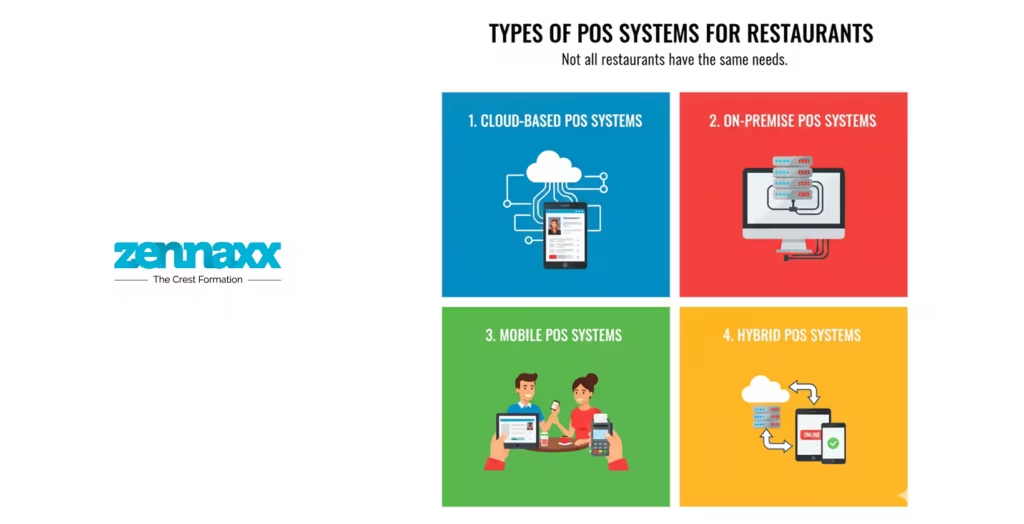
    Types of POS Systems for Restaurants

    Types of POS Systems for Restaurants Not all restaurants have the same needs. So for all restaurants POS systems are available in different models based on business size and operations.

    Cloud-Based POS Systems

    These systems store data securely in the cloud. It can be easily accessed from anywhere. They offer real-time syncing, automatic updates, and scalability. It is ideal for growing new restaurants and cloud kitchens.

    On-Premise POS Systems

    Data is stored locally on servers. And yes it’s highly customizable. These systems come with higher upfront and maintenance costs. It is suitable for large, established restaurants.

    Mobile POS Systems

    It is designed for flexibility. Mobile POS systems allow staff to take orders and process payments using tablets or smartphones. It is especially popular with cafés, food trucks, and pop-up kitchens.

    Hybrid POS Systems

    These systems work both online and offline. It ensures uninterrupted operations even during internet outages.

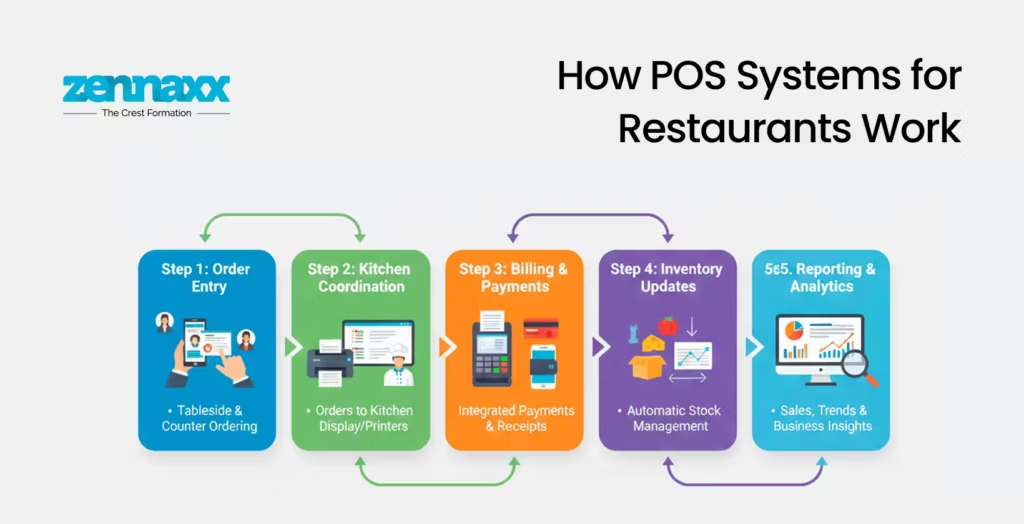
    How​‍​‌‍​‍‌ POS Systems for Restaurants Work

    How​‍​‌‍​‍‌ POS Systems for Restaurants Work A restaurant POS system links together the hardware and software for a smooth operation.

    Order Entry

    Orders are input by waiters through the POS terminals, handheld devices, or QR-based system and associated with a table or customer.

    Kitchen Coordination

    Kitchen staff receive orders on the display system along with requests for custom dishes and preparation progress.

    Billing & Payments

    The POS figures the amounts, adds taxes and discounts, and enables the customers to pay by different methods.

    Inventory Updates

    Stocks are changed automatically every time an order is finished.

    Reporting & Analytics

    Reports capture the sales trends and thus serve as a tool for business ​‍​‌‍​‍‌development.Read more about famous food delivery apps in Canada and how they use POS systems to streamline business processes.

    Hardware and Software Components of a POS System

    Hardware Components

    • POS terminals or tablets
    • Payment card readers
    • Kitchen display screens
    • Customer-facing displays
    • QR code scanners

    Software Components

    • POS application
    • Inventory management software
    • CRM and loyalty modules
    • Reporting and analytics dashboards
    • Integration services

    POS Systems and Food Delivery App Integration

    With online food ordering becoming the norm, POS systems must integrate seamlessly with food delivery app development services Canada. Instead of managing multiple tablets for each platform, a centralized POS ensures all delivery orders flow into one system. It helps to reduce errors and save time.Zennaxx specializes in building POS solutions that integrate smoothly with delivery platforms, custom ordering apps, and restaurant websites.

    How Much Does an Ecommerce Website for Restaurants Using POS Cost?

    When it comes to setting up an ecommerce website with a POS system for online ordering, restaurant owners frequently inquire about the cost. It mostly depends on a number of factors such as:

    • Features and integrations
    • Custom UI/UX design
    • Payment gateway support
    • Delivery and tracking modules

    Custom POS development is a more leveraging choice in the long run as it ties the technology closely with the unique business needs of the ​‍​‌‍​‍‌restaurant.

    Why Choose Zennaxx for POS Software Development?

    As a technology partner, Zennaxx focuses on building reliable, scalable, and future-ready POS systems. It is especially customized for restaurants in Ontario. With expertise in point of sale software development, Zennaxx delivers solutions that integrate operations, enhance customer experience, and support every business growth.

    What​‍​‌‍​‍‌ is the future of POS systems in Ontario’s restaurant sector?

    What​‍​‌‍​‍‌ is the future of POS systems in Ontario’s restaurant sector POS systems involving AI-driven analytics, contactless payments, real-time insights, and deep delivery integrations are the trend to watch. Restaurants that are investing for a state-of-the-art POS system technology are the ones that will find it easier and quicker to scale up, adapt and stay competitive.

    FAQs

    Q1 Which is the best POS system for restaurants in Canada?

    The best POS solution varies as per your business needs. Like size, business, and integration requirements of your restaurant. A custom-developed product usually gives the user more control and adaptability.

    Q2 Are POS systems safe?

    Absolutely! Contemporary POS systems communicate over encrypted channels, employ secure payment gateways, and help to comply with standards to ensure the safety of your business data.

    Q3 Is it possible for a POS system to connect with food delivery apps?

    Of course! The latest POS systems are designed to integrate smoothly. With the help of well-known food delivery apps in Canada.

    Q4 Is cloud-based POS superior to on-premise?

    For the majority of restaurants, a cloud-based POS system offers more advantages. It provides benefits like flexibility, scalability, and ​‍​‌‍​‍‌cost-effectiveness.

  • Node JS Ecommerce Web or App Project: Benefits & Best Practices

    Node JS Ecommerce Web or App Project: Benefits & Best Practices

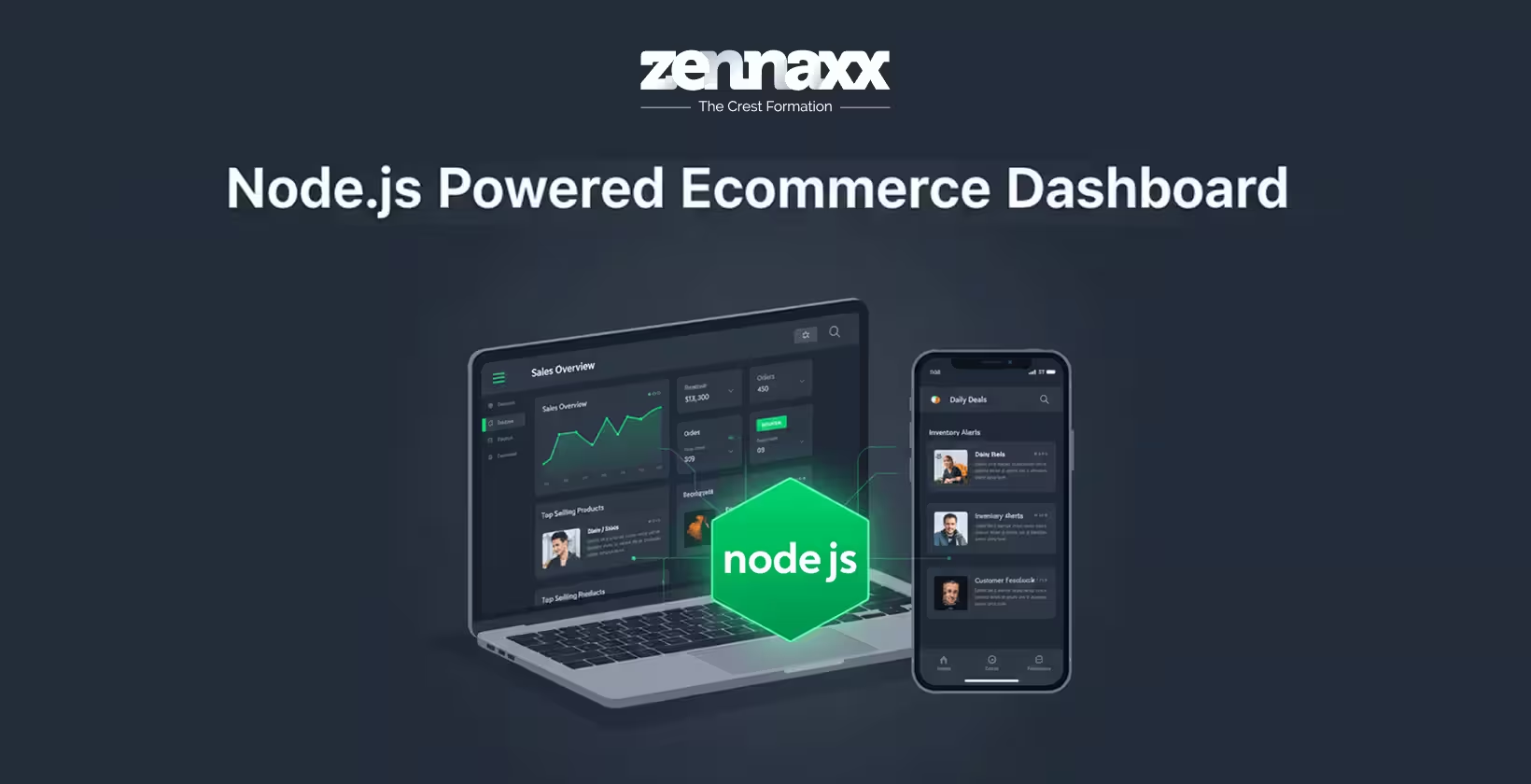
    The eCommerce industry has been undergoing rapid changes. Businesses of all sizes, from startups creating niche online stores to big companies handling thousands of transactions, require a platform that is fast, scalable, secure, and prepared for the future.This growing demand has made Node JS eCommerce development one of the favorite solutions for modern web and app development ​‍​‌‍​‍‌projects.

    Node.js​ has stopped being a backend runtime that is only used for server-side operations. It has now become an efficient base to create fast, scalable, and high performance eCommerce websites and apps that can smoothly deal with instant traffic, complicated APIs, and great user experiences.

    Let’s dive into why Node.js fits like a glove in eCommerce projects, its major advantages, system designs, top practices, and how companies can make smart tech choices. Especially when working with a Node JS Development Company in Canada.

    What Is Node JS Ecommerce Development?

    Node.js is a JavaScript runtime built on Chrome’s V8 engine. It helps developers to build fast, and scalable servers using JavaScript.

    When used for eCommerce, Node JS Ecommerce development enables businesses to create:

    • High-performance online stores
    • Real-time shopping experiences
    • Scalable backend systems
    • API-driven web and mobile apps

    Unlike traditional server technologies, Node.js uses a non-blocking, asynchronous architecture, which is why it is very efficient when handling multiple requests simultaneously.

    Why Node.js Is a Smart Choice for Ecommerce Projects

    Modern eCommerce platforms help to manage product catalogs, user sessions, payment gateways, inventory systems, and analytics. Node.js is built for this type of workloads handled by businesses.Here’s why businesses increasingly choose Node JS Web Development Services for eCommerce.

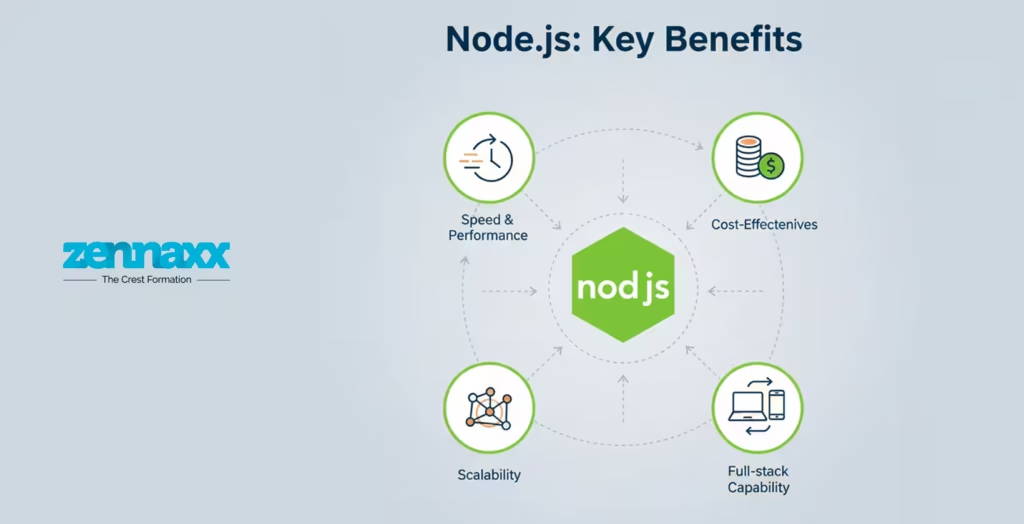
    Key Benefits of Node JS Ecommerce Web or App Projects

    Key Benefits of Node JS Ecommerce Web or App Projects

    High Performance for Traffic-Heavy Platforms

    Ecommerce sites often get huge unexpected traffic during sales, festivals or marketing. Node.js can handle many requests at the same time thus its performance does not get slower.Its event-driven architecture ensures:

    • Faster page loading
    • Smooth checkout processes
    • Minimal downtime during peak traffic

    This makes Node.js ideal for both small online stores and large-scale marketplaces.

    Real-Time Capabilities

    Real-time features are becoming standard in modern eCommerce apps:

    • Live order tracking
    • Inventory updates
    • Real-time notifications
    • Chat support

    Node.js supports WebSockets and real-time data streaming, making it easier to deliver dynamic shopping experiences that keep users engaged.

    Scalability for Growing Businesses

    Scalability is an essential factor that comes into play as an eCommerce business expands. Node.js makes it possible for applications to scale in a horizontal manner by simply adding more resources without the need for significant changes in the ​‍​‌‍​‍‌architecture.With the support of microservices and cloud environments, businesses can:

    • Scale specific features independently
    • Reduce system bottlenecks
    • Optimize operational costs

    This flexibility is one reason many businesses partner with a Node JS Development Agency in Canada for long-term growth planning.

    Cost-Effective Development

    Node.js uses JavaScript for both frontend and backend development. This reduces:

    • Development time
    • Team size requirements
    • Overall project costs

    Combining​‍​‌‍​‍‌ Node.js with reusable components and open-source packages makes it a very affordable choice. This is especially true when comparing ecommerce website costs for startups and mid-sized ​‍​‌‍​‍‌companies.

    Rich Ecosystem and Community Support

    Node.js offers access to thousands of open-source libraries through NPM (Node Package Manager). These packages help speed up development for:

    • Payment gateways
    • Authentication systems
    • Security layers
    • API integrations

    A strong global developer community ensures regular updates, security patches, and long-term stability.

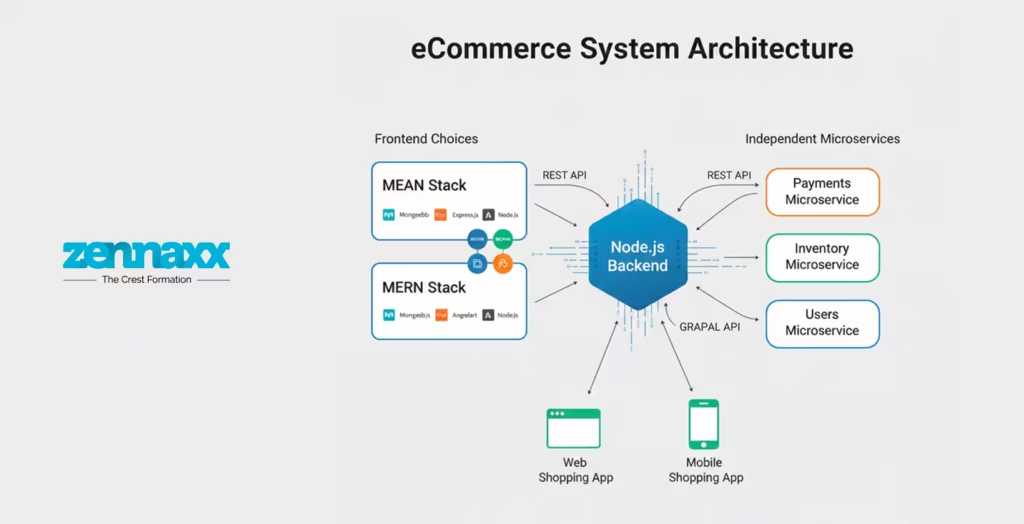
    Node JS Ecommerce Architecture Options

    Node JS Ecommerce Architecture Options Choosing the right architecture is equally important as technology. Node.js allows different architectures based on business needs.

    MEAN or MERN Stack for Ecommerce

    One of the most popular approaches is using Node.js with modern JavaScript stacks.

    MEAN Stack

    • MongoDB
    • Express.js
    • Angular
    • Node.js

    MERN Stack

    • MongoDB
    • Express.js
    • React
    • Node.js

    Deciding on Angular or React? Consider these points:

    • Are you developing a large-scale application and need a very structured framework? In this case, Angular should be your choice.
    • React gives you more flexibility and this is why it achieves quicker UI rendering for very interactive ​‍​‌‍​‍‌interfaces.

    Both technologies allow developers to build applications quickly, scale the projects efficiently, and have a proper data ​‍​‌‍​‍‌flow.

    Microservices Architecture

    For complex eCommerce platforms, microservices architecture works exceptionally well with Node.js.Benefits include:

    • Independent feature deployment
    • Better fault isolation
    • Easier system maintenance

    Each service, such as payments, inventory, or user management, runs independently and communicates through APIs.

    API-First Ecommerce Development

    Modern eCommerce platforms often rely on APIs to serve:

    • Web applications
    • Mobile apps
    • Third-party integrations

    Node.js is the perfect choice for building RESTful and GraphQL APIs that are fast, secure, and scalable.

    Best Practices for Node JS Ecommerce Development

    To get the most value from Node.js, businesses should follow proven development best practices.

    Focus on Performance Optimization

    Use caching solutions like Redis to store frequently accessed data. This helps to reduce server load and improve response time.Database optimization, indexing, and efficient queries play an important role in performance.

    Prioritize Security from Day One

    Ecommerce platforms handle sensitive data. Like:

    • HTTPS encryption
    • Secure authentication methods
    • Input validation
    • Rate limiting to prevent attacks

    Security should never be an afterthought in Node JS Ecommerce projects.

    Use Server-Side Rendering for SEO

    Search engine visibility is a must for online stores. Server-side rendering improves:

    • Page load speed
    • Search engine indexing
    • User experience

    This is helpful for content-rich product pages.

    Adopt Modular Code Structure

    Breaking the application into reusable modules. It helps to improves:

    • Code readability
    • Maintenance
    • Team collaboration

    It also reduces long-term development costs.

    Implement Continuous Testing and Monitoring

    Continuous testing through automation helps to confirm that recent changes do not impair the previously implemented features. Performance monitoring tools can be instrumental in the early identification of issues, thus helping to keep the platform ​‍​‌‍​‍‌stable.

    Why Choose Node JS for Ecommerce in Canada?

    Canada has a rapidly growing digital economy, and businesses increasingly rely on modern tech stacks to stay competitive. Working with a Zennaxx offers advantages such as:

    • Expertise in scalable architectures
    • Knowledge of regional compliance requirements
    • Experience with global eCommerce markets

    A reliable Node JS Development Agency in Canada can help businesses design, build, and maintain future-proof eCommerce platforms.

    Future of Node JS Ecommerce Development

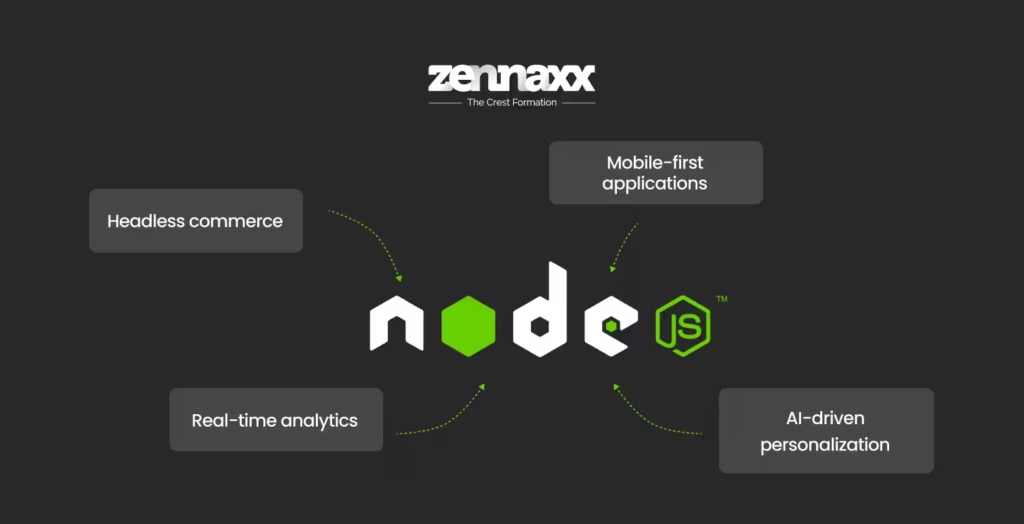
    Future of Node JS Ecommerce Development Node.js will be a key technology underpinning the following areas in the future of eCommerce:

    • Headless commerce
    • Mobile-first applications
    • AI-driven personalization
    • Real-time analytics

    Due to its adaptability, efficiency, and thriving community, Node.js is sure to be a significant resource for both web and mobile eCommerce initiatives over the ​‍​‌‍​‍‌long.

    How Zennaxx Can Help

    Node.js has been demonstrated to be a very efficient technology when it comes to developing up-to-date eCommerce websites and applications. It provides businesses, among other things, with high performance and scalability, lower costs, and a more efficient workforce. These are all characteristics necessary to thrive in today’s digital marketplace.If you are considering an eCommerce project from scratch or just renovating a platform, selecting the correct architecture and adhering to the best practices is essential. Zennaxx assists in determining the suitable strategy and development approach, Node JS Ecommerce solutions. We help your business to deliver user-friendly experiences as well as business growth that is ​sustainable.

    FAQs

    Q1.Is​‍​‌‍​‍‌ Node.js suitable for large-scale eCommerce platforms?

    Definitely, Node.js offers great scalability and can handle heavy web traffic smoothly. It is a perfect fit for enterprise-level eCommerce platforms.

    Q2.Which frontend framework is better for Node.js eCommerce. Angular or React?

    Both are good. Angular fits well in outputting a layered, large-scale project whereas React is more generous with applying and adapting to the user interface elements. The deciding factor would be the specific needs of the project.

    Q3.Can Node.js be used for mobile eCommerce apps?

    Yes, of course. Node.js is a popular choice for creating APIs. This is the backbone of cross-platform mobile eCommerce applications.

    Q4.How secure is Node.js for online stores?

    In case of using solid security measures-these include among others-the use of encryption, authentication, and rate limiting-Node.js is capable of running very safe eCommerce ​‍​‌‍​‍‌platforms.

  • IoT Mobile App Development Services: Powering Next-Gen Apps in Canada

    IoT Mobile App Development Services: Powering Next-Gen Apps in Canada

    A fitness tracker that logs steps and a mobile app governing a home thermostat are everyday examples of IoT mobile apps. In smart homes to healthcare, industrial automation to fleet management, IoT mobile applications redefine the experience of communication between technology and us.

    Do you know there is intelligent orchestration behind this invisible user experience? It is an IoT ecosystem that consists of physical devices, processing logic, and mobile applications that provide the user interface for interactions.

    In this blog, we are going to explore IoT mobile app development services in Canada and the importance of choosing the right development partner.

    What Are IoT Mobile Applications?

    IoT mobile applications are user-centered interfaces connecting smart devices, cloud systems, and end-users. Using these apps, users can monitor, control, and interact with connected devices in real time.

    IoT devices send data over networks such as Wi-Fi or Bluetooth. The mobile apps then display this data on user interfaces after processing the received data. The end user can then adjust settings remotely, get notification alerts, or view real-time device insights on their smartphone.

    The IoT mobile app development services play a major role in making sense of the vast IoT data to give users seamless control of their connected ecosystem.

    Let’s look at the top use cases where IoT mobile apps are used in the world.

    IoT Mobile App Use Cases Across Industries in Canada

    IoT Mobile App Use Cases Across Industries in Canada Here are some of the examples where IoT apps are used in the real world:

    • Smart Homes: IoT connects home devices like lighting, security, appliances, and climate control. Users get convenience and safety when they can control their home with a few taps on their smartphone.
    • Remote Patient Monitoring: When patients wear wearable devices, they collect data like heart rate, blood pressure, and glucose levels. These provide continuous patient monitoring and send alerts to the doctors for critical conditions. The doctors can remotely monitor patient status and intervene quickly when needed.
    • Manufacturing: RIoT sensors monitor equipment performance, detect faults, and provide real-time production analytics. From the mobile apps, supervisors and managers can monitor device usage and schedule maintenance.
    • Transportation: Telematics systems, along with IoT, track vehicle location, driver behavior, fuel usage, and route optimization that are easily viewed using mobile applications for the fleet controller to monitor and take necessary actions.

    While IoT is used in the real world for the above-mentioned and many other use cases, the development of mobile apps involves connecting with several layers of technology.

    Core layers of an IoT mobile application architecture

    IoT architectures are built around the following key layers that define how devices connect, communicate, process data, and interact with users:

    • Device and sensor layer: Also called the physical or perception layer, at this layer, the IoT devices collect data from their environment using sensors or actuators.
    • Connectivity and protocol layer: This is the network layer that transmits data between devices and processing systems.
    • Data processing layer: IoT data is converted into meaningful analytics in this layer, where analysers, filters, and interpreters make sense of the IoT data to derive insights.
    • Mobile application layer: This layer is visible to the end user as it delivers user interfaces like mobile apps, dashboards, and services, and allows users to interact with the underlying IoT systems.

    Now that we know the core layers, let’s explore the entire IoT mobile app development process.

    How IoT Mobile App Development Works – End-to-End Process

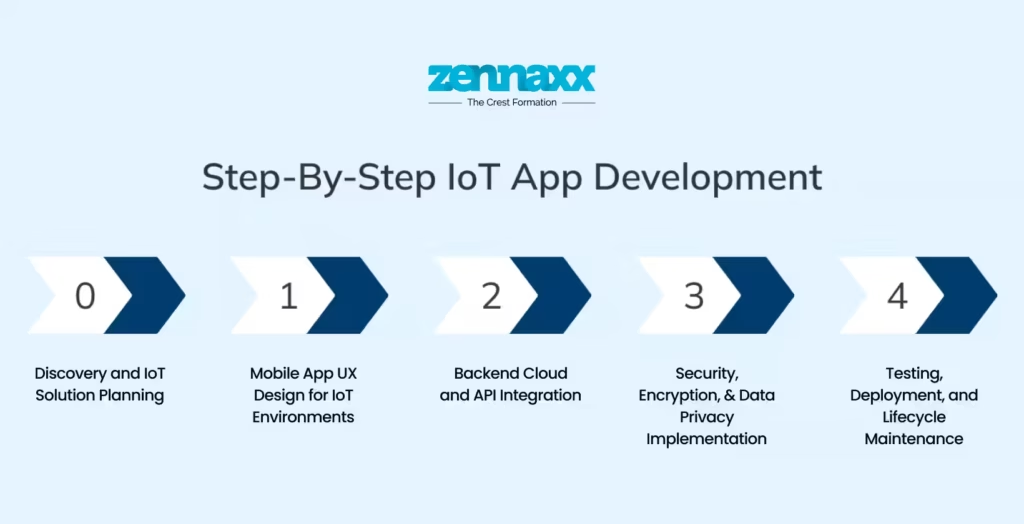
    How IoT Mobile App Development Works – End-to-End Process Developing an IoT mobile app is different from creating a typical mobile application. It involves synchronizing hardware, connectivity, cloud services, and mobile interfaces into a unified workflow. A mobile app development company Canada follows the steps given below:

    Discovery and IoT Solution Planning

    Understanding the problem to solve is the first step. Teams define core business objectives, device requirements, data goals, and connectivity constraints. At this stage, the developers choose suitable hardware, network protocols, and cloud platforms that align with performance needs and device capabilities.

    Mobile App UX Design for IoT Environments

    Users interact only through the mobile apps, and the interface design is crucial. UX designers start with wireframes and prototypes that prioritize dashboards, alert systems, intuitive controls, and accessibility features. The mobile app must also enable offline modes and work when there is intermittent connectivity, which is common in the real world. Proper UX design is important to ensure a seamless user experience, even when the devices lag or lose connection.

    Backend Cloud and API Integration

    Once the design is finalized, developers build the backend system that connects devices and mobile interfaces. Cloud platforms like AWS IoT Core, Azure IoT Hub, and Google Cloud IoT are commonly used to manage devices and data. Using these services, developers can implement device messaging, telemetry ingestion, real-time processing, and secure data storage. Depending on application needs, custom APIs are required to enable IoT devices to communicate with mobile apps, allowing users to receive updates and send commands to the devices via the mobile app.

    Security, Encryption, and Data Privacy Implementation

    Ensuring the security of sensitive data that flows across IoT devices, networks, and cloud systems is vital to safely using the mobile apps to monitor and control the devices. Developers implement device authentication, encryption communication, secure data storage, and ensure compliance and privacy standards using the latest security protocols. Modern mobile application strategies implement data security in the early stages of development.

    Testing, Deployment, and Lifecycle Maintenance

    IoT mobile application testing goes beyond typical QA for mobile apps. It requires hardware and firmware checks, connectivity validation, cloud integration tests, and performance testing under varied network and device conditions. The entire ecosystem, including device cloud and mobile UI, must work harmoniously.

    Mobile application development for IoT doesn’t end at successful deployment. The apps require ongoing maintenance, periodic updates, and scalability adjustments as user needs shift. The latest technological advancements further increase the complexity of IoT mobile app development and scalability.

    Advanced Technologies Powering Next-Gen IoT Mobile Apps

    The next-generation IoT mobile applications bring faster, smarter, and more reliable experiences for the users. These applications achieve predictive analytics, anomaly detection, and automation of auctions by analyzing data patterns of various connected devices with the help of artificial intelligence and machine learning.

    The addition of edge computing and low-latency processing technologies further increases the computational power of sensors, reducing delay times in order to enable real-time responsiveness on mobile dashboards.The development of 5G networks further boosts speed, reliability, and support for massive data connectivity to ensure devices stay connected at all times for real-time IoT interactions.

    Also, the concept of a digital twin is gaining momentum, whereby virtual replicas of physical systems are created that get updated in real time. In this way, usage can be monitored by intuitive mobile interfaces for better control of devices.

    Development of IoT mobile apps is difficult, and applications built with the latest technologies assure better experiences for end-users. That’s why you must be cautious when you hire IoT developers.

    How to Choose the Right IoT Mobile App Development Partner

    The right mobile app development partner shapes the success, security, and longevity of your IoT mobile application. You need to look for the following values when you choose right mobile app development partner for IoT applications:

    • Practical experience of working with IoT devices, sensors, and embedded systems
    • Expertise in using AWS, Azure, or GCP IoT hub platform
    • Mobile development experience for both iOS and Android applications
    • Extensive knowledge in IoT-specific testing and hardware validation
    • Clear path to scaling and long-term maintenance.

    Before choosing a mobile app development partner, ask how the team handles data security, device authentication, source-code ownership, and post-launch support. You need someone who can ensure that the mobile app works well as the user needs scale.

    A reliable partner won’t just use generic templates for IoT projects. They know how to build custom modules and APIs that are applicable for real-world conditions from day one.

    How Zennaxx Can Help

    How Zennaxx Can Help Zennaxx, an IoT App development company, offers end-to-end IoT mobile app development services tailored to businesses in Canada. We specialize in data integration, cloud connectivity, data analytics, security implementation, edge computing, and ongoing maintenance to ensure the apps perform seamlessly across diverse IoT ecosystems.

    From selecting the IoT architecture to building scalable backends, the IoT mobile app experts at Zennaxx can work with your in-house teams or as dedicated experts on IoT mobile app projects. As the IoT deployment grows, we extend post-launch support and performance optimization to facilitate seamless performance.

    FAQs

    Q1.What do IoT mobile app development services do?

    Mobile app development services develop mobile applications that connect devices, collect sensor data, enable remote control, automate an action, and render real-time insight for the end user across a network of interconnected systems.

    Q2.How safe are IoT mobile applications?

    Good IoT mobile apps authenticate devices, encrypt communications, use secure APIs, and protect data and connected hardware with strict access controls.

    Q3.How long does it take to develop an IoT mobile app?

    The time it takes to develop an IoT mobile app depends on the complexity. If the solution is simple, the duration in most cases is 3 to 6 months ,but for complex software that would require integration with hardware or more would mean longer delays.

    Q4.What differentiates an IoT app from a smart device app?

    An IoT app would be associated with multiple devices, whereas the automation controls would be directed by a smart device app that is generally associated with only one device without analytical data.

    Q5.How scalable are the IoT mobile applications?

    The IoT mobile applications that are built on cloud platforms scale well. They support increasing volumes of data, users, and devices without major changes in architecture.

  • Flutter 3.38 Update: Guide on What’s New, Key Changes & Release Notes

    Flutter 3.38 Update: Guide on What’s New, Key Changes & Release Notes

    Flutter has become the go-to framework for building cross-platform apps from a single codebase. It’s fast, flexible, and continues to evolve to solve real developer needs.

    Flutter 3.38 just dropped with many new updates that really speed up your development cycle and keep your apps compatible. These are more than incremental tweaks.

    Developers call dot shorthand a “big long-term difference” for large codebases. Widget previews now mimic web dev feedback loops, so you can iterate without full rebuilds. Moreover, smoother Android transitions make apps feel polished right from the start.

    In this blog, we highlight the major Flutter updates that truly change the workflow of a Flutter app development company in Canada.

    New Flutter Updates You Must Know

    Developers everywhere are praising Flutter’s unmatched multi-platform speed with new updates. New updates can drastically reduce the time it takes for web app development services.

    Here’s everything you need to know about the upgrade.

    Dart 3.10 + Dot Shorthands

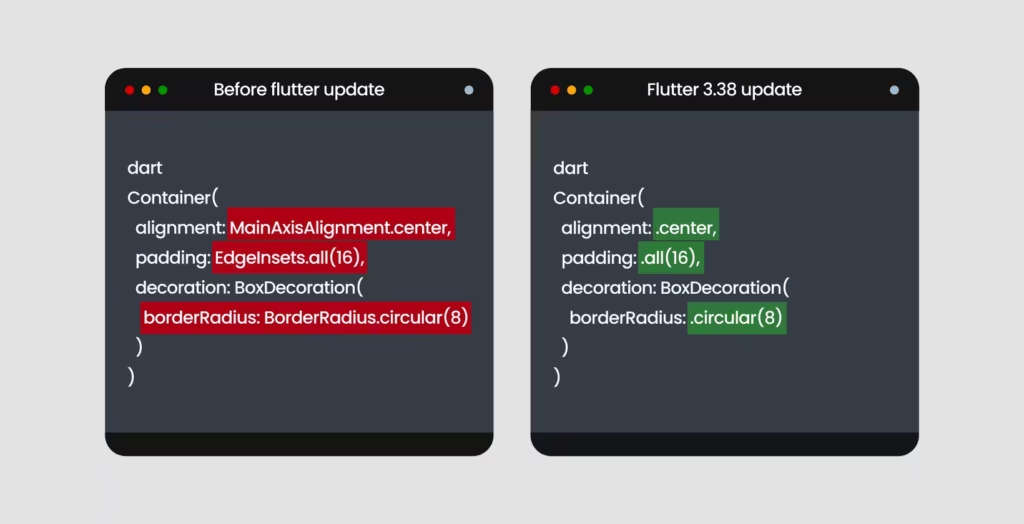
    Dart 3.10 Dot Shorthands The most distinctive feature of the latest upgrade is dot shorthand syntax. Instead of the verbose MainAxisAlignment.start, you can simply write .start. Same for EdgeInsets.all(12); it’s now just .all(12).

    This is not just about saving keystrokes. For complex layouts with nested widgets, the repetitive boilerplate makes code harder to scan, and typos slip through. Now, the compiler infers the type from context, so you get full type safety without verbosity.

    So, before the code would be:

    dart
    Container(
    alignment: MainAxisAlignment.center,
    padding: EdgeInsets.all(16),
    decoration: BoxDecoration(
    borderRadius: BorderRadius.circular(8)
    )
    )

    Now, with the Flutter 3.38 update, it will be:

    dart
    Container(
    alignment: .center,
    padding: .all(16),
    decoration: BoxDecoration(
    borderRadius: .circular(8)
    )
    )

    Shorthand makes code easily readable, and code reviews become much smoother.

    Material 3 as the Default

    New projects by FlutterApp development services in Canada adopt Material 3 automatically with “useMaterial3: true” as default. Out of the box, you get dynamic color schemes, updated components, refined elevation, and the full Material 3 design system.

    Typography moves to a more balanced scale, and colors use seed-based schemes to automatically generate consistent light and dark themes. You can pick one seed color, and Material 3 generates an entire palette that works harmoniously across your app.

    Buttons, navigation bars, cards, and dialogs look and feel different now. In addition, the elevation system also got an upgrade. Instead of hard shadows, Material 3 uses surface tint overlays: as surfaces rise in z-space, they get lighter. This subtle depth works better across light and dark themes.

    Framework & UI Enhancements

    Refinements in the rendering pipeline now make animations smoother, and the output of frames becomes more predictable. Web builds benefit from cleaner rendering paths with reduced layout shifts. Your code can maintain consistent animation performance across browsers.

    Live browser previews are now available with the widget previewer. Point it at a browser tab, edit your code, and watch the UI update in real-time without a full rebuild. This is huge for testing responsive layouts.

    API Improvements

    Some of the major upgrades for API are:

    • Badge.count(maxCount: …): It offers better number handling. You can cap the value and auto-display “99+” without writing extra logic.
    • InkWell.onLongPressUp: This new gesture capability fires a new callback when the user releases after a long press. This gives finer control over gesture flows.
    • Cupertino updates: Cupertino Sliding Segmented Control now supports Momentary for controls that shouldn’t hold state. Refreshed CupertinoSheet adds a stretch effect that mirrors native iOS behavior.

    Major Web Development Updates

    Major Web Development Updates Web development also got a serious upgrade.

    New web_dev_config.yaml

    A single web_dev_config.yaml now handles host, port, SSL certificates, headers, and proxy rules. The days of hunting through command-line flags or fighting with disparate setups across team machines are over.

    Multi-Browser Hot Reload

    Previously, you had to manually refresh each browser window and lose state with every refresh. Now, hot reloading works across multiple browsers. Have Chrome, Firefox, and Safari open, make a change, and see it update everywhere without losing state. When testing responsive layouts or browser-specific bugs, this cuts iteration time dramatically.

    IDE Integration

    The latest widget previewer has tighter IDE integration. Pop open a preview in VS code or Android Studio and see widgets render without spinning up the full app. Those seconds add up during sprints.

    Platform Support & Readiness

    With new updates, Flutter is set to remain as a platform of choice for both iOS and Android developers.

    iOS / macOS

    Full support for iOS 26 and Xcode 26 is now available with Flutter iOS app development software. Flutter supports the new mandatory UIScene life cycle for compliance with iOS 26. It replaces the older UIWindow-based life cycle. Apps that use platform channels in interaction with the window hierarchy or custom view controllers have their respective components updated. Most applications with standard flutter patterns don’t need significant changes.

    Android

    The new update prepares Android app development service for Android 15’s 16KB page size. The recommended configuration is minimum Java 17 and NDK r28. This update is important because a majority of Android devices run with 4KB pages today. Apps compiled to run on 4KB pages will not run on those configured with 16KB pages.

    Now, if your app uses native libraries or plugins with .so files, verify they are built with 16KB page alignment. Run flutter build apk –target-platform android-arm64 and test on a 16 KB page emulator before November.

    Key Breaking Changes

    There are 4 major breaking changes:

    • Wide-gamut Cupertino colours now use float-based accessors (r/g/b/a). So, Old getters and withOpacity() behave differently. Move to withValues().
    • OverlayPortal.targetsRootOverlay is deprecated. Use overlayLocation instead. This affects tooltips, menus, and custom floating UI.
    • Semantics focus flags are also deprecated. Focus-related properties like SemanticsProperties.focusable are gone. Update your custom focus management code accordingly.
    • Strongly supports both Swift and Objective-C

    Performance Improvements

    Flutter 3.38 improves frame output across Skia and Impeller and removes a leak linked to activity teardown. Cleaner pipelines and fixes in RenderWebImag reduce layout shifts for steady web builds. Now, the UI behavior can be more predictable across mobile and web targets.

    Overlay and Advanced UI Enhancements

    New OverlayPortal.overlayChildLayoutBuilder gives developers a stable way to place floating UI above the widget tree. It suits well for app-wide alerts, banners, or global controls without layout hacks for more dynamic and polished user experiences.

    Accessibility Updates

    Wider semantics support and fixes, and improved screen-reader behaviour, provide better accessibility previews across devices.

    Practical Impact on Real Projects

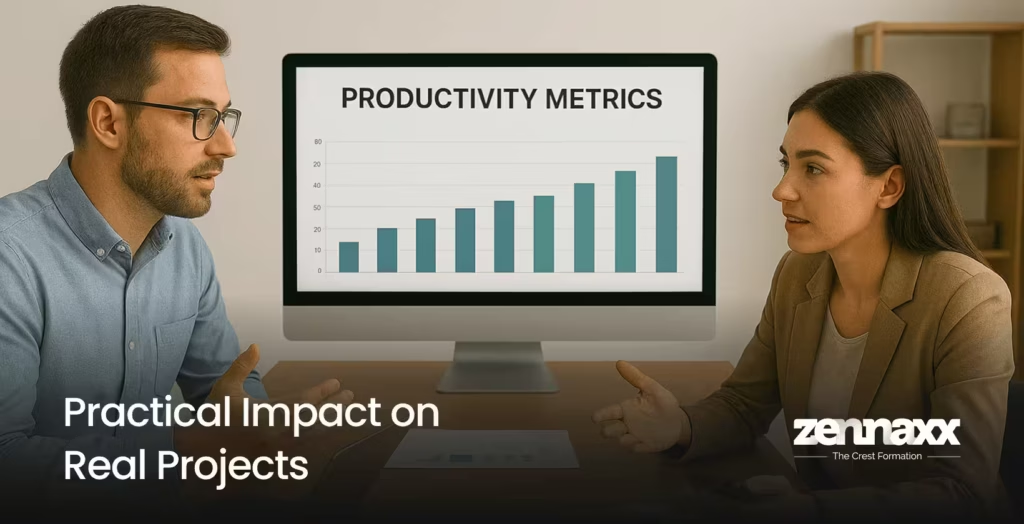
    Practical Impact on Real Projects Developers can expect the following improvements in their app and web development:

    • Faster Development: Dot Shorthand, quicker previews, and better tooling reduce boilerplate and speed up UI iterations.
    • Multi-platform readiness: Compatibility with Android 15 and iOS 26 keeps your app current with upcoming OS versions.
    • Stronger Web Builds: Rendering fixes and configuration updates improve the reliability of web builds.
    • Better End-User Experience: Improved animations and styling consistency reduce glitches and give a polished experience for the users.

    When to Upgrade Carefully

    Upgrading becomes important if

    • You depend on deprecated APIs
    • Your plugins might not support Dart 3.10 yet
    • You’re targeting multiple platforms
    • Your Android setup needs Java 17 and NDK r28 updates

    Some developers report that hot-reload is sluggish with animations. For some, iOS runs hang on devices and crash occasionally during debugging. Web and desktop targets seem to have more issues than mobile.When you make the choice to upgrade, do so carefully. Best practices are:

    • Create a branch specifically for the upgrade
    • Run flutter pub outdated to check for plugin compatibility
    • Update Android components: Gradle, Java, NDK
    • Fully test the app, including UI, accessibility, and cross-platform builds

    How Zennaxx Can Help

    How Zennaxx Can Help At Zennaxx, a well-known company for Flutter app development services in Canada, we develop Flutter applications that stay stable across platforms, evolving smoothly with your growing product. We prioritize long-term reliability, clear architecture, and support so that you can upgrade to a newer version without disruption. Hire Flutter developers Zennaxx to:

    • Upgrade with confidence: Our engineers take care of every Flutter 3.38 change to keep your app compatible with iOS 26, Android 15, and Dart 3.10, while protecting the core features.
    • Reduce platform inconsistencies: We test extensively across Android, iOS, web, and desktop apps to keep your UI and interactions consistent on every device.
    • Boost app performance: We ensure that your app runs smoother, uses memory more effectively, and runs without rendering issues.
    • Build a Strong foundation: We set up architecture that reduces rework in the future, so your team can ship new features faster.

    FAQs

    Q1.Should I use Flutter 3.38 for new projects?

    Yes, updated defaults, Material 3, and better platform support with 3.38 mean less cleanup later.

    Q2.Will upgrading to Flutter 3.38 change my app size?

    Most likely, there won’t be a lot of change. The changes are related to plugin updates. You can compare by running flutter build apk –analyze-size.

    Q3.Do I need to change the code in every project?

    Not necessarily. Many apps upgrade smoothly. However, if you rely on deprecated APIs or custom semantics, you need to make the changes. The IDE’s deprecation warnings will tell you what to change.

    Q4.Will my UI look different with Material 3?

    It’s more likely that UI looks different because Material 3 polishes shapes, spacing, color, and elevation. Review all your most important screens, particularly those with custom styling.

    Q5.Should I upgrade if I target web and mobile?

    For web and mobile targets, upgrading makes more sense. But test thoroughly across platforms to avoid surprises.

  • Best Platforms for Building Apps by the Top Mobile App Development Company in Canada

    Best Platforms for Building Apps by the Top Mobile App Development Company in Canada

    A thoughtfully designed mobile app solves real business problems and helps them grow. Also, stats show that Canadian businesses are investing more in mobile apps as they can boost customer retention by 70%. This shows the importance of a mobile app for any business.

    However, to create apps that run smoothly, developers must choose a mobile app development framework based on performance needs, target platforms, budget, and skills. This might be a challenging task for business owners and developers.

    For that, we have covered the top mobile app development platforms to help the top mobile development company Canada choose the best one for building an application.

    What is Mobile App Development?

    Mobile application development is the process of developing software applications that are specifically meant to run on mobile devices like smartphones or tablets. The app design utilizes specific features of the framework to leverage mobile capabilities, such as touch screens, GPS, cameras, memory, and hardware, to deliver an enhanced app experience.

    A top mobile app development company Canada begins mobile app development with requirement gathering and designs the user interface. Then, they write code for the application, test it, deploy it, and do continuous maintenance.

    Furthermore, Mobile app development is different from software development because it has to be customized for mobile-specific constraints like hardware limitations, network reliability, and screen size. Moreover, the app features are also peculiar to the mobile hardware and user behaviour.

    Best IOS app development Platforms

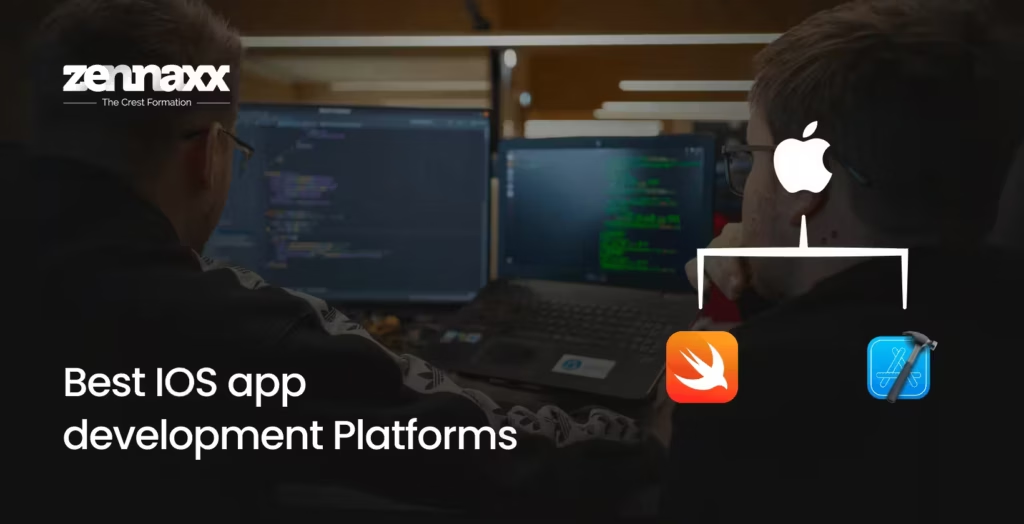
    Best IOS app development Platforms iOS developers rely on stable tools that help them create smooth and secure applications. These frameworks have a deeper integration with Apple iOS features and hardware design and offer a clean workflow. Let’s take a look at the top iOS app development platforms:

    Swift

    Swift stands out because coding using Swift is simple, secure, and fast. This is usually chosen by developers to get control, speed, and support for the long term on the Apple platform.Key features are:

    • Easy syntax that reduces coding errors
    • Very fast native performance on both iPhones and iPads
    • Strict safety while writing code
    • Can work with an old Objective-C code if needed
    • Supported by frequent updates from Apple

    XCode

    XCode is the main workspace for building iOS applications. It stands out because it offers every tool needed in one place: from design to testing. Developers prefer this platform to build smooth processes with full access to Apple frameworks.Key features include:

    • Built-in simulators for different iOS devices
    • Bug-fixing tools for quick debugging
    • Interface building for easy UI setup
    • Strongly supports both Swift and Objective-C
    • Works well for quick code testing

    Best Android app development platforms

    Best Android app development platforms Speedy, dependable, and easy-to-update tools are the basic needs of an Android developer. Here are a few platforms that are recognised for their performance within the Android ecosystem.

    Kotlin

    Kotlin has been Google’s preferred language for Android. It’s expressive, safe, and easy to maintain. It is one of the most popular choices among developers who look for a modern language that minimizes coding errors.Some of the key features of Kotlin include:

    • Concise syntax with minimum boilerplate
    • Strong null-safety to eliminate most crashes
    • Official support from Google for Android application development
    • Works smoothly with all existing Java code
    • Best compromise for a team migrating from Java

    Android Studio

    Android Studio is an all-in-one solution for developing Android applications. Coding, user interface designing, testing, and performance evaluation are all combined under one roof. Hence, it serves as a stable platform for its developers.Main features are:

    • An emulating tool for fast testing
    • A layout editor for easy UI design
    • Code suggestions for quicker and more accurate programming
    • Tools to observe performance and memory usage
    • Compatibility with both Kotlin and Java

    Best Cross-Platform Frameworks

    Many developers use cross-platform frameworks to design mobile apps with a single codebase that works for both iOS and Android platforms. It enables rapid development and easy bug fixes while keeping the quality intact. The top cross-platform frameworks are given below:

    Flutter

    Flutter is developed by Google. Its rendering engine is highly preferred as it makes apps look the same on different devices. Smooth animations, fast builds, and maximum control over UI are some of the reasons why developers prefer Flutter app development services in Canada.Important features are:

    • Single codebase for both iOS and Android
    • Hot reload for fast UI changes
    • Better performance
    • Wide collection of ready-made UI elements
    • Written in Dart, but easy for most teams to learn

    React Native

    React Native was built by Meta. It uses JavaScript to interface with native components, which helps keep apps feeling somewhat close to native. So, React Native mobile app development services teams choose it when they wish to leverage their web skills while building mobile apps.Some of the key features are:

    • Compatible with Android and iOS with a single codebase
    • Utilises JS, which is popular among web developers
    • Accesses native modules for better performance
    • Great community support and libraries
    • Can be easily integrated with an existing native code

    Best Low-code Mobile app development platforms

    Development teams with little programming knowledge can also create apps with low-code tools. These platforms are best suited for light business apps, prototypes, or rapid launches where speed and time to market matter more than custom logic.

    FlutterFlow

    FlutterFlow is built on top of Flutter. It allows teams to design screens, add logic, and publish apps with almost no coding. It also leaves room for custom code when needed.Main features are:

    • Screen building through drag and drop
    • Connects with APIs and databases
    • Clean Flutter code can be exported
    • Smooth testing is available as a built-in

    AppSheet

    AppSheet from Google helps developers build apps directly from spreadsheets and data sources. It stands out because non-technical teams can set up workflows and mobile interfaces without writing code.Key features are:

    • Build apps from Google Sheets and data sources
    • Simple workflow automation tools
    • Mobile-friendly UI templates
    • Quick deployment across devices

    Now that we’ve given the top mobile application platforms, the next section explains how a developer chooses the right framework for app development.

    How to Choose the Right Mobile Development Platform?

    How to Choose the Right Mobile Development Platform Before you pick a mobile development platform, consider the points below:

    • State the business aim plus the user need: Write down why the app must exist and who will use it. List the problems it must solve, but also the exact experience the user should have. When those points are clear, you can match a technology to them.
    • Examine platform features and growth limits: List the technical demands. Does the app need raw speed, or must it run on many kinds of devices? Native iOS and Android frameworks give finer control, but a cross-platform framework shortens the development time as well as cuts the cost. Whatever you pick must let the app expand later.
    • Measure team skill: If the staff are already development experts, native kits suffice. When a product must ship sooner or share a single codebase across multiple systems, cross-platform or low-code tools are a better fit.
    • Plan for upkeep and long-term support: Shipping the build is only the first step. You have to update the app, track new OS releases, patch defects, also add functions in the future. Pick a platform that gives a clear path for every future update.

    Picking the right partner to choose right mobile app development services for your business is crucial for a successful app launch.

    Who Needs Custom Mobile App Development Services?

    Custom mobile application development suits organizations that operate with unique workflows, want greater control, and aim for a better user experience. When out-of-the-box solutions don’t suit the use case for app development, custom mobile development becomes important, particularly for industries like health care, logistics, or field operations.

    Custom apps meet branding requirements, contain features not available with competitors, and support a deeper level of user engagement. This translates to a higher value when your audience expects seamless, trustworthy, and personalised interactions.

    Many businesses need custom apps that also integrate with existing CRM, ERP, or IoT systems to be more efficient while scaling their operations with no disruption. In that case, experienced development agencies can add more value than stand-alone developers.

    How Zennaxx can Help?

    How Zennaxx can Help Zennaxx is a mobile application development specialist engaged in mobile, web, and custom application solutions. Our team of experts has strong technical depth in Android, iOS, and cross-platform tools. Besides, we collaborate with businesses to deliver mobile apps to meet business goals.

    • Strategic Platform Choice: Experts choose the ideal technology framework and tech stack for your application, relative to goals, budgets, and future plans.
    • Full-cycle product build: The whole process goes smoothly while teams plan, create, build, test, and launch the product.
    • Deep platform knowledge: The developers know how to create fast, safe, reliable, and scalable apps with various types of native and cross-platform frameworks.
    • Transparent pricing and timelines: We provide clear costs and actual dates of delivery to ensure product launches on time. Ready to Launch Your Business App? Reach out to experts at Zennaxx for customized solutions.

    Ready to launch your business app? Connect with Zennaxx experts for custom solutions.

  • Shopify Development Company in Canada for Growing E-Commerce Brands

    Shopify Development Company in Canada for Growing E-Commerce Brands

    Do you know you have only a few seconds to convert a visitor into a buyer for your e-commerce store? Growing e-commerce brands face more pressure as expectations of online shoppers rise. Many e-commerce businesses in Canada use Shopify to set up branded online stores because it’s reliable, flexible, and scalable.

    However, true value lies in how the Shopify store is built. A Shopify development company in Canada can create a polished and reliable e-commerce store that’s ready to scale. In this blog, we give you detailed information on how to find such a partner for your ecommerce brand.

    Why Shopify Works Well for Canadian E-Commerce Businesses?

    Nowadays, about one-third of ecommerce stores in Canada use Shopify, as it aligns with local shopping behavior, and this shows the importance of a Shopify store for any e-commerce business.

    Also, Shopify offers out-of-the-box modules with its rich ecosystem. With that, developers can easily find and stack the modules they need to launch ecommerce websites at scale.

    Furthermore, local buyers feel less friction when they see prices in CAD, Quebec product descriptions, and clear payment with tax clarity. Shopify supports it without any additional setup. It immediately offers a smooth checkout and hassle-free shopping experience.

    A Shopify store can reach its full potential only when the build is done right, and for that, you need to select the best Shopify development company in Canada. If you don’t know how to choose one, let’s understand that in the next section.

    How to Choose the Right Shopify Development Company?

    How to Choose the Right Shopify Development Company The Shopify Development Company that creates your ecommerce store is your business partner. You don’t need someone who works on on-off projects. Rather, look for an established Shopify development services agency that collaborates with you for the long term. Here are some factors to consider before choosing your Shopify partner:

    Portfolio depth

    Check out the past work of the Shopify development company. Visit past stores they have built and see if they load fast, follow clean layouts, and handle product data well. Dig deeper into the existing stores to look for neat Liquid templates, stable theme structures, and careful use of Shopify APIs.

    Experience with Canadian brands

    You need someone who understands how the Canadian customers shop online. Experience in building websites for existing Canadian brands shows the development company’s expertise in creating bilingual content, GST/HST handling, and regional payment paths.

    Shopify Plus skills

    Off-the-shelf solutions do not always perform, and your Shopify development agency needs to be familiar with how to write your own checkout logic, include massive product catalogues, and automate using Shopify Functions.

    Technical integration capability

    You require a Shopify master who has the capability to link your store with already existing ERP, CRM, shipping, inventory, and marketing systems. They must know how to establish stable data flow, what update policies to follow, and how to avoid one-off patches.

    Security practices

    Enquire whether the Shopify development company in Toronto understands how to utilize Shopify APIs to process payment information and personal data using safe encryption. Your store must be secured against typical cyber threats by using security features such as two-factor authentication and clear access control.

    Support services and SLA

    Select an agency that will monitor your Shopify store to ensure that there are no performance problems. Active monitoring corrects issues earlier rather than later when they have become real performance threats. The Shopify specialists should be aware of how to react to emergency situations and traffic spikes during the peak times with very minimal downtime.

    Clear prices

    Ask for clear pricing from your Shopify partner. Request a transparent breakdown of their services, such as theme work, custom features, integrations, and ongoing support. When your partner works on an hourly basis, compare with the industry rates to determine whether you are getting charged appropriately.

    Communication style

    Find a partner for Shopify Development Toronto who values communication. Constant collaboration with the development team will make sure that your Shopify store is an embodiment of your business goals at all touchpoints.

    You can make a solid choice for a Shopify partner only if you understand what services they can offer and how they can benefit your ecommerce store.

    What to Expect from a Local Canadian Shopify Development Partner?

    What to Expect from a Local Canadian Shopify Development Partner Some of the services you can expect from your Shopify Website Development London agency are:

    • Set up: Your partner should align the store’s foundation with your market. They must know how to select the right Shopify plan, configure CAD pricing, set up provincial tax rules, define shipping zones, and tailor checkout for Canadian buyers.
    • Custom themes: The Shopify development company in Canada can customize a ready-made theme or build an entire store from scratch with a responsive design, local content (in English and French), and clean navigation.
    • Shopify Plus: Scaling ecommerce brands expect high volume, and Shopify Plus offers that support. Advanced checkout customization, multiple storefronts, and optimized performance under load help your business to quickly adapt to evolving customer needs.
    • Migration: Shopify Development companies can move your existing ecommerce store or upgrade your existing Shopify setup with a smooth transition of all your products, customers, orders, URLs, and SEO. Skilled Shopify experts migrate with low risk and downtime.
    • Custom app builds: Experts in Shopify can build custom apps, niche features, and bespoke integrations for your workflows to service the local Canadian audience. They adapt to your business for your storefront to reflect your business ideals.
    • Integrations: Connecting Shopify stores with existing ERP, order management systems, and shipping/logistics platforms is necessary for proper data handling and data flows.
    • Page speed optimization: For ecommerce stores, faster loading times and seamless mobile performance boost user experience and conversions. The Shopify developers optimize code, images, server, CDN setup, and caching to deliver a uniform experience on both mobile and web devices.
    • CRO: Expert Shopify partners work with you beyond creating a live store. Their services are geared towards conversion rate optimization, which involves analyzing user behavior, refining product pages, improving checkout flows, and boosting average order value. This service offering aligns with your goal to boost e-commerce revenue.

    After choosing a Shopify partner for your brand, you need to know the key features in a Shopify store that can convert a visitor into a buyer.

    Features to Include in a High-Converting Shopify Store in Canada

    To increase your sales, you need more than a nice design. Build your store with smart features such as:

    • Product filters: Include proper product filters for your customers to find the products they want quickly.
    • Quick buy: Let your customers buy directly from product listings or pop-ups using a fast add to cart or buy now. It simplifies their journey for quick sales.
    • Check-out optimization: Allow guests to check out, fill in their addresses, and postal codes in Canada. Include many payment options like Shop Pay, PayPal, Apple Pay, credit, and debit cards.
    • Mobile First Design: The majority of Canadians now use cell phones for shopping, which means you need a store that is easy to view on their mobile phones. A professional, clutter-free Shopify store usually has a higher conversion rate.
    • Secure Payment Methods: Use HTTPS safe payment gateways to build purchase confidence.
    • SEO: Optimize your Shopify store for the way Canadians search and buy. If buyers end up finding your store organically, it will increase your conversion rate.

    How Zennaxx Helps You Scale Your E-Commerce Brand?

    How Zennaxx Helps You Scale Your E-Commerce Brand Zennaxx Technology is a top-tier Shopify development company in Canada, and here is how we can help you get your Shopify store ready:

    • End-to-end Shopify development services: We extend full Shopify services from store design to its continued maintenance after the store launch for our ecommerce partners.
    • Mastery of Canadian e-Commerce terrain: We build stores with English and French multi-language capabilities, Canadian payment gateways and shipping logistic capabilities, and provincial sales tax regimes.
    • Design back to the business strategy: We want to know your business goals, target audience, and the problems you solve. Our UX/UI design is built more for conversions than just aesthetics.
    • Long-term relationship commitments: You will have a dedicated project manager working with you through every step in design, development, launch, support, and maintenance.

    Are you looking for a proactive Shopify development partner to build custom Shopify apps with domain expertise? Get in touch with the Zennaxx experts right away!

    FAQs

    Q.How will I know that a Shopify development company in Canada will suit my requirements for my ecommerce store?

    Determine if they have experience working with Canadian sellers. Then take a look at their portfolio and check whether they have work on similar projects. Also, ensure they have knowledge about CAD pricing and provincial tax rules. If they meet your expectations and requirements, you are ready to start with them.

    Q1.Should I use a Shopify Plus partner or a developer?

    If your brand is growing and needing to handle more orders, your choice should be a Shopify Plus partner instead of a developer. The partner will cater to the whole story of Shopify development, from planning all the way through support and maintenance.

    Q2.What am I entitled to during the building of my Shopify store?

    The Shopify development company should first work on collecting requirements, then put timelines in place, produce designs, create main functionalities, integrate them, and conduct testing before launching. You should have a status update at every project milestone.

    Q3.How long would it take to set up a Shopify store or to get it working again?

    The timeframe varies depending on the size and features of the store. Building a simple store can sometimes take a few weeks. It could take longer for a custom build with integrations, apps, and a bilingual store. Request a clear quotation with deadlines from your preferred Canadian Shopify development company.

    Q4.What kind of support will I need for my Shopify store after its launch?

    You will need ongoing support for fixing bugs, updating, theme changes, and speed checks. You should choose a Shopify development company in Canada with fast response times to keep your Shopify store running smoothly.

  • Is SEO Dead? or AEO & GEO Taking Over Digital Marketing?

    Is SEO Dead? or AEO & GEO Taking Over Digital Marketing?

    Listen up, corporate baddies. You’ve been scrolling through websites, blogs, LinkedIn and Instagram, seeing all those fancy acronyms, and thinking, “Is this just SEO wearing a new, overpriced blazer?” The short answer is: Kinda, but also, No. Let me explain the sweetest and quickest easy way to understand the differences in a matter of seconds.

    In the year 2025, your visibility strategy needs to be less “stuck in a spreadsheet” and more “vibe check approved.” We’re talking about the holy trinity of search: SEO, AEO, and GEO.

    If your brand isn’t mastering all three, you’re not just missing out on traffic; you’re missing out on being cited by the literal AIs that Gen Z is using to bypass Google entirely. Time to level up from being just a link to being a whole-ass answer. No cap.

    Here’s the unfiltered tea on what these acronyms actually mean and how to make your website famous across every platform. So, lets jump right in; firstly first:

    SEO: The Original Queen (Still Serving Looks)

    SEO The Original Queen Search Engine Optimization (SEO) is the foundation. It’s the best, perfectly, meticulous, slightly-too-serious corporate intern who ensures the whole building doesn’t burn down. Think of traditional SEO as the basic HTML of your whole digital presence. You literally cannot skip this step. BTW, if you want to get your site looking extra snatched, tapping into a legit pro like the Best SEO Expert in Canada is basically the Gen Z cheat code.

    SEO works as the Core Web Vitals meeting. It’s making sure the website is faster than your CEO’s private jet. Frankly speaking, SEO is about having your website be “snatched.” It needs to load so fast it’s basically immediate. Nobody has time for slow-loading pages in a world of 15-second TikToks.

    What’s The Solution For The SEO Play: You still need those keywords, but make them make sense. Focus on intent. Are they looking to buy (transactional) or just trying to figure out WTF an algorithm is (informational)? Structure your headings with H1s and H2s so clean, Google’s crawlers can’t help but approve. And yes, brands leveling up usually plug into Top Rated SEO Services in Canada because going solo in 2025 is a lil’ too NPC behavior.

    AEO: Instant Answers Only (The Main Character Energy)

    Answer Engine Optimization (AEO) is the next evolution. This is about bypassing the search results page entirely to become the Featured Snippet, the answer read aloud by Siri or Alexa, or the bulleted list in the People Also Ask box. This is peak zero-click-through strategy.

    You know those moments when you ask Google a question, and it just hands you the perfect, neat little answer right at the top? That, bestie, is AEO at work. AEO is the Elevator Pitch. It’s the concise, single-sentence answer you give to the VP that makes them nod and move on, knowing you handled it. Moreover in GenZ era AEO is the TL;DR (Too Long; Didn’t Read). We don’t want to scroll. We want the answer, right now, in a format that’s easy peasy on the eyes.

    What’s The Solution For This One:

    • First: Be a Q&A Queen: Use question-based headings (H2s and H3s) like, “What is the best time to post on LinkedIn or upload a blog?” and follow it up with a 40–60 word, direct answer.
    • Second: Use Schema Markup: This is your cheat code. Implement FAQ and HowTo schema so search engines know exactly where the clean, direct answers are. It’s like giving the AI a personalized, color-coded binder.
    • Third: Use platforms like: Reddit, Quora, Medium for FAQs and Q&As to get the highest chances for public questions, doubts clarifications and all… cause this will help you even in Google GEO where their facts and responses are directly connected with these platforms, especially Reddit.

    GEO: The Future is Here (Your AI Driven Content)

    GEO The Future is Here Generative Engine Optimization (GEO) is the final boss. This is all about earning visibility not in a list of links, but inside generative AI responses from tools like ChatGPT, Gemini, Perplixity and Google’s new AI Overviews. You’re not aiming for a click; you’re aiming for a citation.

    GEO is the Thought Leadership Whitepaper. It’s the piece of content that is so authoritative, fact-checked, and comprehensive, it becomes a trusted industry source. If I add more on top of it then, GEO is about being “The Source.” You need to be the person in the group chat who drops the factual, cited link that shuts down the debate. It’s about having E-E-A-T (Experience, Expertise, Authoritativeness, and Trust) that’s built differently.

    Facts only: brands going heavy on GEO usually pair it with top-tier builds from platforms offering solid Website Development Services in Canada because clean builds = better AI readability.

    What’s The Solution For The GEO Game:

    • Create Citation-Worthy Content: Ditch the fluff. Use clear, factual statements, cite reputable sources, and include original statistics.
    • Semantic Structure: Organize content around entities (topics and themes) rather than just single keywords. This helps the AI understand the complete, nuanced context.
    • Be AI-Readable: Use clear lists, short paragraphs, and a conversational tone. If the AI can’t easily summarize and quote you, you’re not getting cited.

    Goal Corporate Mandate Gen Z Vibe Check
    Visibility Increase Organic Traffic and Authority Be Everywhere, and Be Credible
    SEO Focus Technical Health & Keyword Mapping Speed, Mobile-First, No Broken Links (That’s Cringe)
    AEO Focus High-Intent Lead Capture & Snippet Wins Direct Answers, TL;DRs, Use of FAQ Schema
    GEO Focus Establishing E-E-A-T & Industry Leadership Being The Source, Facts Only, Clear Formatting for AI

    The Bottom Line: Your boss needs to see that you’re not just optimizing for 2010 or 2020. You’re building an anti-fragile digital presence that will win in a search-engine-slash-AI world not only now in 2025, but a life long.Let’s be real. Nobody is scrolling through 10 pages of Google links anymore. We want the answer, and we want it now. The search game has completely shifted. If your content strategy is still just vibing with old-school SEO, you’re missing out on serious main character energy. The modern way to slay online visibility requires a total refresh, a move from simple SEO to embracing AEO and GEO.It’s not enough to be in the game; you have to be in the AI-generated answer. Stop trying to get a click, and start trying to earn a mention. That’s how you future-proof your website, your blog, your career, your brand, and your corporate reputation.Also, if you’re ever confused about where to start, checking out an overview like All SEO Company in Canada options can give you that quick vibe check on what’s trending and what’s trash.Still, Kuddoos to all SEO executives and content writers around the globe. Pretty sure that you guys gonna kill the game and win the AI world as always as usual. So no stress. You got this.

    FAQs

    Q1.Wait, what even is the “Triple Threat” of visibility?

    It’s the vibe check for your brand’s digital presence in 2025. You can’t just rely on 2010 SEO. The “Triple Threat” is mastering SEO (The Foundation), AEO (Instant Answers Only), and GEO (Your AI Citation Status). If you don’t use all three, you’re not serious about winning the internet.

    Q2.Why should I care about AEO and GEO? Isn’t SEO enough?

    Bestie, no. SEO is basic. It gets you a link on the SERP (Search Engine Results Page). That’s a low-key cringe.

        • AEO lets you bypass the whole link list to become the Featured Snippet. That’s the TL;DR everyone wants.
        • GEO is how you get cited by the literal AI (like ChatGPT or Gemini) that Gen Z uses to skip Google. You’re not aiming for a click; you’re aiming for a mention.

    Q3.What’s the main goal? What should I tell my boss?
    Tell them you’re building an anti-fragile digital rep. The goal is to move from being just a random link to becoming The Source, the one everybody, including the AI, trusts and quotes. That’s how you future-proof your career and the brand. Period.

    Q4.SEO: What’s the corporate mandate?
    SEO is the Original Queen. It’s the technical stuff. Your website needs to be snatched meaning it loads faster than your CEO’s private jet.

        • Key Focus: Speed, Core Web Vitals, Mobile-First.
        • The Vibe: No broken links, that’s cringe.

    Q5.AEO: How do I get that zero-click-through win?
    Be a Q&A Queen. AEO is the ultimate elevator pitch.

        • The Cheat Code: Use question-based headings (H2s and H3s) like, “What is the best time to post…?” and follow it up with a 40–60 word, direct answer.
        • Must-Do: Implement FAQ and HowTo Schema Markup. It’s like giving the AI a personalized, color-coded binder.

    Q6.GEO: How do I become “The Source” for AI?
    This is about having that E-E-A-T that’s built differently (Experience, Expertise, Authoritativeness, and Trust).

        • Solution: Ditch the fluff. Create citation-worthy content. Use clear, factual statements, include original stats, and organize content around semantic entities (topics and themes) not just single keywords.
        • The Vibe: Facts Only. If the AI can’t easily summarize and quote you, you’re not getting cited.

    Q7.What’s the biggest mistake people are making right now?
    They are optimizing for 2010 or 2020. They are still obsessed with getting a click when the future is about getting a citation and becoming the direct answer. Stop trying to get a click, and start trying to earn a mention.

    Q8.Is this going to be super stressful for SEOs and writers?
    No stress! SEO execs and content writers already have the foundation. Y’all are already used to killing the game with every algorithm update. This is just a level-up. Kuddoos, you got this. You will win the AI world as usual.

  • Why ReactJS Dominates Modern Front-End Development

    Why ReactJS Dominates Modern Front-End Development

    Users want apps to be modern, intuitive, and easy to navigate, on both mobile and web. Meanwhile, developers are chasing something different: easy-to-maintain code that can be scaled while adding new features.

    ReactJS is a strong front-end development JavaScript library that delivers a smooth experience on mobile and web. There are multiple frameworks aside from React, like Angular, Vue, Svelte, etc, for frontend development. But, according to the Stack Overflow survey, 45% wanted to use React. Furthermore, many users on Reddit concur that React continues to be a top choice for modern front-end development.

    In this article, we will discuss why ReactJS is a preferred choice for front-end developers.

    A Quick Overview of ReactJS

    React.js is an open-source JavaScript library for creating user interfaces. It was developed by Jordan Walke at Facebook (now Meta) and was released in May 2013.

    React leads front-end development with a modular structure. With that, developers don’t have to code the entire user interface in one block. Instead, they can use class components, and UI components can be developed independently. These components can then be reused and nested inside each other to create the entire interface. So, you can build UI progressively and maintain code in a much better way.

    Another reason developers prefer React is that it doesn’t have a rigid setup. Developers can install required plugins for routing, styling, state management, or API handling.

    In the next section, let’s cover the technical benefits of React and why it is in high demand.

    Core Technical Benefits of React

    Large enterprises, such as Facebook, Netflix, Airbnb, Shopify, Walmart, PayPal, Instagram, and Uber, use React to develop most of their UI. All these companies embraced React because of its modularity, efficiency, and potential to run on both web and mobile fronts.

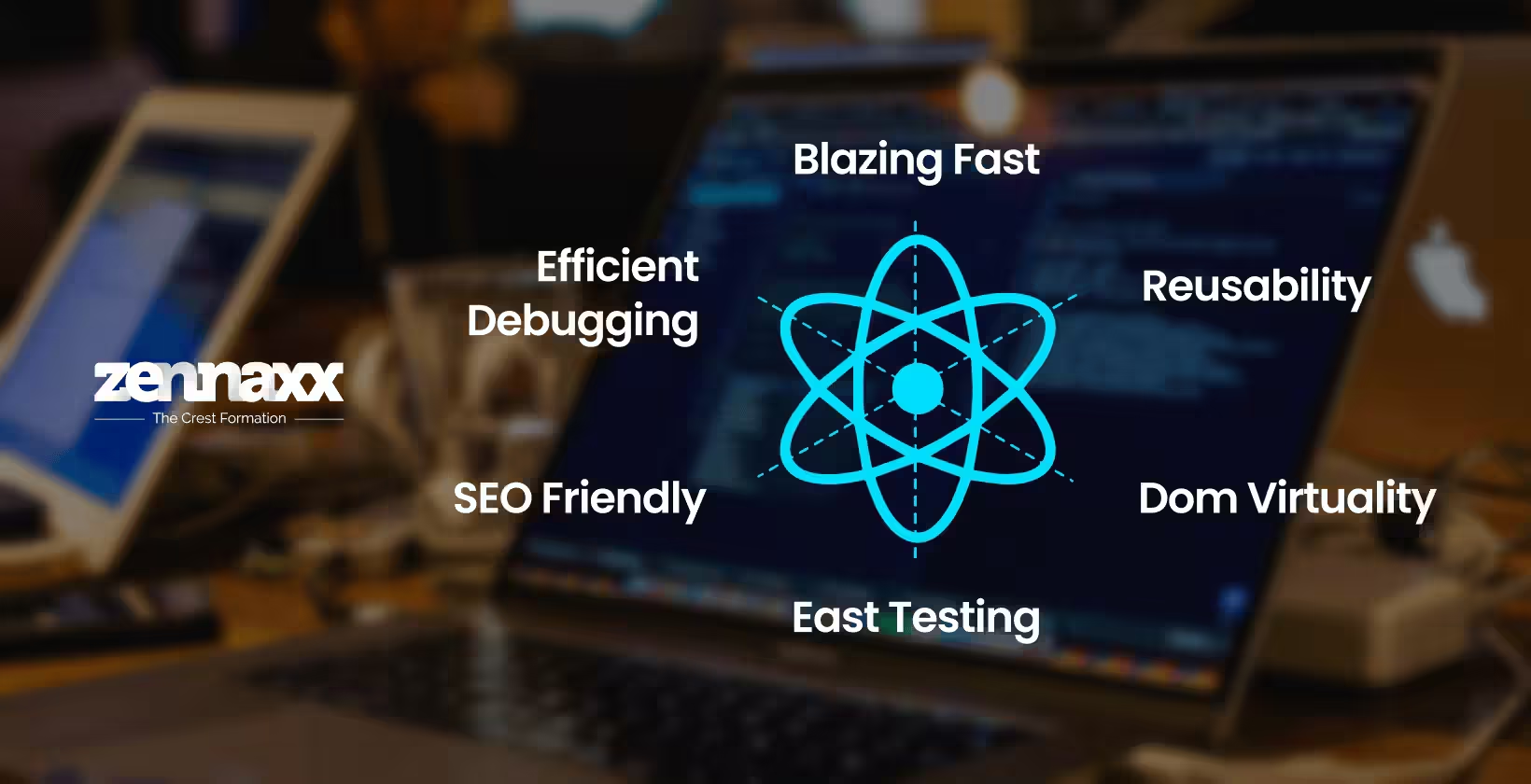
    Some of the reasons why React is a top choice for front-end development are:

    Component-Based Architecture & Reusability

    React separates the UI into separate, reusable components. You can compartmentalise logic and style per component. This makes duplication a lesser concern, testing easier, and development faster when you scale.

    Virtual DOM, Diffing & Reconciliation

    React maintains a light, in-memory representation of the DOM (the Virtual DOM). When the state or props change, React creates a brand new Virtual DOM tree and compares it to the old one (diffing) before rendering only those sections that mismatch (reconciliation). The expensive operation of manipulating the real DOM is thus minimized.

    Declarative Syntax: JSX, State & Props

    JSX allows you to specify how the UI should appear in each state. State stores data within components. Props transfer data downward from parents. Whenever state or props are changed, React re-renders impacted components. This simplifies UI logic to read and maintain.

    Unidirectional Data Flow

    Data flows from parent components to children. This predictable direction simplifies debugging. It avoids the propagation of surprises in child components back up, maintaining component interactions in a simpler form.

    Recent Improvements: Hooks, Concurrent Mode, Server Components, and Hydration

    Hooks enable function components to control state and side effects in a clean manner. React’s Concurrent Mode (in React 18+) enables React to prioritize critical updates and suspend less critical work. Server Components minimise client bundle size by rendering in parts on the server. Hydration adds interactivity to server-rendered markup.

    Community Strength & Learning Resources

    React has millions of users globally. Its GitHub repository reflects millions of downloads per week and numerous stars. There are lots of forums provided by the React community: React.dev, Stack Overflow, Reddit, and Discord channels. Tutorials, courses, and documentation are out there in abundance.

    Flexibility & Compatibility

    You get to choose what routing, styling, backend, or state tool to employ. React gets along fine with REST APIs, GraphQL, server frameworks, or micro-frontends. It plays nicely with other tech stacks and lets you customise architecture instead of adhering to a strict one.

    Use Cases of React

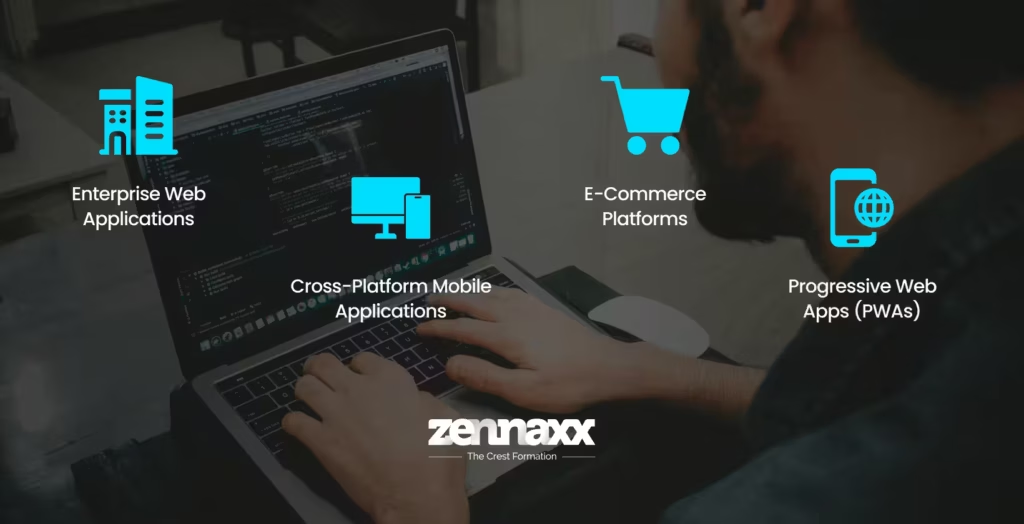
    Use Cases of React Some practical applications where developers use React are:

    • Enterprise Web Applications: React is the backbone for developing enterprise-level web applications. Companies like Netflix, PayPal, and Shopify use React to develop UI and serve users under heavy traffic. With its modular design and robust ecosystem, scaling is significantly easier within larger teams and across multiple product lines.
    • Cross-Platform Mobile Applications: React Native enables combining the functionalities of React and reusable code to build applications for iOS and Android simultaneously. The overall cost of creating applications is thus reduced. The time taken to deliver the project for both platforms is reduced as well.
    • E-Commerce Platforms: React works great for an e-commerce site. It can handle real-time updatable contents such as product filtering, cart updates, and checkout flows without any lagging downtime. Using frameworks such as Next.js, React can handle SEO-heavy cases such as product pages.
    • Progressive Web Apps (PWAs): React can be used for the development of PWAs that work offline, send push notifications, and look like native apps on mobile devices while being delivered through the web.

    Trade-offs, Challenges and Limitations of React

    React provides a high degree of flexibility combined with very high performance. However, there are some trade-offs. Understanding the trade-offs will help teams to find out if React JS Web Development Services is the right choice for front-end development.

    • Bundle Size & Initial Load: For large projects, shipping most of the React applications comes with heavy JavaScript bundles. This becomes a drag on first-page loads and can affect user experience. You can counter it with techniques like lazy loading, code splitting, and server-side rendering.
    • Learning Curve for Advanced Features: React basic concepts are easy to grasp, but advanced use takes expertise. They include concurrent rendering, server-side rendering, or hydration. This can make it harder for teams with mixed skills to use React.
    • Overkill for Small Apps: React is crazily overkill for small static sites or trivial applications. Svelte or even plain JavaScript can do things easily without React.

    Best Practices for the Right Use of React

    What follows are some measures to get the best from React:

    Use Functional Component and Hooks

    Preferably, use function components instead of class components. Use native hooks like useState, useEffect, useMemo, and useCallback to make state logic and side effects easier to manage. Hooks also allow you to avoid some of the general pitfalls related to class lifecycle methods.

    Implement Lazy Load, Code Split and Rendering Strategy

    Use lazy loading for anything not requiring it to be loaded during First Page Load. Use React.Lazy + Suspense or dynamic import for code splitting. Use SSR, SSG, or hybrid rendering when needed.

    Optimize State Architecture and Unnecessary Renders

    Store your state as close to the component using it as possible. In addition, memo, useMemo, and useCallback should be used to avoid child component re-renders when it’s not necessary. Avoid deep nesting or shared global states when possible.

    Follow Progressive Enhancement

    Design UI with basic elements first. Once you test that navigation and forms work on simple browsers and slow connections, go ahead and add advanced UI features one by one. This progressive enhancement ensures the reliability of the UI.

    Conclusion

    ReactJS Development Canada React is one of the best ecosystems for front-end development, which is why it has been popular among developers for more than a decade. As discussed in this blog, the components-based structure of direct DOM style, flexible project ecosystems, and a booming community accessing various support tools and libraries are some of the reasons behind its popularity.If you are planning to develop a scalable application with a Modern UI interface, React can be the best choice.Furthermore, if you are looking for the right partner for React JS Web Development Agency, Zennaxx Technology can be the best choice. We have delivered more than 700+ projects across multiple countries, and have an in-house team of 50+ people.

    FAQs

    Q1.Is React a framework?

    React is a JavaScript library, not a framework. The choice is totally up to you concerning routing, data-fetching, or app structure.

    Q2.Do you need Redux every time?

    No. Redux is not yet compulsory to use. Redux is needed when the state becomes complex or scattered. Otherwise, you can use React State, Context API, or simple hooks.

    Q3.Is React useful for large enterprise-scale applications?

    Yes. Many enterprises, like Netflix, Walmart, PayPal, Shopify, and the like, rely on React. It is scalable and flexible, but with increasing complexities in the application, adequate optimization and state management become important.

    Q4.How to optimize performance in React applications?

    Follow these tips:

      • Use lazy loading for heavy components
      • Load only what’s needed with code splitting
      • Use memoisation to avoid re-rendering
      • Pre-render on server using SSR and SSG
      • Keep state as close as possible to the component
  • Building Scalable Web Applications: A Complete Guide

    Building Scalable Web Applications: A Complete Guide

    When you launch a web application, initial traffic is usually manageable and small. However, as your business expands and reaches more customers, the load on your web application grows simply due to the fact that more individuals are accessing it. In such scenarios, you shouldn’t let your web application crash.

    The simple solution for this is to develop scalable applications. Whether it is 100 users or 100,000 users, scalable applications provide the same performance every time and smoothly.

    This blog gives you actionable information on how to build such scalable apps, how to overcome challenges that come up while building a scalable application, and how a development partner can help.

    Why Application Scalability Is A Must-Have for Businesses?

    Having a web application with a better UI is necessary, but what is more important is the scalability of your production environment. Scalability determines how good your application is as traffic grows and can be a key factor in your application’s future success.

    The following are some of the reasons why web apps in 2025 need to be scalable:

    Handle growth without any hindrance

    As your business grows, more and more people use your app, and with an increasing user base, the volume of data increases proportionally. Non-scalable applications lag, crash, or halt in between. You can add more users without rewriting the code again and again, all thanks to scalable architecture techniques.

    Deliver an Exceptional Customer Experience

    CX is the center of web apps. Users have extremely short attention spans, and they don’t waste time in apps that don’t respond quickly. Your competitors are waiting out there to entice your customers. If your app is not fast enough or stable, your customers will jump to the next app. Scalability ensures your app remains fast and responsive, even during a high amount of internet traffic.

    Stay Agile and Adapt to Change

    The market is always shifting, hence new competitors can emerge in a blink, and a totally new competition can be a reason for your great loss. Imagine having a non-scalable application that cannot adapt to the market changes, and your application will be thrown out of the competition in a matter of time. Scalable apps do not come with system constraints. So, you can easily introduce a new module or expand to new markets without altering everything from top to bottom.

    Boost Cost Efficiency

    You can see that when an application is built with scalable features, it can dynamically adjust resources like infrastructure, servers, etc., according to user demands. Overall, it significantly benefits your application to use optimal resources and enhances profit margins.

    How to Build a Scalable Web Application?

    How to Build a Scalable Web Application Understanding why scalability matters is only the first step. The real question is, how do you design an application that can actually scale?

    Structuring Your Code for Growth

    The codebase is the foundation for your scalable application. It must be flexible and easy to debug.

    Consider the factors below to structure the code:

    • Design Your Code in individual components: Split functionality into modules or microservices so that you can achieve a modular design for your application build. You must follow the principle that each service you provide in the application must focus on one task. Therefore, you can deploy or scale it independently. For example, you can take all kinds of payments or authentication techniques as individual services.
    • Avoid code duplication: Remember the DRY (Don’t Repeat Yourself) principle and create shared libraries or utility functions. A clean codebase with well-defined modules makes parts of code reusable. It helps you update fast without introducing new errors.
    • Better Version Control:Maintaining proper versions allows you to roll back if some feature isn’t working. You can use Git or similar systems to track and manage changes in the codebase.
    • Enforce Consistent Code Style: These are the techniques that can especially help you in creating style guides and code writing in proper format, which enables a similar code structure among the whole team. It greatly reduces bugs in large projects.

    Optimizing Databases for Scale

    A strong backend is necessary, but it’s useless if you don’t keep up with the database requirements. Therefore, you need to:

    • Choose the Right Database: For every project, the database needs vary. To store structured data, you can use MySQL or PostgreSQL relational databases. But let’s say if you have unstructured data, you must use NoSQL databases like MongoDB, Cassandra, or DynamoDB. You can also follow a hybrid setup where you combine SQL and NoSQL (polyglot persistence).
    • Use Indexing and Smart Queries: Proper indexing lowers query times considerably. Often, expensive joins, nested subqueries, or poor indexing can slow down an entire application.
    • Bring Horizontal Scaling:For relational, you must offer read replicas to aid reporting and queries. For NoSQL, you can use sharding to distribute data across different servers for load balancing.
    • Implement Caching: You can implement caching layers (Redis, Memcached) to keep frequently used results in memory. This speeds up responses.
    • Use Connection Pooling: Manage database connections with pooling tools. This avoids resource depletion in spikes.
    • Have a Backup and Recovery Plan: Implement automated backup processes with defined RTO and RPO. This is a must-have for scalable environments.

    Scaling the Backend and APIs

    The backend is where business logic runs, database querying occurs, and user requests are served. The APIs are the entry points for the frontend or other services to talk to the backend. This communication channel must be able to accommodate a larger number of requests.

    • Create Stateless APIs: A good practice is to keep the APIs stateless on the server side. The state is carried with each request, thus making horizontal scaling simpler.
    • Use Load Balancers: Requests coming in can be distributed amongst multiple servers for an equal spread via load balancers. This will prevent servers from getting overloaded and will help in fault tolerance.
    • Add Rate Limiting:You can also limit the number of incoming requests from a particular user or client to avoid API misuse or accidental overload.
    • Go Serverless: Practice AWS Lambda, Azure Functions, or Google Cloud Functions, which can trigger workloads based on their different events.
    • Process Asynchronously: Carry out lengthy operations in the background with the help of several task queues (RabbitMQ, Kafka, SQS). This ensures there are no blocked API calls.
    • Use multiple API Gateways: Employ gateways (Kong, AWS API Gateway, Apigee) to manage authentication, rate limit, log, and route traffic.

    CI/CD for Continuous Delivery

    When you want to scale, you don’t want the existing working application to be affected. For iterative development, new features are added while production is ongoing for developed and tested features. This is where CI/CD pipelines deliver value.

    • Automate Your Testing: What you can do here is encapsulate complete code with unit, integration, and end-to-end tests for automated testing and bug finding before production.
    • CI/CD Tools: You can take help of various CI/CD platforms like Travis CI, GitHub Actions, Jenkins, or GitLab CI/CD. Using these, you can automate builds, tests, and deployments.
    • Perform Deployment on a Rolling Basis:For new updates, roll them out in batches. In case you wonder how the update fails, you can easily roll back to the previous running model without destroying the whole production.
    • Try Blue-Green Deployments: Having two environments running at the same time can help you a lot in deploying, where one is active, and one is a standby.

    Frontend Performance at Scale

    Consider the following strategies to make the application frontend scalable:

    • Break Down Your Code: It is a process of breaking down code into independent modules.
    • Lazy Load Images and Assets: Load all below-the-fold images and other non-prioritized assets only when the user wants to see them or scrolls.
    • Compress Your Big Files:Compress CSS, JavaScript, and HTML files using Gzip or Brotli. A lesser weight always gives a faster loading time.
    • Leverage a Content Delivery Network (CDN): Keep static assets on edge servers near users. The purpose of CDN is to minimize latency and burst traffic throttle.
    • Optimize Images: Use modern formats (WebP, AVIF) and responsive images. Tailor images to display according to device type.
    • Preload and Prefetch: Load essential resources ahead of time and prefetch likely next pages in advance for “waitless” experiences.

    Security at Scale

    Growing apps with new features introduce new security risks. There could be new entry points or new security vulnerabilities. Finding these and establishing tight security can make your application more secure.

    • Encrypt All Traffic (HTTPS): The first step to security starts with encryption. Encrypt all traffic to avoid eavesdropping.
    • Use Secure Authentication: Implement JWT or OAuth2 for stateless secure authentication.
    • Store Credentials Safely:Store credentials, API keys, and secrets in environment variables or secret managers.
    • Conduct Regular Audits: Do vulnerability scanning and penetration testing using tools like OWASP ZAP or Burp Suite.
    • Limit Access: Apply least privilege for databases, APIs, and internal services. Limit access to only what is required.

    Monitoring and Logging

    You can’t scale apps blindly. Logging and monitoring can keep track of your every step, allowing you to note where mistakes occur and resolve those errors before users experience them.

    • Application Performance Monitoring (APM): There are several platforms, like Datadog, New Relic, or AppDynamics, which can give you real-time insights into application well-being.
    • Centralize Your Logs: Have a more professional environment by collecting microservices logs with the help of ELK Stack, Logstash, or AWS CloudWatch.
    • Track Your Errors:Employ Sentry, Rollbar, or Honeybadger to track crashes and exceptions in real-time.
    • Monitor Your Infrastructure: It’s always good to monitor CPU, memory, disk, and network usage with Prometheus, Grafana, or cloud-native tools.
    • Synthetic Monitoring: You can pre-test your whole deployment environment and all kinds of user experience with the tool, like Pingdom, so that you can know if anything goes wrong.

    Challenges in Developing Scalable Web Applications

    Now that you know how to develop scalable web applications, let’s look at what makes it difficult for businesses to develop such apps:

    • Dealing with Monoliths: Scalable apps have an interconnected monolithic design. So, scaling one feature may force you to make changes in several modules. This can make updates slower and riskier.
    • Overcoming Data bottlenecks: Database queries, writes, and joins slow down when traffic or data volume goes up. Databases with poor indexing or schema design can make this even more of an issue. Without a proper plan, the data layer may become a weak link.
    • Handling Third-party dependencies:Payment gateways, APIs, and analytics tools can introduce new points of failure when you add new features that challenge compatibility. It may cause application crashes.
    • Managing Operational Complexity: Scaling sometimes involves expanding the entire infrastructure. This means more servers, more pipelines, and more services, which can become error-prone. CI/CD pipelines and infrastructure as code automation can help minimize this challenge.
    • Prevent Cost Overruns: Scaling is expensive. As you invest more in resources, take additional care to ensure optimal resource utilization.

    Why Zennaxx Is the Right Partner for Building Scalable Applications

    Why Zennaxx Is the Right Partner for Building Scalable Applications Building a scalable and super high-performance application can be a dream of every owner, which ultimately attracts a large user base and investors. But how do you do it? It’s all possible with Zennaxx. We can help you build custom solutions across diverse sectors like healthcare, e-commerce, finance, etc.

    What sets us apart is our deep expertise with hands-on real-life problem-tackling ability and expertise on a wide range of technologies and cloud platforms; that’s all you need. Whether you need a cross-platform mobile app built with Flutter or React Native, or a robust backend using Node.js, or any flexible cloud architecture on AWS, Azure, or Google Cloud, our team has the nerve to deal with it all.

    Ultimately, our goal is simple: to help you achieve your best ideas in a successful deployment production. We understand how important it is to give your users the best experience possible with seamless performance and a loyalty that binds us all together.

    If you are ready to build an application and transform your vision into a powerful, high-performance standalone application, get in touch with us today.

    FAQs

    Q1.Why is modularity important for scaling?

    Modularity allows you to split your app into independent components. For example, user logins or payments can be separate modules. So, you can work on building one module without affecting other parts of the code.

    Q2.What is the best database for a scalable app?

    The choice of database depends on your project. Look at what type of data is mostly used in the app. When it’s structured data, MySQL or Postgres makes more sense. On the other hand, for unstructured data, choose MongoDB or NoSQL.

    Q3.How do I ensure that my app doesn’t crash during traffic spikes?

    When you expect more traffic, use load balancers to distribute the traffic. Auto-scaling tools like AWS Lambda serve this purpose. For ex ample, during a viral campaign, you can set these up to handle more incoming traffic.

    Q4.Why is CI/CD important for scaling?

    CI/CD is mainly useful for automated deployments. Developers can keep pushing new features without breaking the app with a properly implemented CI/CD pipeline. GitHub Actions can streamline this.

  • How to Choose the Right Mobile App Development Partner for Your Business

    How to Choose the Right Mobile App Development Partner for Your Business

    Mobile app development is no longer just digital add-ons. For many startups, they’re the main product or the primary way to reach customers. From food delivery to healthcare to finance, mobile is where user attention lives.

    Furthermore, numbers don’t lie. The global mobile application market is set to hit $330.61 billion in 2025 and is set to grow at 14.33% till 2034. As users demand mobile-first experiences, this explosive growth is expected.

    mobile-application-market-size

    Considering this demand, founders need to launch a mobile application, and that is when they start looking for a development partner.

    Many startups run into problems here. We’ve seen founders choose development partners who looked impressive in the beginning. However, as the project proceeds, deadlines are not met, costs begin ramping up, and the end product deviates from expectations. There have been cases where launch is postponed for months, resulting in lost momentum and immense frustration.

    We have written this guide to keep you away from all these blunders. Let’s take a look at the major tips that will help you select a Mobile App Development Services in Canada, you can actually rely on.

    Tips to Find the Right Mobile App Development Partner for Your Startup

    Identifying the right partner for app development is not just about surfing sites and reading reviews. It requires understanding the requirement and what is more important for your product.

    Being clear about what you want avoids expensive surprises in the future.

    Define What You Need Before You Look

    Before reaching out to any app development company, get your basics in place. This avoids confusion, saves time, and helps you find the right technical match.

    First, write down:

    • The clear problem your app will address
    • Who your users will be and what devices they will operate
    • What are the minimum essential features for this initial release

    Then choose:

    • Platform: Android, iOS, or both
    • Type: Native or cross-platform (e.g., Flutter, React Native App Development)
    • Timeline and approximate budget range

    NOTE: If you don’t have any technical expertise, to choose a platform or application type, you can seek help from a consulting agency.

    Think about the backend too:

    • Will you be using Firebase, Node.js, Django, or something else?
    • Any third-party APIs or payment systems you intend to include?
    • Do you require an admin dashboard or analytics setup?

    Put it all together into one page brief, and it’s useful in asking better questions about how a vendor understands your needs.

    Start with a Strong Shortlist

    You will likely find potential app development partners through referrals, LinkedIn, Twitter, tech conferences, and even Reddit. But before talking to them, do not forget to do some homework to understand their credibility.

    Start with a Strong Shortlist

    Hence, this is what you look for before shortlisting any team:

    • Read delivery reviews and not outcome reviews: A pretty end product is worth nothing when the team spent 6 months longer than planned. Look for reviews based on communication, transparency, and how they met with roadblocks.
    • Search them on reputable sites: Even if you found them somewhere else, browse their reviews on Clutch or Upwork. Check for stable ratings, authentic feedback, and recent works.
    • Do not shortlist based on design only: A beautiful-looking app that’s unstable or crashes frequently will prove more costly in the long run.

    So, create a shortlist of 3 to 5 potential partners capable of fulfilling technical as well as business requirements. Look beyond how the app is pleasing to the eyes. A mobile app that’s easy to use with a simple interface is much better than an unreliable app that looks pretty.

    Review Their Process and Technical Skills

    You may be impressed with the portfolio of a development partner. Having a great portfolio is just the beginning. You need a team with proven technical depth and a clear methodology to build something that stands the test of time.

    Ask them about their practice in an average development process. A good team would guide you through feature planning, sprint management, and testing procedures.

    Watch out for:

    • How do they react to app crashes or performance bugs?
    • What project management and communication system are they using?
    • How often do they share either progress or demos?
    • Are they using Git, CI/CD, and good version control practices?

    Do not hesitate to ask how they will do testing of apps. A bare minimum QA checklist won’t cut it. Probe into device test coverage, performance evaluations, and security-related testing.

    More importantly, ask if they have worked on applications that have scaled or handled live traffic. This matters a lot more than simply having built a couple of screens. The right team builds with structure, not with hacks. You need an app that seamlessly handles multiple user requests.

    Discuss Costs Upfront

    Cost is one of the main concerns for most start-ups that are strapped for funding. But, instead of just asking, “How much will it all cost?”, ask some in-depth questions to uncover the true cost of mobile app development.

    What you want to ask:

    • What is their pricing model: fixed, hourly, or monthly?
    • What is included in the estimate, such as design, back-end, and testing?
    • How do they handle the scope change or additional features?

    Be clear with your budget range. A transparent team will tell you what can be done within your budget, rather than pushing instant upgrades.

    Also, do ask if there is any discovery or planning phase. This is usually a small paid phase that helps outline the project and avoid surprises further down the road.

    Walk away from teams that offer vague ballpark figures without establishing your requirements. It is always a good sign when a detailed estimate includes timelines and deliverables.

    Review Their Communication and Cooperation

    A technically strong team isn’t enough if communication is weak. Most delays and misunderstandings begin with vague updates or missed follow-through.

    Before selecting a partner, pose these questions:

    • Who will be your primary contact person?
    • How frequently will you receive updates, e.g., daily or weekly?
    • What tools do they use for tracking projects (e.g., Trello, Jira, Notion)?

    Also, pay attention to their responsiveness during the initial conversations. Teams that are late to respond or vague in answering questions during the pitch will follow the same patterns once work begins. Choose clarity over attractive promises.

    Ask About Post-Launch Support

    When the app is live, that’s when the real action begins. Crashes, OS updates, and feature requests demand attention. There should be a team to support you post-launch.Key things to ask:

    • Do they have a support/maintenance plan?
    • How will they address critical bugs or crashes?
    • Will they assist with performance monitoring, analytics, and app store updates?

    A real partner will not disappear after the build is handed over. Know for sure how they are going to support you for the first 3 to 6 months after launch; this is just as important as what happens during the development phase.

    Final Scope, Price Review, and Agreements

    If it looks good, from portfolio to communication, process, and pricing, do not go into the development yet. This is the time to take a deep breath and go through the details one last time.

    Things to check before signing:

    • Final scope of work: What does it cover? Does it include some edge cases or third-party integrations?
    • Deliverables and timeline: What are the success measures? Are there any milestone demos?
    • Pricing structure: Will it be flexible or fixed? What happens if a scope change is needed halfway through the project?
    • Intellectual property and ownership: Who owns the code, designs, and content? Has it been specifically indicated in the contract?
    • Support conditions: Do bug fixes or updates after launch count? If not, what is the hourly rate?

    Get everything in writing and signed, rather than just talking over the call. Many problems startups encounter down the line stem from unclear contracts or overlooked terms.

    Mistakes to Avoid While Looking for the Perfect Mobile App Development Partner

    Here are some common mistakes to avoid when you find a mobile app development partner:

    Mistakes to Avoid While Looking for the Perfect Mobile App Development Partner

    Selecting Based on Price

    Based on our experience, those startups that select the lowest price quote tend to end up paying more in the future. Low-cost teams will probably cut corners on testing, push delivery timelines, or deliver broken builds. You don’t want the most expensive team, but you want one that’s transparent on cost and value.

    Failing to Check Past Work or Reviews

    A good-looking mobile app doesn’t equate to an excellent mobile experience. Always review Clutch, Upwork, or Google reviews and look at what previous clients have to say. Look for positive feedback regarding timelines, communication, and problem-solving, more than the app design.

    Avoiding Scope and Feature Clarification

    Startups tend to dive into development without having a clear feature list. This leads to scope creep, budget wars, and unfinished apps. A good partner will assist you in determining what’s required before they write any code.

    Poor Communication Checks

    We’ve seen projects stall simply because the founder and the dev team weren’t aligned. Ask how updates will be shared, who you’ll speak with, and how quickly they respond to changes or blockers. Don’t ignore early signs of poor collaboration.

    No Agreement on Post-Launch Support

    Some companies bail out immediately after delivery. Always ask what happens post-launch: will they repair bugs, maintain OS updates, or service app store problems? Otherwise, you might have to hire a second team simply to keep the app alive.

    Hurrying into a Full Contract Before Testing the Fit

    You don’t need to sign a six-month contract immediately. Begin with a paid pilot or a sprint. It’s safer to experiment with how the team functions without fully committing. When you and the dev team align, you can go ahead and solidify that contract with ongoing support.

    Closing Thoughts

    Securing the correct app development partner requires preparation. We’ve given you practical details on how to prepare, what to inspect, and what to steer clear of.

    You now have a proper pathway, from creating your app brief to shortlisting, assessing, and testing the Mobile App Development Software team before committing.

    Got more questions about your app concept or need a second look at a quotation you have been given? Zennaxx develops mobile applications for startups across industries. We have globally distributed staff who adapt to your timezone. Whether you’re just launching or preparing to scale, we can assist in creating user-centric mobile apps.

    Let’s turn your idea into an app that delivers results.

  • React vs Angular vs Vue: Core Differences And Which Framework Should You Choose in 2025?

    React vs Angular vs Vue: Core Differences And Which Framework Should You Choose in 2025?

    Frontend development has changed quickly over the past few years, yet the question of which framework to choose is still on every developer’s table. React, Angular, and Vue remain the most talked-about options, each shaping projects in its own way.

    React is often seen in startups and tech-driven companies that prefer flexibility. Angular tends to appear in larger organizations where structure and discipline matter more. Vue appeals to teams that want something simple to start with but capable of handling growth.

    Wanna learn more? The choice is rarely simple. What feels right for a small product team may not fit a long-term enterprise application. Context matters more than popularity.In this article, we will walk through each framework, explain its strengths and drawbacks, compare them across practical factors, and outline how to make a confident decision for your 2025 projects.

    TL;DR: Quick Snapshot of React, Angular, and Vue

    The table below sums up the main use cases and moments where each option makes sense. It is not a final verdict, but it gives you a direction before diving into details in the sections ahead.

    Framework Where It Works Well Where It Makes Sense
    React SaaS platforms, interactive dashboards, mobile apps (React Native) Choose React if you need freedom to pick tools, wide library support, and easy hiring.
    Angular Enterprise software, government portals, large internal systems Choose Angular if your priority is structure, long-term stability, and built-in solutions.
    Vue Content-driven sites, small to mid-sized projects, rapid prototypes Choose Vue if you want a smooth learning path and an option that grows with your project.

    What is React?

    React is an open-source JavaScript library for building the frontend. It was developed at Facebook (Currently Meta) and is now maintained by the community of developers.

    what is react Source: Codingdojo React breaks down complex interfaces into manageable, independent pieces. The virtual DOM sets React apart by optimizing rendering performance. It calculates efficient updates rather than manipulating the actual DOM directly, resulting in faster applications.React’s declarative programming model allows developers to describe desired outcomes instead of step-by-step instructions. This approach creates more predictable, maintainable code that scales effectively.

    Key features of React

    key features of react

    Source: Freecodecamp

    • Component model: UIs are composed from reusable components. Each component owns its view and local state, so code can be isolated, tested, and swapped without ripple effects.
    • Hooks API: Functions like useState and useEffect allow state and side effects to be managed inside functional components without extra boilerplate.
    • JSX: It allows developers to write code for UI directly within JavaScript using HTML-like syntax, which improves readability and keeps structure and logic together.
    • Virtual DOM and reconciliation: React computes a diff against the previous tree and updates only changed nodes.
    • TypeScript support: Typed props, state, and JSX allow for safer refactoring and clearer component contracts.
    • Server rendering and static output: Next.js or Remix adds SSR and SSG for faster first paint and better SEO when required.
    • Developer tools: React DevTools expose the component tree, current props and state, and render timings directly in the browser.
    • Performance patterns: React.memo, useMemo, useCallback, and Suspense help avoid extra renders and coordinate async UI.
    • Cross-platform support: With React Native, teams can reuse patterns and some business logic across web, iOS, and Android.

    When to use React?

    • To develop SaaS dashboards and admin tools that stream live data and require frequent UI updates.
    • To develop B2C web apps such as marketplaces, booking systems, or media sites that need fast UI changes and a rich component library.
    • To build SEO-sensitive sites that still need rich interactivity.
    • To support both web and mobile in one roadmap by sharing design, business logic, and patterns with React Native.

    What is Angular?

    Angular is an open-source frontend framework maintained by Google and the community. It uses TypeScript by default and includes routing, forms, dependency injection, and a reliable CLI, so teams can start with a complete toolkit.

    What is Angular

    Source: programmers.io

    Angular supports server-side rendering through Angular Universal and works well with Ionic or Capacitor for mobile. It is often selected for long-lived projects that need clear structure, strict typing, and consistent patterns across teams.

    Key features of Angular

    • TypeScript first: Strong typing, interfaces, and generics help prevent runtime bugs and improve refactoring.
    • Dependency Injection: Services are given and injected in a way that is easy to understand, which makes business logic testable and modular.
    • Signals and RxJS: Fine-grained updates and reactive streams let you handle changes in complex UIs and data flows with precision.
    • Angular CLI and schematics: Standardized project scaffolding, generators, and upgrades cut down on setup time and drift.
    • Forms built in: Template-driven and reactive forms come with built-in support for validation, async rules, and complex form states.
    • Router with lazy loading: The router supports guards, resolvers, and feature-level code splitting that helps keep initial bundles small.
    • AOT compilation and tree shaking: Templates are compiled ahead of time, which speeds up startup and finds template errors early.

    When to choose Angular?

    • To build enterprise portals that involve multiple teams, strict coding standards, and long maintenance cycles.
    • To enforce a consistent architecture where modules, services, and components follow the same patterns across the codebase.
    • To support regulated domains that require strong typing, predictable dependency graphs, and reliable testing practices.
    • To run a monorepo with shared libraries, where the CLI and ecosystem work smoothly with tools like Nx.

    What is Vue?

    Vue is an open-source frontend framework created by Evan You and supported by a large community. It uses a component model built around Single File Components, where template, script, and styles live in one file. Teams can begin with a small widget and grow it into a full application without changing the core approach.

    What is Vue

    Source: atipik

    Vue supports both the Options API and the Composition API. Templates use directives like v-if, v-for, and v-model, while reactivity is handled with ref, reactive, and computed values. For server rendering and hybrid delivery, Nuxt 3 is commonly used.

    Key features of Angular

    • Single File Components (SFCs): “*.vue” files bundle template, script, and style. With <script setup>, component logic stays concise and clear.
    • Reactivity system: Dependency tracking is proxy-based, so only affected parts of the DOM are updated when state changes.
    • Composition API and composables: Reusable functions package data, effects, and lifecycle logic, which keeps shared behavior tidy across components.
    • Vue Router: Nested routes, dynamic parameters, navigation guards, and lazy loading support predictable and scalable navigation.
    • State management with Pinia: A lightweight, type-friendly store replaces Vuex and fits well with the Composition API.
    • Transitions: <transition> and <transition-group> provide clean enter and leave animations with CSS or JavaScript hooks.
    • Tooling and TypeScript: Vite powers fast builds, Volar adds TypeScript and template type checking, and Vue Devtools aid inspection and debugging.
    • Server rendering with Nuxt: Nuxt 3 offers SSR, SSG, and hybrid rendering through Nitro, plus file-based routing and helpers like useAsyncData.

    When to choose Vue?

    • To build content-focused sites and docs portals that benefit from SSR and fast page loads with Nuxt.
    • To develop admin dashboards and line of business tools where SFCs and composables keep code organized.
    • To modernize legacy pages by adding components gradually without a full rewrite.
    • To enable small or full-stack teams to be productive with a short learning curve and clear patterns.

    Head-to-Head Comparison of React, Angular, and Vue Across Real-World Factors

    Factor React Angular Vue
    Core Philosophy A library for building UI. Apps are composed of components, and teams choose their own stack. A full framework with strong opinions on structure, dependency injection, and modules. Most features are included by default. A progressive framework. Projects can start small and scale with Single File Components and composables.
    Learning Curve Easy to start, but deeper patterns take time due to many available choices. Steep at first, but clear rules help large teams once mastered. Gentle learning curve. Core concepts remain consistent as applications grow.
    TypeScript Strong type definitions and JSX typing. Community tooling is mature. Built-in TypeScript support with decorators, services, and strict typing. Excellent TypeScript support with Volar and <script setup>. Types are practical without heavy setup.
    State Management Context, Redux Toolkit, Zustand, Jotai, and TanStack Query for server state. Signals, RxJS for reactive streams, and NgRx for global state. Reactive system with Pinia for stores and composables for shared logic.
    Routing React Router and file-based routing in Next.js or Remix. Angular Router with guards, resolvers, and lazy loading. Vue Router with nested routes, dynamic parameters, and lazy loading.
    Forms React Hook Form with Zod or Yup for validation. Highly flexible. Template-driven and Reactive Forms are built in with validators. Vuelidate or vee-validate, both compatible with the Composition API.
    SSR & SSG Next.js or Remix enable SSR, SSG, and server actions. Angular Universal provides SSR. Analog.js is an option for file-based routing. Nuxt 3 provides SSR, SSG, and hybrid rendering with Nitro.
    Performance & Rendering Virtual DOM with memoization, Suspense, and selective re-renders. AOT compilation, change detection with Signals, and lazy feature modules. Fine-grained reactivity, fast Vite builds, and a lightweight runtime.
    Testing Jest or Vitest for unit tests, React Testing Library, Playwright or Cypress for E2E. TestBed, component harnesses, Jasmine or Jest, and Cypress or Playwright for E2E. Vitest and Vue Test Utils for unit tests, Cypress or Playwright for E2E.
    Tooling & CLI Vite or Next.js CLIs, ESLint, Prettier, and broad IDE support. Angular CLI with schematics, generators, and ng update for upgrades. Vite is the default. Vue CLI is supported for legacy projects with strong IDE plugins.
    Mobile & Desktop React Native for mobile, Electron or Tauri for desktop apps. Ionic or Capacitor for mobile, Electron for desktop apps. Ionic or Capacitor for mobile, Electron or Tauri for desktop apps.
    Best Fit Projects SaaS platforms, dashboards, B2C applications, and SEO-focused interactive websites. Enterprise portals, complex back-office tools, and regulated industries requiring strict architecture. Content-heavy websites, admin tools, legacy app modernization, and small-to-medium projects.

    Closing Thoughts: Picking the Right Framework for Long-Term Success

    • There’s no perfect frontend framework. The best choice depends on the kind of project you’re building and who’s building it.
    • React works well when your team wants flexibility and plans to shape the architecture with handpicked tools. It doesn’t include routing, state management, or form handling by default. You’ll need to bring in libraries for those, which gives you flexibility but also adds setup work.
    • Angular is better suited for large, structured projects. It includes most things you need from the start and helps teams stay consistent.
    • Vue is ideal when you want something simple to begin with, but still capable of scaling. It keeps the learning curve low and the setup fast.
    • Choose the right framework based on your team’s strengths and the project’s real demands, but not trends.

    Wanna explore more:

    FAQs

    Q1.Which framework suits enterprise projects best?

    Angular is often best for enterprise because it provides structure, DI, strong typing, and predictable releases.

    Q2.Which framework has the largest hiring pool?

    React has the largest talent pool, so hiring and contracting are usually faster across regions.

    Q3.Can Vue handle large-scale applications?

    Vue can scale with Nuxt and Pinia, provided teams enforce modules, testing, and shared conventions.

    Q4.Which option is easiest for beginners?

    Vue is easiest for newcomers because templates are simple, documentation is clear, and adoption can be gradual.

    Q5.How does React handle SEO requirements?

    React meets SEO needs when paired with Next.js for server rendering, static output, and routing.

    Q6.Which framework is best for mobile app development?

    React is strong for mobile since React Native reuses skills and some logic across platforms.

    Q7.Does Angular require TypeScript?

    Yes. Angular uses TypeScript by default, providing types, decorators, tooling, and stricter compile-time checks across applications.

  • 9 Best Mobile App Development Languages in 2025

    9 Best Mobile App Development Languages in 2025

    The best mobile app development languages are Kotlin, Swift, Java, Dart, JavaScript, Objective-C, C#, C++, and Python. Mobile app development languages power native Android, native iOS, and cross-platform ecosystems, which enables developers to build fast and interactive mobile applications. A mobile app development programming language is a specialized language used to develop mobile applications that run on smartphones, tablets, and other mobile devices. Mobile app development language defines how mobile apps interact with device hardware, render user interfaces, and handle data across platforms.

    Java was the first adopted programming language for mobile apps, which power early Android development and laying the foundation for today’s mobile SDKs. Kotlin and Swift are now the most preferred languages for native mobile development and are officially supported by Google and Apple for Android and iOS, respectively. Dart has rapidly emerged as a dominant cross-platform language, with Flutter now used in over 46% of hybrid mobile apps worldwide, according to Statista developer surveys. Python, while not native, has carved out a role in mobile for backend integration and fast prototyping using tools such as Kivy and BeeWare.

    Listed below are the overall 9 best mobile app development languages to consider in 2025.
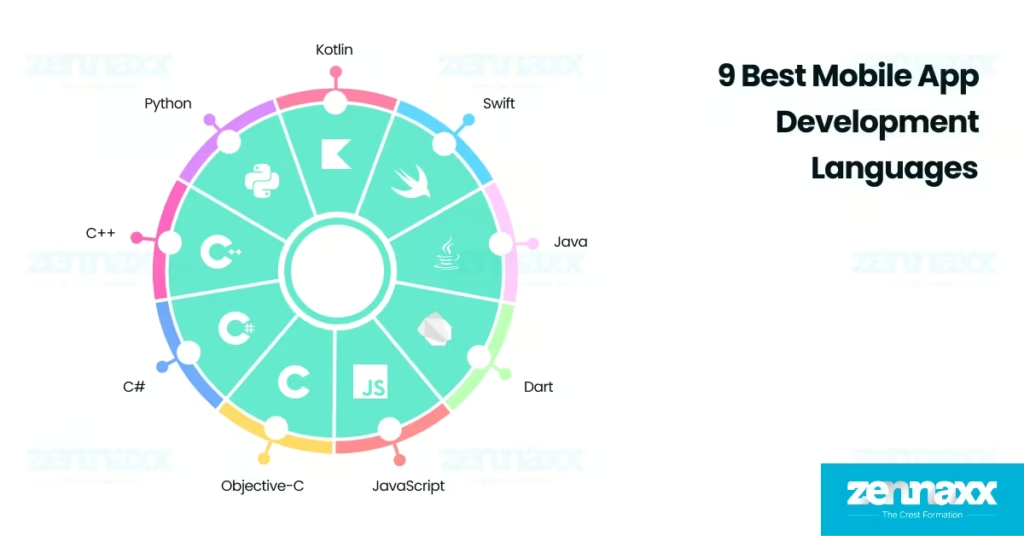
    9 Best Mobile App Development Languages

    • Kotlin: Kotlin is the official Android development language backed by Google, which offers null safety, concise syntax, and full Java interoperability.
    • Swift: Swift is Apple’s preferred language for iOS, iPadOS, and watchOS development, which delivers unmatched performance, safety, and tight integration with the Apple ecosystem.
    • Java: Java continues to dominate enterprise-grade Android applications due to its rock-solid virtual machine, vast ecosystem, and compatibility with legacy code in large-scale deployments.
    • Dart: Java powers Flutter-based apps with a single codebase across Android, iOS, web, and desktop to offer native-like performance and a fast-growing developer community focused on UI innovation.
    • JavaScript: JavaScript enables high-performance cross-platform mobile apps through frameworks such as React Native and Capacitor.
    • Objective-C: Objective-C strongly supports legacy iOS applications and integrates smoothly with Swift, which makes it essential for maintaining older Apple codebases still active in production.
    • C#: C# powers mobile applications through the Xamarin and .NET MAUI frameworks to allow developers to share business logic across iOS, Android, and Windows using Microsoft’s modern toolchain.
    • C++: C++ is used in mobile game engines and performance-critical modules to enable powerful, low-level control for rendering, sensor handling, and audio processing across both Android and iOS.
    • Python: Python supports rapid backend development and mobile prototyping with frameworks such as Kivy and BeeWare, often serving startups and internal tools that need quick deployment and flexible logic.

    Kotlin

    Kotlin is a modern, statically typed mobile app development programming language developed by JetBrains, designed to run on the Java Virtual Machine (JVM). Kotlin is fully interoperable with Java and emphasizes clear syntax, null safety, and expressive code structure, which makes it highly readable and reliable for mobile app development. Kotlin is officially supported by Google as the preferred language for Android development and allows developers to write less boilerplate code while building highly efficient native Android applications. Kotlin smoothly integrates with Android Studio and supports major mobile SDKs, libraries, and architecture components.

    Kotlin is used by over 60% of professional Android developers as of 2025, according to the latest Stack Overflow Developer Survey. GitHub reports show over 6 million Kotlin repositories, and the language ranks consistently in the top 20 most-used languages worldwide. The Kotlin developer community has grown rapidly, with over 500,000 active developers contributing to libraries, sharing open-source projects, and engaging in events such as KotlinConf.

    Kotlin’s future in mobile app development is secure because it is the default language for Android and backed directly by Google across all new tools, libraries, and UI frameworks. The dual-platform capability ensures Kotlin will not only dominate Android but gain traction in cross-platform enterprise apps where consistency and performance are critical.

    Swift

    Swift is a powerful, statically typed mobile app development programming language created by Apple in 2014 to replace Objective-C for building mobile applications. Swift offers modern features such as type inference, memory safety, and fast compilation, which improve both developer productivity and app performance. Swift is the official language for native iOS, iPadOS, macOS, watchOS, and tvOS development, and it integrates tightly with Apple’s frameworks such as SwiftUI and Combine.

    Swift is used by over 63% of iOS developers globally as of 2025, according to the Stack Overflow Developer Survey. GitHub hosts over 5.4 million Swift repositories, and the language consistently ranks among the top 10 most-loved languages in annual developer polls. The Swift community includes more than 450,000 active contributors, with regular updates from Apple and active participation in open-source projects such as Swift.org.

    Swift’s future in mobile app development is strong because Apple uses it as the main language for building all new iOS, iPadOS, and watchOS apps. Apple’s tools such as Xcode, SwiftUI, and Combine are fully designed around Swift that makes it the only language supported for modern feature development.

    Java

    Java is a mature, object-oriented programming language developed by Sun Microsystems and used in both enterprise systems and Android app development. Java served as the official Android language for over a decade and continues to power a large portion of legacy and enterprise-grade mobile applications. Java integrates directly with Android SDKs and libraries to allow developers to build, test, and maintain robust apps.

    Over 45% of Android developers still rely on Java in 2025, especially in large organizations and long-term codebases. Java has over 9 million repositories on GitHub and ranks among the top 5 most-used programming languages globally, based on the TIOBE Index. The Java developer community includes more than 8 million professionals, backed by ongoing contributions from Oracle and global open-source contributors.

    Java continues to play a key role in mobile app development because of its compatibility with Android frameworks, its scalability in enterprise apps, and its deep ecosystem of tooling and support.

    Dart

    Dart is a modern, client-optimized programming language developed by Google to build high-performance user interfaces across mobile, web, and desktop platforms. Dart is the core language for Flutter, Google’s UI framework that enables developers to create natively compiled applications using a single codebase. Dart supports hot reload, reactive UI structures, and consistent rendering behavior across Android, iOS, and other platforms.

    46% of cross-platform mobile apps use Dart in 2025, according to Statista developer surveys. GitHub lists more than 1.2 million Dart repositories, and Flutter ranks among the top five mobile development frameworks globally. Dart has a growing developer base of over 350,000 active contributors, supported by Google’s continuous investment in Flutter and Dart tooling.

    Dart’s role in mobile development is expanding rapidly as teams adopt Flutter to reduce build time, streamline UI design, and deliver near-native performance across platforms.

    JavaScript

    JavaScript is a dynamic, high-level programming language built for web development and adopted in mobile app development through frameworks such as React Native, Ionic, and Capacitor. JavaScript allows developers to build Android and iOS applications using a shared codebase with real-time UI updates and native module access.

    JavaScript is the most-used programming language worldwide, with over 25 million repositories on GitHub and leading adoption among cross-platform tools according to Stack Overflow. 70% of mobile developers depend on JavaScript-based frameworks in 2025 to accelerate delivery and unify web and mobile workflows. The global JavaScript ecosystem is supported by millions of developers, and active contributions from companies such as Meta, Vercel, and Expo.

    JavaScript remains essential for teams that prioritize rapid iteration, shared frontend logic, and scalable mobile deployment across platforms.

    Objective-C

    Objective-C is a reflective, object-oriented programming language that served as the standard for iOS and macOS development before Apple introduced Swift in 2014. Objective-C is supported by Apple and is used in existing iOS applications and Apple frameworks. The language integrates directly with all Apple SDKs and enables mixed-language development in projects that combine Objective-C and Swift.

    20% of active iOS apps use Objective-C in 2025, particularly in large-scale applications built before Swift adoption. GitHub lists more than 900,000 Objective-C repositories, and the language remains in use across healthcare, finance, and enterprise mobile apps that require long-term stability.

    Objective-C will continue to play a role in maintaining older iOS apps and integrating with Swift projects. Objective-C stability and compatibility ensure it remains relevant in Apple’s mobile ecosystem for years to come.

    C#

    C# is a statically typed, object-oriented language developed by Microsoft and used in mobile development through Xamarin and .NET MAUI. C# enables developers to build native Android and iOS apps using shared C# code by utilizing the .NET platform and development tools such as Visual Studio for efficient cross-platform deployment. C# simplifies UI building and business logic reuse while maintaining platform-native performance.

    C# is used by over 20% of cross-platform mobile developers, especially in enterprise and Windows-aligned teams. There are more than 7 million C# repositories on GitHub, and it remains a top 10 language in most global developer surveys. The C# community includes millions of developers, supported by Microsoft’s continuous updates and long-term .NET strategy.

    C# will continue to serve as a strong option for cross-platform mobile development, especially in teams already invested in Microsoft’s ecosystem. C# offers a streamlined, unified way to build apps across Android, iOS, and Windows with long-term platform support.

    C++

    C++ is a powerful, low-level programming language known for its speed, memory control, and use in system-level development. C++ is used to build performance-intensive components such as game engines, AR modules, and audio processing. Android NDK and iOS support allow seamless integration of C++ with Kotlin, Java, Swift, and Objective-C.

    C++ is one of the top 5 programming languages worldwide with over 10 million GitHub repositories and decades of system-level dominance. C++ is used in mobile gaming and apps requiring high-performance computation, graphics rendering, or sensor-level interaction. The C++ community includes millions of developers, active through open-source game engines such as Unreal and libraries such as OpenCV.

    C++ continues to be a core language in mobile development for tasks that require real-time processing, low latency, or direct interaction with hardware and multimedia systems.

    Python

    Python is a high-level, dynamically typed language known for its simplicity, flexibility, and vast ecosystem. Python plays a strong role in mobile backend services, automation, and rapid prototyping through tools such as Kivy, BeeWare, and RESTful APIs. Python is used to build the logic that mobile apps depend on for data, AI, or server communication.

    Python is the most taught language in universities and the third most-used language worldwide, with over 30 million GitHub repositories. Python has a developer community of over 10 million active users, with strong growth in mobile-adjacent areas such as AI and cloud infrastructure. Python supports mobile app development through tools such as Kivy and Toga, which allow developers to build experimental UI prototypes and lightweight apps using a Python-based codebase.

    The future of Python in mobile development focuses on fast prototyping, API-first architecture, and hybrid applications that rely on backend-driven logic. Mobile development teams use Python to build AI-integrated features, scalable cloud-connected services, and backend systems with high development speed and flexibility.

    What is a Mobile App Development Language?

    A mobile application development language is a platform-specific programming language used to build responsive, touch-optimized applications for smartphones, tablets, and mobile operating systems. Developers use mobile app programming languages to define the app’s structure, and interactions with native hardware such as GPS, cameras, and connectivity features. Mobile app development language offers unique capabilities that enable optimized performance, and native integration on platforms such as Android and iOS.

    Mobile app development languages help developers create app interfaces, control navigation, and handle real-time user input. Swift is used to build iOS applications with smooth integration into Apple’s ecosystem, while Kotlin serves as the primary language for Android development. Languages such as JavaScript and Dart allow cross-platform mobile development from a shared codebase using frameworks such as React Native and Flutter.

    Programming languages used in mobile app development manage backend connections, render UI elements, and process device-level events. Mobile developers choose languages based on factors such as platform compatibility, performance needs, and available development tools. Selecting the right language improves development speed, simplifies debugging, and ensures long-term app stability across operating system versions.

    What Are the Best Mobile App Development Languages?

    Listed below are the 5 best mobile app development languages in 2025.

    • Kotlin – Best for Android Development: Kotlin is ranked #1 for Android app development due to its modern syntax, strong type safety, and full compatibility with Java. 95% of top Android apps use Kotlin in production, and Google officially supports it with advanced tools such as Android Studio and Jetpack Compose.
    • Swift – Best for iOS Development: Swift is ranked #1 for iOS app development because it is the official language for Apple platforms and offers fast, safe, and efficient performance. 80% of new iOS apps submitted to the App Store are built using Swift and it provides seamless integration with tools such as Xcode and SwiftUI.
    • Dart – Best for Cross-Platform Development: Dart is ranked #1 for cross-platform mobile app development because it powers Flutter and Google’s UI toolkit. Dart supports fast UI iteration with hot reload and is used in over 46% of cross-platform mobile apps as of 2025, which makes it the leading choice for teams targeting Android, iOS, web, and desktop together.
    • JavaScript – Best for Web-to-Mobile Development: JavaScript is ranked #1 for hybrid and web-to-mobile app development due to its ability to build mobile apps using a shared web-based codebase. 70% of cross-platform developers use JavaScript with frameworks such as React Native and Ionic and provides strong integration between web and mobile platforms.
    • C# – Best for Enterprise Cross-Platform Solutions: C# is ranked #1 for enterprise cross-platform mobile development due to its deep integration with Microsoft technologies. 1 billion devices run Xamarin-based apps, and enterprise teams prefer C# for its strong Visual Studio tooling and long-term Microsoft support.

    FAQs

    Q1.What Programming Languages Are Used to Develop iOS Applications?

    The programming languages used to develop iOS applications are Swift, Objective-C, and C++. Swift is the primary language for iOS application development and offers speed, safety, and seamless integration with Apple’s frameworks such as SwiftUI and UIKit. Objective-C and C++ remain in use for maintaining older codebases and performance-critical modules.

    Q2.What Programming Languages Are Used to Develop Android Applications?

    The programming languages used to develop Android applications are Kotlin, Java, C++, and Dart through Flutter. Kotlin is the preferred language for Android application development due to its concise syntax, null safety, and full support in Android Studio. Java is used for maintaining older apps, while C++ is used for performance-intensive modules, and Dart powers cross-platform development with native Android support via Flutter.

    Q3.What Programming Languages Are Used to Develop Web Applications?

    The programming languages used to develop web applications are JavaScript, TypeScript, HTML, CSS, Python, PHP, Java, and Ruby. JavaScript is the core of web application development to enable dynamic interfaces and browser-side logic. Python, PHP, and Java are used to build server-side features such as authentication, databases, and backend workflows. TypeScript improves large-scale frontend codebases by introducing static typing and reducing runtime errors.

    Q4.What Programming Languages Are Used to Develop Cross-Platform Applications?

    The programming languages used to develop cross-platform applications are Dart, JavaScript, TypeScript, C#, and Kotlin. Dart is used for cross platform mobile application development and offers native performance from a single codebase. JavaScript and TypeScript power frameworks such as React Native and Ionic, while C# and Kotlin support cross-platform logic through .NET MAUI.