Zennaxx

Author: Zennaxx Team

  • What is Virtual Reality Mobile App development: Best Practices, Frameworks, Languages And Cost

    What is Virtual Reality Mobile App development: Best Practices, Frameworks, Languages And Cost

    Virtual Reality (VR) creates immersive digital environments that simulate real-world or imaginary experiences using headsets, motion controllers, and sensors. VR technology enables users to interact with 3D spaces through head movement, hand tracking, and spatial audio to make applications widely used in gaming, healthcare, training, and education. The history of Virtual Reality began in the 1960s when Ivan Sutherland introduced the first head-mounted display (HMD), the “Sword of Damocles”. The modern VR revolution began in 2012 with the launch of Oculus Rift, which introduced advanced motion tracking and high-resolution displays.

    VR application development is the process of designing, building, and optimizing interactive virtual environments for various industries. VR applications use specialized frameworks, 3D modeling, motion tracking, and real-time rendering to create realistic simulations, training modules, immersive gaming experiences, and enterprise applications. The main steps for VR application development include defining project goals, choosing the right VR platform, designing 3D environments, developing user interactions, integrating frameworks, optimizing performance, testing, and deploying the application.

    The best practices for VR application development include optimizing performance, ensuring user comfort, improving interaction accuracy, strengthening security, and enabling cross-platform compatibility. The common mistakes to avoid in VR application development include poor motion tracking, inefficient rendering, lack of user-friendly UI/UX, ignoring cross-platform compatibility, and weak security measures. The main frameworks used in VR application development include Unity XR, Unreal Engine VR, and OpenXR, which provide compatibility, real-time rendering, and advanced motion tracking.

    The main programming languages used in VR application development include C#, C++, and JavaScript, each contributing to different aspects of VR interaction, rendering, and web-based experiences. The cost of VR application development ranges from $15,000 to $50,000; the cost depends on the complexity, features, and development requirements.

    The process of VR application development involves planning, designing, developing, optimizing, testing, and maintaining a virtual experience that ensures seamless interaction and high performance across different platforms.

    Listed below are the 11 key steps in VR application development.
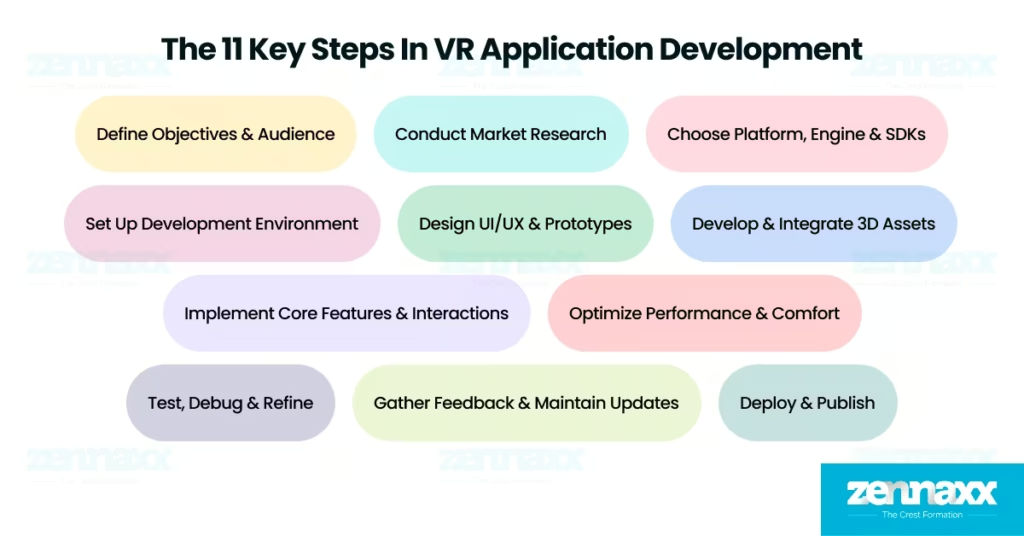
    virtual reality app development steps

    1. Define Objectives & Audience: Defining objectives & audience ensures that the VR application aligns with user expectations by identifying its purpose, key features, and target platform.
    2. Conduct Market Research: Conducting market research helps refine the application by analyzing competitor apps, understanding user preferences, and identifying industry trends.
    3. Choose Platform, Engine & SDKs: Choosing platform, engine & SDKs ensures compatibility by selecting VR headsets (Oculus, HTC Vive), development engines (Unity, Unreal Engine), and SDKs (OpenXR, SteamVR).
    4. Set Up Development Environment: Setting up the development environment enables smooth coding and testing by configuring software tools, integrating VR devices, and optimizing system settings.
    5. Design UI/UX & Prototypes: Designing UI/UX & prototypes enhances usability by creating intuitive navigation, responsive controls, and immersive interaction layouts.
    6. Develop & Integrate 3D Assets: Developing & integrating 3D assets improves visual realism by adding high-quality textures, animations, and environment details.
    7. Implement Core Features & Interactions: Implementing core features & interactions enhances user experience by enabling motion tracking, gesture recognition, and spatial audio.
    8. Optimize Performance & Comfort: Optimizing performance & comfort ensures smooth gameplay by reducing latency, improving frame rates, and preventing motion sickness.
    9. Test, Debug & Refine: Testing, debugging & refining improves stability by fixing motion tracking errors, adjusting physics interactions, and resolving performance bottlenecks.
    10. Deploy & Publish: Deploying & publishing makes the VR application accessible by releasing it on platforms like SteamVR, Oculus Store, or PlayStation VR.
    11. Gather Feedback & Maintain Updates: Gathering feedback & maintaining updates enhances user satisfaction by fixing bugs, improving performance, and adding new features.

    Define Objectives & Audience

    Defining objectives & audience ensures that the VR application aligns with user expectations, platform requirements, and industry standards. A structured objective helps in establishing clear development goals, optimizing resources, and creating an engaging virtual experience in VR applications. Setting objectives requires identifying the target users, understanding industry-specific use cases, and defining measurable success indicators. Best practices involve conducting market research to validate user demand, defining key features based on audience needs, and ensuring scalability for future technological advancements.

    Conduct Market Research

    Conducting market research ensures that the VR application meets user expectations, remains competitive, and incorporates the latest industry trends. A well-researched approach enhances engagement, adoption, and user satisfaction. The market research process in VR application development involves analyzing existing VR applications, reviewing competitor feedback, and tracking emerging technology trends. Best practices focus on leveraging analytics tools to track user preferences, validating research through real-world testing, and integrating feature demand before development to optimize investment.

    Choose Platform, Engine & SDKs

    Choosing platform, engine & SDKs ensures that the VR application is built using the right technology stack for optimal performance, compatibility, and scalability. A well-chosen stack supports high-quality rendering, interaction accuracy, and seamless user experiences in VR applications. Selecting the right platform requires evaluating VR hardware such as Oculus, HTC Vive, or PlayStation VR. Game engines such as Unity and Unreal Engine provide the necessary tools for immersive development, while SDKs like OpenXR and SteamVR ensure multi-platform support. Best practices prioritize cross-platform compatibility to expand audience reach, selecting industry-backed SDKs for stability, and choosing engines that offer built-in performance optimization tools.

    Set Up Development Environment

    Setting up the development environment ensures that VR application development runs smoothly, enabling efficient debugging, testing, and performance tracking. The development environment in VR applications includes installing VR-compatible game engines, configuring necessary SDKs, integrating VR headsets, and establishing version control for collaborative coding. A well-organized workflow reduces time-to-market and enhances productivity. Best practices involve using cloud-based development environments for flexibility, optimizing hardware compatibility for seamless testing, and maintaining a structured project hierarchy for efficient debugging.

    Design UI/UX & Prototypes

    Designing UI/UX & prototypes ensures that the VR application delivers an intuitive, interactive, and immersive experience. A well-designed interface enhances navigation, usability, and engagement in VR applications. Developing user-friendly interfaces involves creating 3D wireframes, implementing gesture-based navigation, and ensuring visual balance for comfortable user interaction. Best practices emphasize adapting UI/UX to VR-specific usability guidelines, conducting iterative user testing, and designing scalable interface elements that accommodate different VR devices.

    Develop & Integrate 3D Assets

    Developing & integrating 3D assets enhances the realism and interactivity of the VR environment, making virtual experiences more engaging. Asset integration requires creating optimized 3D models with efficient polygon counts, applying realistic textures and lighting effects, and implementing physics-based object interactions. Best practices include using procedural generation techniques to streamline asset creation, implementing LOD (Level of Detail) scaling for optimized rendering, and ensuring all assets are compatible with VR hardware constraints.

    Implement Core Features & Interactions

    Implementing core features & interactions ensures that the VR application delivers intuitive controls, responsive tracking, and engaging real-time interactions. A well-integrated interaction system improves usability and user retention in VR applications. Feature development includes motion tracking for hand and body movements, gesture-based interactions, spatial audio integration, and haptic feedback implementation. Best practices involve using AI-powered gesture recognition for natural user movement, minimizing latency for immediate response times, and supporting multiple input methods to enhance accessibility.

    Optimize Performance & Comfort

    Optimizing performance & comfort ensures that the VR application runs smoothly, minimizes discomfort, and maintains high frame rates. Performance optimization requires reducing rendering load, implementing real-time scaling techniques, and stabilizing motion through asynchronous timewarp. Smooth frame rates and adaptive tracking prevent motion sickness and discomfort in VR applications. Best practices focus on maintaining at least 90 FPS to prevent motion sickness, optimizing shaders and reflections for efficient rendering, and designing motion controls that reduce user fatigue.

    Test, Debug & Refine

    Testing, debugging & refining ensure that the VR application is stable, performs accurately, and delivers a high-quality user experience. Quality assurance involves evaluating motion tracking precision, fine-tuning physics interactions, detecting collision errors, and ensuring cross-device compatibility. Best practices prioritize running automated testing tools for efficiency, gathering user feedback to refine functionality, and implementing real-world stress tests to simulate diverse VR scenarios.

    Deploy & Publish

    Deploying & publishing ensures that the VR application is accessible to users across various distribution platforms. The deployment includes preparing platform-specific builds for SteamVR, Oculus Store, or PlayStation VR, configuring cloud synchronization features, and ensuring seamless installation experiences. Best practices emphasize complying with platform-specific quality and security guidelines, integrating automatic patching systems for post-launch updates, and providing detailed tutorials to onboard new users effectively.

    Gather Feedback & Maintain Updates

    Gathering feedback & maintaining updates ensures that the VR application evolves based on user preferences, performance improvements, and emerging technological advancements. User insights are gathered through analytics tracking, direct user reviews, and interactive community discussions. Regular updates introduce new features, optimize performance, and fix reported issues to maintain an active user base. Best practices involve scheduling periodic updates to improve functionality, conducting A/B testing for UI enhancements, and maintaining a structured roadmap for long-term development sustainability.

    What Are the Best Practices to Follow for VR Application Development?
    vr-mobile-app-development-best-practices

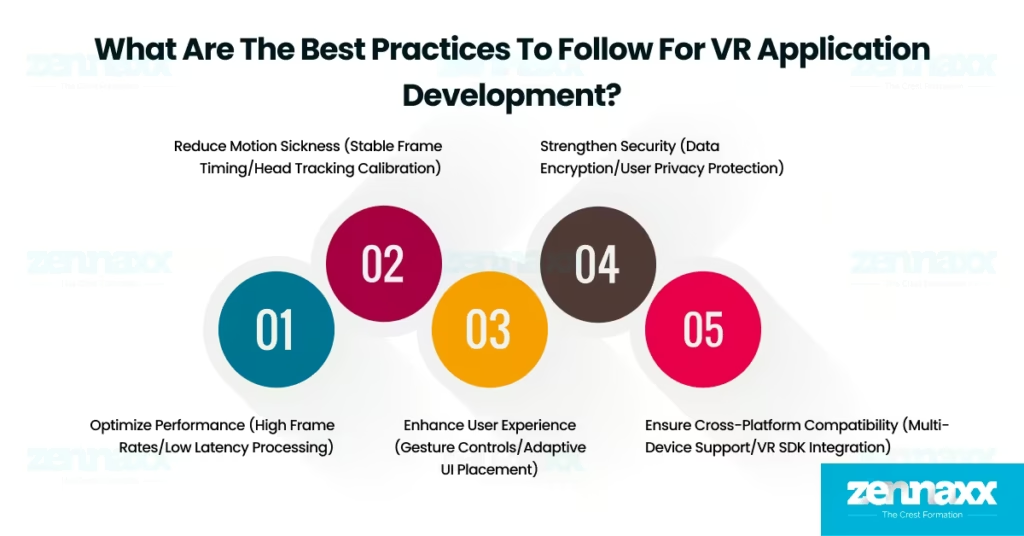
    The best practices for VR application development include performance optimization, motion sickness reduction, intuitive user experience, security implementation, and cross-platform compatibility to ensure immersive and seamless virtual reality experiences.

    Listed below are 5 key best practices for VR application development.

    1. Optimize Performance (High Frame Rates/Low Latency Processing): Optimizing performance ensures smooth rendering, prevents lag, and enhances real-time VR interactions. Performance optimization is essential for 85% of VR applications, as the frame rate drops below 90 FPS increasing motion sickness risks. Applying performance optimization requires GPU-accelerated rendering, real-time asset compression, and reducing unnecessary background processes to maintain consistent responsiveness.
    2. Reduce Motion Sickness (Stable Frame Timing/Head Tracking Calibration): Reducing motion sickness minimizes discomfort, dizziness, and nausea during VR interactions. Motion sickness reduction is crucial for 80% of VR users, as latency above 20ms causes discomfort and disengagement. Applying motion sickness reduction involves implementing stable frame timing, calibrating head tracking precision, and using motion blur reduction techniques to create a comfortable experience.
    3. Enhance User Experience (Gesture Controls/Adaptive UI Placement): Enhancing user experience ensures intuitive navigation and seamless interaction within VR environments. A well-structured user experience is important for 75% of VR applications, as interaction complexity leads to a 40% decline in engagement. Applying user experience improvements requires designing gesture-based controls, ensuring adaptive UI placement for different perspectives, and optimizing input responsiveness for fluid interaction.
    4. Strengthen Security (Data Encryption/User Privacy Protection): Strengthening security safeguards user data, prevents unauthorized access, and ensures compliance with privacy regulations. Security implementation is mandatory for 100% of VR applications, as 40% of digital security breaches originate from unprotected interactive platforms. Applying security measures includes encrypting user data, implementing secure authentication, and enforcing strict access control policies to protect user privacy and platform integrity.
    5. Ensure Cross-Platform Compatibility (Multi-Device Support/VR SDK Integration): Ensuring cross-platform compatibility provides seamless VR experiences across PC, mobile, and standalone VR headsets. Multi-platform support is necessary for 90% of VR applications, as device fragmentation affects performance and user adoption. Applying cross-platform compatibility requires integrating standardized VR SDKs, utilizing cross-platform APIs, and designing adaptable UI frameworks for consistent functionality across multiple devices.

    What Mistakes Should Be Avoided While Developing VR Applications?
    virtual-reality-app-development-mistakes

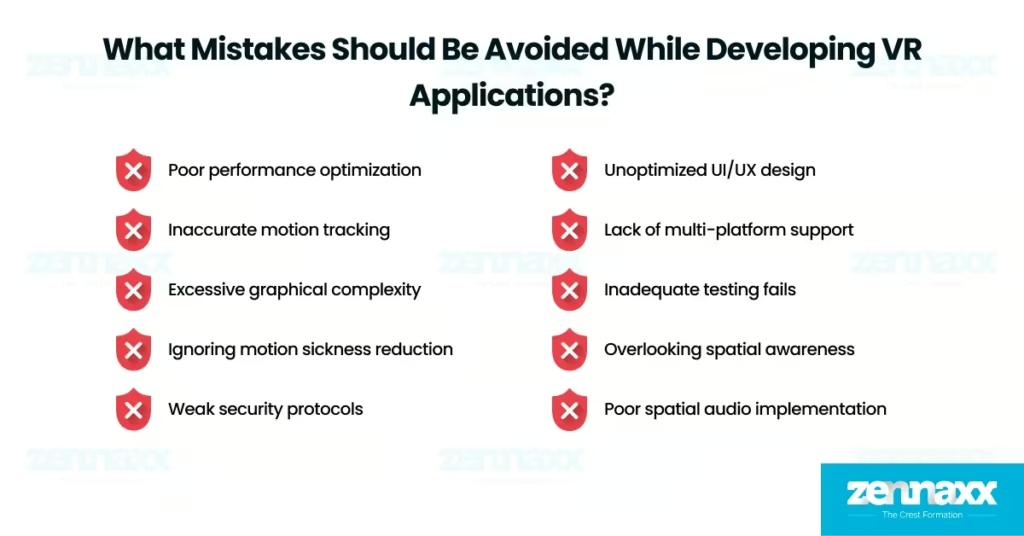
    You should avoid mistakes while developing VR applications to prevent performance issues, motion sickness, security vulnerabilities, and poor user engagement. Critical aspects such as optimization, tracking accuracy, and cross-platform functionality result in reduced immersion, usability challenges, and lower adoption rates.

    Listed below are 10 mistakes that should be avoided while developing VR applications.

    1. Poor performance optimization reduces frame rates, causing lag and discomfort.
    2. Inaccurate motion tracking disrupts user immersion and responsiveness.
    3. Excessive graphical complexity increases rendering load and slows interactions.
    4. Ignoring motion sickness reduction leads to dizziness and nausea.
    5. Weak security protocols expose user data to cyber threats and breaches.
    6. Unoptimized UI/UX design limits accessibility and interaction fluidity.
    7. The lack of multi-platform support restricts compatibility with VR headsets.
    8. Inadequate testing fails to detect tracking errors and usability issues.
    9. Overlooking spatial awareness leads to unsafe VR interactions.
    10. Poor spatial audio implementation reduces realism and engagement.

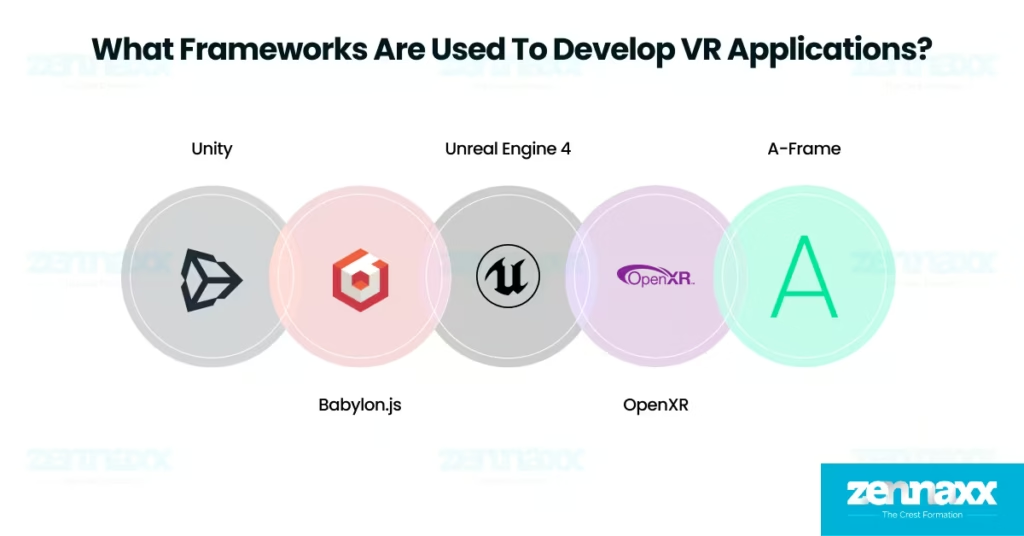
    What Frameworks Are Used to Develop VR Applications?
    vr-app-development-frameworks

    The frameworks used to develop VR applications include Unity, Unreal Engine 4 (UE4), A-Frame, Babylon.js, and OpenXR, enabling developers to build immersive, high-performance virtual experiences. These frameworks provide optimized rendering, multi-platform compatibility, and seamless VR interactions to enhance development efficiency. Developers explore augmented reality frameworks to find some of these technologies useful, as they support both VR and AR development.

    Listed below are 5 prominent frameworks used for VR application development.

    Unity

    Unity is a cross-platform game development framework that enables interactive VR experiences with extensive asset support and seamless multi-platform deployment. Unity is widely used for PC, console, mobile, and web-based VR applications due to its user-friendly interface, real-time rendering, and flexible development tools.

    Unreal Engine 4 (UE4)

    Unreal Engine 4 is a high-fidelity graphics framework designed for cinematic-quality VR experiences and multiplayer applications. Unreal Engine 4 (UE4)  supports real-time rendering, advanced physics simulations, and Blueprint visual scripting, making it ideal for mobile, PC, and console-based VR applications.

    A-Frame

    A-Frame is a web-based VR framework that simplifies VR development for browsers using WebXR API. A-Frame allows developers to create interactive VR content that runs on major headsets like Vive, Rift, and Windows Mixed Reality, ensuring broad accessibility for web-based virtual environments.

    Babylon.js

    Babylon.js is a web-based 3D rendering framework that enables physically-based rendering, physics simulations, and smooth VR animations. Babylon.js supports WebXR and provides high-performance rendering in web browsers, making it a suitable choice for interactive VR applications accessed through the web.

    OpenXR

    OpenXR is a cross-platform VR/AR framework that standardizes virtual reality interactions across different headsets and devices. OpenXR provides compatibility for various VR/AR hardware, ensuring that applications function seamlessly without being restricted to a specific vendor or platform.

    What Tools Are Used to Develop VR Applications?

    A VR development platform provides the necessary tools, software, and environments for creating immersive virtual reality experiences. VR development platforms include game engines, SDKs, and rendering tools that support real-time graphics, spatial tracking, and user interaction in VR environments. Developers use VR development tools to build, optimize, and deploy VR applications across various devices and platforms.

    Listed below are the top 3 tools used to develop VR applications.

    1. Unity
    2. Unreal Engine 4 (UE4)
    3. OpenXR

    Do VR Applications Work on Every Platform?

    No, VR applications do not work on every platform because compatibility depends on hardware requirements, operating systems, and supported VR headsets. VR applications are designed for specific platforms like PC-based VR (Oculus, HTC Vive), console VR (PlayStation VR), or standalone VR (Meta Quest), limiting their usability across all devices.

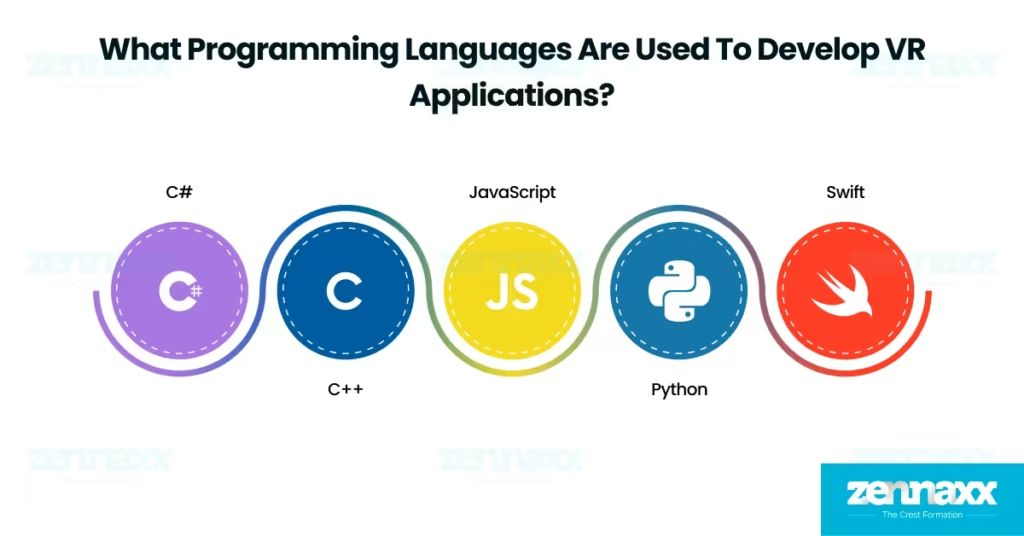
    What Programming Languages Are Used to Develop VR Applications?
    vr-app-development-programming languages

    The programming languages used to develop VR applications include C#, C++, JavaScript, Python, and Swift, each offering unique capabilities for creating immersive virtual experiences. VR programming languages provide high-performance graphics rendering, real-time interaction support, and seamless integration with VR engines.

    Listed below are five programming languages used in VR application development.

     C#

    C# is a widely used language for VR development in Unity, offering strong object-oriented programming, real-time rendering, and game physics integration. VR applications use C# to create interactive environments, optimize performance, and manage user input efficiently.

    C++

    C++ is a high-performance language primarily used in Unreal Engine 4 (UE4) for VR development, offering low-latency processing, direct hardware access, and advanced graphical rendering. VR applications use C++ for realistic simulations, AI-driven interactions, and high-fidelity environments.

    JavaScript

    JavaScript is commonly used for web-based VR applications with A-Frame and Babylon.js, enabling interactive 3D experiences, WebXR API integration, and browser-based VR functionality. VR applications use JavaScript to deliver lightweight, accessible, and cross-platform virtual environments.

    Python

    Python is utilized in VR application prototyping, AI-driven interactions, and data processing, providing machine learning capabilities, automation support, and integration with VR SDKs. VR applications use Python for gesture recognition, voice commands, and behavior modeling.

    Swift

    Swift is a programming language designed for VR development on Apple platforms, supporting ARKit and RealityKit for immersive virtual and augmented reality experiences. VR applications use Swift to build iOS-based VR solutions, integrate with Apple’s ecosystem, and optimize real-time rendering.

    How Much Does It Cost to Develop a VR Application?

    The VR application development cost ranges from $20,000 to $200,000, basic VR applications with simple interactions or 360-degree video content cost between $20,000 and $50,000. Moderate VR applications with interactive educational tools or training simulations range from $50,000 to $150,000. Complex VR applications featuring multiplayer functionality, high-end simulations, and real-time processing cost $150,000 to $200,000 or more.

    Several factors impact VR application development cost that include complexity, platform choice (high-end VR vs. mobile VR), team expertise, graphics quality, and project timeline. The VR application developer salary also varies based on experience, with entry-level developers earning $70,000 to $80,000 annually, mid-level developers earning $90,000 to $110,000, and senior-level developers making $120,000 to $150,000.

    What Is a VR App Development Company?

    A VR app development company creates virtual reality applications for industries such as gaming, healthcare, real estate, and education to offer engaging and interactive experiences. These companies develop custom VR solutions with 3D environments, motion tracking, and interactive simulations to enhance functionality and user engagement.

    Zennaxx provides virtual reality application development services that includes end-to-end development, cross-platform compatibility, and high-performance optimization. The company ensures smooth VR experiences by integrating advanced 3D rendering, precise tracking, and interactive features tailored to business needs.

    What Is a Custom VR App Development Company?

    A custom VR app development company designs virtual reality applications with features, functionalities, and experiences customized to specific business requirements. These companies create personalized VR solutions for industries such as gaming, healthcare, real estate, and training, ensuring unique user engagement and seamless performance.

    What Is Included in a VR Application Development Service?

    A VR application development service includes concept design, 3D modeling, motion tracking, performance optimization, and cross-platform deployment to ensure a high-quality virtual reality experience. Developers integrate VR-specific UI/UX design, real-time rendering, and interactive elements to enhance user engagement. VR application development services cover hardware compatibility, testing, and post-launch support to maintain seamless functionality across different VR platforms.

  • How Much Does It Cost To Build a Chatbot?

    How Much Does It Cost To Build a Chatbot?

    AI and GPT have changed the habits of people around the world. Every person prefers to ask AI rather than search manually or scroll anything on the internet.

    The impact of finding a quick answer makes customers more likely to engage with websites that offer chatbot services.

    Every popular service worldwide comes into the race for chatbot development to improve the user experience and increase customer satisfaction.

    Chatbot development cost is the main concern for small businesses or budget-conscious companies.If you integrate a chatbot into your website or platform, you must be aware of the basic development cost and the proper development time and process.

    The cost can vary depending on the complexity of the chatbot and the features required. A basic chatbot development cost is between $10000 and $30000, or based on your requirements, it can go higher.

    In this development costing document, we highlight the factors that can influence the developing cost. We also suggest some effective ways to monetize your chatbot.

    What is a chatbot?

    A chatbot is a software program that engages in conversations with people through chat. Chatbots are often used for customer support and virtual assistance. A chatbot uses NLP and ML to understand and answer questions.

    There are various chatbot development options for your business needs. Each chatbot type has a different development cost.

    AI chatbots are at the top of recent chatbot development trends. Because they learn from their conversations and improve over time, they can solve tough problems.

    Button-based chatbots, on the other hand, give users a menu they can select from, making them fit for simple things.

    Rule-based chatbots give users knowledge. They trigger responses using specific keywords, making programs smarter.

    Chatbots are popular in e-commerce, travel, and customer service. They can help customers anytime, day or night. They can answer questions, schedule appointments, and help with simple tasks.So, they are great for improving customer experience and business efficiency.

    Key Statistics and Trends in the Chatbot Market

    • Market Size: The global chatbot market was valued at USD 5.13 billion in 2022 and is projected to reach USD 20.81 billion by 2029, exhibiting a CAGR of 24.32% during this period.
    • Year-over-Year Growth: The market is expected to surge from USD 6.7 billion in 2023 to USD 8.43 billion in 2024, reflecting a remarkable CAGR of 25.9%.
    • Long-Term Projection: From a modest USD 190.8 million in 2016, the market is poised to escalate to USD 1.25 billion by 2025.

    How Much Does It Cost To Build A Chatbot?

    Depending on your platform demands, a chatbot development cost can be between $10,000 and $200,000. The total development cost depends on your tech, features, and dev team.It also depends on your customers and business area. Many companies need to be aware of chatbot development’s true costs.

    Based on Complexity Estimated Cost
    Basic Chatbot $10,000 – $15,000
    Moderately Complex Chatbot $15,000 – $30,000
    Highly Complex Chatbot $30,000 – $40,000
    Advanced AI-Powered Chatbot $50,000+

    With these cost estimates, you can start planning your chatbot development. If you need more clarification about adding a chatbot to your site, consult a software development company.

    They can give you a cost estimate and guidance based on your needs.

    Factors Affecting Cost to Develop a Chatbot

    Finding out what impacts the chatbot development cost will help you to maintain your budget.

    The choices you make regarding these factors significantly influence the development cost of your chatbot project. Let’s understand every factor in detail.

    Custom Development

    Going for custom development helps you maintain your overall factors. It can greatly affect the cost of chatbot development.

    Customization helps develop your chatbot according to your business needs. You can adjust its features, design, and functions that your customer likes most. For instance, you might want a user-specific interface that reflects your brand.

    In addition, you may require advanced NLP, and you can integrate it into your project smoothly. It would help the chatbot understand and answer long and complicated questions.

    You can change existing chatbot frameworks or make a new one for customization. Each new customization can be plus or minus your development cost.

    Chatbot Features, Complexity, and Scale

    The features related to your business also affect the complexity and the project scale. Simple chatbots use pre-defined responses to answer simple customer questions.

    They’re cheaper to develop than more advanced solutions. The latter provides automated lead generation and personal suggestions for a dynamic interaction.

    Adding multilanguage support and extra advanced features increases the compatibility of your project. They need more development time and specialized skills.

    Also contributing to this are AI analytics and integrations with systems such as CRMs and payment gateways.

    The chatbot development cost will also depend on the size, whether it is a small business or an enterprise. You need a strong architecture and lots of testing for a large-scale deployment.

    App Platform

    The platforms you choose also affect the cost of chatbot development. Each platform—website, app, messaging service, or voice assistant—needs unique development and testing.

    For example, a website chatbot might need to adapt for mobile devices. It must work on different screen sizes and operating systems.

    Developing for multiple platforms at once increases time and costs. Also, each platform may have its standards.

    This requires extra work to ensure compatibility and performance. The broader the platform support, the higher the investment required.

    Integration with Internal Processes

    Integrating the chatbot with your company’s internal processes can be challenging and costly. For example, your company’s ERP systems, CRM software, and other custom tools fall into this category.

    For immigration, you need some extra hours from the developer team. Verifying the chatbot’s ability to interact with these systems is essential, as it will determine whether data is collected or forwarded.One example is that a chatbot connected to a CRM system could change customer records based on conversations.

    However, careful development work is required to guarantee safe, uninterrupted data flow. Additionally, extra layers of security are often needed to keep private information secure, which raises the development cost even more.

    The difficulty level of these integrations will depend on the systems being used.

    Third-Party Integrations

    Third-party integrations are another factor that can drive up the cost of chatbot development. Adding payment gateways and content management systems (CMS) makes the chatbot more useful.

    However, it also adds complexity. For example, if your chatbot needs to accept payments, it must have a secure integration with a payment gateway.

    Including tools like video or voice chat also complicates development and increases expenses. These connections help your chatbot be more valuable.

    However, achieving success requires meticulous preparation and execution. Our discussion on integration also raises the chatbot development costs. Your project’s rate and technology determine this.

    To keep chatbot costs low, consider the platform to use, how to connect it to other apps, the features’ complexity, and if you need custom development.

    Your business goals will guide the choices you make about how to use your chatbot.

    Planning to develop EHR software?

    Contact us today and let our team of experienced professionals transform your vision into an innovative and user-friendly app that stands out in the market!

    Incredible Ways to Reduce Chatbot development cost

    Making a chatbot requires careful cost management. The success and sustainability of a project are contingent upon this.Here are five ways to make a high-quality chatbot development cost.

    Clear objectives and scope

    One of the most effective ways to reduce chatbot development costs is to start with a well-defined set of objectives and a clear project scope.You can avoid costly, unnecessary features by clearly defining your chatbot’s goals.

    Do you want to improve customer service, increase engagement, or automate tasks? A focused scope helps prevent scope creep, which can lead to budget overruns and delayed timelines.

    Focus on the most important features that support your goals. You can add more later if needed.

    Automate testing and deployment

    Automating testing and deployment can cut time and costs in chatbot development.Manual testing and deployment are labor-intensive and prone to human error, which can lead to costly rework.

    Automated testing tools can quickly find and fix issues in development. Making a better product this way will take less time and work.

    Also, automated deployment pipelines speed up updates and new features. They cut costs by reducing downtime and manual work.

    Choose cost-effective platforms

    Choosing the right platform for your chatbot is important for keeping costs down.

    Depending on your needs and the people you want to reach, some platforms are cheaper than others.

    If you know that the people you want to get use a certain messaging app, for example, make your chatbot work on that platform first.

    Then, increase your scope to include others.

    Focusing your resources this way enables you to achieve the greatest possible impact. It reduces the need for extensive cross-platform development.Also, some chatbot development platforms offer tools and templates. They can help you build a functional chatbot faster and cheaper.

    Adopt agile methodologies

    Using agile methods in chatbot development can save money.

    Agile methods stress iterative development, feedback, and flexibility.They let you adapt quickly to changes without much rework. Breaking the project into smaller tasks will help.

    You can deliver parts of it faster, get user feedback, and make changes before moving on.

    This process helps prevent costly mistakes.It ensures the final product meets user needs. This ultimately reduces development costs.

    Continuous monitoring and optimization

    Monitor and optimize your chatbot once it has been launched. This will maintain long-term cost savings.

    If you want to discover ways to make the chatbot better, you should regularly examine user interactions and metrics.Optimization includes improving responses, getting more people involved, and fixing bugs.

    Fixing these problems now will keep them from growing into big, expensive problems.With monitoring, you can scale the chatbot and modify its resources according to real usage. So you don’t waste money on features or space you don’t need.

    Follow these tips to make a good chatbot and save money simultaneously. Define clear objectives.

    Automate processes.Choose cost-effective platforms. Adopt agile methods. Commit to continuous optimization.

    Effective Ways to Monetize Your Chatbot to Get ROI

    If you want to get a good ROI, you should think about the qualification of monetization as a priority. If you want to turn your chatbot into a way to make money, here are five suggestions.

    B2B Bots

    Businesses that provide B2B services are in demand. Businesses can benefit greatly from B2B chatbots because they help them improve customer service, collect data, and encourage direct communication within the business.

    Show these chatbots to your clients as a subscription service to firms to get them interested in buying those chatbots.

    They will save you time and automate jobs. B2B chatbots help companies drive more sales and partly achieve a higher return on investment, for example, by fixing certain business issues like cutting down on customer service costs and making things run more smoothly.

    Freemium Model

    A freemium model has become a preferred way to capitalize on the chatbot market. It provides free basic functions but charges extra for advanced features.

    As a result, end users will try out the chatbot without paying anything. This might attract people to use it. If users find real value in the service, they might subscribe to the exclusive functionality.

    Have you got enhanced analytics, additional visibility, and advanced integrations? You are getting there. They are designed to serve different market segments and ensure you have revenue streams.

     Affiliate Marketing and Sponsorship

    Chatbots have emerged as a potential resource for affiliate marketing and sponsorship. Your chatbot can earn money or rewards by suggesting related products, services, or subjects to the conversations your users are having.

    A commission is given to the owner of the affiliate links for sales made. In addition, you can join forces with brands to put paid content in the chatbot or offer sponsored content to the users.

    A chatbot designed for travel can include links to hotels or flights through which it can earn a portion of the income generated.

    As a bonus, these steps will also help your money. They will improve the user experience by giving useful ideas in real-time.

    Lead Generation and Qualification

    The chatbots that generate and qualify leads sell for businesses. Although they are only a small part of your sales funnel, they are still useful tools.

    Chatbots can spot and qualify potential buyers. They do so by interacting with the users, for they require the user to be engaged with the relevant questions and information they provide. You are going to get money from this source by selling the promising leads to the companies that are interested in the new customers.

    Ultimately, you can use the information to increase your sales as well. This method is a very fast way to get your ROI.

    This also plays a substantial role in long-term growth by automating the collection of potential clients` data.

    Advertising and In-App Purchases

    You can monetize your chatbot in ways other than through advertisements. Through the provision of in-app purchase tasks, chatbots can generate additional revenue.

    Advertising makes money every time a user sees or interacts with it. To do this, you can use user behavior and interest data to display ads that are relevant to each user.

    You can also offer in-app purchases through the chatbot.

    You can sell these for various things, like the user account for the exclusive content, the premium features, or even the provision of certain services.

    For instance, a chatbot in the gaming industry gives a virtual cat or different game enhancements for money.This method is an income earner and also improves the user experience. Personalizing and being relevant are both good things about it.

    Apply these methods to monetize your chatbot on B2B bots, freemium models, and affiliate marketing through lead generation and the use of ads.

    All of them will help you convert your chatbot into a successful business with the high ROI you seek.

    How Much Does It Cost to Maintain a Chatbot?

    The cost of maintaining a chatbot is permanent based on your business and technology upgrade. Costs vary with the unit’s complexity, functions, and user interaction.

    A simple chatbot that needs minor maintenance and monitoring costs around $500 to $1,000 annually. That comprises servers, regular updates, and basic support. However, as the chatbot becomes more sophisticated, costs increase.

    Natural language processing (NLP), multi-platform integration, and advanced AI are the causes of this. The period of maintenance can be from $1,000 to $2,000.

    Furthermore, the cost of chatbot maintenance depends on many different critical areas. A moderately complex chatbot with advanced features may be offered for $15,000 to $30,000.
    It would entail options such as personalized answers and API integration. A chatbot with ultimate complexity can be added to an app for $30,000 to $40,000.

    It would use AI, deep learning, and many languages. A unique AI chatbot that has custom capabilities might have a price tag that exceeds $50,000. If we focus on technology, maintenance costs will rise with your company’s model. The cost will rise if frequent updates are needed to keep up with AI advancements.

    The best way to get a chatbot cost estimate is to contact an AI development company.They do everything possible to make sure that the chatbot you pick fits your needs and your budget.

    Ready to Develop Your Own Chatbot With Us?

    Chatbot development costs vary depending on the features, complexity and need for integration. Both small and large businesses need to know how much it costs to set up a chatbot for customer service or a quality AI solution.It is an important part of making a clear budget for chatbot development. To compete in business, every company needs these robots. They provide great customer service and are vital to survival.If you need clarification on the actual cost of developing a chatbot, our free AI consultation can help. It will clarify your vision for your future development and its cost.If you want to integrate a chatbot into your business or invest in AI technology but are still determining the cost, Zennaxx Software Solution can help. We will clear up any doubts and provide a detailed cost analysis.

    FAQs

    Q1.How much does the chatbot cost to develop?

    Chatbot development costs differ depending on the complexity, features, and platform it is built. The most basic text chat bots may cost from $500 to $2,500, while the smart AI-powered chatbots may range from an affordable $10,000 to even $150,000.

    Q2.Can I create a chatbot for free?

    Free chatbot-building tools are available on some platforms, but they are usually very basic and can’t be used by businesses. If you build a flexible chatbot for your business, you must work with a dev company. It must create a lifelong solution with advanced features and custom options.

    Q3.How much does it cost to develop a WhatsApp chatbot?

    The WhatsApp chatbot development cost is dependent on the features you want to add to your bot. Some developers may offer WhatsApp chatbot services at a high price. But Zennaxx Technology can build the perfect model for you within your budget.

    Q4.Does chatbot development require coding?

    Today, many platforms let you create and design chatbots without coding. But, as a business, you must code your chatbot for a more flexible solution. However, you need to know coding in some cases: JavaScript, Python, or Node.js.

    Q5.How does the choice of platform affect chatbot development costs?

    The choice of website, app, or messaging service will affect chatbot development costs. The initial cost may increase if accessories are added to other devices and platforms.

  • 32 Best DevOps Tools Every Tech Pro Needs in 2024

    32 Best DevOps Tools Every Tech Pro Needs in 2024

    DevOps is a concept that merges the development (dev) and operations (ops) parts, being a hit or a miss depends on the organization as a whole, and it is not just the use of the right tools or Team spirit that matters.

    The interaction of development and operations teams is the primary driver of innovation. Automation is critical to speeding up processes like building, testing, monitoring, and releasing products.

    It helps bring products to market faster and improves their quality.It’s about more than just the culture and automation that DevOps has become.contemporary technologies include AI, machine learning, IoT, and cloud computing.Many DevOps tools meet diverse needs.

    These include build management, event resolution, configuration management, version control, and project tracking.These developments represent a holistic software development and operations approach, resulting in higher productivity and resilience.

    In this blog, we’ll investigate the 32 necessary DevOps tools for 2024 that all tech companies should consider using.

    What Are DevOps Tools?

    DevOps is the general term for a type of product that helps companies get more value from their entire product cycle.These resources are necessary for communication and also promote greater cohesion between the two departments.

    The DevOps tools cover all functions. They include CI/CD, version control, configuration management, monitoring, testing, and deployment.

    DevOps tools can help by automating tedious tasks. They ensure consistency across environments to reduce errors, speed up software releases, and improve product quality.

    By the way, they promote infrastructure as code (IaC). Therefore, teams can manage and provide computing resources with the help of machine-readable configuration files.

    Modern software development created Cloud technology. It lets businesses and people store and share info and apps online.

    It also allows them to use remote computers instead of local ones. At the same time, it boosts mobility within organizations.

    Core Components of DevOps

    DevOps core components are the building blocks of its architecture. They define how the development and operations teams work together to build software. Continuous improvement, automation, and collaboration enforce ordered processes in the software development lifecycle. The main parts are:

    Collaboration and Communication

    The main communication channels between software production, support, and other invested individuals. Teammates combine forces, break out the silos, and share targets.

    Continuous Integration and Continuous Delivery (CI/CD)

    CI/CD cuts out the placing, testing, and rolling out of code to perform these operations in a few seconds.

    In addition to providing quality APIs, we expedite delivery and continually prepare the system for distribution if needed.

    Automation

    Automation is regarded as the backbone of DevOps, encompassing code development, infrastructure creation, and deployment.It was accelerated due to the reduction of human errors and the simplification of processes.

    Monitoring and Logging

    Logs and up-to-date monitoring provide real-time data on the system’s status and problems. Fixing problems quickly before they become major ones keeps the system running.

    Infrastructure as Code (IaC)

    IaC is a mechanism that uses only code to manage and provision infrastructure, disregarding the environment. We guarantee scalability and uniformity in this way.

    Security

    DevSecOps is a security paradigm that integrates security into the DevOps process, guaranteeing that security is an essential and automated component of the development process.

    Planning to develop EHR software?

    Contact us today and let our team of experienced professionals transform your vision into an innovative and user-friendly app that stands out in the market!

    Top DevOps Tools

    Regarding streamlining software development and operations, this blog mentions 32 DevOps tools. You can automate processes, manage infrastructure, and support CI/CD with these tools.Software updates will be more reliable and happen faster as a result.

    Git (GitLab, GitHub, Bitbucket)

    Git is still critical in software development and DevOps tools. Specifically, it is vital for version control, collaborative coding, and project management.Moreover, the need for better code management has grown as technology has evolved.

    This work views Git as a magical tool for developers. It enables high-productivity code collaboration. Users can quickly create, merge, and push branches for features and bug fixes.

    It can work offline, a big plus for today’s remote workplaces. In addition, Git’s approach and monitoring system help users understand when and why they made certain changes more clearly.This is essential for improving the code and systems’ safety. Thus, Git, the unmovable champion, leads in speed drives.

    It guarantees loyal followers and secure, bug-free software development.

    Maven

    Developers prefer Maven for its non-intrusiveness and scalability. Notably, Maven’s operation is a crucial concern for developers and DevOps.

    In particular, it is best for managing project dependencies, builds, and life cycles. Maven is a popular tool for automating and managing Java projects.Consequently, developers can automate tasks like compiling, testing, and packaging projects.This lets them run a consistent, reproducible build for project success.

    Additionally, they can also collaborate well through communication.Maven’s ability to manage dependencies and provide CI/CD is vital to the software industry.

    Indeed, it works in the most complex build scenarios. However, it is a separate stage of the underlying engineering process. Instead, the called versions can derive the response without including the correct answer.

    Jenkins

    Jenkins is an essential automation server. It powers CI/CD pipelines. It simplifies software development by automating tasks like building, testing, and deploying code changes.

    This ensures quick, reliable software delivery. The need for efficient CI/CD processes has only grown as applications become increasingly complex.Jenkins offers flexibility, extensibility, and a vast plugin library.

    Consequently, these factors make it a highly adaptable solution for various development environments.

    Organizations now value speed, reliability, and teamwork in software. Hence, Jenkins is still a vital DevOps tool for the robotics Team. It will help them automate and work more efficiently.

    Chef

    Chef is the automation platform that infrastructure management needs. For instance, it checks if businesses can grow, be reliable, or move quickly by automating infrastructure tasks, such as coding.

    With the Chef’s help, server setup and maintenance have become automatic. The infrastructure is now efficient and consistent, reducing human errors and achieving the desired states.

    Moreover, Chef works well with containers, cloud platforms, and other tools like monitoring and CI/CD.

    This makes it easy to use in a world where technology changes quickly.

    Therefore, the Chef is still vital to automating challenging infrastructure tasks. Indeed, this is true even as businesses seek flexibility and growth.This also helps DevOps teams stay on track because they understand the idea of innovation.

    Puppet

    Puppet is critical to simplifying the management of complex IT systems. It does this by deploying admins who can write infrastructure as code.

    They can secure consistent, repeatable configurations across servers, cloud instances, and containers. This is critical for modern businesses relying on diverse, dynamic, hybrid environments.

    Puppet is robust and simplifies cloud provisioning and DevOps work. Thus, it reduces complexity, minimizes errors, and speeds up software development.

    Puppet is a must-have tool for DevOps teams. In particular, it efficiently manages and scales infrastructure while ensuring high security and compliance.

    Ansible

    Ansible is an advanced, well-known automation and configuration management tool that will remain essential in 2024 for several reasons.

    Its simplicity and versatility make it a vital tool for DevOps and IT teams. It helps them manage configurations, automate tasks, and build infrastructure in different environments.

    Ansible’s non-agentive design, declarative language, and pre-built modules are safe for all users, from beginners to experts.

    Therefore, Ansible is an indispensable tool in an era focused on efficiency. With ‘Everybody Agile’, Team members can optimize operations, secure data, and scale infrastructure without errors.

    Docker

    Docker is vital in today’s software development and DevOps. In particular, it makes app management more accessible and efficient across environments.

    Docker does this by virtualizing an app and its dependencies into containers. This leads to consistent, reproducible deployments across all development stages.

    Consequently, the “it works on my machine” problem is obsolete. Thus, it enables mobility, scalability, and faster development. In a fast-paced software world, Docker’s containers are the solution.

    Indeed, they allow efficient, isolated, and flexible app deployment. Therefore, they are essential to DevOps and continuous delivery.

    Kubernetes

    A modern software developer’s toolbox must include Kubernetes (or K8s). Precisely, it orchestrates, manages, and automates containerized apps at scale.

    Given that companies increasingly prefer microservices and containers, Kubernetes is vital. It supports the efficient deployment, scaling, and management of containers.

    In addition, Kubernetes is vital for apps that need to be cost-effective, agile, and reliable. This is because of its fault-tolerant and self-healing characteristics.

    Furthermore, it supports hybrid and multi-cloud services. Thus, Kubernetes is the central part of cloud-native ecosystems.

    It helps organizations speed up software delivery and use resources well. Moreover, it helps them meet the digital demands of customers and the market.

    Slack

    Slack is a vital tool for businesses worldwide. Primarily, it enables smooth communication and collaboration among teams, whether in the office or remote. Its real-time messaging, file sharing, and integrations improve productivity.

    They streamline workflows and connect teams across time zones and locations.

    Given that more companies have adopted hybrid work, Slack is now vital. Specifically, it is critical for quick decisions, project coordination, and sharing knowledge. With its growing integrations and features, Slack leads in workplace communication.

    Thus, it helps businesses stay agile, efficient, and competitive.

    AWS Cloud Computing and Storage in DevOps

    Cloud computing and storage are vital for DevOps because they provide a scalable, flexible, and cost-effective infrastructure.

    Consequently, they meet the needs of modern software development and deployment, helping organizations stay competitive.

    In this context, Amazon Web Services, a cloud provider, supports DevOps. It offers DevOps tools for computing, databases, container orchestration, and serverless computing.

    By adopting DevOps, organizations have achieved their objectives of quicker software delivery. In DevOps, AWS is the space for sending and enlarging the application.

    Moreover, it supports CI/CD pipelines. Additionally, it automated infrastructure provisioning with DevOpstools like AWS CloudFormation.Furthermore, AWS has various storage options. These cut the risks of data management, backups, and recovery, ensuring reliable DevOps work.

    Thanks to cloud tech’s advances, AWS is a heavy weight in its field. It lets DevOps teams focus on finding better, more efficient ways to work.

    Azure Cloud Computing and Storage in DevOps

    In 2024 and beyond, Azure cloud storage will matter increasingly in DevOps. The Azure platform’s cloud neutrosystem lets organizations scale, deploy, and manage their apps and data.

    It involves core services like continuous integration and deployment, automation, monitoring, and security. These services reduce costs by cutting resource use.

    Additionally, it allows for real-time deployment and sustainable use of development and testing environments.Azure storage solutions, like Blob Storage and Azure SQL Database, also provide a secure and efficient way to store and retrieve data.

    This is crucial for the data-driven aspects of DevOps. Furthermore, Azure’s link to DevOps tools shows teamwork and automation in software development. Azure DevOps Services is one such tool.

    GCP Cloud Computing and Storage in DevOps

    Google Cloud Platform (GCP) is a top cloud storage and computing solution. Indeed, it’s essential to modern DevOps technology.

    GCP provides the DevOps tools that you need. In particular, GCP gives DevOps teams a scalable, reliable, and highly available infrastructure. It meets their needs for developing, deploying, and managing applications.

    Also, GCP will enable these with various services, namely Google Compute Engine, Google Kubernetes Engine, Cloud Storage, and BigQuery. These services support DevOps automation, infrastructure as code, and container orchestration.

    GCP’s AI and machine learning technology also provides intelligent DevOps tools for monitoring, analytics, and automation.

    As a result, GCP is an excellent option for organizations seeking better software development. It can improve efficiency and foster innovation.

    Monitoring, Alerting, and Incident Response Tools: SignalFx

    Essential features of SignalFx include alerts, monitoring tools, and incident response. Indeed, both DevOps and software development need these DevOps tools.

    solutions.As software systems become more complex and popular, we need fast incident response tools and real-time monitoring. In this context, SignalFx provides advanced tracking and observability solutions.

    Additionally, native cloud systems are highly sought after these days. They are now the most reliable among users everywhere.

    With its help, DevOps teams can discover whether their cloud setup is highly available. As a result, it gives users a perfect experience by fixing issues before they affect them.Thus, SignalFx remains a standout tool in the operation of most current software.

    AppDynamics

    AppDynamics is the key APM and monitoring platform. It is vital for the best performance of today’s digital businesses. Managers rely on complex distributed software.

    So, it’s crucial to find problems before they affect production. Therefore, the real-time role of AppDynamics is critical. It is essential for app performance.

    Consequently, businesses use it to quickly find and fix problems, such as bottlenecks, latency, and errors.As apps grow bigger and more complex, you need AppDynamics. Without it, you can’t deliver great user experiences, keep apps reliable, or fix problems quickly.

    This program is a big advantage to companies. It makes them the most competitive players in the digital world.

    Raygun

    Raygun is vital in software development and DevOps, ensuring application reliability and performance. It is an app monitoring and error-tracking platform. It helps development teams find and fix issues in real time.

    As software systems grow more complex, users expect seamless experiences. So, a Raygun is important. It gives insights into app errors and performance issues. This lets organizations fix issues before they affect users, reducing downtime and boosting satisfaction. Ultimately, the result is better software and happier customers.

    It keeps apps healthy and speeds up issue resolution. So, it’s a must-have for DevOps pros and developers.

    Splunk Cloud

    Splunk Cloud helps organizations find insights in today’s massive data. For instance, Splunk Cloud’s cloud app can collect all the needed data, regardless of a company’s log volume.Consequently, Splunk Cloud is the company’s top cloud solution.

    It lets IT managers monitor, search, analyze, and visualize machine data via a user-friendly dashboard. The platform guarantees real-time access to the health of various systems, apps, and infrastructures. This allows for instant detection and response to incidents.

    However, the development of new cybersecurity threats perpetually challenges security in the cloud. Yet, they need help matching Splunk Cloud’s advanced security analytics.Its threat detection keeps organizations safe from cyberattacks. Therefore, Splunk Cloud helps deliver quality data to the office.

    It improves data transparency and lets organizations use data as a strategic asset. In such an environment, Splunk Cloud is a perfect partner.

    It helps organizations. It uses data better to optimize resources, improve safety, and achieve operational excellence.

    Selenium

    According to recent research, Selenium is still the best way to automate and test web applications.

    Indeed, technology is constantly changing, but Selenium remains essential for the quality of web apps. As web apps are getting more complicated, testing them thoroughly in all browsers is crucial.

    A development Team can easily automate tests and tests on multiple browsers using Selenium.Thus, you can use website apps in many places by following these steps.

    Consequently, Selenium is the top choice for firms that value modern software development. Its open-source nature, strong community support, and DevOps tool integration make it so.

    For these reasons, fast deployment and continuous delivery are vital to these companies. They need high-quality software.
    DevOps Tools it strategy for business

    Gremlin

    The Gremlin Test method is crucial to chaos engineering. It’s increasingly used to ensure the resilience of modern software systems.

    As technology advances, complex systems are becoming more common, increasing the risk of unexpected failures and outages.

    Gremlin helps companies find flaws in their apps and infrastructure in this context. It simulates planned failures, such as network disruptions and resource constraints.Thus, teams can find and fix mistakes by creating and monitoring chaos.

    This helps prevent costly downtimes and security breaches.Thus, businesses can use Gremlin to make their systems more resilient.

    It will help them handle real-world problems. Ultimately, customers will have a better experience, and services will not stop.

    ServiceNow

    ServiceNow is essential for organizations wanting to improve IT and business processes. Its importance lies in its ability to deliver a unified, cloud-based solution.

    It automates and optimizes ITSM, ITOM, HR, customer service, and more functions.

    In an age of rapid digitization and remote work, ServiceNow offers a better way to manage workflows, fix issues, and deliver services.

    As tech systems grow more complex, we need its approach. Specifically, its automation, analytics, and AI insights boost productivity and agility. Furthermore, they also improve customer satisfaction and cut costs.

    In 2024, businesses will face a fast-changing environment. ServiceNow can integrate and orchestrate diverse systems and processes. This is a must for digital transformation and smooth operations.

    Status Service Updates: The Status Page

    All organizations, big or small, must use “The Status Service Updates: The Status Page.” People need to pay more attention to the availability and reliability of the online services and apps they use daily.

    So, the Status Page shows real-time updates about those services and apps for users and partners. In this way, business openness, trust, and customer satisfaction depend on it.The Status Page provides up-to-the-minute information about service issues, maintenance, and fixes.

    Consequently, it helps manage expectations and maintain customer trust.Since downtime can cause substantial financial losses and harm a company’s reputation, a Status Page is not merely a convenience.

    Thus, organizations can show their commitment to transparency and responsiveness. This will strengthen customer relationships and build trust.

    ELK (Elasticsearch, Logstash, and Kibana)

    The ELK stack, composed of Kibana, Logstash, and Elasticsearch, is a top IT op and DevOps tool. Indeed, this blend has become vital for all firms in data visualization, system monitoring, and log management.For example, Elasticsearch is a revolutionary search engine that offers high scalability and efficient searching. A key feature of it is real-time indexing and searching. Similarly, Logstash, part of this stack, collects and processes log data from various sources. It works well with Elasticsearch.Finally, Kibana lets users interact with the data. It can represent, visualize, and analyze it with beautiful, customizable dashboards and powerful exploration DevOps tools.

    GitLab CI/CD

    GitLab CI/CD is crucial for automating the software delivery pipeline. In particular, it does this within a single platform, from code changes to deployment.

    Not only does it ensure fast and reliable software updates, but it also focuses on continuous integration (CI).Along with the automatic building and testing of code changes, GitLab CI/CD also helps in the early detection and correction of problems.

    Furthermore, the platform’s CD feature in CI/CD manages software releases and deployments, eliminating the risk of human errors.

    This automated process lets organizations quickly and confidently deliver new features and updates. In the era of digital transformation, the need for GitLab CI/CD has become more evident.

    Thus, it lets organizations respond quickly, efficiently, and automatically to market needs.

    Scripting

    Scripting, on the other hand, is essential in today’s tech world. It automates and simplifies many parts of software development, system admin, and DevOps.Tech experts can improve their automation of repetitive tasks.

    They can use scripting languages like Python, Bash, and PowerShell.Scripting accelerates prototyping, manages configuration, and creates deployment pipelines.

    It helps organizations deliver quickly and consistently.It reduces human errors in testing, deployment, and monitoring.

    As more organizations adopt DevOps and cloud-native tech, scripting is in demand. It aligns with the latest industry trends.

    Terraform

    Terraform is central to contemporary infrastructure provisioning and management. The tool lets companies specify and deploy infrastructure as code.

    This will automatically create and configure cloud resources, containers, and other components. In 2024, cloud computing, microservices, and containerization will be shared.Terraform’s flexibility and scalability will meet today’s apps’ dynamic needs perfectly.

    Its importance lies in stabilizing, version-controlling, and automating infrastructure management. Terraform eliminates manual errors and launches DevOps workflows.It takes on the hard work of quickly and reliably deploying apps in complex, cloud-based environments.

    Terraform will drive effective, consistent infrastructure management as more companies adopt cloud-native tech.

    Phantom

    The product Phantom takes software management and automation to a new level of security.

    It improves incident response, thus strengthening the whole area.Now, the threat environment is advancing rapidly.

    All organizations, including us, face endless attacks. So, we must respond quickly and effectively to them.Using a tool like Phantom, we can now automate security workflows.

    They must detect and identify threats, communicate, and execute contingency plans if risks arise.Moreover, Phantom reduces reliance on manual processes. It adds value by improving response times and ensuring consistency in incident handling.It also saves time when ordinary processes are unnecessary.

    As cyber threats grow more complex, Phantom makes security teams proactive.This corresponds to the fact that they can defend against attacks instantly and, in this way, protect the most critical assets. Crucially, both approaches add to the security level.

    Nagios

    Nagios is an open-source tool for monitoring and alerting. It is critical to the reliability and performance of IT systems and apps.As companies adopt more complex systems and services, Nagios is vital.

    It provides real-time monitoring and alerting.It allows the IT teams to notice and fix problems before they interfere with users or cause system breakdowns.

    Nagios’s adaptability and expandability also make it a must-have tool. It ensures the availability, stability, and security of most critical systems, both on-prem and in the cloud.

    This perfectly corresponds to the requirements of modern IT operations and DevOps practices.

    Vagrant

    The Vagrant still embodies the innovators in software development and DevOps. It helps create and manage reproducible development environments more easily.It gives developers and DevOps teams a consistent, isolated environment for software work, including development, testing, and deployment.

    Also, tech stacks, dependencies, and infrastructure are now very dynamic. So, a Vagrant is even more needed in development.We must easily share, scale, and manage these fantastic surroundings.

    This lets developers work smoothly across different OS environments.Vagrant offers a standardized setup that considerably reduces compatibility issues and thus pre-empts smooth and effective IT development.

    Sentry

    Sentry is vital in today’s programming world. It is critical in development and DevOps. This is especially true as apps grow more complex and dispersed.

    The system must quickly find and fix errors to cope with the situation.To begin with, Sentry excels at real-time monitoring and tracing errors.

    This feature lets the dev teams easily find problem spots in production or development.By fixing problems promptly, Sentry can reduce downtime and improve the user experience.
    Also, the rise of new technologies and user demands has changed software. So, Sentry’s role in ensuring software reliability is now more critical.

    Adding Sentry to the dev process will let teams monitor and improve their apps. This will create a more reliable and resilient software environment.

    Gradle

    Gradle is vital in software development and DevOps. Its advanced automation features make it a top-build tool.

    Gradle is a system that manages dependencies, assembles projects, and coordinates complex processes.

    It is robust and scalable, which makes it significant.Gradle can smoothly manage multi-language, multi-project builds. Its plugin-based customization is a must for modern software development.

    Organizations are increasingly adopting microservices and cloud-native tech.Also, Gradle is vital for managing the growing complexity of building, testing, and deploying apps in various environments.

    Streamlining these processes ensures that software projects are delivered on time and at a high quality. It meets today’s fast-changing development demands.

    eG Enterprise

    eG Enterprise is an essential tool because it can provide complete performance monitoring and diagnostics for applications and infrastructure.

    Cloud computing, microservices, and distributed architectures are on the rise and making tech ecosystems more complex.

    eG Enterprise is a crucial solution to ensure that these systems are reliable and perform well.For example, eG Enterprise enables real-time monitoring, automated root cause analysis, and predictive analytics.

    It helps businesses find and fix issues before they cause problems.This reduces downtime and improves the user experience.

    Also, eG Enterprise uses resources to enhance crucial digital services for business success.

    In short, eG Enterprise is vital for high performance and user satisfaction. It helps ensure a solid, efficient tech infrastructure.

    Prometheus

    Prometheus is a key tool in DevOps and observability. It is vital due to the complexity of modern software and the need for effective monitoring and alerting.

    First, Prometheus can collect, store, and analyze metrics from various environments. These include containers, microservices, and cloud-based services.This information allows for optimization and rectification of errors without a hitch.

    Also, Prometheus is open-source and has an active community, which boosts its adoption and development. As cloud-native tech and dynamic scaling become the norm, it provides insights.

    They ensure the reliability and performance of software systems. It helps organizations with modern software challenges.

    It lets them monitor, analyze, and optimize their systems in the fast-changing DevOps world.

    Jira

    It organizes and centralizes all software development processes. It has a full interface for managing tasks, creating the project schedule, and allowing team interaction.

    Thus, by using Jira, teams can manage tasks more efficiently, track progress, and share clear information.Also, Jira’s reversible processes, graphs, and endless integrations help teams adapt and be agile.

    Thus, this enables the production of top-notch products with more incredible speed.

    It helps teams manage projects and communicate, and it helps them finish tasks on time.Its persistent importance points to its significant function in the software development ecosystem.

    Conclusion

    Adopting DevOps tools must for companies that need to speed up software delivery. It will make software more reliable and improve its quality.

    DevOps tools like Git for version control and Kubernetes for container orchestration are important. They automate tasks and speed up the work of software developers.

    To gain these tech skills and meet industry standards, choose the Post Graduate Program in DevOps, created by Caltech CTME in collaboration.

    The program has one of the most live online classes. It uses interactive labs to train offsite and top-of-the-line Elightwalk tech to teach you.

    Also, Zennaxx Technology can help you implement and optimize those DevOps tools in your company.The Zennaxx association will advise you on using DevOps in your business. Their goal is to help you succeed in a competitive tech market.

  • Why is Magento Best for eCommerce? [Top 13 Reasons]

    Why is Magento Best for eCommerce? [Top 13 Reasons]

    From ordering clothes to beauty products, online shopping has escalated like a rocket in the sky for a few years.

    Today, customers can get multiple options even if they want to purchase a simple face wash. So, how do you stand out in an eCommerce business? Besides the quality of your product, providing the best customer experience is also essential. Here, customers should be satisfied while making their purchase and checking out.

    To provide the best, choosing the right eCommerce platform is necessary. If you are as confused as other eCommerce business owners, we have written this article to make you understand the best eCommerce platform, Magento.It is best for B2B businesses or any other growing eCommerce business brands.

    It consists of sleek features that allow hassle-free selling operations and management.When you choose Magento as an eCommerce development platform, you already set high standards.

    With its advanced features, business owners can deliver smooth, cutting-edge shopping experiences to their customers. Let’s understand Magento in more detail.

    What is the Magento Platform?

    Magento is an all-in-one open source ecommerce platform in the market. It allows B2B and other small-to-medium-scale businesses to build and manage online stores.It works like a toolkit that provides business owners with everything needed to build a fully functional online shop. Magento is most liked for its flexibility. The best part is that it suits both small sellers and large online stores with thousands of items.

    It has secure features like payment options and inventory management. These tools help businesses manage their online operations and serve customers. Magento is one of the popular choices for ecommerce businesses of multiple sizes.

    What is the Role of Magento Platform for E-commerce Stores?

    The Magento platform is a powerful eCommerce platform for multiple types of businesses wanting to sell. It integrates with third-party platforms.So it provides a smooth checkout. Customers can shop hassle-free, and owners can easily manage their stores. Its scalability is remarkable.It lets businesses start small and grow over time.

    It can handle more demand without losing performance. The quick adaptability and flexibility make Magento the best eCommerce platform.Magento is an open-source platform. It gives developers complete access to its source code. They can customize and modify it to meet specific business needs.This customization creates unique eCommerce experiences.

    They can help a brand stand out in a competitive market. Also, Magento’s version control system efficiently manages large catalogues, promotions, and sales.Choosing Magento ecommerce development lets you use its open-source nature. It gives you complete control over your store’s features and functions.Magento is a complete database of customer and product data.

    It can be customized. This wealth of information can guide strategic business decisions. It can help companies improve their products and marketing strategies.

    A Magento store may cost more to set up than some platforms. But its long-term benefits make it an intelligent investment. It offers greater control, scalability, and customization. This is ideal for businesses focused on growth.

    13 Reasons to Use Magento Platform for Starting an Online Store

    Before building and launching an online store with Magento, it is essential that you first go through the best 13 reasons that we have shortlisted right for you.We have listed why Magento is the best choice for eCommerce business owners so you can choose wisely, too.

    Robust and Scalable

    Magento is an eCommerce platform. It helps owners scale their businesses by using the right features to sell. Magento can handle all sales.It will keep your store running smoothly, even at peak selling times. It helps eCommerce owners choose a reliable option for any business.

    Customizable

    Customization makes Magento the most liked eCommerce platform amongst business owners. It lets business owners customize their Magento store according to brand.It allows you to tailor every aspect of your online store and helps meet specific needs. From design and layout, it provides the utmost customization.This flexibility helps in creating a unique shopping experience for customers and visitors. If you choose Magento ecommerce development, businesses can use the customization features. It lets your store outlook your brand’s store.

    Support for Latest Technologies

    Magento is ahead of eCommerce platforms in the market. It helps and supports the latest technologies that are trending in eCommerce.It works well with AI tools, uses the cloud, and provides accurate reports and analytics to business owners.Going for Magento ecommerce development ensures that the online store is integrated with the right technologies for the hassle-free working of your online store.

    An Open-source Ecommerce Platform

    Magento is an open-source platform; any business owner can hassle-fail their store. It allows for endless customization and innovation.Developers can easily access and modify the source code. This lets them create unique features for infinite customization.As it is open-source, it consists of a large community of developers interacting to improve and support the platform.

    Magento PWA Architecture

    If the store developers want to give customers an app-like web experience, then Magento PWA architecture works wonders.It engages customers and users faster and allows for smooth interaction. The PWA architecture provides a fast, mobile-friendly shopping experience. It boosts engagement and sales.

    Multi-platform Integration

    Magento integrates well with many platforms and services. It helps eCommerce owners manage their online stores. It helps integrate with third-party platforms, like payment gateways, shipping providers, and CRMs.Magento ecommerce development is flexible. You can easily integrate third-party services like payment gateways and shipping providers.The multi-platform integration makes it easier to manage the business from multiple locations. It streamlines operations and improves store efficiency.

    SEO-friendliness of Magento Ecommerce

    Magento fully supports and is built with search engine optimization in mind. It offers many SEO features, such as customized URLs, meta tags, and sitemaps.It allows escalating the store rank in the search engine results. The SEO-friendly design boosts visibility and traffic, increasing sales.

    Reliable Magento Open Source Partners

    Magento is a vast ecosystem. It has reliable partners who offer services that range from development and design to marketing and support.These trusted partners are Magento experts. They will give you the best tools to build and grow your online store.

    Analytics and Reporting

    For any eCommerce store, the most important thing is accurate analytics and reports. Magento offers analytics and reporting tools.They provide insights into the store’s performance. It tracks sales and customer behaviour. It analyzes metrics to help owners make data-driven decisions to grow.There is always some data that helps optimize the business strategy.

    Advertising & Marketing

    Magento has a wide range of advertising and marketing tools that help you promote the online e-commerce store. It helps in email marketing and promotions to customer segmentation.It helps to build loyal customers. Magento makes reaching the target audience easier and boosts effective marketing strategies.

    Payment and Shipping

    As mentioned earlier, Magento allows integration with third-party payment gateway options. It makes it easier for the customer to complete their purchase smoothly.Global customers can now buy and pay more quickly. The Magento store has multiple payment gateways. An international payment provider or flexible shipping will ensure a smooth checkout.

    Enhanced Security

    Security is a top priority for any online store and platform. Magento stores are essential for performance and reliability.Magento offers multiple recommendations for hosting providers that are optimized for its platform. Proper hosting can boost the store’s performance. It also improves customers’ shopping experience.

    Choose the Right Magento Hosting

    Choosing the right hosting for a Magento store is vital. It affects performance and reliability. Magento offers multiple recommendations for hosting providers that are optimized for its platform.It ensures the store runs smoothly, with fast load times and minimum downtime. Proper hosting can improve the store’s performance and shopping experience.

    Planning to develop EHR software?

    Contact us today and let our team of experienced professionals transform your vision into an innovative and user-friendly app that stands out in the market!

    5 Tips to Manage Your Magento Store Effectively

    As you have now decided to choose Magento as an eCommerce platform to build your store, it becomes crucial to understand the best tips to manage your Magento store in 5 effective ways.

    CRM Integration in Magento

    Integrating the best CRM with Magento is crucial. It helps you manage your store’s customers seamlessly. CRM tools track customer interactions, purchase history, and preferences.They also monitor behaviour and more. With this, customers and eCommerce store owners can make better decisions. It also provides accurate support and smooth customer interaction. Imagine you own a skincare store, and a few customers frequently purchase skincare products from your store.CRM tracks customer behaviour. It helps you recommend products or discounts on their frequent purchases.Personal touch with customers can end up in sales in the long run. Integrating CRM systems in your Magento ecommerce development lets you track customer interactions. This helps you optimize your marketing strategies.

    Use Managed Magento Hosting

    Having “managed Magento hosting” means no fuss about taking the technical responsibility and leaving it to the experts. Managed hosting covers the store’s server maintenance, updates, and more.It handles security, cache management, and data backups. You save a lot of time by handing over technical tasks, and you can focus on growing your store seamlessly. Imagine when you are focusing on sales and your eCommerce site suddenly experiences the traffic, which is a peak hour.Managed hosting will ensure the website can easily handle the load and prevent your store site from crashing. This way, you can easily focus on sales and not worry about technicalities.

    Inventory and Order Management Software

    The eCommerce business is all about inventory management. The store should be updated promptly with the availability of product data for customers.
    Integrating with the proper inventory and order management software is a saviour. It will only display products that are available and will automatically mark “out of stock” on products that are not available.Magento ecommerce development makes adding advanced inventory and order management software easy. This helps to avoid stockouts and overselling. Let’s say you are selling handmade candles and have almost 40 units available in stock. The software will automatically update the inventory each time a customer purchases 40 units of candles.If you have only five left, the store owner will automatically be notified with the alert.This helps to avoid situations where customers order items that are out of stock and, at last, do not buy anything.

    Use Magento Extensions to Save Time

    You can improve your online store’s functionality and streamline various processes with the help of Magento extensions.They are handy tools for the Magento store. Because there are so many to choose from, these extensions make adding new features easy and automating tedious tasks, saving you time.Also, Zennaxx Software Solution is an expert in eCommerce extension development.For instance, checkout optimization extensions can speed up transactions. They minimize delays, providing a smoother experience for customers.Also, other extensions automate inventory management, marketing, and customer service. They cut manual work, boost efficiency, and increase sales and customer satisfaction.

    Outsource Marketing

    Marketing is one of the essential parts of running the business, as it helps bring in more customers and develop trust.Marketing is a dedicated task, so it takes a lot of time to think about and strategize it according to your business.Outsourcing your marketing and Magento development can yield better campaigns and engagement. With the proper outsourced marketing, the store can reach the right audiences.Platforms like social media or targeted email campaigns can widen visibility.For example, you have an online clothing brand that sells eco-friendly clothing. Selling eco-friendly clothes is one of the USPs here.It must be shared through various marketing channels to help reach the right audience. The right outsourced marketing firms can help you. They can run campaigns, advertise, and boost your clothing store’s visibility.This way, the agency drives more traffic to your store. It brings in new customers and updates existing ones.

    Conclusion

    Magento is unique and stands out as a robust and versatile eCommerce platform for businesses of all sizes. It is scalable, customizable, and provides tech support that makes it easy to manage online stores.Magento ecommerce development offers vast customization. Businesses can create unique online stores tailored to their brand.It features CRM integration, managed hosting, inventory management, and many extensions. Magento not only streamlines operations but also enhances the overall customer experience. Magento helps eCommerce businesses grow and run smoothly. They can reach their audience through effective marketing.

    So, starting your business with Magento ecommerce development is the best way to step into business. Contact Zennaxx for the best eCommerce development service.

    Your business needs and online store are related to the demand wholly and carefully by their Magento developers and team.

  • What is a Transportation Management System?

    What is a Transportation Management System?

    In the fast-paced world of logistics and supply chain management, efficiency is key. So, companies are constantly looking for ways to streamline operations, reduce costs, and improve customer satisfaction. One tool that has become indispensable in achieving these goals is the Transportation Management System (TMS).A transportation management system is a powerful tool that enhances logistics and supply chain management. As you strive for greater efficiency in your transport operations, the importance of having an effective TMS solution cannot be overemphasized. In this post, you will learn:

    • The essential functions and features of a TMS.
    • The importance of TMS in logistics and supply chain management.
    • How to choose and implement the right TMS for your business.

    Let’s dive in and explore how TMS can transform your logistics operations.

    What is a Transportation Management System?

    A transportation management system is a software solution that helps businesses manage their transportation operations more efficiently.

    It encompasses a range of processes, including planning, execution, and optimization of the physical movement of goods.An effective TMS streamlines logistics by providing real-time visibility into the transportation process, automating various tasks, and improving communication with carriers. The system handles tasks such as route planning, freight auditing, and tracking shipments, ultimately saving time and reducing costs.

    Whether you’re a small business or a large enterprise, using the right TMS can be a game-changer in your supply chain strategy.

    Importance of TMS in Logistics and Supply Chain

    A TMS plays a pivotal role in modern logistics and supply chain management. It acts as a central hub for coordinating all transportation activities, ensuring that goods move seamlessly from origin to destination. This system enhances overall supply chain efficiency by reducing transit times, optimizing routes, and minimizing disruptions.

    Enhancing Efficiency

    A TMS streamlines your operations, making your logistics more efficient. It reduces the manual workload by automating tasks such as route planning and freight auditing. This allows you to focus on other strategic aspects of your business.

    Reducing Costs

    Using a TMS can significantly lower transportation costs. By optimizing routes and managing carriers effectively, you minimize fuel consumption and reduce the risk of costly delays. The system also helps you identify cost-saving opportunities, such as consolidating shipments.

    Improving Customer Satisfaction

    Timely deliveries and real-time tracking enhance customer satisfaction. When customers know exactly where their orders are and when to expect them, it builds trust and reliability.

    Better Coordination

    The integration of a TMS with other supply chain systems, such as warehouse management systems (WMS) and enterprise resource planning (ERP) systems, ensures seamless data flow and enhanced collaboration. This holistic approach to supply chain management results in better coordination, increased customer satisfaction, and a stronger competitive edge.

    Ensuring Compliance

    A TMS helps you comply with transportation regulations. It keeps track of necessary documentation, monitors driver hours, and ensures that your shipments adhere to safety standards.

    Planning to develop EHR software?

    Contact us today and let our team of experienced professionals transform your vision into an innovative and user-friendly app that stands out in the market!

    Why It’s Important to Have a Transportation Management System

    Having a transportation management system is crucial for several reasons.

    Operational Efficiency

    A TMS enables you to manage and optimize your transportation operations with precision. And this can help you to reduce shipping costs, improve delivery times, and enhance operational efficiency.

    Cost Savings

    Through better route planning and load optimization, a TMS helps you save on fuel and other transportation costs. It also aids in negotiating better rates with carriers.

    Improved Visibility

    With real-time tracking, you gain complete visibility into your shipments. This allows you to monitor progress, anticipate issues, and communicate more effectively with customers and stakeholders.

    Better Decision-Making

    You can leverage the comprehensive data analytics and reporting capabilities of a TMS to analyze transportation data to identify trends, monitor key performance indicators (KPIs), and make informed decisions. This data-driven approach leads to continuous improvement and better strategic planning.

    Security and Compliance

    A TMS ensures compliance with regulatory requirements. With features like automated documentation and audit trails, you can easily adhere to industry regulations and avoid penalties. Also, a transport management system enhances security by tracking and monitoring shipments to reduce the risk of theft and loss.Basically, a TMS empowers you to take control of your transportation processes, reduce costs, and improve service levels. It’s an indispensable tool for any business aiming to stay competitive in today’s dynamic market.

    Who Uses a TMS?

    A wide range of businesses and industries utilize transport management systems to streamline their transportation operations. Essentially, any company that relies on the transportation of goods can benefit from implementing a TMS.

    Retail Industry

    Retailers use TMS to manage their complex supply chains. It helps them ensure timely deliveries to stores and customers, manage returns, and optimize their distribution networks.

    Manufacturing Industry

    Manufacturers rely on TMS to coordinate the movement of raw materials to their factories and finished goods to their customers. It helps them maintain production schedules and reduce inventory costs.

    Third-Party Logistics (3PL) Providers

    3PL providers use TMS to manage logistics for their clients. It enables them to offer efficient, cost-effective transportation solutions and improve service levels.

    E-Commerce Companies

    E-commerce businesses use TMS to handle the high volume of shipments. It helps them manage last-mile delivery, provide accurate delivery estimates, and keep customers informed.

    Changing Consumer Expectations

    Consumer expectations are evolving rapidly, and businesses must adapt to stay competitive. Today’s consumers demand faster delivery times, real-time tracking, and exceptional service. This shift in expectations has made the role of a TMS even more critical.

    With a TMS, you can meet these demands by optimizing your transportation operations. For example, real-time tracking features allow you to provide customers with up-to-date information about their shipments. This transparency builds trust and enhances the customer experience.

    Moreover, a TMS helps you manage last-mile delivery more effectively. You can optimize routes, reduce delivery times, and ensure timely deliveries. By meeting consumer expectations, you can differentiate your business and build a loyal customer base.

    Basically, a TMS enables you to keep pace with changing consumer expectations, providing the speed, transparency, and reliability that modern consumers demand.

    Key Features of a Transportation Management System

    A robust TMS comes equipped with several key features that enhance your transportation operations. Here are five essential features to look for in a TMS:

    Route Optimization

    This feature calculates the most efficient routes for your shipments, taking into account factors such as distance, traffic, and delivery windows. By optimizing routes, you can reduce transit times and fuel costs.

    Freight Audit and Payment

    A TMS automates the auditing of freight bills, ensuring that you only pay for services rendered. It also manages payments to carriers, streamlining the financial aspect of transportation.

    Real-Time Tracking and Visibility

    With real-time tracking and visibility, both your team and your customers can monitor shipments in real time. This feature provides live updates on the status and location of shipments. And it enables proactive management of any issues that may arise during transit.

    Carrier Management

    A TMS helps you manage relationships with multiple carriers. The system facilitates carrier selection, rate negotiations, and performance evaluations. This ensures that you choose the best carrier for each shipment.

    Analytics and Reporting

    Advanced analytics and reporting tools provide insights into transportation performance. With this feature, you can track key metrics, identify trends, and make data-driven decisions to improve efficiency.

    Utilizing TMS in Small Businesses

    Even small businesses can benefit significantly from using a transportation management system. By leveraging a TMS, you can streamline your transportation operations, reduce costs, and improve service quality.

    Execution

    A transport management system helps small businesses automate and manage many manual processes, from order creation to delivery. This automation saves time and reduces the risk of errors, allowing you to focus on other aspects of your business. This is particularly important for small businesses with limited budgets, as every dollar saved contributes to the bottom line.

    Optimization

    Optimization is another key area where a TMS can benefit small businesses. With features like route optimization and carrier management, you can select the most efficient routes and carriers for your shipments. This not only reduces transportation costs but also improves delivery times and service levels. In essence, a TMS empowers small businesses to manage their transportation operations more efficiently, leading to cost savings and improved customer satisfaction.

    Benefits of Using a Transportation Management System

    Implementing a transportation management system provides many benefits to your organization. Here are five key advantages of using a TMS:

    • Cost Savings: By optimizing routes and improving carrier selection, a TMS helps you reduce transportation costs significantly. Also, the system reduces labor expenses by automating manual tasks.
    • Improved Customer Service: Real-time tracking and visibility features enable you to provide accurate updates to your customers, enhancing their experience.
    • Enhanced Efficiency: Automation of transportation processes saves time and reduces the risk of errors. And TMS streamlines your transportation operations, thereby reducing transit times and minimizing delays. This leads to faster deliveries and improved supply chain performance.
    • Better Compliance and Risk Management: A TMS ensures compliance with regulatory requirements and provides features like automated documentation and audit trails.
    • Data-Driven Decision Making: Access to detailed analytics and reports allows you to make informed decisions and continuously improve your transportation operations.

    These benefits make a TMS an indispensable tool for businesses looking to optimize their logistics operations and achieve strategic goals.

    Types of Transportation Management Systems

    There are several types of transportation management systems available. Each type of TMS has its own advantages and disadvantages. Understanding the different types of TMS can help you choose the right solution for your business.

    On-Premise TMS

    An on-premise TMS is installed and hosted on your company’s servers. This type of TMS offers greater control and customization options. However, it requires significant upfront investment and ongoing maintenance. On-premise TMS solutions are best suited for large organizations with specific needs and robust IT infrastructure.

    Cloud-Based TMS

    A cloud-based TMS is hosted on the vendor’s servers and accessed via the internet. This type of TMS offers several advantages, including lower upfront costs, scalability, and ease of implementation. Also, cloud-based TMS solutions are regularly updated by the vendor, so you’ll have access to the latest features. Small to medium-sized businesses can benefit greatly from cloud-based TMS due to its flexibility and cost-effectiveness.

    Integrated TMS Solutions

    Integrated TMS solutions combine transportation management with other supply chain systems, such as warehouse management systems and enterprise resource planning systems. Integration facilitates seamless data flow and improves collaboration within your organization, leading to improved efficiency. Integrated TMS solutions are ideal for businesses looking to create a holistic approach to supply chain management.

    The Advantages of a TMS in the Cloud

    A cloud-based transportation management system offers several distinct advantages.Firstly, it provides scalability, allowing you to easily expand your operations as your business grows. You can add new users, locations, and functionalities without significant investments in IT infrastructure.Secondly, a cloud-based TMS ensures accessibility.

    You can access the system from anywhere with an internet connection, enabling remote work and collaboration.

    This flexibility is particularly beneficial in today’s dynamic business environment.Finally, cloud-based TMS solutions are typically more cost-effective. With a subscription-based pricing model, you can avoid large upfront costs and only pay for the features you use. Also, cloud-based systems are updated automatically, ensuring that you always have access to the latest features and security enhancements.

    How to Choose the Right Transportation Management System

    Selecting the right transportation management system for your business involves several critical steps. Here’s a step-by-step guide to help you make an informed decision:

    • Identify Your Needs: Start by evaluating your current transportation processes and identifying areas for improvement. You should consider factors such as shipment volume, delivery requirements, and specific challenges. This analysis will help you determine the features and capabilities you need in a TMS.
    • Set a Budget: Determine your budget for the TMS, including implementation and ongoing costs, such as maintenance and subscription fees. It’s important to consider both upfront and long-term expenses to ensure you choose a solution that fits your financial constraints.
    • Evaluate Vendors: Research TMS vendors and their offerings. Look for vendors with a proven track record, positive customer reviews, and robust support services.
    • Request Demos: Request demos from shortlisted vendors to see their systems in action. This will give you a better understanding of the user interface, functionality, and ease of use.
    • Consider Integration: Ensure that the TMS can integrate seamlessly with your existing systems, such as ERP and WMS. This will enable smooth data flow and enhance operational efficiency.
    • Check Scalability: Choose a TMS that can scale with your business. As your transportation needs grow, the system should be able to accommodate increased shipment volumes and additional features.

    TMS Implementation and Best Practices

    Implementing a TMS involves several key steps and best practices. Let’s consider some steps you should take to ensure a successful implementation:

    • Plan Thoroughly: Develop a detailed implementation plan, outlining the scope, timeline, and resources required. To ensure a successful implementation, you can assign a project manager to oversee the process.
    • Gather Requirements: Work with your team to gather detailed requirements for the TMS. This includes understanding current processes, identifying pain points, and defining success criteria.
    • Configure the System: Configure the TMS to match your specific requirements. This may involve setting up custom workflows, integrating with other systems, and importing data.
    • Train Your Team: Provide comprehensive training for your team to ensure they understand how to use the transport management system effectively. This will help maximize the system’s benefits and reduce the learning curve.
    • Test Extensively: Conduct thorough testing to ensure the TMS functions as expected. This includes testing integrations, workflows, and reporting capabilities to identify and resolve any issues before full deployment.
    • Address Challenges: Be prepared to address common challenges, such as data migration issues and resistance to change. You can address some of these obstacles by involving key stakeholders in the implementation process and maintaining open communication.

    Building Custom TMS Solutions

    While off-the-shelf TMS solutions offer many benefits, sometimes a custom-built TMS is necessary to meet your unique business needs. Custom transport management systems are tailored to your specific requirements with features that align perfectly with your operations.

    Custom solutions often provide a higher level of flexibility and scalability compared to standard TMS products. They can adapt as your business evolves, ensuring that your transportation management capabilities grow with your company.

    However, building a custom TMS requires significant investment in terms of time, resources, and expertise. It’s important to work with experienced transport management software developers and consultants who understand your industry and business requirements.The TMS software development process starts with a thorough needs assessment to identify the unique challenges and opportunities within your transportation operations. From there, developers create a system that integrates seamlessly with your existing infrastructure and addresses your specific pain points.

    The Future of TMS

    The future of transportation management systems is being shaped by several emerging technologies and trends. Here are some future trends and innovations to watch:

    • IoT Fleet Monitoring: The Internet of Things (IoT) enables real-time monitoring of vehicles and shipments through connected devices. IoT sensors can track parameters such as temperature, humidity, and location, providing valuable data to optimize fleet management.
    • Digital Assistants: AI-powered digital assistants can help manage transportation tasks, such as scheduling, tracking, and communication with carriers. These assistants use natural language processing to interact with users and automate routine activities.
    • Adaptive Intelligence and Machine Learning: These technologies analyze vast amounts of data to identify patterns and make predictions. In TMS, adaptive intelligence and machine learning can optimize routes, forecast demand, and enhance decision-making.
    • Blockchain: Blockchain technology offers secure, transparent, and immutable records of transactions. In the context of TMS, blockchain can enhance visibility, traceability, and security in the supply chain.
    • Cold Chain Management: The cold chain involves transporting temperature-sensitive products, such as pharmaceuticals and perishable foods. Advanced TMS solutions are incorporating cold chain management features to ensure these products are kept at the appropriate temperatures throughout transit.

    Conclusion

    Whether you want to implement an off-the-shelf solution or build a custom TMS, using the right TMS software can help to optimize your transportation operations, reduce costs, and enhance customer satisfaction. And you can leverage emerging technologies such as IoT, AI, and blockchain in your TMS to drive innovation and growth in your organization.

    To ensure the successful implementation of a TMS tailored to your business needs, reach out to Zennaxx. We specialize in implementing TMS solutions or building custom TMS solutions that drive operational efficiency and revenue growth.

    Contact us today to get started on optimizing your transportation management.

  • Discover the Importance and Benefits of Application Modernization

    Discover the Importance and Benefits of Application Modernization

    As technology advances, businesses must adapt by modernizing their applications to meet current needs and the latest standards, ensuring competitiveness and relevance.

    Application modernization allows businesses to update their legacy systems and leverage new technological innovations to drive growth.

    The process involves transforming outdated software into modern, scalable applications.
    In this blog post, you will learn:

    • The key benefits of application modernization.
    • Types of application modernization methods.
    • Strategies to overcome common challenges during the modernization process.

    Let’s explore how application modernization can transform your business.

    What is Application Modernization?

    Application modernization involves updating and transforming legacy applications to improve performance, scalability, and functionality.

    This process includes refactoring, replatforming, or replacing outdated applications to meet your current business needs.

    The main goals of modernizing applications are to enhance performance, reduce maintenance costs, enhance security, and integrate new features.

    By modernizing, you ensure that your software can handle modern demands, such as higher user loads and advanced functionalities.

    It also means your applications can work seamlessly with other modern systems, providing a better experience for both users and developers.

    Why Modernize Your Legacy Applications?

    Legacy applications are old software systems that still perform critical functions but are often outdated.

    These systems can be slow, expensive to maintain, and difficult to integrate with new technologies. Legacy apps typically suffer from drawbacks, such as:

    • High Maintenance Costs: Maintaining and supporting outdated systems can be expensive and resource-intensive.
    • Lack of Scalability: Legacy systems often struggle to scale efficiently with growing business needs.
    • Security Vulnerabilities: Older applications may not meet current security standards, leaving your business exposed to risks.
    • Compatibility Issues: Integrating legacy systems with newer technologies and platforms can be challenging and costly.

    Modernizing your legacy applications helps you address these challenges and stay current, competitive, and capable of meeting your business goals.

    The Legacy Conundrum

    The legacy conundrum is the dilemma businesses face when deciding whether to maintain costly outdated systems or invest in modernization.

    The legacy conundrum creates a pressing need for modernization. If you don’t update, you risk falling behind competitors who use faster, more efficient systems.

    Types of Application Modernization Services

    There are several ways to modernize your applications. And each approach has pros and cons that are suited to diverse business needs and goals.

    Let’s take a look at these app modernization services:

    Rehosting

    Rehosting, or “lift and shift,” involves moving applications from an on-premise environment to the cloud with minimal changes.This method is quick and cost-effective, making it a popular modernization approach. On the flip side, it may not leverage the full benefits of modernization.

    Replatforming

    Replatforming involves moving your application to a new runtime platform, such as a different operating system or cloud environment.This approach requires making some changes to your application but it offers better performance and scalability.

    Refactoring

    Refactoring means changing your application’s code to improve its structure without altering its functionality. This method is useful for making your application easier to manage and update.Though refactoring can improve maintainability and scalability, it requires a deep understanding of your application’s architecture.

    Rebuilding

    Rebuilding involves completely redesigning the application from scratch using modern technologies.This approach ensures your application is fully optimized for current and future needs. While rebuilding offers maximum benefits, it is also the most resource-intensive method of modernization.

    Replacing

    Replacing an application means retiring your legacy system and implementing a new off-the-shelf or custom solution.This option is best when the existing application no longer meets your business requirements and cannot be effectively modernized.Although replacing a legacy app can be cost-efficient in the long run, it may require major adjustments to your business processes.

    Types of Application Modernization Tools

    Now let’s explore some application modernization tools that are useful for updating legacy systems.These tools streamline the modernization process and enhance app performance and scalability:

    Containers and Kubernetes

    Containers are lightweight, portable environments that run applications consistently across different computing environments.Kubernetes is an open-source platform that manages containerized applications in order to make it easier to deploy, scale, and manage them.Together, they provide a robust solution for modernizing applications.

    Cloud Native Computing

    Cloud native computing involves building and running applications that exploit the advantages of cloud computing.This approach offers benefits such as automatic scaling, high availability, and rapid deployment.

    Because cloud native applications can be easily deployed, managed, and updated, it allows your business to respond quickly to changing demands and opportunities.

    Monolith to Microservices

    Transitioning from monolithic applications to microservices involves breaking down a large application into smaller, independent services.This shift allows for more flexible and faster development, easier scalability, and better fault isolation.Utilizing microservices enables faster updates and reduces the risk of system-wide failures.

    Planning to develop EHR software?

    Contact us today and let our team of experienced professionals transform your vision into an innovative and user-friendly app that stands out in the market!

    Benefits of Application Modernization for Your Business

    Modernizing your application offers many benefits that can drive business growth and enhance operational efficiency.Let’s explore some of the benefits of application modernization:

    Improved Performance and Scalability

    Modern applications are designed to handle higher workloads and scale easily.This means your system can manage increasing user demands and data volumes without slowing down, ensuring reliable performance and customer satisfaction as your business grows.

    Cost Efficiency

    By reducing maintenance costs and leveraging cloud services, modernization leads to significant cost savings.It minimizes the need for expensive hardware upgrades and optimizes your budget by allowing you to pay only for the resources you use.

    Enhanced Security and Compliance

    Newer technologies offer advanced security features that protect against modern threats.Additionally, they simplify compliance with industry regulations, reducing the risk of fines and enhancing your reputation for data protection and privacy.

    Increased Agility and Innovation

    Modern applications enable faster updates and easier integration with new technologies.This agility allows your business to quickly adapt to market changes, seize new opportunities, and innovate continuously in order to stay ahead of competitors.

    Better User Experience

    Updated applications provide a smoother and more intuitive user experience.This improvement leads to higher user adoption, increased user engagement, and greater user satisfaction, which ultimately drives revenue growth.

    Future-proofing

    Modernizing ensures your applications are ready for future technological advancements.By staying up-to-date, you avoid the pitfalls of obsolescence and ensure your systems can evolve with emerging trends and customer expectations.

    Leveraging Modern Technologies

    Modern applications can seamlessly integrate with the latest technologies, such as AI, IoT, and blockchain.This capability allows you to enhance functionality, streamline processes, and offer innovative services that meet modern business and customer needs.

    Competitive Advantage

    Staying current with technology gives your business a competitive edge. Modern applications enable you to deliver superior products and services, meet customer expectations more effectively, and outperform competitors in the ever-evolving market.

    Challenges of Application Modernization

    Now that you have seen the benefits of application modernization, let’s consider the challenges of modernizing legacy apps:

    Initial Costs and Investment

    The modernization process can require a significant initial investment, which may be a barrier for some businesses.The initial investment includes costs of new technology, training, and potential downtime. However, the long-term benefits often outweigh the upfront costs.

    Complexity of the Modernization Process

    App modernization might involve complex processes that require making changes to your app’s architecture, code, or infrastructure.But you can navigate these processes effectively with careful planning and execution.

    Potential Downtime During Transition

    There might be some downtime while transitioning to modern systems, which can disrupt business operations.However, with proper scheduling and risk mitigation strategies, you can minimize these disruptions.

    Need for Skilled Personnel

    Modernization requires skilled personnel who understand both the old and new systems, which can be a challenge to find.Investing in training or hiring experienced IT professionals maximizes the success of your modernization efforts.

    Managing Change Within the Organization

    Getting your team to embrace the changes that come with using the modernized application can be quite challenging.You can leverage effective communication, training, and support to help manage this transition.

    Strategies for Overcoming Common Modernization Challenges

    Application modernization can be daunting, but these strategies can help you navigate the process effectively:

    Conduct a Thorough Assessment:

    Evaluate your current applications and infrastructure to identify areas that need modernization and prioritize them based on business impact.

    Develop a Clear Roadmap

    Create a comprehensive plan that outlines each step of the modernization process. Include detailed timelines, resource allocations, and potential risks.This roadmap ensures that everyone involved knows what to expect and can prepare accordingly.

    Work with Experts

    Consider hiring external experts or software development consultants with experience in application modernization.Their specialized knowledge can provide valuable guidance that will help you avoid common pitfalls and ensure your project stays on track and within budget.

    Use a Phased Approach

    Implement modernization in phases rather than all at once. This method allows you to tackle smaller sections of the system incrementally, reducing the risk of major disruptions and making the process more manageable and less overwhelming.

    Invest in Training

    Provide extensive training for your staff to ensure they have the necessary skills to work with the new app.Offering ongoing education and support helps them adapt quickly and increases their confidence and efficiency in using the modernized application.

    Focus on Change Management

    Change management is important for ensuring the smooth adoption of new systems and processes across your organization.So, develop a strong change management plan to address the human side of modernization. This should minimize resistance and foster a positive transition.

    Conclusion

    By modernizing your apps, you ensure your organization can meet current demands and prepare for future growth.

    While the process can be challenging, with careful planning and the right strategies, you can unlock the benefits of application modernization in your organization.

    Don’t let outdated applications hold you back – modernize your application and watch your business evolve, adapt, and thrive.If you’re ready to take the next step in your application modernization journey, reach out to Zennaxx for expert guidance and support.Our team of experienced software developers has the expertise needed to help you successfully modernize your applications and achieve your business goals.

  • How to Build Single-Page Applications (SPAs)

    How to Build Single-Page Applications (SPAs)

    Having a web application that’s fast, smooth, and responsive is no longer just a nice-to-have—it’s essential in today’s fast-paced digital world.

    Users expect their interaction with your website or web application to be fast, responsive, and seamless. This is where single-page applications (SPAs) come into play.

    SPAs update the content on a web page as the user interacts with the page without loading entirely new pages from the server.

    Think of popular web apps like Gmail or Google Maps. When you use Gmail, you don’t have to wait for the whole page to reload every time you open an email.Similarly, when you search for a location or get directions on Google Maps, the map updates without refreshing the entire page.

    These are classic examples of SPAs in action.In this post, you will learn:

    • What SPAs are, and how they differ from traditional web applications.
    • The benefits of SPAs.
    • A step-by-step guide on how to build your own SPA.

    Let’s dive in and explore the world of SPAs.

    What is a Single-Page Application (SPA)?

    A single-page application is a type of web application or website that interacts with the user by dynamically rewriting the current page rather than loading entire new pages from the server.

    This is achieved using JavaScript, which allows the application to handle routing and content updates directly within the browser without the need for a full page reload.Unlike traditional multi-page applications (MPAs), where each interaction or page request results in a new HTML page being loaded from the server, SPAs load a single HTML page and update content as the user interacts with the app.

    This web development approach minimizes server load, reduces the time it takes for a page to render, and provides a fluid, seamless experience for users.

    Differences between SPAs and MPAs

    Features Single Page Application (SPA) Multi Page Application (MPA)
    Loading Loads a single HTML page and updates content dynamically without full page refreshes. Loads a new HTML page from the server for each user interaction or navigation.
    User Experience Smooth, fast, and responsive with seamless navigation. Slower, with potential delays due to full page reloads.
    SEO Optimization More complex but achievable using SSR, SSG, or pre-rendering techniques. Easier to optimize using traditional server-side rendering methods.
    Development Complexity Higher due to client-side routing, state management, and API integration. Generally simpler and more straightforward to develop and maintain.
    Server Load Lower server load because fewer full-page requests are made. Higher server load due to frequent requests for complete page reloads.

    Benefits of Single-Page Applications

    Now that you understand what SPAs are, let’s talk about why you might want to build a single-page application.

    SPAs offer several compelling benefits that can significantly enhance both user experience and development efficiency.

    Improved User Experience

    One of the most significant advantages of SPAs is the seamless user experience they provide. Since the entire application is loaded upfront, users can navigate between different sections without experiencing delays or page reloads.

    This smooth interaction enhances user satisfaction and increases engagement, as users are more likely to stay on the site longer and explore more content.

    Faster Loading Times

    Because SPAs only load the necessary data and content as needed, they often have much faster loading times compared to traditional MPAs.The initial load might take slightly longer, but subsequent interactions are almost instant because there’s no need to fetch and render a new page.

    To give you an idea of the impact, consider that, according to Google, 53% of mobile users abandon sites that take longer than 3 seconds to load.

    With an SPA, you’re more likely to keep users engaged because they don’t have to wait for content to load.

    Cost-Effectiveness and Easier Maintenance

    Building an SPA can be cost-effective in the long run. Since they rely heavily on reusable components and handle most of the user interactions on the client side (in the browser), they require fewer resources for server maintenance and backend development.

    Moreover, the single codebase can be easier to maintain, especially when using modern development tools and frameworks that support modular and component-based architecture.

    Mobile-Friendliness

    SPAs are naturally mobile-friendly because they’re designed to work well on various devices and screen sizes, including smartphones and tablets.

    The single-page structure makes it easier to implement responsive design and optimize the app for touch interactions.

    Offline Functionality

    Thanks to technologies like Service Workers, SPAs can function offline. By caching the necessary resources, SPAs can allow users to continue interacting with the application even when they’re not connected to the internet.This is particularly useful for mobile users, who may experience intermittent connectivity.

    SEO Benefits

    Although search engine optimization (SEO) for SPAs used to be challenging, modern solutions like server-side rendering (SSR) and prerendering have mitigated these issues.

    By generating the initial HTML on the server and delivering it to the client, SPAs can now be indexed by search engines more effectively.

    So your SPA can rank well in search engine results and attract more organic traffic.

    Common Use Cases for SPAs

    SPAs are particularly effective in scenarios where user interaction and real-time data updates are crucial. Let’s look at some common use cases:

    Real-Time Data Applications

    If your application relies on real-time data updates—like dashboards, analytics platforms, or stock trading apps—an SPA is a perfect choice.

    The ability to dynamically update the UI without refreshing the entire page ensures users can see the latest information instantly.

    Social Media Platforms

    Social media apps like Twitter and Facebook use SPA architecture to provide a fluid user experience. Users can scroll through feeds, post updates, and interact with content without the page reloading.

    Interactive Web Applications

    For apps that require a lot of user interaction, such as online forms, survey tools, or content management systems, SPAs can make the experience more engaging.

    Users can navigate through different sections and complete tasks without losing context or experiencing delays.

    E-commerce Sites

    While traditional e-commerce sites have used MPAs, SPAs are becoming increasingly popular in this space, especially for the checkout process.

    An SPA can make the checkout experience faster and more intuitive, reducing cart abandonment rates.

    Planning to develop EHR software?

    Contact us today and let our team of experienced professionals transform your vision into an innovative and user-friendly app that stands out in the market!

    SPA Frameworks

    Selecting the right framework is crucial for building a successful SPA. Let’s explore three of the most popular frameworks: React, Angular, and Vue.js.

    React

    • Pros: React is a JavaScript library that offers simplicity and flexibility. It was developed by Facebook and it has a vast community and a rich ecosystem of tools and libraries. React uses a component-based architecture, which promotes reusability and makes it easier to manage large applications.
    • Cons: However, React is just a view library, so you’ll need to integrate it with other tools for state management (like Redux) and routing (like React Router).
    • Best For: Projects that require a lot of flexibility and customizability, or if you’re building a high-performance app with complex UI components.

    Angular

    • Pros:Angular maintained by Google, is a full-fledged framework that includes everything you need to build an SPA out of the box—routing, state management, and even testing tools. It’s highly structured and ideal for larger applications.
    • Cons: Angular’s steep learning curve and its complexity can be a drawback, especially for smaller teams or simpler projects.
    • Best For: Enterprise-level applications where you need a robust framework with a strong opinion on how things should be done.

    Vue.js

    • Pros: Vue.js offers a balance between the simplicity of React and the comprehensive nature of Angular. It’s easy to integrate into existing projects and provides a simple API for building components.
    • Cons: Although Vue.js has a growing community, it’s still smaller compared to React and Angular, which can sometimes make finding resources and support more challenging.
    • Best For: Small to medium-sized projects, or when you want a framework that’s easy to learn and quick to implement.

    Choosing the Right Framework

    When choosing a framework for your single-page application, consider your project’s specific needs, your team’s expertise, and the long-term maintainability of the app.Here are more tips to guide your choice:

    • React is ideal if you need flexibility and are comfortable assembling your toolkit from various libraries.
    • Angular is best for larger projects where a comprehensive, all-in-one solution is needed.
    • Vue.js is perfect for projects that require simplicity and ease of integration.

    UX Research

    How Single-Page Applications Work

    To truly grasp how single-page applications work, let’s explore the process through the lens of a familiar example: Google Maps.This app is a good example of an SPA that offers a seamless, interactive experience without constant page reloads.

    Initial Request

    When you first load Google Maps, the application sends a request to the server to retrieve the main HTML file, which includes links to JavaScript and CSS files.These files are crucial for rendering the map and user interface elements. This initial request loads the foundation of the application, enabling it to function smoothly.

    Loading Resources

    Once the initial HTML file is loaded, Google Maps fetches essential resources like map tiles, user interface elements, and JavaScript functions.These resources are often cached by your browser to allow faster access on subsequent visits.By efficiently loading and storing these resources, Google Maps ensures a quick and responsive user experience.

    Rendering the View

    With all resources in place, Google Maps renders the map view on your screen. Instead of reloading the entire page for every interaction, such as zooming in or searching for a location, the app updates just the necessary parts of the view.This dynamic rendering keeps interactions smooth and instantaneous.

    User Interactions

    When you interact with Google Maps—like dragging the map or clicking on a point of interest—JavaScript handles these interactions directly in your browser.The application updates the view in real time without reloading the entire page. This instant feedback makes using Google Maps feel seamless and intuitive.

    Data Requests

    As you explore different locations or use features like directions, Google Maps sends asynchronous data requests to the server.These requests retrieve the latest map data, traffic updates, and nearby places, which are then displayed without refreshing the page. This continuous data flow keeps the application up-to-date and responsive.

    Client-Side Routing

    When you navigate to different sections within Google Maps, like switching between map view, satellite view, or street view, the application uses client-side routing to handle these changes.The URL updates accordingly, but the core of the application remains loaded, ensuring a smooth transition between different features and views.

    State Management

    Google Maps efficiently manages state by tracking user preferences like saved locations and recent searches.State management allows Google Maps to remember your interactions and maintain consistency across different sessions and devices in order to deliver a personalized experience.

    Server Communication

    To keep map data, traffic information, and points of interest up-to-date, Google Maps continuously communicates with its servers using APIs.This server communication ensures that the data you see is accurate and current, all while maintaining the fast, responsive experience expected from a single-page application.

    Step-by-Step Guide on How to Build a Single-Page Application

    Now that we understand the inner workings of SPAs, let’s walk through the process of creating a single-page application from scratch.

    Planning and Design

    Before diving into development, take time to plan your application. Planning at this stage helps you avoid potential pitfalls later on.

    Start with identifying the purpose of the SPA, the target audience, and the specific features you want to include.

    Then create wireframes and prototypes to visualize the user interface and the user experience flow. You can use tools like Sketch, Figma, or Adobe XD to create these prototypes.

    Initial Setup

    Once you have a clear design, it’s time to set up your development environment.

    Choose the framework that best suits your project needs (React, Angular, or Vue.js) and set up the necessary tools. For React, you can use Create React App; for Angular, Angular CLI is a great starting point; and for Vue.js, Vue CLI simplifies the setup process.

    Ensure that your development environment includes essential tools like Node.js, a package manager like npm or Yarn, and a code editor like Visual Studio Code.

    Creating the SPA Structure

    With your environment ready, the next step is to start organizing your project structure. Create folders for components, services, assets (like images and styles), and routing.

    Also, create folders for your HTML, CSS, and JavaScript files, separating them logically based on their functionality. This organization makes it easier to scale your application as it grows in complexity.

    Develop the Core Layout

    Begin by building the basic structure of your SPA using HTML and CSS. This includes creating the overall layout, such as headers, footers, navigation bars, and content areas.

    Ensure your design is responsive, meaning it should work well on both desktop and mobile devices.

    Implement Client-Side Routing

    Client-side routing allows you to navigate between different sections of your SPA without reloading the page.

    This involves setting up routes that correspond to different parts of your application. Each route should load the appropriate content dynamically based on user interactions. This provides a seamless user experience by eliminating the need for full-page reloads.

    Add Interactivity with JavaScript

    Now that your layout is in place, it’s time to add interactivity. JavaScript is the key to making your SPA dynamic and responsive.

    You should use JavaScript to handle user events like clicks, form submissions, and navigation.You should also use it to update the content dynamically, fetching data as needed from the server.

    Backend Integration

    For most SPAs, you’ll need to communicate with backend services to retrieve or send data.

    This connection allows your SPA to interact with databases, authenticate users, and manage other backend tasks.

    So you’ll have to set up APIs to handle data requests and responses between the client and server.

    This might involve using RESTful APIs or GraphQL, depending on your project’s needs.

    You’ll also set up functions in your JavaScript to handle these requests by processing the responses and updating your application accordingly.

    Manage State Efficiently

    As your SPA becomes more complex, managing the state (the data that represents your app at any given moment) is important.

    Proper state management ensures that your application behaves predictably and efficiently as users interact with it.

    So you should choose a state management strategy that fits your app’s complexity, whether that’s using simple JavaScript objects or more advanced techniques.

    Performance Optimization

    Performance optimization is critical for SPAs to ensure they load faster and provide a smoother experience for users.

    There are several strategies you can implement to optimize your app’s performance, including lazy loading, code splitting, and more. Lazy loading allows you to load components only when they are needed, thereby reducing the initial load time.

    Code splitting optimizes performance by breaking your code into smaller chunks, which can be loaded on demand. And minifying assets (CSS, JavaScript) and implementing caching strategies further improve your SPA’s speed and performance.

    Testing and Debugging

    Before launching your SPA, it’s important to thoroughly test and debug your application.Conduct unit testing to ensure that individual components work as expected. Tools like Jest for React, Karma for Angular, and Mocha for Vue.js can be used for unit testing.

    Also, perform end-to-end testing using tools like Cypress or Selenium to simulate real user interactions and catch any potential issues.

    And perform integration tests to check how components interact. You can also use debugging tools like Chrome DevTools to help you identify and fix bugs in your application.

    SEO Optimization

    While SPAs are traditionally more challenging to optimize for search engines, you can still achieve good SEO results with the right techniques.

    Implement server-side rendering (SSR) or pre-rendering to ensure that search engines can crawl and index your content.

    You can also use tools like Google’s Lighthouse to audit your application’s SEO performance and make necessary adjustments.

    Deploy Your Application

    Finally, deploy your SPA to a live server using platforms like Vercel, Netlify, or traditional cloud services like AWS or Azure.

    Implement Continuous Integration/Continuous Deployment (CI/CD) practices to automate the deployment process and ensure that your application can be easily updated and maintained.

    Regularly monitor your SPA’s performance and security, making updates as needed to keep your application running smoothly.

    Monitor and Iterate

    Your work isn’t done after deployment. You should continuously monitor your SPA’s performance, gather user feedback, and be prepared to make improvements.

    Web development is an ongoing process, and staying responsive to user needs and technological advancements will keep your SPA relevant and effective in the long run.

    Challenges of SPAs

    Despite their many advantages, Single page applications come with their own set of challenges. Here are some common issues and how to overcome them:

    SEO Issues

    SPAs often struggle with SEO because search engines may not easily crawl JavaScript-rendered content.

    To address this, use server-side rendering (SSR) or pre-rendering to make your content more accessible to search engines.

    State Management

    As SPAs grow, managing state becomes more complex. You can address this challenge by using tools like Redux or Vuex to organize and maintain consistent data across your application.

    Performance Optimization

    SPAs can become slower as they scale, especially with large amounts of data or features.
    Optimize your SPA by implementing lazy loading, code splitting, and caching to ensure your application remains fast and responsive.

    Conclusion

    Single page applications have revolutionized the way we think about web development, offering fast, interactive, and engaging user experiences.If you are looking to build a modern web app that offers a fast, seamless, and interactive user experience, then you should consider building a Single page applications.

    Ready to build your own Single page applications? Contact Zennaxx for high-quality web development services.

    With expertise in modern web technologies and a deep understanding of user experience, we can help you create a high-performance SPA that meets your specific needs.

  • Cloud Computing in Healthcare: Importance, Examples & Future

    Cloud Computing in Healthcare: Importance, Examples & Future

    The healthcare industry has been overwhelmed by the number of patients seeking intensive care, leading to inefficient diagnosis.One key example is the pandemic, when the healthcare industry suffered greatly from system inefficiency. This is where cloud computing comes into play. Using cloud computing in the healthcare industry was a prime reason the human race survived the pandemic.

    This is the primary reason behind a surge in cloud usage for healthcare applications. According to Skyhigh’s “Security Cloud Adoption Report—Healthcare Edition,” public cloud service usage in healthcare applications increased by 25% between 2019 and 2022.

    However, there has also been a lack of trust, leading to only 47% of healthcare organizations storing sensitive data on the cloud compared to 61% in other industries.This begs the question of whether investing in cloud computing in healthcare makes sense.
    The answer lies in this article, which focuses on cloud computing in healthcare, its types, benefits, examples, and future prospects. But first, let’s understand cloud computing in healthcare.

    What is Cloud Computing in Healthcare?

    The healthcare industry deals with crucial patient data processing activities that require scalable infrastructure. However, it’s not just about scale. It would help if you also made sure the data is secure.
    This is where cloud computing allows businesses to scale their infrastructure securely, especially with the latest telemedicine and telehealth use cases. Cloud computing allows healthcare professionals to communicate with patients quickly and efficiently at scale. It empowers the healthcare industry with AI-based applications not limited to healthcare companies and businesses.
    Cloud Computing in Healthcare

    Source

    Tech giants like Microsoft plan to invest heavily in collaboration with NVIDIA to develop AI-based healthcare models and algorithms.

    Such partnerships between tech giants to boost cloud computing applications for the healthcare industry clearly show how important it is for significant businesses.

    In addition, cloud computing allows patients to safely store health information and prescriptions.

    On the other hand healthcare providers can touch base with patients 24/7 in real-time. It also offers access to medical records with vitals and insights about patient behavior.

    But that’s not all!

    Cloud computing has many benefits for the healthcare industry, from low-cost diagnosis to reduced risks of patient data leakages.

    What are the Benefits of Cloud Computing in Healthcare?

    Cloud computing offers on-demand delivery of cloud-based services over the Internet. This means healthcare professionals can connect with patients from any location.

    Though this is not all, each cloud computing service, such as a database, Software, service, and analytics, has many benefits for the healthcare industry.
    Benefits of Cloud Computing in Healthcare Inner Image

    Cost-Efficient Healthcare

    Healthcare organizations spend heavily on setting up the physical infrastructure and IT staffing.

    The large amount of patient data they must manage is behind such massive setup and spending. However, the traditional approach is much more redundant as these organizations scale.
    Scaling infrastructure according to a growing patient base can lead to higher costs and security risks for any healthcare organization.

    Cloud computing services can reduce the overhead costs of managing, prioritizing, and setting up on-site infrastructure for healthcare businesses.Cloud computing services come with a pay-as-you-go model. So, healthcare organizations pay only for the resources they use.

    This helps them save big on ideal resources they don’t need. Plus, the security of patient data that cloud computing offers becomes crucial when a single data breach can cost up to $10.93 million.

    Reinforces Security

    Healthcare organizations and professionals must access, store, and process large amounts of patient data. This means the security of information becomes paramount. However, maintaining the security of a massive on-site database and infrastructure can be a daunting task.

    Fortunately, cloud computing services help reduce the risk of data theft in the healthcare industry.

    They also allow healthcare professionals to ensure compliance with data regulation standards like HIPAA and GDPR.

    So, how does cloud computing help ensure compliance?

    Cloud computing services like Amazon Web Services(AWS) or Azure have identity and access management(IAM) features.

    These features allow healthcare businesses to maintain data access security and ensure compliance. Another crucial benefit of using cloud computing is the ease of interoperability.

    Easy Interoperability

    Cloud computing services help the healthcare industry through advanced data interoperability capabilities.

    Such services allow healthcare businesses to quickly ingest, manage, transform, and persist crucial patient data.

    Further cloud services provide API-based healthcare data management and virtual data tables for improved interoperability.Healthcare professionals can leverage cloud-based electronic health records to improve diagnosis efficiency.

    When you use cloud-based EHR, the entire operation burden is shifted to the Software as a Service(SaaS) service. This means you will have better resource efficiency.

    Plus, API-based capabilities offered by cloud services make it easier for different applications and systems to communicate with one another. This interoperability capability also helps healthcare professionals maintain a higher availability of patient data at any time or location.

    Patient Data Ownership

    Cloud-based EHRs have transformed how patients track data, access it, and make smarter health decisions.Patients can easily track their vitals using cloud services and make key health decisions accordingly.

    For example, by leveraging cloud-based services, diabetes patients can continuously monitor their sugar levels and decide whether to visit a doctor or hit the gym based on sugar spike data. Cloud computing services are crucial for the healthcare industry because they can democratize health information and improve patients’ ownership of data.

    Improves Collaboration

    Cloud computing enables healthcare professionals to collaborate effectively through remote access to data and virtual conversations.

    Healthcare businesses can leverage cloud services to build custom features that allow surgeons and doctors to have one-on-one video calls during significant surgeries.

    Such features improve collaborations, and integrating innovations like AI into these features can enhance operational capability.

    Surgeons can collaborate and share critical patient data to ensure that surgery goes smoother and patients get accurate treatment.

    You can also leverage cloud services to provide instant access to patient health information for multiple doctors collaborating on a single case.

    Further, you can add features for real-time communication through chats for doctors and surgeons based on the cloud.

    Transform Patient Experience

    Cloud computing services can transform the way patients interact with healthcare professionals. The first and most important aspect is the queues that patients have to face.Most healthcare organizations, including private ones, are often overwhelmed by the number of patients visiting for consultations.

    Using cloud services, you can create customized virtual communication features that allow patients to consult remotely.

    This allows healthcare professionals to manage their schedules better and provide timely diagnoses for patients. Cloud-based services can also help patients in emergencies by providing a faster first response to any health emergency.

    Planning to develop Healthcare software?

    Contact us today and let our team of experienced professionals transform your vision into an innovative and user-friendly app that stands out in the market!

    Types of Cloud Computing in Healthcare

    Cloud computing services you choose for healthcare use cases depend on two significant aspects- deployment and distribution!

    Cloud Services By Deployment For Healthcare Industry

    The deployment model concerns where you can deploy healthcare systems and store data. For example, a public cloud service will have a shared database.

    However, public cloud services can be cost-effective. Let’s understand the different types of cloud computing services that you can leverage for your healthcare business.

    Public Cloud

    Businesses that need quick access to computing resources without spending too much initially can choose the public cloud model.

    The healthcare industry can leverage the public cloud model to scale quickly and ensure agility in introducing innovations.

    Private Cloud

    Public cloud services offer cost-effectiveness but lack control. The private cloud model helps by giving healthcare professionals more control over resources and data. Because the private cloud is hosted in your organizational data center and maintained by your team, it can become costly.

    Hybrid Cloud

    This model combines the best public and private cloud services. It allows healthcare businesses to reduce overhead costs and ensure security for sensitive patient data.

    Healthcare organizations can store sensitive data in a private cloud, while administrative information can be stored in the public cloud.

    Multi-Cloud

    These types of cloud services allow healthcare businesses to leverage models based on types of workloads.

    This provides healthcare professionals more flexibility to manage data with multiple options, such as service offerings, geographic locations, and pricing.

    Cloud Services By Distribution For the Healthcare Industry

    When you opt for cloud services based on data distribution, there are multiple options to choose from,

    Infrastructure as a Service (IaaS)

    This cloud computing service offers virtualized resources such as servers, storage, and networks. It allows healthcare organizations to scale infrastructure on-demand, leveraging virtual resources.

    Platform as a Service (PaaS)

    Such services offer a platform for healthcare companies to develop their apps without managing underlying infrastructure.

    Software as a Service (SaaS)

    Cloud service models provide complete Software over the Internet on a subscription basis.

    So, healthcare companies don’t need to develop their Software from scratch. “Best part”– the cloud service provider handles everything from updates to infrastructure and maintenance.

    So, you can use these cloud service models for healthcare use cases. However, like every other innovation, cloud computing has its set of risks and challenges.

    Risks Associated with Cloud Computing in Healthcare

    Cloud computing services involve risks when deploying healthcare apps, such as a lack of skills, a restricted ecosystem, resistance to adoption, and security.

    Risks Associated with Cloud Computing

    Lack of Skilled Professionals

    The need for more skilled professionals is a significant obstacle to cloud adoption and risks.

    According to a report, 72% of midsize companies are struggling with cloud adoption due to a lack of skilled professionals.

    This also impacts cloud adoption in the healthcare industry, as there is a lack of skilled professionals who can help customize use cases.

    It risks not only the adoption but also the operability of cloud services. You need to make sure cloud services are compatible with existing services, and that is where skilled professionals come into play. So, finding skilled talents for your cloud-based healthcare operations becomes essential.

    Restricted Ecosystem

    Cloud services have some inherent problems that the healthcare industry can face. The first and most rampant risk is getting locked into one vendor ecosystem.

    Many cloud services provide services that may not be interoperable with other systems.This is a risk for healthcare cloud adoption; plus, if you are planning to leverage multi-cloud, it becomes challenging.

    Another major challenge that cloud-based healthcare systems face is the lack of extensibility!You need enhanced extensibility to keep up with the latest innovations in the market and stay ahead of the competition. Your cloud-based systems must be able to extend the scaling capabilities to integrated services and innovations.

    So, scaling the service should be fine if you integrate IoT services with your healthcare software to track patient vitals in real time.

    Difficulty in Cloud Adoption

    In the healthcare industry or any other, resistance to new technology or innovation within the organization becomes apparent.This happens primarily due to a need for more awareness and training. The best approach to avoid the risk of such resistance is to conduct effective training sessions within the organization.

    Another major obstacle to cloud adoption is the lack of compatibility with cloud services. Yes, most legacy systems have compatibility issues, so you need to consider modernization

    The healthcare industry has problems with legacy systems across operations, and modernization becomes crucial for cloud adoption.

    Cloud Security Challenges

    Healthcare organizations must ensure higher cloud security for better data protection and compliance with regulations like HIPAA. The security risk is evident in most cloud service providers’ shared responsibility mode. This means you need to add security measures and the pre-built features the cloud service offers. Here are some of the important security tips for cloud-based healthcare applications,

    • Deploy encryptions to ensure data protection
    • Ensure you have a role-based access policy across the application
    • Use web application firewalls to ensure data security
    • Leverage IAM in the cloud for data access control

    Overcoming these challenges and risks to ensure comprehensive cloud adoption requires strategic planning. This is where observing the healthcare giants that have excelled at cloud adoption becomes important.

    Real-World Examples of Cloud Computing in Healthcare

    These real-world examples of applying cloud computing in the healthcare industry help you understand strategic planning and execution.

    GHX

    GHX is a cloud-based supply chain network that helps several healthcare organizations worldwide with the automation of supply chain processes.

    It uses a SaaS model to streamline pharmaceutical and healthcare companies’ supply chain and logistics operations.Indigenously developed GHX Data Connect automatically syncs with each patient’s EHR information through API integrations, offering customized solutions for healthcare professionals.

    Medable

    Medable offers a medical-grade platform and facilitates direct-to-patient healthcare services. It allows healthcare professionals to collaborate and provide accurate diagnoses for patients.

    Medable uses cloud services to support clinical applications and storage of personal health information for healthcare providers.

    Pfizer

    Pfizer has used cloud services for healthcare applications since 2016. It leverages cloud platforms to manage and monitor drug research processes, which include trial creation, data collection, cleansing, and submissions.

    Cloud services streamline the logistics management of the clinical trials that Pfizer conducts for its new drug research.These are some of the examples of healthcare companies that leverage cloud services. These companies have already adopted the cloud and made their organizations future-ready.However, if you are still wondering whether cloud computing in healthcare will significantly impact the future of medical treatments, your doubts are misplaced.

    What is the Future of Cloud Computing in Healthcare?

    Cloud computing is rapidly changing the way the healthcare industry operates. Scaling operations has become much easier with cloud computing services.The extent to which the use of cloud computing in the healthcare industry will increase is unfathomable, with an increased focus on innovative AI integrations.

    NVIDIA’s investment into Recuinn’s drug discovery empowering their research with generative AI capabilities is a classic example of increasing innovations in the field of e industry.

    Recursion pharma Pharmaceuticals custom biological and chemical data to train NVIDIA’s AI models on cloud platforms. Such collaborations between AI giants, cloud services, and the healthcare industry will increase in the future, fostering innovative research. It will also enhance the usage of cloud services across healthcare use cases, including intensive care, chronic disease diagnosis, and treatment.

    How Can Zennaxx Help Adopt Cloud Computing in Healthcare?

    At the cusp of innovative AI integrations and cloud adoptions increasing in the healthcare industry, ignoring this transformation is not an option. Healthcare professionals and businesses need to understand the risks of planning cloud adoptions.

    Healthcare app development service providers like Zennaxx can transform the way you integrate innovations like AI and cloud adoption.

    With 100+ years of cloud project experience, Zennaxx has been at the forefront of providing custom solutions leveraging cloud computing in healthcare.

    Get an estimate today on how much it will cost to adopt cloud computing in your healthcare system.

    Read Also: 

  • How to Build an AI Software: A Step-by-Step Guide

    How to Build an AI Software: A Step-by-Step Guide

    Artificial intelligence (AI), machine learning (ML), and deep learning (DL) are all technology topics that will always stay in trend.

    Even though this technology can be hard to understand by average developers.We now have the power to get a process several times faster than before.

    Computing is now popular worldwide. It can do impossible things, like create AI that can do anything.

    Each and every one of us helps the AI figure out how to write autobiographical pieces. The system aims to exceed the expected result. If you’re reading this, you may want to learn to build AI software on your own.

    How can I improve my business with AI software development? It must be a huge challenge to build AI software, right?

    Not really. One of the main reasons professional engineers design from scratch is that it takes a lot of work.

    The Internet has some online tools to build AI software. Expert developers know them well.

    With suitable algorithms, some AI developers from the experienced company will help. Then, you can start your own AI software development.

    Understanding AI Concepts

    AI is a vast field of computer science. It aims to make machines smart enough to do tasks that only humans used to do. This includes recognizing speech, making decisions, seeing clearly, and translating languages.

    A significant part of AI in modern days is machine learning (ML). Instead of writing the code rules manually, as in traditional programming, the ML algorithms learn to work with the data.

    They improve through feedback. Also, deep learning forms the basis of AI. It uses neural networks with many layers to find complex patterns in large datasets.Another objective is learning natural language processing (NLP) and natural language generation (NLG). Thanks to these technologies, machines can now comprehend and generate human communication.

    Thus, the core technology drives products like chatbots and voice assistants, such as Siri and Alexa.The AI domain contains many other concepts, such as robotics, computer vision, and expert systems. Mastering ML, deep learning, and NLP/NLG will give a solid AI foundation. The most advanced AI software is now focused on three areas.

    Types of AI

    You should learn about the three main types of AI because the subject of making your own AI will come up soon:

    Artificial Narrow Intelligence (ANI)

    This is the version of AI we often encounter today. ANI, also known as “narrow AI,” performs a single task for which it is designed with enthusiasm.

    Examples include the algorithms behind Google’s search engine and Apple’s Siri.

    Artificial General Intelligence (AGI)

    Also known as “strong AI,” it can now perform human-level tasks. These include understanding, learning, and applying knowledge across many functions. It can improve itself and change its behaviour to be appropriate in new situations. AGI has yet to arrive, but it is a massive goal for AI researchers. OpenAI’s GPT-4, an AI with early signs of AGI, was the first.

    Artificial Superintelligence (ASI)

    ASI is more advanced than AGI and imagines an AI that is better in almost every area than a human. ASI would solve problems using logic, critical thinking, and fast learning. It would use abstract ideas and understand complex concepts. This AI presented in science fiction is far beyond current technology.

    Difference between AI vs. Traditional Programming

    When writing traditional code, you must follow specific rules in every situation. Professional programmers write detailed instructions that computers follow precisely. AI is not the same. You don’t give specific rules during training. You provide the desired inputs and results. Artificial intelligence (AI) reads data and looks for trends to make its guesses.Here is the primary difference table between AI and traditional programming.

    Traditional Software AI (Machine Learning)
    Follows specific rules written by programmers. Learns from data and identifies patterns.
    Uses detailed step-by-step instructions to produce results. Uses training data with inputs and desired outputs to learn.
    Cannot adapt without manual updates or code changes. Improves and adapts as it is exposed to more data.
    Breaks down problems into smaller, predefined tasks. Learns complex relationships from large datasets.
    Best suited for tasks with clear rules and predictable inputs/outputs. Best suited for image recognition, natural language processing, and prediction tasks.
    Easier to understand, debug, and maintain. Can be more difficult to interpret and manage due to model complexity.
    Does not require large amounts of training data. Requires substantial amounts of quality data for effective training.
    Common use cases include web development, business logic, and data processing. Common use cases include image recognition, natural language processing, recommendation systems, and predictive analytics.

    Natural language processing and image recognition are typical examples of supervised machine learning. In these cases, the algorithm learns to make predictions by receiving labelled data and training on it. This type of machine learning is harder to manage than unsupervised learning, which needs less human input.

    What Do You Need to Build AI Software?

    To build AI software, you need the following essential parts:

    High-Quality Data: This forms the basis of your AI’s development.

    Algorithms and Models: They are a means to an end in data processing, from simple decision trees to deep learning networks.

    Robust Infrastructure: Important for training and deploying AI. It could be on-premise servers or cloud platforms like AWS or Google Cloud.

    Knowledge and Skills: To develop and run AI software, you must know:

    • Machine Learning
    • Statistics
    • Programming languages, like Python or R.

    AI software development requires continuous learning. One must keep up with the latest AI advancements.Experts from different fields can provide useful insights. They can help you create better solutions.

    Planning to develop EHR software?

    Contact us today and let our team of experienced professionals transform your vision into an innovative and user-friendly app that stands out in the market!

    Steps for Building AI From Scratch

    Build AI software from scratch without hiring expert developers. It creates many challenges for your project.

    AI software developers must know every detail of AI tech. They are essential for navigating the complexities of building AI software.

    • Identify the Problem: Define the problem to solve. Set specific goals for your AI software.
    • Gather Data: Collect and prepare the data your AI will use. This might involve web scraping, API calls, or manual data collection.
    • Choose Tools and Platforms: Select the tools and platforms that fit your needs and skills.
    • Develop Algorithms: Create or choose AI models to learn from your data.
    • Train the Models: Input your data into the models. Then, tweak the parameters to optimize performance.
    • Evaluate the System: Test the AI with new data to check its accuracy and robustness.
    • Deploy and Monitor: Once satisfied, deploy your AI system. Then, monitor and update it to keep it practical.

    You can quickly build AI software if you follow these steps. But, each step has its own challenges that require technical knowledge. Let us thoughtfully consider every point.

    Step 1: Identifying the Problem & Defining Goals

    The first step in AI software development is to set clear, measurable goals. First, identify the issue you want to fix.

    It could be to improve efficiency, fix bugs, or enhance the user experience. They must know the business and its problems to succeed.

    Using visual data analysis on your data can help. It can find the most important patterns. Take the following notes before starting the project:

    • Feasibility: Can AI be the chosen technology to solve the specific issue?
    • Impact: What positive devices come with solving this problem in your enterprise?
    • Data Quality: Is there good and reliable data relevant to this issue?

    If you are clear and specific about the parts, AI can help. It will get your business the solutions it needs and the right results.

    Step 2: Data Collection & Preparation

    Your AI model will learn only when you provide them with high-quality and relevant datasets. The data must accurately reflect the issue you are studying. It can come from internal, paid, or accessible sources.The team then cleaned the data.

    They filled in missing values with the median, corrected errors, and found outliers.

    This analysis often uses tools like the Pandas library in Python or dplyr in R.These are essential things to remember when building AI software.

    • Data Protection: Ensure your data meets the government’s privacy criteria.
    • Connection: The data should be directly connected to the problem you’re working on.
    • Amount: More data only automatically leads to better solutions. On the contrary, an excess of irrelevant datasets can seriously disrupt the machine’s learning ability.

    By selectively adding and conditioning data, you lay the basis for the AI model’s success.

    Step 3: Selection of Tools & Platforms

    The success of an AI project depends on choosing the right tools and platforms. They affect the project’s viability, cost, and ability to scale. Cloud platforms like Amazon Web Services (AWS), Google Cloud, and Microsoft Azure are available.

    Your choice will depend on your needs. These AI software have a reputation for their robust scalability. They let you manage your growing data and computing needs.

    Some businesses would be better off with local servers. They need high data security or send sensitive customer information.

    Programming Languages and Libraries

    Python is the most popular programming language. It is easy to learn. It has many AI and machine learning libraries, like TensorFlow, PyTorch, and scikit-learn.

    Many people use R to do statistical calculations and look at data.

    It is well known that R has a lot of statistical packages and the ability to make graphs.When choosing the right tools and platforms, here are some things to keep in mind:

    1.1 Scalability

    Ensure the platform you choose can scale to meet growing data and compute needs.

    1.2 Cost-efficiency

    Compare the costs of each option. Include initial, maintenance, and scaling expenses. Ensure they fit your budget.

    1.3 Software Compatibility

    First, ensure the platform you select is compatible with existing systems. It must be software in your tech stack to support smooth integration and operation.Select the optimal tools and platforms with precision. You can then build AI software that is well organized, scalable, and fits your company’s needs.

    Step 4: Algorithm Creation or Model Selection

    Choose a custom algorithm or an existing model. It depends on three factors: the problem’s complexity, the data’s size, and the team’s skill.

    A custom algorithm is better for a complex problem. An existing model is better for simpler tasks.

    Creating a Custom Algorithm

    To build an algorithm from scratch, you must master a programming language, like Python or R. You also need a strong grasp of machine learning.

    Along this pathway, we reach a solution improvisation that aligns precisely with the customer’s demands.

    It can be very time consuming and hard on resources, though. This method works best for problems that are very hard to model or are so unique that no model can solve them.

    Selecting a Pre-existing Model

    NLP and the visual domain are two common areas that use pre-trained models.

    This is a practical and effective choice. You can quickly access many pre-trained models with libraries like TensorFlow and PyTorch. You can then change these models to suit your needs.

    This method can significantly decrease the time and money needed to create software.

    Key Considerations

    Many intense learning models require GPUs or TPUs for their power.

    Accuracy vs. Speed

    You usually have to choose between how accurate the model is and how fast it runs.Training and running very accurate models may take longer.

    This can be a problem in real-time situations. In regulated industries, transparency is crucial. They have strict standards.

    So, there must be complete explanations of decisions.Some NLP models and libraries are available.

    They can save a medium-sized tech company time and improve customer service. The team can improve a model with tools like TensorFlow and PyTorch. Then, it can respond automatically and analyze sentiment.

    According to the reliability-certainty quotient, the machine answers questions correctly and on time. The results are improved customer experience and streamlined support operations.

    Step 5: Training the Algorithm or Model

    You are teaching the AI model of your needs to give it the data to be understood and improved. First, you need a great dataset.

    Then, divide it into training and validating datasets. You can use tools like TensorFlow, PyTorch, or Keras to help with this.Key points to focus on include the following:

    • Data Quality: Keep the training data clean and relevant to get the best results.
    • Overfitting vs. Underfitting: Overfitting is when the model memorizes the training data. It can’t apply its skills to new data. On the contrary, underfitting means the model must know the training set. It’s essential to keep balance.
    • Resources: Training is like a workout for your hardware. Be sure to get enough computational power or use cloud-based solutions instead.

    Training is an ongoing process in the sense that the model is learning and adapting.

    Traditional machine learning often combines several specialized models. A more general model directs this combination.

    The one used to train the data. Iterative training is also a must. When you get new data or trends, retrain the AI model. This will keep its results excellent.

    Step 6: Evaluation of the AI System

    This is the part where you decide if your AI software is working correctly or needs more improvement. There are many ways to check if the data is valid and reliable.

    They include cross-validation, precision-recall, ROC curves, and confusion matrices.Here are some things to consider:

    • Overfitting/underfitting occurs when a model is too flexible. It performs poorly on new data but fits the training data too well. It will not fit enough if there are issues with both.
    • Model Bias: If your model is biased, check your data for homogeneity.
    • Real-World Applicability: Test the model in real-life settings. This will see if it works under non-training conditions.

    The packages like TensorFlow and Scikit-Learn include functions for evaluating AI models.

    A consistent testing schedule for the model is key. It is good practice, especially when upgrading and refining the model.

    Step 7: Deploying Your AI Solution

    Your AI solution deployment is about adding your chosen AI to the current system or workflow.

    You could use the APIs to connect this software to your systems. Or, you could create an excellent user interface.

    Docker and Kubernetes are potential tools to avoid the risks with program implementation.

    • Compatibility: Your AI software must work with the current systems, without failures.
    • Scalability: The current solution can accommodate more data or traffic users.
    • Security: The safety of the users and their sensitive information is paramount. We prioritize our users’ privacy and their sensitive data. We also ensure a basic level of security for our site.
    • Monitoring: The goal of this procedure is to control units and find errors.

    We consider the project a success if it deploys as a new tool and benefits the business.

    Step 8: Monitoring & Regular Updates

    After setting up your AI system, it is essential to monitor it at all times. You should monitor its performance and performance indicators.

    Identify any errors or deviations, and update it as needed. The AI ecosystem has its own tools for easy monitoring and updates. They range from Tensorboard to Google’s cloud monitoring.

    • Changing Data Patterns: Look at the new trends that are always there, and you will need to train your model again.
    • Continued Relevance: Regularly check the model’s alignment with the business’s goals.
    • Maintenance: Migrating systems might need an upgrade. You must maintain the system if you decide to migrate.

    Building AI software is not enough for a successful future. It would help if you keep maintaining it to make sure it works well and stays up to date.

    This means we should update the model with new data. It should improve algorithms or include the latest AI methods.

    These changes will help your AI software stay relevant and effective. They will keep it working well for your business over time.

    Successful Use Cases of AI Integration Software

    Since Zennaxx software development launched in 2004, it has helped many industries. Our developers know how to improve the efficiency and accuracy of their operations.

    Since AI software development, many areas have excelled at using their data. They have freed themselves from daily tasks, saved money, and made smarter decisions.

    Let us examine the effect of AI integration software in other industries.

    AI in Retail: Computer Vision Solution for a Cosmetic Retailer

    A cosmetic retailer planned to enhance the customer experience and optimize inventory management.

    The solution was to create an AI-powered computer vision system. It would help identify and interpret customer interactions with the shelf displays.

    The system will track product movements, stock levels, and customer preferences.

    Improved accuracy, stockout reduction, and personalization increased customer satisfaction and sales.

    AI in Logistics: Robotic Process Automation Solution

    The company aims to streamline operations and cut employees’ workloads. We have an RPA solution, built as AI software. It automates repetitive tasks, like data entry, order processing, and shipment tracking. Error rates plummet as a result of this action. It made work more efficient and freed employees from dull tasks. Thus, productivity is up.

    AI in Construction: Building Automation System

    A building company’s main goal was to make the process of their building plans more efficient and safe.

    We deployed a cutting-edge, AI-run building automation system. It oversees the building in great detail. It monitors measurements, usage, vehicle issues, and the weather.

    The system will provide real-time data and predictive insights.This can help the team to:

    • Anticipate and fix maintenance issues.
    • Reduce energy use.
    • Check safety compliance.

    AI in Compliance Automation: Solution for Grant Seekers

    Grants are the way for entities to finance their ventures and to do so. Organizations needing grants wanted a more efficient compliance process.

    Our first friends helped us develop the program. It became dear to them. The program checks the requests.

    It considers if they are dishonest. This helps individuals submit better and more complete papers. Its automatic mode saves time and effort on compliance checks.

    It makes submissions more accurate and fulfills requests faster.

    AI in Social Media: Intelligent Virtual Companion

    A social network aimed to create a community-supporting, interactive platform.We used our R&D to design a system. It is a personal, setting-servant virtualization system, and aims to converse with users by meeting their needs.

    It will also show content suited to individual audiences.This AI bot is intelligent and knows what to do. It suggests personalized content, answers questions, and knows everything about the community.

    This bot’s participation in the community boosts the platform’s appeal to users and investors.

    For years, industries like healthcare, agriculture, finance, retail, and manufacturing have utilized AI.

    AI is the source of inspiration for the world’s economic and social aspects.

    Everyone agrees that AI can do any job, simple or complex, faster and cheaper than humans.

    Every AI project is a success story about how AI can be a company’s driving force in its operations.

    Best Practices for AI Software Development

    This topic has come up before. So, we should improve AI for every sector.

    High-Quality Data

    The argument was that AI performance would increase in correlation with data quality. The data in your AI system must be correct, helpful, and complete. Be sure the data is accurate and current.

    Select Appropriate Models

    The model’s complexity should depend on the data set’s size and hardness. We optimize the models quickly, which is why everything moves quickly.

    Test and Improve

    One of the things we learned from the GDPR is that monitoring and refinement are vital. Keep watching your model’s performance. Fix any issues. Update it with new information to ensure its accuracy and relevance.

    Focus on Ethical Responsibility

    Developers should not base AI software development on causing more harm than good or invading user privacy. We integrate AI into decision-making, prioritizing ethical system architecture.

    Ensure Transparency and Explainability

    We must inform users and stakeholders about the AI’s decision-making process. Clear explanations and honest dealer actions build trust and reliability.

    Scalability and Flexibility

    Your systems’ primary goal is to be adaptable to the future and robust enough to scale. Systems know how to meet those needs. They can update with new info and tech without problems.

    Challenges of Building Artificial Intelligence

    You can only build AI software if your developers have the right experience. What are some typical problems that you might run into during the process? These are the most common ones:

    Overfitting/Underfitting

    Ensuring that the complexity level in your model is just right is very important. Overfitting occurs when a model is too complex for the training data. It can’t generalize. Underfitting occurs when it’s too simple, and you can’t find the patterns.

    Data Quality and Quantity

    The quality and quantity of the data are critical. They determine how well an AI model works. AI models often give bad results when data is wrong or incomplete.

    Shortage of Expertise

    To make AI machines work well requires specific, hard skills.

    Ethical Issues

    A hard but necessary step for responsible AI is to make AI systems unbiased, clear, and accountable.

    Integration Challenges

    Integrating AI into existing systems can be tough. It can disrupt established processes.

    Rapid Technological Changes

    AI and tech are advancing quickly. Soon, if kept updated, systems will be helpful.

    Regulation Compliance

    All the privacy laws and data security rules are hard to keep up with and follow.

    Integrating Your AI System Into Your Business

    There are several steps to develop and run an AI system in a company.

    Introduction to Existing Systems

    Your AI solution integrates with your current systems without interruption. You can use APIs to connect them, enabling data to flow easily and quickly from one to the other.

    Easy Interactivity

    It is imperative to allow the user to help communication with the AI. It will be helpful for your team to run the system correctly and use all its features.

    Employee Training and Support

    Using an AI system is a big change. It needs proper staff training and support. They will be able to quickly learn how to use the new technology, making the transition go smoothly.

    Identifying Key Performance Indicators (KPIs)

    Develop KPIs to check & track the performance of the AI implementation in your company.

    You can now see the situation. You can pinpoint what needs fixing. And, you can rest easy knowing it will help your company reach its goals.

    Conclusion

    Here’s a brief overview of the key points for integrating AI software from Zennaxx.

    But AI is a vast subject, so covering only one possible defence thing would be impossible.

    We cover every moment with the right points to spark your mind.If you want to use AI in your business, consult professionals. For an effective, low-cost, customer-focused solution, work with an AI software dev company.

    Contact us to implement AI technology in your industries. Zennaxx Technology helps your industries to be more flexible and advance with AI.

  • Top 14 Web Applications Frameworks 2025: Frontend and Backend

    Top 14 Web Applications Frameworks 2025: Frontend and Backend

    A web application framework is a software platform providing essential tools, libraries, and structured guidelines to simplify the development, deployment, and maintenance of web applications. Web application frameworks help developers achieve scalability, security, and performance through reusable code and established patterns.

    Web application frameworks are categorized into two types: frontend frameworks, which handle user interfaces and client-side interactions, and backend frameworks, which manage server-side logic, databases, and server interactions.

    The top frontend frameworks for 2025 include React library and Vue.js framework, due to their high performance, ease of use, and extensive community support. The leading backend frameworks are Django framework and Laravel framework, popular for their scalability, robust security features, and rapid development capabilities.

    Listed below are the top 14 web application frameworks for 2025.

    top web application frameworks

    1. Django framework: Django framework is a Python-based backend framework known for its robust security, rapid development features, and scalability for complex applications.
    2. Flask framework: Flask framework is a lightweight, Python-based backend framework suitable for developing customizable applications with simplicity and flexibility.
    3. React library: React library is a JavaScript-based frontend tool highly valued for its efficient component-based architecture, fast rendering, and strong community support.
    4. Svelte framework: Svelte framework is a frontend framework recognized for delivering fast performance by compiling UI code into highly efficient JavaScript during build time.
    5. Next.js framework: Next.js framework is a React-based frontend framework providing powerful server-side rendering (SSR), improved SEO performance, and simplified routing capabilities.
    6. Laravel framework: Laravel framework is a PHP-based backend framework widely chosen for its clean syntax, MVC structure, comprehensive ecosystem, and rapid development tools.
    7. Ruby on Rails framework: Ruby on Rails framework is a Ruby-based backend framework favored for its ease of development, built-in best practices, and extensive libraries.
    8. Vue.js framework: Vue.js framework is a progressive JavaScript frontend framework admired for its simplicity, incremental adoption, and exceptional performance in UI building.
    9. Express.js framework: Express.js framework is a minimalistic Node.js backend framework ideal for fast API development, straightforward routing, and flexible middleware support.
    10. ASP.NET Core framework: ASP.NET Core framework is a cross-platform backend framework used for building scalable, high-performance enterprise applications with robust security.
    11. Blazor framework: Blazor framework is a .NET-based frontend framework that enables developers to build interactive client-side applications using C#, reducing reliance on JavaScript.
    12. Alpine.js framework: Alpine.js framework is a lightweight JavaScript frontend framework designed to enhance HTML markup with minimal JavaScript code for interactive web pages.
    13. Nuxt.js framework: Nuxt.js framework is a Vue-based frontend framework providing optimized server-side rendering, automatic routing, and improved SEO performance.
    14. Phoenix framework: Phoenix framework is an Elixir-based backend framework known for building highly scalable, fault-tolerant, real-time web applications efficiently.

    Django Framework

    Django framework is a popular, open-source backend framework used for building secure and scalable web applications. Django was first publicly released in July 2005, and its official website is djangoproject.com. Django is developed using Python due to its clarity and readability to enhance productivity.

    Django simplifies web application development through rapid prototyping, automatic admin interfaces, and built-in security features such as authentication, authorization, and protection against common web vulnerabilities. Unique features of Django framework include ORM support, reusable applications, and automatic database schema migrations.

    Django is best suited for large-scale projects, enterprise applications, and developers seeking reliable security and structured development.

    Flask Framework

    Flask framework is a lightweight and flexible backend framework suitable for customizing web applications with ease. Flask was introduced on April 1, 2010, and its official website is palletsprojects.com/p/flask/. Flask is developed with Python to emphasize simplicity and minimalism to give developers more control to web applications.

    Flask provides minimalistic tools allowing developers complete control over component selection, routing, and database integration.

    Unique features of Flask framework include simplicity, modularity, and seamless extensibility through plugins.

    The Flask framework is best for small to medium-sized web projects, API services, and developers seeking customization and flexibility.

    React Library

    React library is a JavaScript-based frontend library developed by Facebook for creating dynamic and interactive user interfaces. React was initially released on May 29, 2013, and its official website is react.dev.

    React is developed in JavaScript to support JSX syntax for expressive and component-based UI construction. React is utilized for web app development through its efficient component-based architecture, virtual DOM rendering, and state management.

    Unique features of the React library include reusable UI components, fast rendering, and one-way data flow.

    React is best suited for interactive single-page applications, large-scale enterprise apps, and developers prioritizing high performance and maintainability.

    Svelte Framework

    The svelte framework is a modern JavaScript-based frontend framework focused on delivering high performance by compiling UI code at build time. Svelte was first launched on November 26, 2016, and its official website is svelte.dev.

    Svelte is developed using JavaScript to employ a compiler-based approach to minimize runtime dependencies and optimize app performance. Svelte enhances web app development by eliminating runtime dependencies, ensuring faster load times and improved performance.

    Unique features of Svelte include reactive data binding, simplified state management, and minimal runtime footprint.

    The svelte framework is best for performance-critical applications, interactive user interfaces, and developers who prefer a lightweight and efficient coding approach.

    Next.js Framework

    Next.js framework is a React-based frontend framework that offers advanced features such as server-side rendering (SSR) and static site generation (SSG). Next.js was introduced by Vercel on October 25, 2016, and its official website is nextjs.org.

    Next.js is developed in JavaScript to combine React’s component model with server-side rendering capabilities for enhanced SEO and performance. Next.js simplifies web app development by improving SEO capabilities, providing built-in image optimization, automatic routing, and enhanced performance through pre-rendering techniques.

    Unique features of Next.js include incremental static regeneration, built-in analytics, and hybrid static/server-side rendering. Next.js is best for content-heavy websites, e-commerce platforms, and developers who need SEO-optimized, high-performance React applications.

    Laravel Framework

    Laravel framework is a PHP-based open-source backend framework and it is recognized for clean syntax and rapid web application development. Laravel was first released in June 2011 by Taylor Otwell, and its official website is laravel.com.

    Laravel is developed using PHP to offer expressive and developer-friendly coding styles alongside powerful MVC architecture. Laravel simplifies web app development through MVC architecture, built-in authentication, database management with Eloquent ORM, and intuitive routing.

    Unique features of the Laravel framework include the Blade templating engine, Artisan CLI tool, and robust ecosystem with pre-built packages. Laravel is best for enterprise-level applications, dynamic websites, and developers who prefer structured development with PHP.

    Ruby on Rails Framework

    Ruby on Rails framework is an MVC-based backend framework designed for fast, efficient web application development using Ruby. Rails was first released in 2004 by David Heinemeier Hansson, and its official website is rubyonrails.org. Ruby on Rails is developed using Ruby to support its dynamic nature for rapid development and easy maintainability.

    Rails enables efficient web app development by following conventions over configurations, speeding up development processes, and reducing boilerplate code. Unique features of Ruby on Rails include active record ORM, scaffolding for rapid prototyping, and strong support for test-driven development.

    Rails is best for startups, rapid prototyping projects, and developers favoring productivity and maintainability.

    Vue.js Framework

    Vue.js framework is a progressive JavaScript-based frontend framework used for building interactive user interfaces and single-page applications. Vue.js was introduced by Evan You in February 2014, and its official website is vuejs.org.

    Vue.js is developed using JavaScript to combine a straightforward API with advanced reactive features for smooth development. Vue.js facilitates web app development through its easy learning curve, component-based architecture, reactive data binding, and robust state management with Vuex.

    Unique features of Vue.js include incremental adoption capability, simple API structure, and exceptional flexibility.

    Vue.js is best for dynamic frontend applications, progressive web apps, and developers who prefer gradual integration and simplicity.

    Express.js Framework

    Express.js framework is a minimalistic Node.js-based backend framework optimized for building fast, scalable APIs and web applications. Express.js was introduced by TJ Holowaychuk on November 16, 2010, and its official website is expressjs.com.

    Express.js is developed using JavaScript to support Node.js’s non-blocking I/O for creating fast and scalable web apps. Express.js simplifies web app development with streamlined routing, flexible middleware integration, and compatibility with numerous databases.

    Unique features of Express.js include middleware-based architecture, extensive third-party libraries, and rapid API development capabilities.

    Express.js is best suited for RESTful APIs, microservices, and developers who value simplicity, flexibility, and high performance.

    ASP.NET Core Framework

    ASP.NET Core framework is an open-source, cross-platform backend framework developed by Microsoft for creating high-performance web applications.

    ASP.NET Core was initially released in 2016, and its official website is dotnet.microsoft.com. ASP.NET Core is developed using C# to combine powerful features from .

    NET with cross-platform support. ASP.NET Core supports web app development through powerful features such as MVC architecture, Web APIs, real-time functionality with SignalR, and built-in security measures. Unique features of ASP.NET Core include cross-platform compatibility, superior performance, and smooth integration with Azure cloud services.

    ASP.NET Core is best for enterprise web apps, secure applications, and developers seeking Microsoft-based solutions.

    Blazor Framework

    Blazor framework is a Microsoft-developed frontend framework enabling interactive web applications using C# instead of JavaScript.

    Blazor was officially released in May 14, 2020, and its official website is dotnet.microsoft.com/apps/aspnet/web-apps/blazor. Blazor is developed using C# to utilize WebAssembly to run .NET code directly in browsers.

    Blazor simplifies web app development through its .NET integration, reusable components, and shared client-server codebase.

    Unique features of Blazor include WebAssembly support, offline capability, and interactive debugging experience. Blazor is best suited for .NET developers building highly interactive web apps without JavaScript dependency.

    Alpine.js Framework

    Alpine.js framework is a lightweight JavaScript-based frontend framework designed for enhancing HTML markup with minimal scripting.

    Alpine.js was introduced by Caleb Porzio on 29 November, 2019, and its official website is alpinejs.dev. Alpine.js is developed using JavaScript to focus on simplifying frontend interactions directly within HTML code.

    Alpine.js enhances web apps by simplifying JavaScript interactions directly in HTML, resulting in cleaner code and rapid UI development.

    Unique features of Alpine.js include minimal footprint, reactive data binding, and intuitive syntax. Alpine.js is best for small to medium interactive components, rapid prototypes, and developers who prefer minimal JavaScript frameworks.

    Nuxt.js Framework

    Nuxt.js framework is a Vue.js-based frontend framework designed for optimized server-side rendering and SEO performance. Nuxt.js was released on October 26, 2016, and its official website is nuxt.com.

    Nuxt.js is developed using JavaScript to support Vue.js’s reactive features to deliver optimized frontend solutions.

    Nuxt.js simplifies web app development through automatic routing, built-in SSR, static-site generation, and enhanced SEO capabilities. Unique features of Nuxt.js include automatic code-splitting, performance optimization, and integrated Vuex state management. Nuxt.js is best for high-performance, SEO-focused websites, blogs, and developers who want server-rendered Vue applications.

    Phoenix Framework

    Phoenix framework is an Elixir-based backend framework specific for building scalable, fault-tolerant, real-time web applications.

    Phoenix was first released in 2014, and its official website is phoenix framework.org. Phoenix is developed using Elixir which runs on an Erlang VM to ensure scalability, concurrency, and fault tolerance.

    Phoenix simplifies web app development with real-time features, reliable concurrency, and highly efficient request handling. Unique features of Phoenix include LiveView for real-time interactions, fault-tolerance through Erlang VM, and channel-based communication.

    Phoenix framework is best for real-time web applications, chat applications, and developers prioritizing scalability, performance, and concurrency.

    What Are Web Applications?

    A web application is a software program that operates directly within a web browser to enable users to perform tasks online without installation on their local devices. A web application runs on remote servers to offer instant access through browsers such as Chrome, Firefox, or Safari. The features of web applications include their platform independence, requiring no installation, and allowing easy accessibility from anywhere.

    Web applications are updated centrally to ensure users always interact with the most current version without manual downloads. The examples of web applications are Gmail, which provides interactive email services; Google Docs, a collaborative document editor; Spotify Web Player, used for music streaming; and Facebook, a social networking platform.

    What Is the Best Web Application Framework?

    The best web application frameworks are Django, React, Laravel, and Vue.js. Django framework ensures secure and scalable backend applications using Python. React library is ideal for dynamic frontend development through efficient UI rendering.

    Laravel framework allows rapid backend development with expressive PHP syntax. Vue.js framework offers simplicity and adaptability for frontend interfaces in web applications.

    What Are the Fastest Web Application Development Frameworks?

    The fastest web application frameworks are Svelte, React, Vue.js, and Next.js, and used for building interactive, high-performance user interfaces. In fast frontend development, developers need quick rendering, lightweight code, and minimal runtime dependencies, which these frameworks efficiently provide.

    Svelte compiles code at build time and ensures rapid page loads. React utilizes a virtual DOM for swift UI updates. Vue.js offers lightweight and responsive UI interactions in web applications. Next.js enhances speed through server-side rendering and optimized SEO performance.

    What Are the Slowest Web Application Development Frameworks?

    The slowest web application frameworks include Ruby on Rails, Django, and Laravel, commonly used for large-scale applications. Large-scale applications require extensive built-in features, detailed database interactions, and robust security, and these frameworks facilitate these requirements effectively.

    What Are the Most Used Web Application Frameworks?

    The most used web application frameworks are React, Angular, Django, and Laravel, popular for widespread commercial and community support. Businesses and developers choose frameworks offering high productivity, robust feature sets, and large communities for support, and these frameworks deliver these benefits efficiently.

    What Web Application Frameworks Are Used at the Enterprise Level?

    Web application frameworks used at the enterprise level include ASP.NET Core, Angular, Django, and Laravel, preferred by large enterprises due to reliability and scalability. Enterprise applications need robust security, performance optimization, and scalable architectures, and these frameworks consistently facilitate enterprise-grade reliability.

    What Web Application Frameworks Are Used for Small Businesses?

    Web application frameworks suitable for small businesses are Flask, Express.js, Ruby on Rails, and Vue.js, ideal for cost-effective and efficient development. Small businesses need rapid prototyping, budget-friendly development, and flexibility, and these frameworks effectively facilitate quick launches and easy maintenance.

    What Are the Easiest Web Application Frameworks to Learn?

    The easiest web application frameworks to learn are Flask, Vue.js, Alpine.js, and Express.js, suitable for beginners and developers seeking simplicity. Beginners require straightforward syntax, minimal setup, and clear documentation, and these frameworks facilitate easy learning and quick application development.

    What Are the Hardest Web Application Frameworks to Learn?

    The hardest web application frameworks to learn are Ruby on Rails, Angular, Django, and ASP.NET Core, suited for complex, enterprise-level applications. Complex applications demand an understanding of detailed architecture, extensive libraries, and advanced programming concepts, and these frameworks require more time and effort to master due to their depth and structure.

    What Are Web Frameworks Developed in Different Languages?

    web app frameworks different languages Web frameworks are developed using various programming languages and each framework offers distinct features, strengths, and capabilities.

    The choice of programming language directly impacts framework efficiency, scalability, ease of use, and developer productivity in web application development.

    Listed below are the programming languages used for developing web frameworks.

    1. JavaScript: JavaScript is the most popular language for web frameworks. JavaScript is used extensively for interactive frontend and efficient backend development, supported by frameworks such as React, Angular, Vue.js, Express.js, Next.js, Svelte, Nuxt.js, and Alpine.js.
    2. Python: Python is widely used for robust, scalable backend frameworks. Python’s simplicity, readability, and strong community make it ideal for frameworks such as Django and Flask.
    3. PHP: PHP remains popular for backend web framework development. PHP is highly valued for rapid web app creation, which frameworks such as Laravel facilitate effectively.
    4. C#: C# is frequently used for enterprise-level backend frameworks. C# offers strong performance, security, and cross-platform compatibility which makes C# suitable for frameworks such as ASP.NET Core and Blazor.
    5. Ruby: Ruby is extensively used for rapid backend framework development. Ruby emphasizes developer productivity, simplicity and is ideal for frameworks such as Ruby on Rails.
    6. Elixir: Elixir is used for high-performance, real-time backend frameworks. Elixir provides scalability, concurrency, fault-tolerance and excellent for frameworks such as Phoenix.

    What Are the Python Web Application Frameworks?

    The Python web application frameworks include Django, Flask, Pyramid, and FastAPI. These frameworks are used because Python offers excellent readability, extensive libraries, and built-in features, enabling developers to quickly build secure and scalable web applications.

    What Are the Java Web Application Frameworks?

    The Java web application frameworks include Spring, JSF (JavaServer Faces), Struts, and Vaadin. These frameworks are popular for enterprise-grade web applications because Java provides strong performance, stability, and a mature ecosystem suitable for complex business solutions.

    What Are the C++ Web Application Frameworks?

    The C++ web application frameworks include CppCMS, Crow, Drogon, and Wt (WebToolkit). Developers prefer these frameworks for performance-critical web applications because C++ provides high execution speed, efficiency, and minimal resource usage, ideal for handling intensive workloads.

    What Are the Go (Golang) Web Application Frameworks?

    The Go (Golang) web application frameworks include Gin, Beego, Echo, and Revel. These frameworks are increasingly popular because Golang facilitates concurrency, simplicity, and rapid API development.

    What Are the JavaScript Web Application Frameworks?

    The JavaScript web application frameworks include React, Angular, Vue.js, Svelte, Express.js, and Next.js. These frameworks dominate frontend and backend development because JavaScript enables interactive UI development, fast rendering, and flexible integration.

  • What Is Supply Chain Optimization?

    What Is Supply Chain Optimization?

    Optimizing the supply chain makes a business’s supply chain as efficient as possible. To deliver the cheapest products and make profits, companies must balance customer satisfaction with costs. These costs include production, storage, and transportation.

    The supply chain overseas expenses, vendor agreements, and market fluctuations, refining the process.When businesses face high costs or losses, they may optimize their supply chains. This will help them unify operations, cut costs, and improve their supply chains.

    It will create a cost-efficient, well-managed system. This article discusses how optimizing supply chains can boost business success.

    What is the process of supply chain optimization?

    Supply chain optimization starts with a thorough analysis of predicted demand. The study elaborates on a production and inventory plan. It must consider several factors, including procurement and manufacturing. Procurement is the acquisition of raw materials.

    It must also consider transportation and distribution. Additionally, companies are exploring omnichannel strategies to better integrate e-commerce.

    Many businesses choose to work with consultants. They can help optimize their supply chains. These professionals set up the needed technologies. They also make changes that have real-world effects.

    Design

    The design phase is the activity where we put into practice the clandestine structure of the supply chain network.

    It relates to decisions on warehouse placement, product routes, and procurement.

    Supply chain optimization has three tasks: predict demand, manage inventory, and schedule production.

    Planning

    The organizations create a clear, detailed plan in the planning phase. It will provide resources, control inventory, and produce logistics solutions.

    Accurate goods and services supply hinges on precise demand alignment. These steps also involve strategic planning for asset utilization and the optimal material flow across the chain.

    Execution

    In the execution phase, the project team implements the plansmade in earlier stages.

    Such actions include operating warehousing, managing transportation logistics, and handling import-export.

    They may be real-time systems for decision support, supply chain visibility, and order management. They must ensure the efficiency of all supply chain activities.Operations must be quick and timely. Supply chains are like living ecosystems. They change, becoming more complex and unpredictable. One definition of a supply chain is a complex system that combines many businesses to get goods and services to the final customer. A competitive edge, the environment, and other factors can affect the supply chain. This suggests that the market may exploit these complexities. It could support various supply chains, each able to meet the organization’s needs.

    What are the benefits of supply chain optimization?

    Optimizing the supply chain benefits businesses, especially those with custom software.

    Cost reductions

    There will be no needless expenditures, and all supply chain business institutions will undergo organizational change as a result of the much-touted optimization of the supply chain. Use it to automate tasks and remove inefficient processes completely. This saves money on inventory, keeps stock from going wrong, and opens up more opportunities. The optimization of logistics and transportation systems can also lower the cost of infrastructure.

    Increased Revenues And Profits

    Using tracking devices and analysis software together gives managers a real-time view of everything happening.This speeds up the supply chain. Customers are more satisfied and loyal due to the faster and more accurate delivery. This also helps the company because it shortens the time to get its money back and avoids paying long-term invoice deposits.

    Better Supplier Performance

    Digitizing the supply chain gives the company real-time data. It also provides an internal view of the supply chain. This reveals supplier performance, which is vital. They will also recognize the best suppliers.They will use this data to improve supplier quality in underdeveloped areas. This builds a refined culture, essential to strategic procurement success.

    Enhanced Supply Chain Collaboration

    Suppliers, partners, and vendors unite as one entity with seamless integration. This integration is essential. It provides users with the most current information. It also makes the relationship more productive and creative. The broad approach makes it easier to make decisions and lowers the risks.

    Integrated Supply Chain Management

    With this optimization software, companies can control their supply chains and keep an eye on all of their operations from one place.It’s essential to be happy with how well you track sales, handle cash flow, keep customers loyal, deliver on time, and control credit. A comprehensive approach is indispensable for managing a wide range of circumstances.

    Better Quality

    Effective supply chain management keeps quality high throughout production. This includes the procurement of raw materials and the delivery of finished products.

    Optimization techniques improve processes. They reduce resource use and waste. They also maintain high product quality. This is the cornerstone of a consistent and effective strategy for supply chain planning.

    Streamline your operations and reduce costs

    optimize your supply chain today! Get started with our solutions for efficiency and growth!

    What are the top supply chain optimization techniques?

    Optimizing the supply chain is essential for improving product quality, production efficiency, and customer satisfaction.

    Make a supply chain work better by studying and optimizing it. Many of the skills and methods that suppliers suggest today should be used.Consider the following list to better understand supply chain optimization and how it works.

    Cost Optimization

    Cost optimization involves reducing prices throughout the supply chain while maintaining service quality. It can mean quick fixes or a long-term strategy. Consider each cost facet, including but not limited to this method.

    Order Processing and Payments

    The service provider should simplify ordering. In return, they want better contract terms and a lower payment rate. This will benefit both parties.

    Storage and Warehousing

    You can reduce this overhead cost that reduces your profits. It can only be achieved with a well-managed warehouse inventory. It involves organizing a customer’s stock, finding the best way to use space, and lowering the cost of holding.

    Transportation

    Using the newest transportation methods and routes can lower the shipping costs.

    Waste Reduction

    Recycling or reusing materials saves money. It reduces waste and helps the environment.
    Companies can find cost-cutting ideas and implement them by solving problems in these sectors.

    Inventory Optimization

    Inventory management is about balancing constraints. It aims to satisfy customers without exceeding or falling short of market demands. The production process is complex. Demand varies by location. So, inventory control slows production. It often leads to excess items that customers don’t want. They end up out of stock or in a warehouse.

    Demand forecasting: You can figure out how much stock to buy by asking customers what they want.

    Supply Chain Uncertainties: Finding issues in the logistics network and the need to fix them.

    Multi-echelon optimization finds the fewest goods needed at each stage of the supply chain, from suppliers to distribution centers. When product supply is right, there are enough products on the market. Prices stay low, and products are less likely to become obsolete.

    Network Optimization

    Network optimization means analyzing and rearranging the supply chain. The goal is to improve service and boost competitiveness. Businesses will be able to get through tough times with this tool.

    Scenario Analysis

    It is the study of different scenarios. This includes changes in stock availability, supplier performance, and market conditions.The goal is to see how they affect the supply chain.

    Strategic Planning

    Create long-term strategies from scenario analysis. This maximizes the logistics network’s effectiveness. This might include picking new suppliers, moving facilities, or changing product routes.

    Supplier Relationship Management

    It means choosing and managing suppliers. They must align with the company’s goals. This ensures a reliable and cost-effective supply.The network optimizes to create a cost-effective, resilient supply chain. It must adapt to changes and advance the organization’s goals. Businesses can make their supply chains more efficient and resilient. They can do this by minimizing costs, optimizing stock, and optimizing their networks. This can lead to improved profitability and customer satisfaction.

    Software Choices For Supply Chain Optimization

    Many kinds of software can make your supply chain much better. Clients report these benefits from our supply chain process. It automates their manufacturing purchases.

    Supply Chain Optimization Platform

    It is model-based and uses built-in analytics and AI. This defines the key features of a global supply chain ecosystem.It includes everything from raw material sourcing to shipping and accounting.Supply chain management is complete because it looks at all the essential parts.

    B2B Integration Platform

    This tool helps an organization connect more easily with its customers, suppliers, and partners. It does so automatically and digitally and will lower costs, speed up operations, and enable digital transactions. It will also encourage business cooperation and new working methods. A single, complete preview can boost efficiency and find new opportunities for companies and their partners.

    Supply Chain Analytics Platform

    The inability to see the big picture and respond quickly is just two of the many problems this app fixes for companies. Leaders can see their supply chain’s status.They can use the data sent between trading partners to make decisions. This platform uses stats and predictive analysis to model different possible outcomes.If companies know how customers and suppliers will perform, they can prepare for the future. This can improve your interactions with partners and help your business grow.

    Embedded Applications

    Supply chain optimization platforms integrate components to provide additional functionality. They handle specific issues. They manage suppliers, process orders and bills, and track the product catalog. A good service provider should offer a customer a set of apps. It’s easy to add functions to a supply chain optimization solution.

    Five Best Ways To Implement Supply Chain Optimization

    A fixed solution will only work for some in a constantly changing and shifting market. This report is about five beneficial and practical strategies that any company could use to improve its supply chain:

    Think global but act local

    Companies that use materials worldwide must build or change their supply chains.

    Manufacturers face a substantial challenge in effective supply chain management.

    The models used in the operation are the only ones that can make this possible. Businesses should explore options to improve their inventory and supply chains. This will boost productivity.Companies must assess product environmental impact to reduce emissions. They must work on ecological projects at the same time. The company commits to environmentally responsible operations. The local government needs a better supply chain to invest in infrastructure and technology.

    Focus on core competencies

    Many businesses need help when they try to do everything on their own. Use internal resources for short, high-intensity tasks. Hire third parties for long, repetitive tasks. This approach helps a company get the best price, finish projects on time, and adapt to market changes. Core competencies are vital for organizational success. They boost productivity and add long-term value, helping businesses reach new heights. But outsourcing can often be beneficial for companies, as these trends show.

    Improve collaborative efforts

    Visible production processes can give companies real-time data on stocks, demand, and production.

    Process updates are simultaneously distributed to all relevant components. An ERP system that streamlines company processes can create a reminder-based system.

    It will detail all tasks, from acquiring raw materials to distributing them.

    Use mobile-based technology

    Using cloud and mobile technology in marketing and sales is vital for companies seeking better performance.Businesses can strengthen customer relationships by sharing product details. This includes where they come from and what they’re made of. This development enables businesses to establish personal connections with customers, fostering trust.

    Set up a responsive supply chain

    Businesses can use data from social media and POS systems. It can help them predict the market and lower risks.

    This strategic decision enables supply chains to adapt to sudden sales spikes. It will lead to better service and inventory management. Also, businesses can adapt to supply chain changes by using a multichannel approach. It also helps manage the planning chain’s activities. This makes operations more adaptable and focused on specific needs.

    The Future Of Optimizing Supply Chain

    Global supply chains have faced many problems in recent years. But, many are now stronger and better able to handle anything. However, leaders in the supply chain still have a lot of work to do. They need to focus on six new areas. These include using DLTs and DM to boost cross-border trade, how new tech can change industries, and how to use the metaverse as a support tool.In the future, supply chain leaders must be proactive and innovative. Explore these new areas. Invest in future-proofing your supply chains to stay ahead.

    Read Also: 

  • Healthcare LMS: Definition, Benefits, Features & Use Cases

    Healthcare LMS: Definition, Benefits, Features & Use Cases

    Healthcare Learning Management Systems (LMS) are getting much more attention in the healthcare field. Tech companies and gig workers first used these systems to learn quickly.Now, healthcare tech firms and hospitals have shown interest in these technologies. A healthcare LMS is a platform. It gives health care workers new skills.Also, introduce advanced medical tools online. Training them in both theory and practice helps them with problems in the field.

    This article studies healthcare LMS software. Also defines it, lists its key features, and the need for training and development in healthcare.

    What is LMS for Healthcare?

    A Healthcare Learning Management System (LMS) is a digital platform that serves as a crucial tool to meet the training needs of the healthcare industry.

    Specifically, it allows hospitals and clinics to share training resources for healthcare staff, including clinicians, nurses, and administrative personnel.

    In essence, it functions like an e-learning center, blending basic courses, e-learning, and practical exercises to enhance your expertise.

    The primary aim of a healthcare LMS is to train healthcare staff effectively.

    Moreover, it must provide the necessary information and certification, which involves attending seminars and pursuing constant improvement.Ultimately, a healthcare LMS is a vital tool for patient care, as it ensures that healthcare professionals stay abreast of new trends and laws.

    LMS Solutions: What Healthcare Organization Needs Does It Cover?

    Healthcare facilities must educate employees on the latest medical practices and regulations. This is vital to delivering safe, high-quality patient care. A healthcare LMS must address these four areas to be effective

    Flexible Training Time

    Healthcare workers often have irregular schedules, which can prevent them from attending in-person courses.However, an LMS allows doctors and practitioners to take exams anytime, anywhere, giving them complete control over their learning process.

    Continuous Proliferation of Learning Resources

    A quality healthcare LMS has a cloud-hosted library. It contains all the e-learning materials, including PDFs, books, podcasts, and video lectures. Unlike a physical library, a cloud storage library is always accessible to staff. Finding a physical library at the moment of greatest need can be challenging.

    Decreased In-Person Training Necessities

    An LMS enables training through digital learning, thereby saving time and resources by eliminating the need for face-to-face sessions.Moreover, it allows for the simultaneous training of multiple employees, which makes the process run more smoothly.

    Fresh Content

    An LMS must help pros learn the latest skills. This helps them provide the best care to patients.The best way to train people is through focused sessions on an LMS. They make sure the staff gives patients the best care possible.

    Why Should You Invest In The LMS For The Healthcare Business?

    • Companies usually budget 1-5% of salary for employee training. The company spent $954 on average per learner last year, but that number dropped to $1,207 in 2022.
    • Service providers were the forerunners at $1,172 per learner. Non-profits were a close second at $1,105.
    • These numbers show we focused on affordable, high-quality training. Below is a solid reason why an LMS is a great choice for your healthcare business.
    • Rapid Expansion: The global healthcare LMS market is expected to grow at a CAGR of around 22% during the forecast period.
    • Market Value: The market is projected to exceed US$ 3.5 billion by 2030.

    Reduced Expenses

    An LMS removes the need for classroom teaching. It replaces it with online lectures and printed materials. So you can redirect the funds to more vital parts of the business.You can still give your team a great learning experience, in-person or online.

    Faster Onboarding

    An LMS speeds up the onboarding process. Also, new employees can then fit in with your organization’s procedures and expectations.

    Increased Engagement

    A gamified LMS makes learning fun. It boosts workers’ motivation.

    Real-Time Progress Tracking

    An LMS simplifies tracking the learning process. It helps students and employees manage their study time better. This leads to improved education and, ultimately, better patient care.With LMS, your staff’s training will improve. It will raise your organization’s health care, and thus, your business will succeed.

    Healthcare LMS Market Outlook

    Healthcare is in a digital transformation. It is incomplete without Learning Management Systems (LMS).Transparency Market Research says the healthcare LMS market will top $3.5 billion by 2030. It will grow at a nearly 22% CAGR.Several factors are driving the demand for online healthcare learning platforms:

    • Pandemic-Induced Shift: The COVID-19 pandemic sped up remote learning. It made LMS vital for healthcare education.
    • Accessibility and Convenience: LMS platforms provide unmatched convenience. They allow healthcare workers to learn at their own pace.
    • Regulatory Compliance and Professional Development: Healthcare moves quickly. It requires constant learning to keep up with changes in practices and rules.
    • Growing Healthcare Workforce: The healthcare sector is growing fast. The U.S. expects a 16% rise in jobs between 2020 and 2030, the highest of any industry.

    Medical associations and healthcare facilities can greatly benefit from using LMS solutions. These platforms boost training, memory, and a culture of learning.Additionally, organizations can use LMS to track compliance, evaluate performance, and manage talent.

    Benefits Of Implementing Healthcare LMS Solutions

    A healthcare LMS can help organizations improve medical staff skills.

    Improved Training Effectiveness

    A healthcare LMS offers personalized, interactive learning that boosts engagement and knowledge retention among medical professionals.With the integration of the latest medical training techniques, including interactive modules, quizzes, and multimedia, learning becomes more engaging and effective.Consequently, healthcare professionals remain current with the latest advancements. Moreover, an LMS allows for customized training tailored to individual needs, helping to close knowledge gaps and boost workforce skills.

    Diverse Course Offerings

    Healthcare LMS platforms have many course types. This lets organizations build a complete education system.They include traditional classes, online courses, blended programs, VR simulations, webinars, and microlearning, like compliance training. An LMS simplifies learning. It lets trainers and trainees manage various classes and sessions on one platform. This flexibility suits many learning styles and schedules. It improves education in your healthcare institution.

    Enhanced Compliance

    All medical staff must know the main policies, procedures, and regulations. A healthcare LMS improves regulatory compliance by providing consistent, up-to-date training materials. Automated reminders and tracking features ensure employees complete courses and certifications on time.It keeps high standards and reduces non-compliance risks. Doing this could keep patients safe and avoid legal problems.

    Streamlined Operations

    Automation is crucialfor healthcare organizations, especially for administrative teams. In this context, a healthcare LMS streamlines operations by automating tasks related to learning and training, such as scheduling, progress tracking, and record maintenance.

    By reducing the manual workload, healthcare administrators can focus on other important tasks.Furthermore, automation minimizes errors and ensures that training records are maintained accurately and are easily accessible.

    Data-Driven Insights

    A healthcare LMS generates valuable data on user progress and performance. Mobile learning lets managers access this information anytime, enabling timely, informed decisions.Analyzing this data helps us. It highlights the points to improve the strategy and help business stay on track.However, it also accesses training programs for the purpose of employee skills. This contributes significantly to continuous improvement.

    Enhanced Quality and Safety

    A healthcare LMS plays a critical role in maintaining high standards of care by ensuring that all medical staff receive uniform training.This standardization reduces errors and improves patient care. With standardized and customized training, all staff acquire the same skills, making healthcare more consistent and reliable.Ultimately, higher levels of training and compliance lead to better patient outcomes and enhanced safety.

    Revolutionize Your Healthcare Training

    Elevate your healthcare team’s training with our advanced LMS. Sign up today to streamline education, enhance patient care, and stay ahead in the medical field!

    Must-have Healthcare LMS Features

    A healthcare LMS must have key features. It should elevate employee skills, deliver the latest training, and ensure quick learning. Here’s a breakdown of the must-haves:

    User and Profile Management

    At the core of any healthcare LMS is robust user and profile management. This feature lets admins add, update, and manage user accounts and profiles.You can tailor training to each department’s and user’s needs by organizing them into roles and groups. This capability helps manage staff turnover.It offers insights into where medical employees are engaged in their development.

    Reporting and Analytics Tools

    Practical training requires strong reporting tools to track progress and measure results. These features provide insights into learner performance, training impact, and course completion rates.With detailed reports, administrators can identify areas for improvement, track compliance, and use data to refine training programs

    Mobile Compatibility and Responsiveness

    In the fast-paced healthcare environment, professionals need access to online training materials. An LMS must be mobile-compatible and responsive.It must work on smartphones, tablets, and desktops. This ensures that healthcare workers can continue their education anytime, anywhere, without interruption.

    Assessment and Evaluation Tools

    Tracking progress and assessing acquired skills are critical in healthcare training. Assessment tools such as quizzes, tests, and practical evaluations provide immediate feedback to both learners and administrators.Regular evaluations help ensure that individuals meet competency standards and maintain professional expertise.

    Course, Materials, and Content Management

    Efficient content management is vital in a rapidly evolving industry like healthcare. An LMS should let admins easily create, organize, and update training materials.It must ensure learners can access the latest resources. The platform should support diverse formats, like videos and documents.It should include interactive modules for an engaging, practical learning experience.

    Personalized Learning Paths

    Healthcare professionals require personalized learning paths that align with their roles, skills, and career goals.This feature allows an LMS to deliver custom training programs, helping employees develop the skills needed to excel.As a result, your healthcare institution benefits from improved training, enhanced engagement, and better knowledge retention.

    Gamification and Interactive Elements

    Gamifying and adding interactivity to an LMS can boost motivation and participation. Quizzes, badges, leaderboards, and simulations make learning fun.They engage healthcare employees, leading to better results and higher satisfaction.

    Integrations with Third-Party Systems

    A healthcare LMS must integrate with other key software. This includes HR systems, EHRs, and compliance tools. This integration cuts admin tasks, errors, and boosts efficiency in learning and development.

    Outstanding User Experience Design

    A user-friendly LMS with an intuitive design is key. It ensures all users can access it. Key UX/UI design features are simple navigation, nice layouts, and responsive design.A good user experience fosters continuous learning. It allows learners to use the system without technical issues.

    User Support Functionality

    Reliable user support is essential for any healthcare software. Providing live chats, help desks, and FAQs ensures that learners can quickly resolve issues on their own, easing the burden on administrators.

    This support functionality allows users to engage fully with their training without interruptions.In summary, a healthcare LMS equipped with these features can significantly improve training, promote lifelong learning among medical professionals, and enhance the overall learning experience.

    Creating a Healthcare Learning Management System in 8 Steps

    The healthcare industry can benefit from a well-designed learning management system (LMS).

    The most important thing is to work with a trustworthy LMS provider. They can assist you in navigating the process of development.

    It’s easy to create your own healthcare LMS with this eight-step guide:

    Market Research

    Start by thoroughly exploring your healthcare firm. Understand its daily operations, difficulties, and particular requirements.Investigate markets and conduct user interviews. Identify your organization’s unique requirements. This primary step helps you plan for the LMS that fits your business.

    Requirements Gathering

    Once you’ve gathered insights from market research, create a Business Requirements Document (BRD). This document should clearly define your business processes, workflows, and objectives.It serves as a roadmap for developing your LMS, outlining the project’s scope, goals, and intended users, such as hospitals and clinics.Additionally, list potential challenges and the resources required to address them.

    Choosing the Tech Stack

    Selecting the appropriate technology stack is very important. You need a tech partner you can trust and who knows what your business needs.

    Your needs, and those of the healthcare industry, will guide your tech choices. Your development team should suggest the most effective technological solutions.

    The LMS must abide by all business, product, and compliance rules.

    Wireframing and Prototyping

    Begin translating your ideas into a unified system by creating wireframes and prototypes.

    This step is pivotal for the success of your LMS, as it lays the foundation for a great user experience (UX), high performance, and seamless integrations.

    Once the wireframes are approved, UI designers will develop a user-friendly interface, ensuring a smooth and intuitive learning experience.

    Development

    You can now move on to the development phase, where your LMS takes shape. As you build the system, ensure it fits the design and logic you set up earlier.The dev team will animate your LMS. It will focus on its features, performance, and ability to grow.

    Testing

    Testing is vital to development, especially in healthcare. There, accuracy and reliability are crucial. Quality Assurance (QA) is crucial. It finds and fixes issues.

    It ensures all features work in harmony. Rigorous testing ensures your LMS is market-ready and compliant, meeting all quality standards.

    Deployment

    After successful testing, it’s time to deploy and implement your LMS. At this stage, you’ll use the system for the first time, conducting final tests to ensure it functions as planned and meets your needs.Post-deployment, you’ll begin using your LMS, marking the start of its journey.

    Maintenance and Updates

    Launching your LMS is just the beginning. To keep it running smoothly, regular maintenance and updates are necessary.

    As you use the system, you’ll discover new feature ideas and areas for improvement.

    Staying ahead of the competition requires ongoing updates, which will enhance the value of your LMS for your healthcare organization.Follow these eight steps to create your healthcare LMS. It can adapt to your business as it grows and still fulfills your needs today.

    LMS for Healthcare Industry: Development Cost Estimation

    The costs of building a learning management system (LMS) for healthcare can vary. This is due to some significant factors, including:

    Project Scale

    The LMS’s course diversity, support, and features affect the project’s cost. A more extensive, feature-rich system will need more of your budget to design and maintain.

    Technology Stack

    Your budget will largely determine whether to build a custom LMS or use a pre-made one. Custom development offers the best solution, but it may be costlier.Option sources save money but may require costly customization and integration efforts.

    Geographical Location of the Development Team

    The price of development may also vary depending on the location. For example, it would be costlier in North America or Western Europe than in Eastern Europe, Asia, or Latin America.

    Project Timeline and Budget

    A quicker pace of work might raise costs due to more people and time needed to operate. A longer project may spread resources out over time. The cost will rise due to increased resource allocation.

    Vendor Expertise and Experience

    We discussed the tech skills and knowledge of the dev vendor above. They are key to measuring the cost estimate. Top pros can charge more. But, they guarantee high quality and a smooth process.

    Custom LMS Development

    A healthcare-based learning management system is usually made from scratch at a rate of $30,000 to $300,000. The project’s scope, difficulty, and other criteria affect this variation.

    Open-Source LMS Implementation

    Open-source platforms can save costs. However, one must still invest in custom solutions, integration, and maintenance. The first way has a lower initial cost.However, it may result in ongoing costs for changes and support.

    Outsourcing to Offshore Development Teams

    One option is to use offshore teams in low-cost areas. However, businesses must not ignore communication barriers and time zone differences.Developing a learning management system for the healthcare industry brings unpredictable expenses. They vary in level and are influenced by your needs and decisions.Pay attention to detail to succeed in your software project and stay on budget. Work with a skilled developer to plan it out.

    Why Choose LMS Solutions From Zennaxx?

    Zennaxx stands out as a leading choice for healthcare industry users looking for a Learning Management System (LMS).

    Zennaxx has vast experience in custom healthcare solutions. So, it gives medical institutions a way to reach their specific goals. Here’s why Zennaxx should be your go-to partner for LMS solutions:

    Industry Expertise

    Zennaxx has an in-depth understanding of the healthcare industry, ensuring that our LMS solutions comply with all relevant regulations, standards, and best practices.

    Our team recognizes that compliance, data security, and ongoing training are crucial in healthcare, and we design our systems with these priorities in mind.

    Custom Solutions

    We offer fully customizable LMS platforms designed to meet your organization’s unique training needs.With Zennaxx, you receive a solution tailored specifically to your requirements, including features like user management, analytics, mobile compatibility, and seamless system integration.

    Cost-Effective Development

    Zennaxx aims to deliver high-quality solutions within your budget. So, we offer flexible pricing models and low rates.

    However, we won’t compromise the LMS’s quality and functionality. Additionally, our use of open-source technologies can further reduce development costs.

    Seamless Integration

    Zennaxx ensures your LMS works well with other key software, like EHRs and HRMSs. Because of our LSM integration, you can run your business more efficiently and with less effort.

    Ongoing Support and Maintenance

    Zennaxx provides comprehensive support to keep your LMS updated and fully operational.
    Our team is always available to assist with any issues that may arise, ensuring that your system evolves alongside your organization’s needs.This ongoing support guarantees that your LMS remains a valuable asset for your healthcare institution.Choosing Zennaxx for your healthcare LMS means partnering with a company. This organization dedicates itself to ensuring customer satisfaction, fostering innovation, and achieving excellence.We want to help healthcare groups train and educate their staff.

    Interesting Facts About LMS for Healthcare

    Strategic Alignment

    Successful companies prioritize aligning their business units with the overall corporate strategy, with 63% implementing such practices.An LMS can significantly contribute to this alignment by delivering consistent training and development across the entire organization.This ensures that all employees are on the same page, working towards common goals.

    Online Learning Effectiveness

    Surveys show 77% of educators believe online learning is as good as or better than traditional education.Additionally, nearly 70% of students share this view. This shows the potential of LMS platforms for high-quality healthcare education.

    Facilitated Education and Record Keeping

    A custom LMS can simplify training and document management. It can consolidate all materials in one secure location.This allows easy access while ensuring confidentiality through controlled user permissions. Information security is paramount in healthcare, making this a top priority.

    Cost Efficiency

    Implementing an LMS can lead to significant cost savings for healthcare organizations. By reducing the need for in-person trainers, venues, and travel, organizations can accelerate the training process while cutting expenses.This makes an LMS a cost-effective solution for ongoing professional development.

    Essence

    Healthcare organizations must now build a Learning Management System (LMS). It is essential to stay with the industrial market and attract Gen-Z customers.An LMS boosts training for medical professionals. It ensures compliance, improves patient care, and raises efficiency.

    A good partner like Zennaxx can transform your organization’s learning and development with an LMS.Zennaxx’s expertise and customizable solutions make us the best choice for healthcare providers. It helps maintain education standards, ensures patient safety, and drives success.

    Read Also: